
What would deeper, native artificial intelligence integration look like on the modern Ubuntu desktop? While the broader technology industry races to integrate generative assistants into consumer operating systems, often with mixed reception, the open-source ecosystem has largely approached the trend with a mix of caution, curiosity, and technical skepticism. Now, a new experimental project from within Canonical provides a concrete glimpse into how system-level intelligence could function on Linux without upending the fundamental desktop experience.
Didier Roche-Tolomelli, a longtime Canonical desktop engineer widely known in the community as "didrocks," has published an experimental Snap package dubbed warty-prototype. Rather than serving as a production-ready system component, the software functions as an interactive, automated mockup designed to simulate how an on-device language model could assist everyday desktop users with routine computing tasks.
Listed publicly in the Snap Store as a "design-discussion prototype of the next Ubuntu launcher," the package represents an exploratory design artifact rather than a formal roadmap commitment. The phrasing itself is deliberate: it frames the software not as an impending default replacement for GNOME Shell’s application dashboard or search overview, but as a dynamic sounding board for Canonical’s internal design teams and the wider community to evaluate workflows, user interfaces, and the practical utility of local AI models.
A launcher and a prompt box
At first glance, the prototype presents an evolutionary extension of familiar Linux application launchers, combining quick-launch mechanisms, file indexing, and system navigation into a centralized interface. Accessible via a small Ubuntu logo positioned in the desktop’s top panel, the interface expands into a combined command palette and search bar.
Unlike conventional search bars that operate primarily through static keyword indexing, this concept pairs traditional system search with an active, natural-language prompt field. The resulting interface does not treat artificial intelligence as an isolated chatbot floating in an external window. Instead, it positions a theoretical local model as an underlying system orchestration layer capable of chaining together distinct desktop components, native utilities, and application repositories.
Running the automated simulation demonstrates several coordinated scenarios designed to illustrate how intent-driven computing might solve common desktop friction points.
One primary use case focuses on desktop personalization and system settings automation. In this simulated workflow, a user relies on standard file filters to locate an image stored on the local drive. Rather than manually opening the system settings panel, navigating to the background preferences, applying the wallpaper, and searching through accent palettes, the user addresses the launcher’s input box. The simulated model is instructed to set the selected image as the current desktop background and immediately recalculate the system’s accent color to complement the tones of the image. The launcher executes the chain of actions seamlessly, turning an aesthetic task that typically requires multiple application windows into a single, cohesive command.
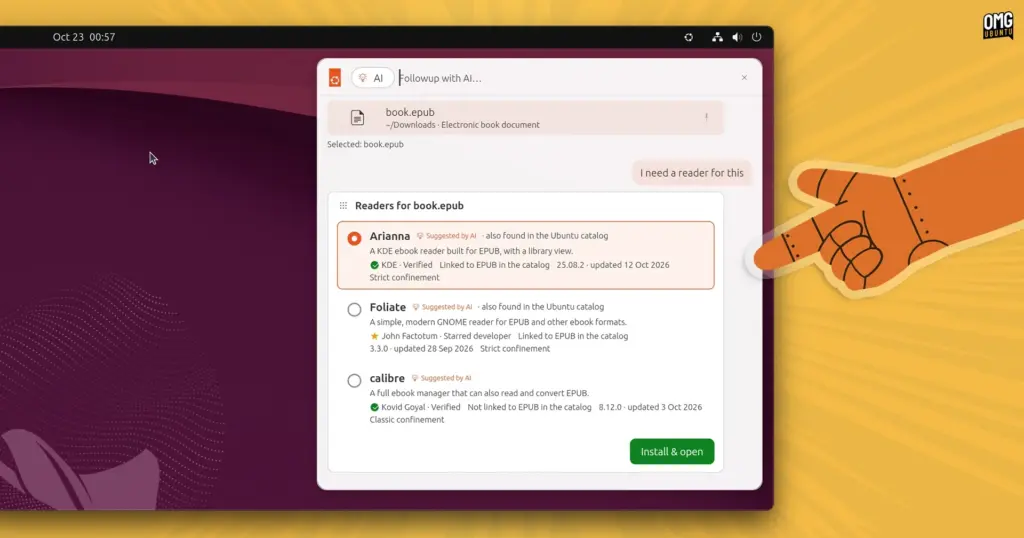
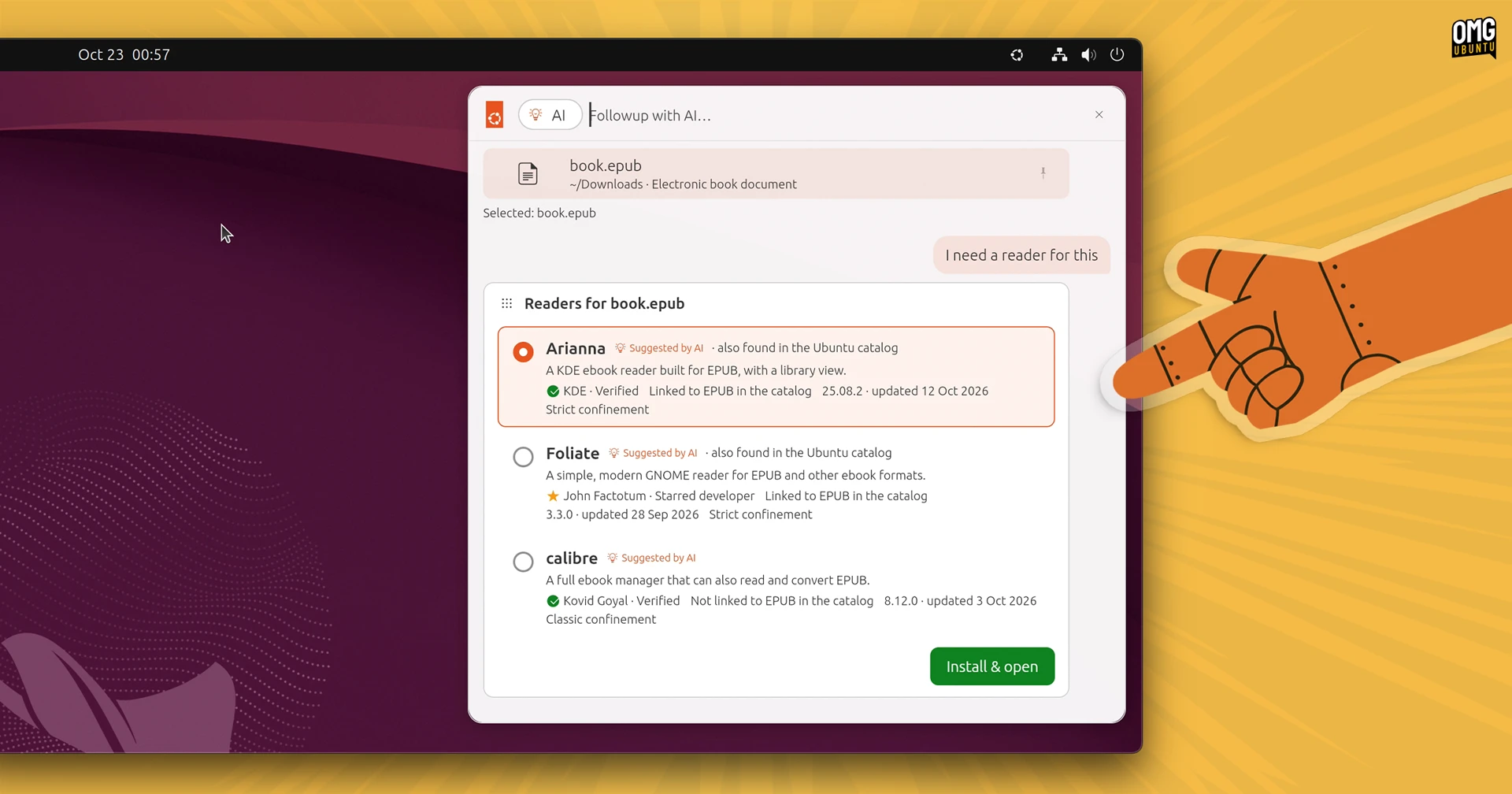
Another scenario explores software discovery and package management integration through contextual file handling. When a user attempts to interact with an unsupported file format—in this case, an ePub digital book—the launcher provides a direct "Followup with AI…" prompt. Instead of returning a generic error indicating that no compatible reader is installed, the launcher queries the Snap Store for relevant software packages capable of handling the format. Matching software options appear directly inside the launcher’s search interface, equipped with inline installation buttons. Activating an install button triggers package deployment without requiring the user to launch a standalone software center or execute command-line installation utilities.
A third and notably complex demonstration addresses clipboard history management and structured data extraction. Desktop users frequently copy disparate fragments of information—dates, addresses, meeting titles, or flight times—from emails, chat clients, and web pages. In the prototype’s simulation, a user selects several items from the clipboard history and tasks the integrated model with synthesizing the unstructured text into a coherent itinerary. The launcher processes the combined clipboard fragments, formats them into a structured calendar entry, and presents an interactive prompt to add the event directly to the system calendar.
Beyond these automated, prompt-driven demonstrations, the prototype outlines a wide range of conventional launcher capabilities. It models standard desktop behaviors such as indexing installed applications, browsing local documents, selecting emoji, inspecting clipboard histories, navigating across open browser tabs, and reviewing chronological task histories.
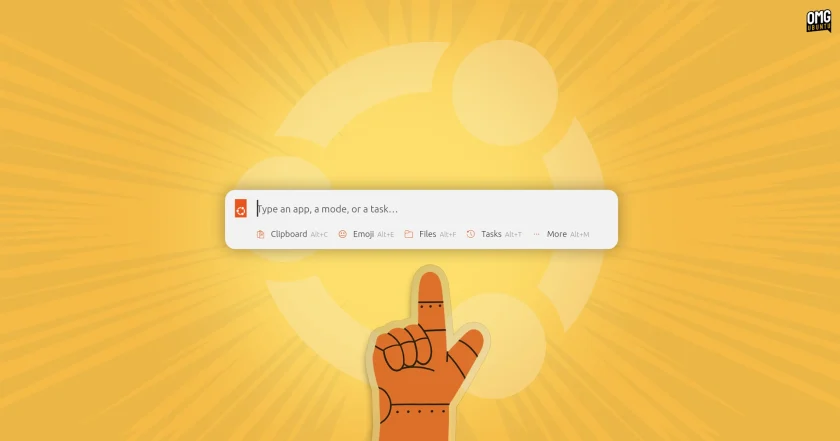
Throughout the interface, search results and model suggestions are accompanied by actionable icons, toggles, and contextual menus. Rather than functioning as a passive information-retrieval mechanism—the traditional role filled by desktop indexers—the interface acts as an operational hub designed to manipulate system state.
This functional paradigm shares notable philosophical similarities with recent iterations of macOS Spotlight, which has progressively evolved from a simple file search tool into an extensible, action-oriented system overlay. By combining application execution, direct actions, and conversational context into a singular workspace, the prototype suggests a future where users spend significantly less time navigating deep directory structures, settings trees, and fragmented configuration menus.
The demonstration reflects Canonical’s growing focus on pragmatic artificial intelligence implementations. The company has publicly signaled its intention to expand the presence of AI features across the Ubuntu ecosystem, provided those features deliver measurable user utility. Earlier this month, Canonical introduced the Myna AI dictation tool as an open tech preview, showcasing local speech-to-text processing on the Linux desktop. Internally, Canonical’s engineering teams have also incorporated large language models and agentic coding frameworks to assist with infrastructure management, automated testing, and development pipelines.
Importantly, Canonical has maintained that its interest in modern AI is governed by functional pragmatism rather than decorative deployment. The company has repeatedly emphasized that it will not introduce machine learning features simply for the sake of following broader industry hype. For desktop environments, this philosophy places strict emphasis on local, on-device inference models capable of running directly on consumer hardware.
Prioritizing on-device execution avoids the significant privacy, data-handling, and latency concerns associated with proprietary cloud-based services. In an operating system environment prized by developers, system administrators, and privacy-conscious users, sending desktop queries, clipboard contents, or local file metadata to external remote servers presents serious security and ethical concerns. By modeling interactions around hypothetical on-device models, the prototype explores how system-level assistance might operate while ensuring user data remains strictly confined to the local machine.
Try the demo (remember it’s a demo)
For developers, designers, and Linux enthusiasts curious to examine the conceptual interface firsthand, Canonical has made the prototype easily accessible. The software is distributed as a Snap package and can be installed across most actively supported Ubuntu releases via the experimental edge tracking channel:
sudo snap install warty-prototype --edge
Once the installation completes, the prototype can be launched directly from the command line. Upon execution, the utility places a small Ubuntu logo within the desktop’s top system panel. Clicking this icon reveals the experimental launcher overlay alongside a comprehensive menu of automated simulation routines illustrating the various assisted workflows.
Prospective testers should bear in mind that the package is strictly a non-functional interactive mockup. It does not contain an active local language model, nor does it interface with real system components, manipulate user configurations, index local files, or alter operating system behavior. The interactions are scripted animations designed exclusively to demonstrate visual hierarchy, interface flow, and potential user experiences.
The naming of the package itself carries historical significance for longtime Linux users: warty-prototype pays playful homage to Ubuntu 4.10, codenamed "Warty Warthog," the distribution’s inaugural public release distributed more than two decades ago. While the homage serves as a reminder of the desktop’s long-standing foundations, the interface inside attempts to map out where user interaction on Linux could head in the years to come.
 Linux & Open Source Solutions
Orbit Global Menu Brings Pragmatic Global Application Menus Back to the GNOME Shell Desktop
For more than a decade, the global menu bar has remained one...
 Linux & Open Source Solutions
Now Playing Card shows media info for multiple apps at a time
Modern computer usage rarely involves listening to a single continuous stream of...
 Linux & Open Source Solutions
Ubuntu 26.10 Releases Across Official Community Flavours: Desktop Refinements, Wayland Transitions, and the Return of MATE
Alongside the general availability of the primary distribution, the release of Ubuntu...







