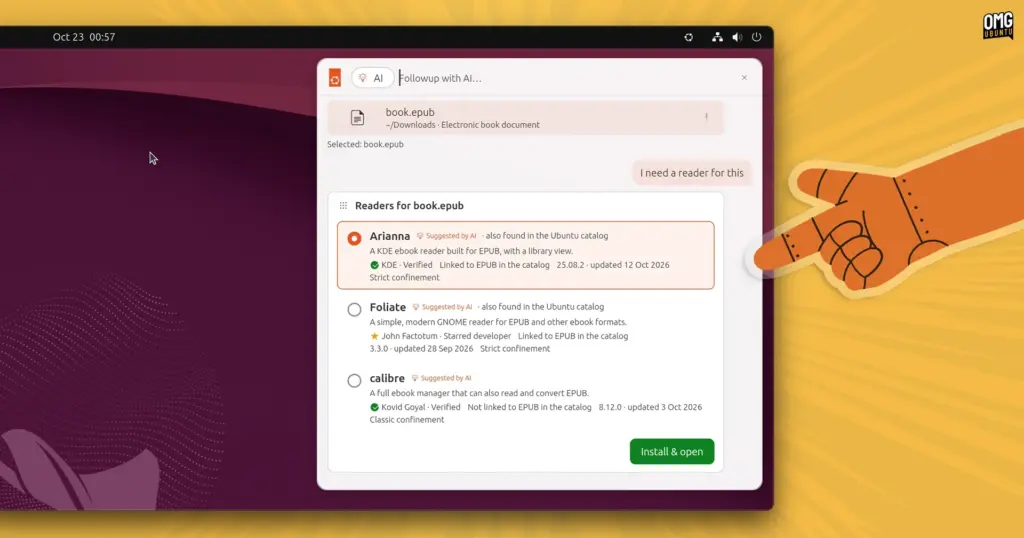
What would deeper, system-level artificial intelligence integration look like on the modern Ubuntu desktop? Users curious about how machine learning could eventually alter their daily open-source workflows no longer have to rely purely on speculation. A software engineer at Canonical has published an experimental prototype launcher designed to simulate how on-device artificial intelligence could be leveraged to assist, automate, and streamline everyday tasks across the operating system.
The prototype, titled warty-prototype, was packaged and distributed as a snap by long-time Canonical engineer Didier Roche-Tolomelli, widely known within the developer community as "didrocks." Rather than offering a fully functional desktop shell replacement, the package serves as a semi-interactive, automated mockup. It visually outlines conceptual features, demonstrating how end users might interact with a theoretical, locally hosted AI model to execute routine system functions and complex workflows without relying on external cloud providers.
On its public listing in the Snap Store, the software is cataloged as a "design-discussion prototype of the next Ubuntu launcher." While the phrasing is undeniably intriguing and hints at the trajectory Canonical’s user interface designers are exploring, it remains an experimental demonstration. The project is an exploratory design exercise rather than an ironclad commitment from Canonical to ship or officially integrate these exact mechanisms into upcoming distributions of Ubuntu.
A Unified Launcher and Prompt Interface
The user interface of the mockup functions as a hybrid between a conventional desktop application search bar and an integrated AI prompt box. When launched in an Ubuntu environment, the component reveals itself via a small Ubuntu logo embedded directly into the top desktop panel.
Because the utility is primarily an automated demonstration, user input is largely restricted to cycling through pre-programmed scenarios available via an internal menu. Selecting these scripted routines allows users to observe how a context-aware system assistant could execute multi-step user requests through natural language processing and deep desktop hooks.
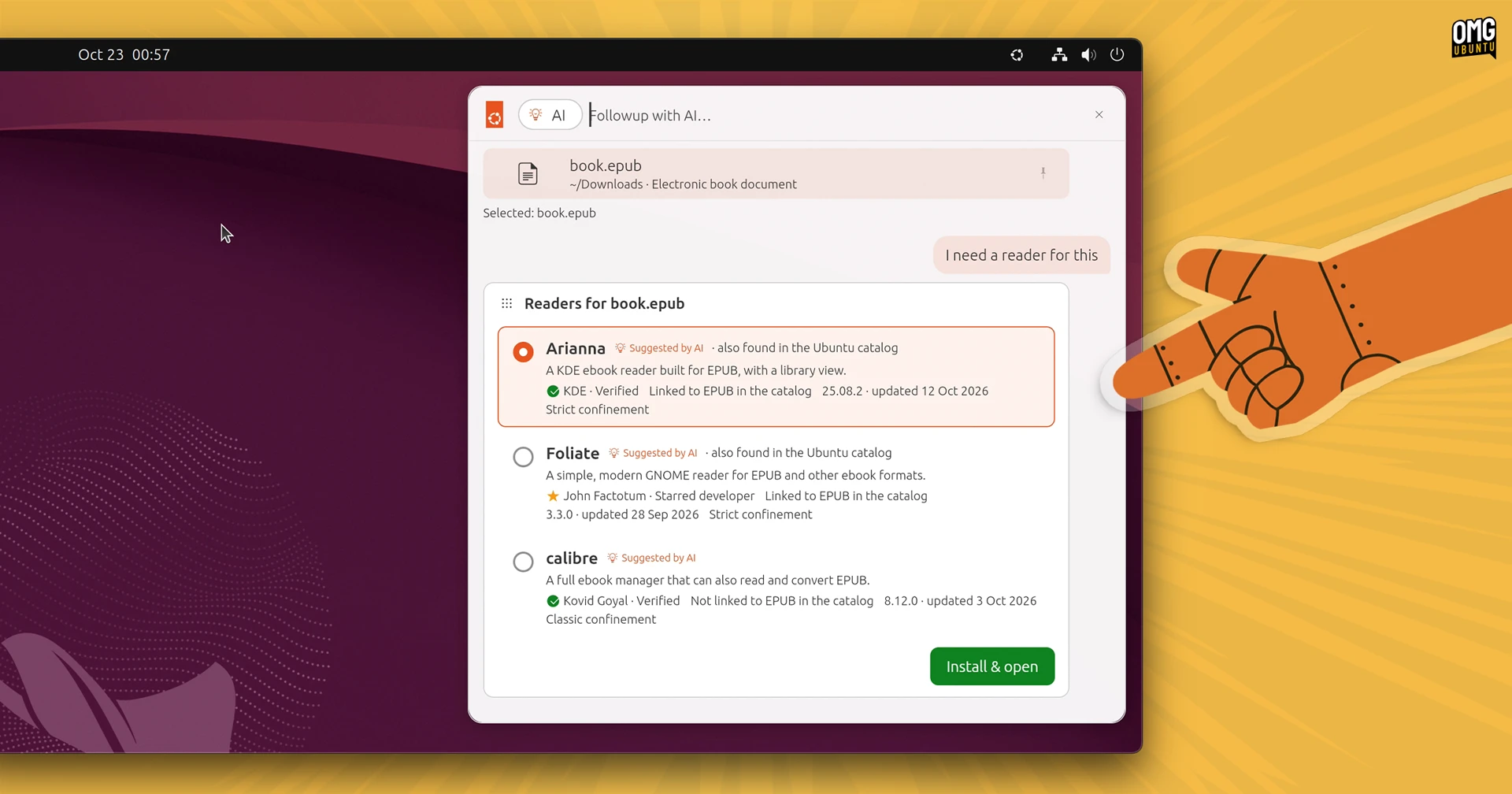
In one demonstrated scenario, the prototype illustrates how local file searching can seamlessly merge with system personalization. A user leverages the launcher’s file filter to track down a locally stored image file. Instead of merely opening the image in an external viewer, the user turns to the launcher’s AI prompt box. A command instructs the on-device model to set the discovered image as the system wallpaper and simultaneously calibrate the desktop’s entire accent color scheme to harmonize with the tones of the picture. The simulation carries out both actions inside the interface, demonstrating a level of desktop control rarely unified within traditional file managers.
 Linux & Open Source Solutions
GNOME Shell Weather Extensions Bring Dynamic Visuals to the Desktop Panel
While dedicated desktop applications for checking the weather have long enjoyed a...
 Linux & Open Source Solutions
Calibre 9.17 Arrives with Accelerated Conversion Speeds, JPEG XL Support, and Accessibility Enhancements
The open-source digital library and e-book management suite Calibre has officially rolled...
 Linux & Open Source Solutions
Ubuntu 26.10 Flavour Lineup Arrives with Updated Desktops, Architectural Changes, and the Return of Ubuntu MATE
Following the official launch of the Ubuntu 26.10 operating system, Canonical’s family...