
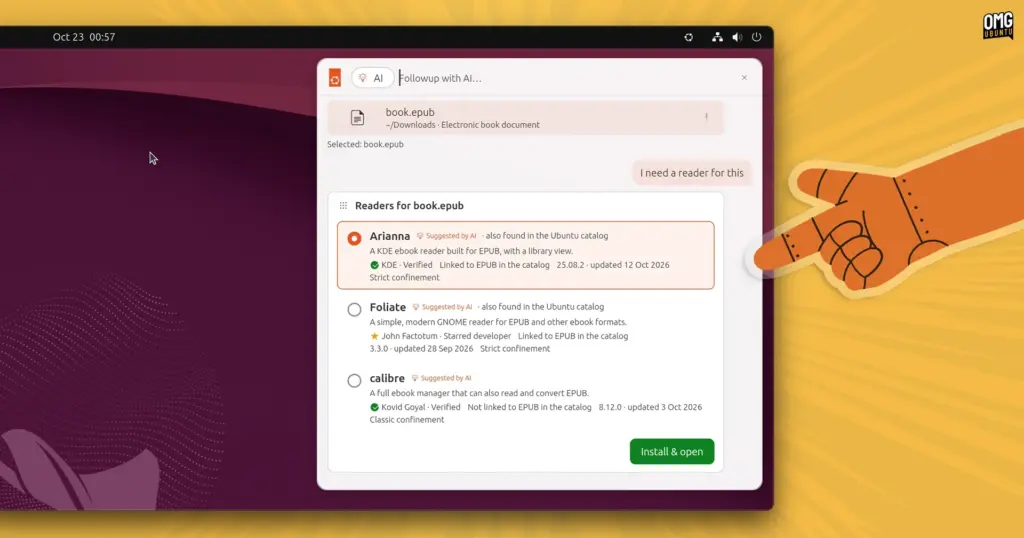
What would deeper, system-level artificial intelligence integration look like on the modern Ubuntu desktop? Users curious about how machine learning could eventually alter their daily open-source workflows no longer have to rely purely on speculation. A software engineer at Canonical has published an experimental prototype launcher designed to simulate how on-device artificial intelligence could be leveraged to assist, automate, and streamline everyday tasks across the operating system.
The prototype, titled warty-prototype, was packaged and distributed as a snap by long-time Canonical engineer Didier Roche-Tolomelli, widely known within the developer community as "didrocks." Rather than offering a fully functional desktop shell replacement, the package serves as a semi-interactive, automated mockup. It visually outlines conceptual features, demonstrating how end users might interact with a theoretical, locally hosted AI model to execute routine system functions and complex workflows without relying on external cloud providers.
On its public listing in the Snap Store, the software is cataloged as a "design-discussion prototype of the next Ubuntu launcher." While the phrasing is undeniably intriguing and hints at the trajectory Canonical’s user interface designers are exploring, it remains an experimental demonstration. The project is an exploratory design exercise rather than an ironclad commitment from Canonical to ship or officially integrate these exact mechanisms into upcoming distributions of Ubuntu.
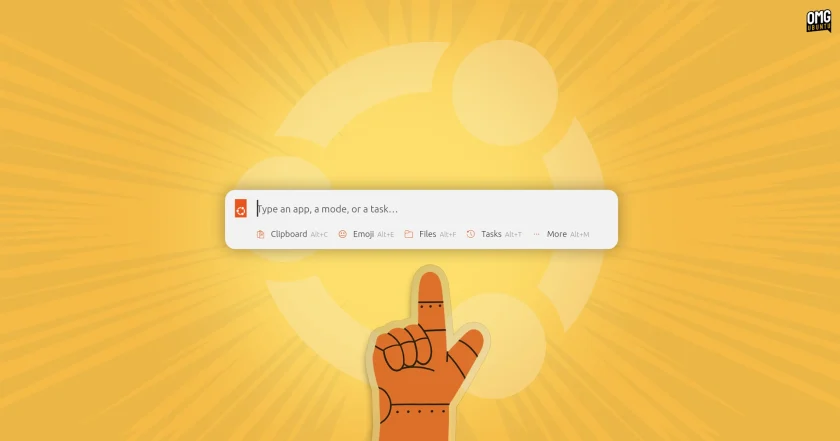
A Unified Launcher and Prompt Interface
The user interface of the mockup functions as a hybrid between a conventional desktop application search bar and an integrated AI prompt box. When launched in an Ubuntu environment, the component reveals itself via a small Ubuntu logo embedded directly into the top desktop panel.
Because the utility is primarily an automated demonstration, user input is largely restricted to cycling through pre-programmed scenarios available via an internal menu. Selecting these scripted routines allows users to observe how a context-aware system assistant could execute multi-step user requests through natural language processing and deep desktop hooks.
In one demonstrated scenario, the prototype illustrates how local file searching can seamlessly merge with system personalization. A user leverages the launcher’s file filter to track down a locally stored image file. Instead of merely opening the image in an external viewer, the user turns to the launcher’s AI prompt box. A command instructs the on-device model to set the discovered image as the system wallpaper and simultaneously calibrate the desktop’s entire accent color scheme to harmonize with the tones of the picture. The simulation carries out both actions inside the interface, demonstrating a level of desktop control rarely unified within traditional file managers.
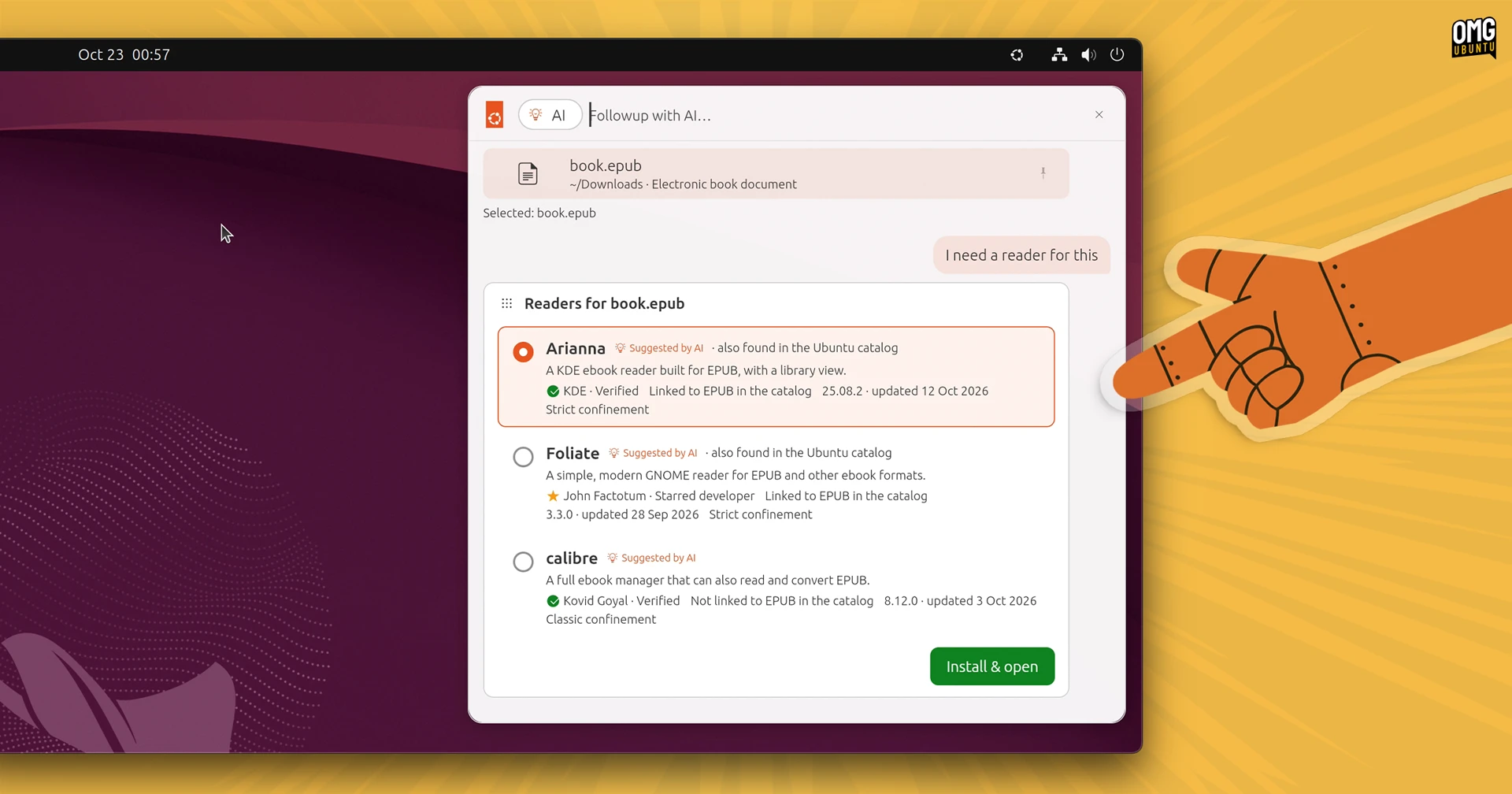
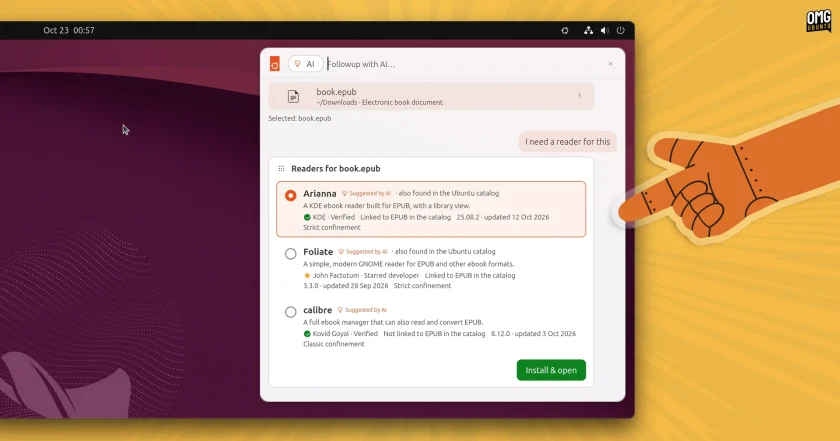
Another routine showcases how natural language support could modernize software discovery and package management. When a user queries a non-standard file type—in this case, an ePub digital book—the launcher provides a contextual option titled "Followup with AI…". Selecting this prompt initiates a search to locate an appropriate application capable of opening the file. Rather than directing the user to a standalone browser window or launching the full Ubuntu Software interface, suitable software package matches are pulled directly from the Snap Store and embedded into the launcher view. The results feature functional installation triggers, allowing the required software to be installed on the spot without breaking workflow.
Perhaps the most sophisticated scenario demonstrated by the prototype addresses productivity and personal schedule management. In this simulation, the local model is tasked with parsing a collection of fragmented snippets stored in the operating system’s clipboard history. The AI interprets the varied dates, times, and event descriptions from the clipboard and aggregates them into a coherent, structured calendar itinerary. Once processed, the resulting schedule entries are presented with an immediate option to add them directly to the user’s primary calendar application.
Beyond these automated, generative tasks, the prototype demonstrates capabilities intended for conventional desktop launcher duties. The interface accounts for everyday utilities such as opening installed software, locating local documents, searching and inserting emoji, reviewing clipboard logs, tracking down active browser tabs across multiple open windows, and reviewing recent user activities and tasks.
Throughout the various scripted simulations, the launcher avoids acting merely as a passive search utility. Retrieved results appear accompanied by dynamic, contextual action icons that allow users to actively manipulate files, trigger background operations, or dispatch instructions directly from the launcher interface itself.
In this regard, the conceptual design mirrors the evolution seen in platform utilities such as Apple’s Spotlight on modern iterations of macOS, which has gradually transitioned from a basic indexing tool into an active, centralized operational hub. The prototype suggests that an integrated Ubuntu equivalent could go even further, moving beyond basic find-and-retrieve mechanisms toward proactive desktop automation.
The initiative arrives at a time when Canonical has publicly signaled its ambition to ramp up AI capabilities across the Ubuntu ecosystem. The company has already begun rolling out exploratory tooling, recently releasing a technology preview of Myna, an on-device AI dictation system. Furthermore, Canonical engineering teams increasingly utilize large language models and agentic software development frameworks to optimize internal development, testing, and infrastructure management pipelines.
At the same time, Canonical leadership has emphasized that it does not intend to incorporate artificial intelligence haphazardly or merely for the sake of following market trends. The company’s stated strategy prioritizes practical, problem-solving utilities that rely heavily on localized, on-device computation—principles that are directly reflected in the architecture simulated by the warty-prototype package. By focusing on local models, the concept preserves privacy and data security while minimizing latency, addressing common reservations held by users within the open-source community regarding cloud-tethered machine learning tools.
Testing the Prototype
Desktop users interested in viewing Canonical’s experimental interface concepts firsthand can test the demonstration directly via the Snap Store. The package is compatible with the majority of modern, supported Ubuntu installations and can be acquired through the edge tracking channel.
The software can be installed through the terminal by executing the following command:
sudo snap install warty-prototype --edge
Following the installation, the mockup can be initiated directly from the command line. Once active, selecting the newly populated Ubuntu emblem situated in the top desktop panel displays the launcher interface, alongside the simulation menu showcasing the automated task sequences.
Users testing the utility should bear in mind that the application is purely a visual design prototype and discussion piece rather than a functional piece of desktop software. It does not actively interface with the host operating system’s configuration files, cannot perform live software discovery on local drives, and does not execute real-time local machine learning inference. It remains an exploratory preview of how Ubuntu engineers are conceptualizing the future of user interfaces in an era of local artificial intelligence.
 Linux & Open Source Solutions
Ubuntu 26.10 Arrives with Rust Coreutils, Passkey Authentication, and Smarter Window Snapping
Canonical has officially announced the release of Ubuntu 26.10, codenamed "Stonking Stingray."...
 Linux & Open Source Solutions
Third-Party ‘Nautilus My Computer’ Extension Restores Drive Overview and Introduces Miller Columns to GNOME Files
The default GNOME desktop environment has long prioritized minimalism, streamlined interfaces, and...
 Linux & Open Source Solutions
Kagi Halts Development of Orion Browser for Linux and Windows, Plans to Open Source Codebase
Kagi has officially announced that it is ending the internal development of...







