In the hyper-competitive landscape of global smartphone manufacturing, Samsung Electronics has long distinguished itself not merely through cutting-edge hardware, but through an aggressively expansive approach to software development. The company’s proprietary One UI interface, which overlays the Android operating system, is widely recognized as one of the most feature-dense environments available to modern consumers. However, this "kitchen sink" philosophy—the practice of packing as many tools and utilities as possible into a single device—presents a unique paradox for the average user.
While Samsung Galaxy devices are equipped with a suite of tools that arguably surpass those offered by competitors like Google or Apple in terms of sheer variety, a significant portion of this functionality remains untapped. For many users, the complexity of the software leads to a reliance on default settings, leaving some of the most innovative and productivity-enhancing features buried within sub-menus. As the smartphone market moves further into an era defined by artificial intelligence and personalized automation, industry analysts and long-time observers are pointing to five specific One UI features that represent the pinnacle of Samsung’s software engineering, yet remain overlooked by the vast majority of the Galaxy user base.
The Power of Contextual Automation: Modes and Routines
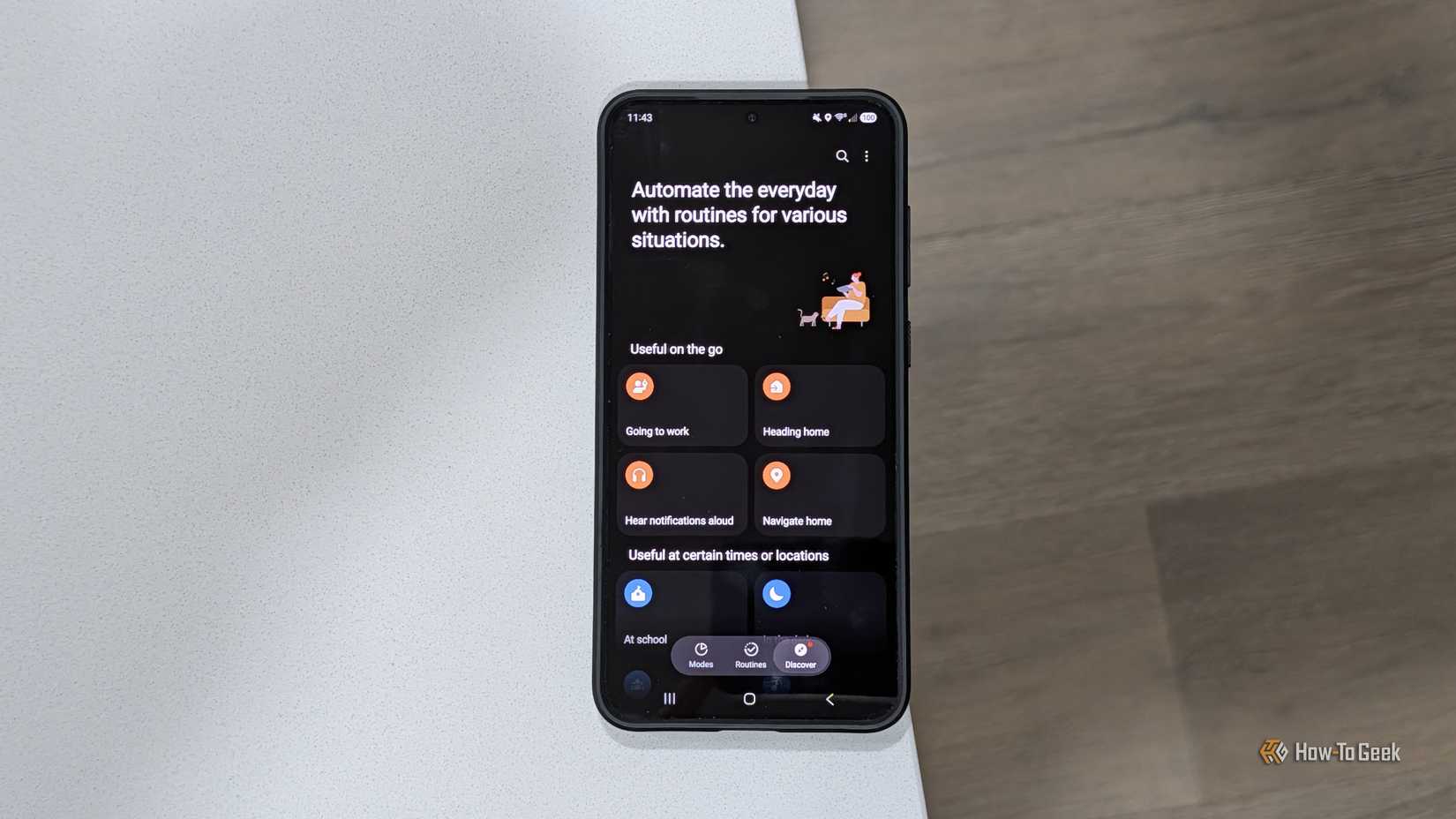
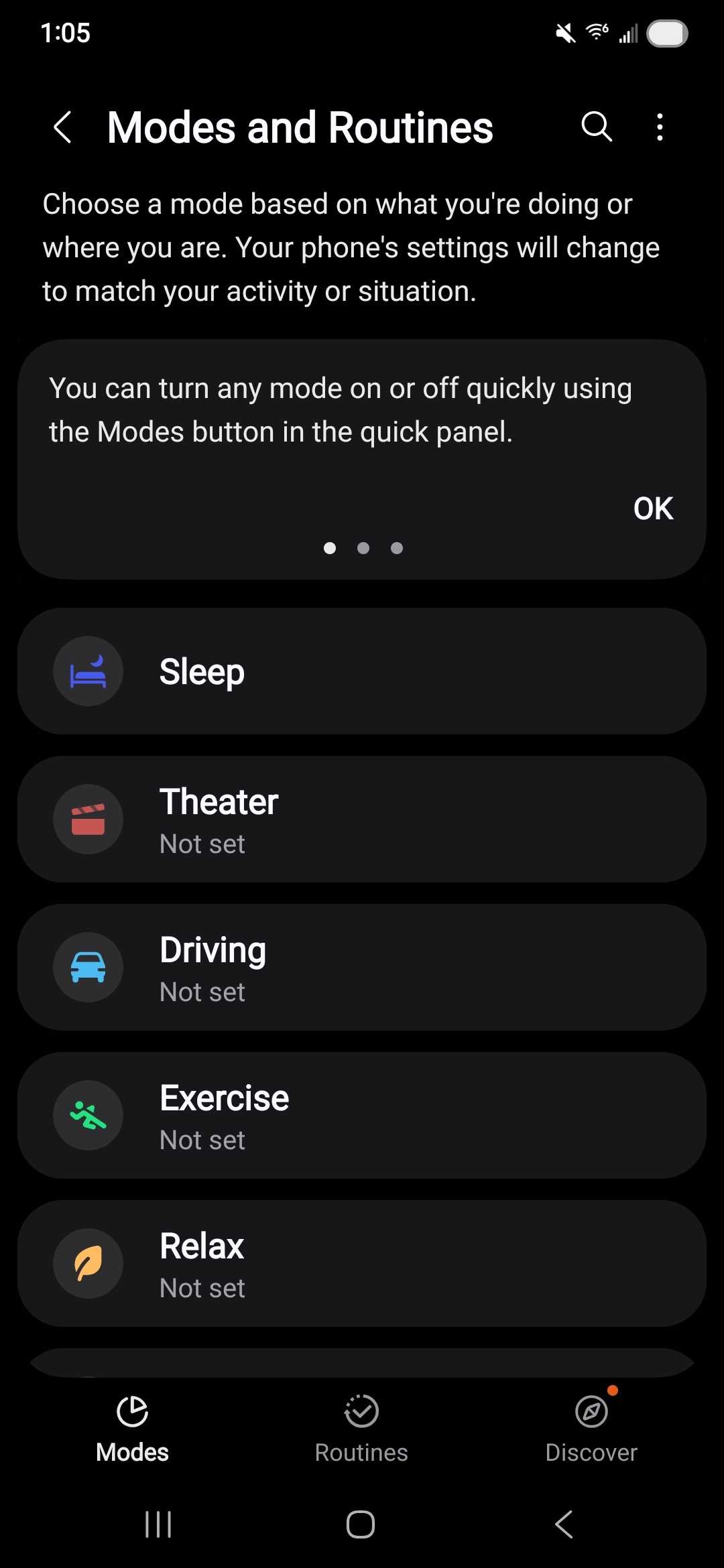
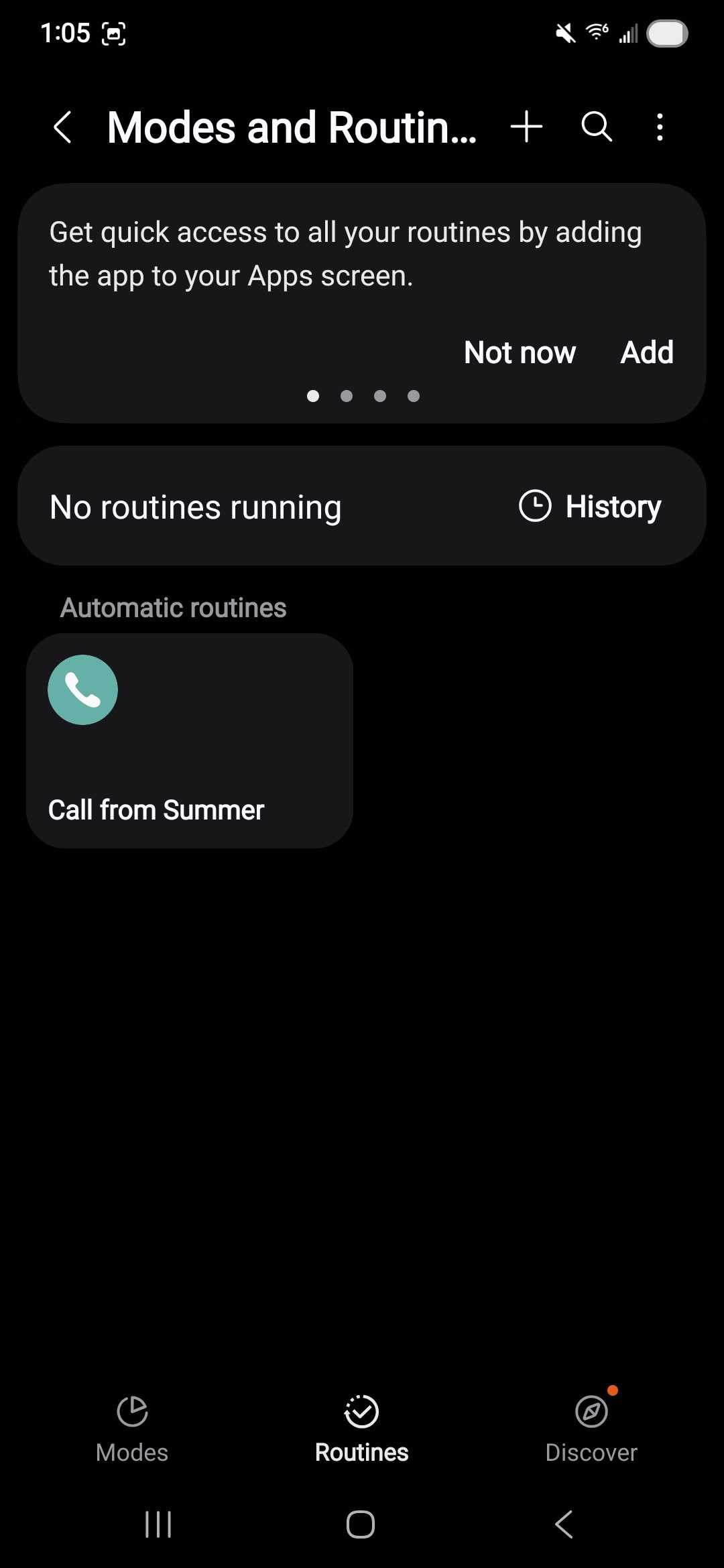
Perhaps the most significant of these underutilized tools is "Modes and Routines." Formerly known as Bixby Routines, this feature has evolved into a sophisticated automation engine that allows users to program their phones to react dynamically to their environment. Despite its potential to radically simplify the daily user experience, many owners perceive it as a tool reserved for "power users" or those with a background in programming.
The reality, however, is that Modes and Routines is designed to handle the mundane tasks that users otherwise perform manually dozens of times a day. By utilizing a "If This, Then That" logic, the system can trigger specific phone behaviors based on time, location, or device status. For instance, a user can configure a routine that automatically launches a music streaming app and disables notification sounds the moment the device connects to a car’s Bluetooth system. Similarly, geofencing capabilities allow the phone to switch to a silent profile or activate a specific "Work Mode" as soon as the user arrives at their office coordinates.
The depth of this feature extends into digital wellbeing. By setting up specific "Modes"—such as Sleep, Theater, or Driving—users can dictate exactly which contacts are allowed to reach them and which applications are permitted to send alerts. This level of granular control ensures that the smartphone serves as a tool for the user, rather than a constant source of distraction. Experts suggest that spending even a brief period configuring these automations can save hours of manual adjustments over the lifespan of a device, yet it remains one of the most frequently bypassed sections of the Settings menu.

Managing the Digital Divide with Dual Messenger
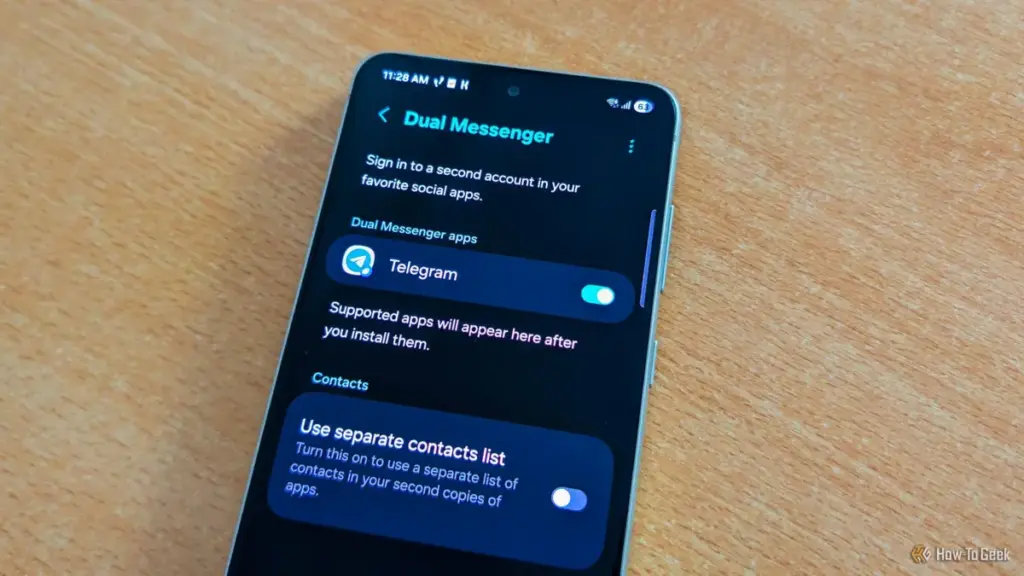
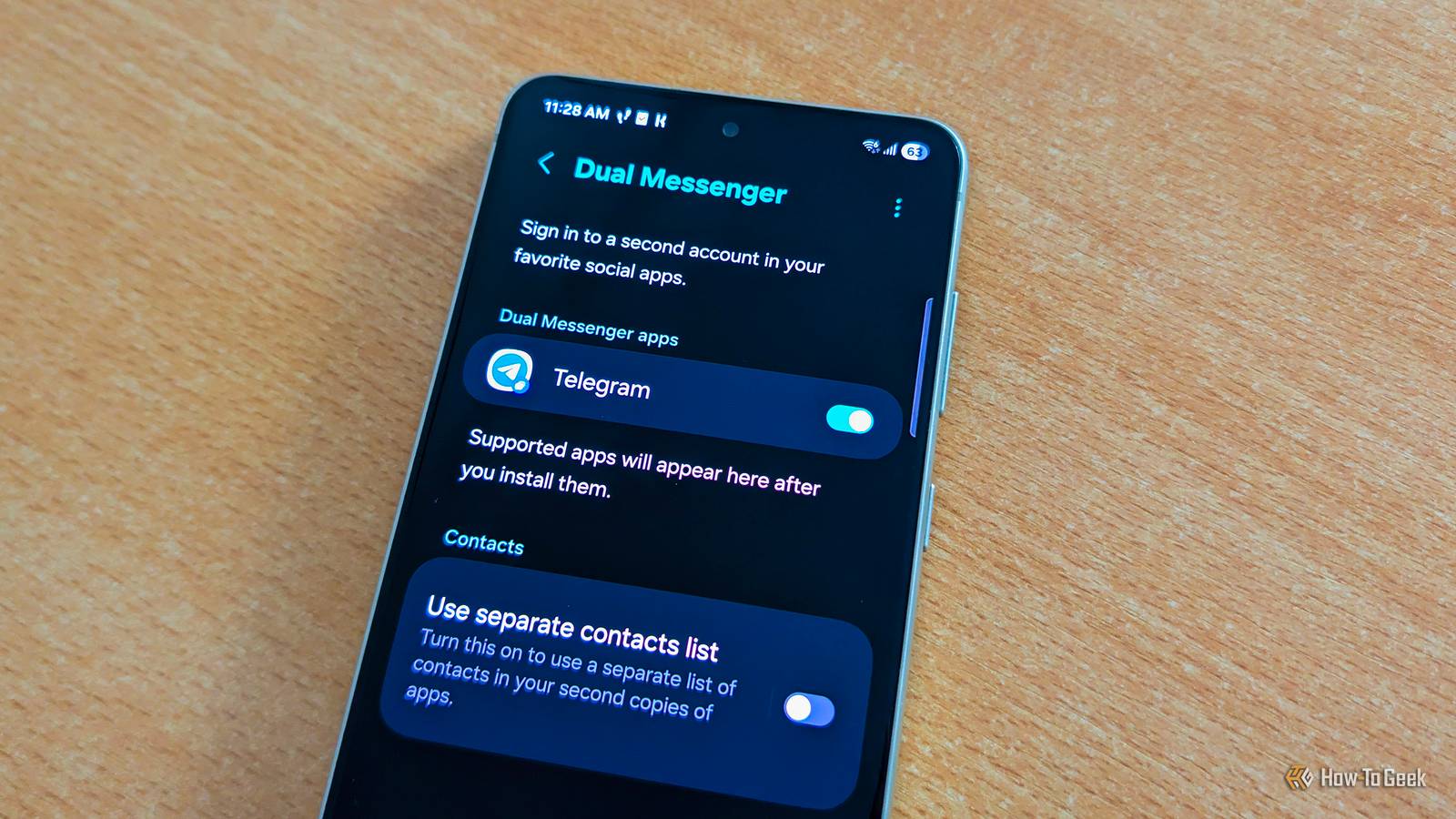
As the lines between professional and personal lives continue to blur, Samsung has integrated a solution that addresses the growing need for account separation without requiring a second physical device. The "Dual Messenger" feature is a specialized utility that allows for the simultaneous operation of two separate accounts within the same messaging application.
Unlike third-party "app cloning" software, which can often be unstable or pose security risks, Dual Messenger is built directly into the One UI framework. It creates a secondary, sandboxed instance of supported apps like WhatsApp, Telegram, or Facebook Messenger. This is particularly beneficial for entrepreneurs, social media managers, or employees who must manage corporate communications alongside personal chats.
One of the more sophisticated aspects of Dual Messenger is the ability to maintain a completely separate contact list for the cloned application. This ensures that work-related contacts do not mingle with personal ones, providing a much-needed layer of privacy. To help users distinguish between the two versions of the app, One UI applies a small, distinctive blue badge to the icon of the secondary instance. Despite the clear utility for anyone managing multiple digital identities, the feature is often tucked away in the "Advanced Features" section, away from the immediate view of the casual user.
Sophisticated Audio Routing: Separate App Sound
The modern smartphone is no longer just a communication device; it is a central hub for media consumption, often connected to various external outputs like Bluetooth speakers, headphones, and smart TVs. Samsung addressed the potential for audio conflicts in these multi-device environments with a feature known as "Separate App Sound."
This utility allows the device to split its audio output across different channels simultaneously. In a typical scenario, if a user is playing music through a Bluetooth speaker and decides to watch a video on social media, the music is usually interrupted or the video audio plays over the speaker. Separate App Sound solves this by allowing the user to designate specific apps to specific outputs.
A practical application of this might involve a parent who is using their phone to provide background music for a gathering via a home audio system. If they wish to hand their phone to a child to watch a video, Separate App Sound can be configured so that the music continues to stream to the speakers while the video audio plays exclusively through the phone’s built-in speakers. It is a highly situational feature, yet for those who find themselves navigating complex audio environments, it represents a level of software flexibility that is rarely found in other mobile ecosystems.
The Sandbox Advantage: Secure Folder and Samsung Knox
Perhaps the most robust feature in the Galaxy arsenal is the "Secure Folder." While many users mistake this for a simple hidden gallery for photos, it is actually a sophisticated, encrypted sandbox powered by Samsung’s defense-grade Knox security platform. Secure Folder functions essentially as a "phone within a phone," an isolated environment that operates independently of the primary operating system.
The implications for privacy and security are profound. Because Secure Folder is sandboxed, users can install entirely separate versions of apps within it, logged into different Google or Samsung accounts. This makes it an ideal environment for banking apps, sensitive work documents, or any software that requires an extra layer of biometric protection.
Furthermore, Secure Folder offers unique benefits for system performance and battery life. Applications placed within the folder are typically prevented from running in the background when the folder is locked, ensuring they do not consume resources or drain the battery unnecessarily. For users seeking a true "Work-Life Balance," the folder can be used to house all professional applications, which can then be "turned off" with a single tap at the end of the day. Despite being a cornerstone of Samsung’s enterprise-level security offerings, many consumer-grade users remain unaware of how easily they can implement this level of protection on their personal devices.
AI-Driven Clarity: The Rise of Audio Eraser
In recent years, Samsung has pivoted heavily toward integrating artificial intelligence into the user experience, often branded under the "Galaxy AI" umbrella. While features like live translation and photo manipulation have garnered significant headlines, "Audio Eraser" has emerged as a quieter, yet highly practical, application of machine learning.
Integrated into the Samsung Gallery and Voice Recorder apps, Audio Eraser allows users to post-process videos and audio recordings to eliminate unwanted background noise. Using advanced algorithms, the software can distinguish between human speech and ambient sounds—such as wind, traffic, or the hum of an air conditioner. Users can then use a simple slider to dampen the noise while boosting the clarity of the voices.
What makes Audio Eraser particularly noteworthy is its versatility. It is not limited to files stored locally; it can also be applied to media playing in external apps like YouTube or TikTok via the Quick Settings panel. As mobile content creation continues to grow, this tool provides a professional-grade solution for improving audio quality without the need for expensive external microphones or complex editing software.
A Call for Exploration
The sheer volume of features within One UI is a testament to Samsung’s commitment to providing a versatile platform, but it also places a burden of discovery on the user. The transition from a standard smartphone user to a "power user" often depends on the willingness to explore these deeper layers of the software.
As Samsung continues to refine its interface with each annual update, the company is increasingly focusing on making these hidden gems more accessible through AI-driven suggestions and more intuitive menu layouts. However, for the millions of Galaxy owners currently holding these devices, the most significant upgrades may not come from a new hardware purchase, but from a deeper dive into the settings of the phone they already own. By embracing tools like Modes and Routines or Secure Folder, users can transform their devices from simple communication tools into highly personalized, automated assistants that cater to the specific demands of their daily lives.
 Tech Tutorials & How-To Guides
Exploring the Frontiers of the Unknown: Three Essential Science Fiction Films to Stream on Netflix This Weekend
As the autumn of 2026 unfolds, the digital landscape of the American...
 Tech Tutorials & How-To Guides
The Hidden Cost of DLSS: Why NVIDIA’s Software Lead No Longer Justifies the GeForce Price Premium
For over a decade, NVIDIA has cultivated a nearly impenetrable software ecosystem...
 Tech Tutorials & How-To Guides
The Raspberry Pi Returns to Its Maker Roots: Three Innovative Hardware Projects for the Modern Tinkerer
As the technology landscape continues to evolve in 2026, the role of...