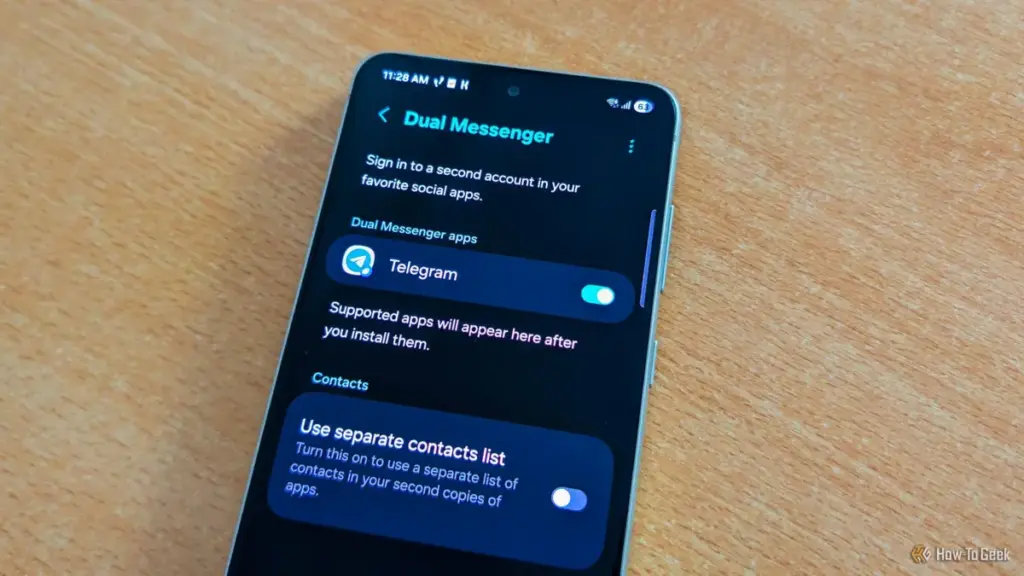
Furthermore, Secure Folder offers unique benefits for system performance and battery life. Applications placed within the folder are typically prevented from running in the background when the folder is locked, ensuring they do not consume resources or drain the battery unnecessarily. For users seeking a true "Work-Life Balance," the folder can be used to house all professional applications, which can then be "turned off" with a single tap at the end of the day. Despite being a cornerstone of Samsung’s enterprise-level security offerings, many consumer-grade users remain unaware of how easily they can implement this level of protection on their personal devices.
AI-Driven Clarity: The Rise of Audio Eraser
In recent years, Samsung has pivoted heavily toward integrating artificial intelligence into the user experience, often branded under the "Galaxy AI" umbrella. While features like live translation and photo manipulation have garnered significant headlines, "Audio Eraser" has emerged as a quieter, yet highly practical, application of machine learning.
Integrated into the Samsung Gallery and Voice Recorder apps, Audio Eraser allows users to post-process videos and audio recordings to eliminate unwanted background noise. Using advanced algorithms, the software can distinguish between human speech and ambient sounds—such as wind, traffic, or the hum of an air conditioner. Users can then use a simple slider to dampen the noise while boosting the clarity of the voices.
What makes Audio Eraser particularly noteworthy is its versatility. It is not limited to files stored locally; it can also be applied to media playing in external apps like YouTube or TikTok via the Quick Settings panel. As mobile content creation continues to grow, this tool provides a professional-grade solution for improving audio quality without the need for expensive external microphones or complex editing software.
A Call for Exploration
The sheer volume of features within One UI is a testament to Samsung’s commitment to providing a versatile platform, but it also places a burden of discovery on the user. The transition from a standard smartphone user to a "power user" often depends on the willingness to explore these deeper layers of the software.
As Samsung continues to refine its interface with each annual update, the company is increasingly focusing on making these hidden gems more accessible through AI-driven suggestions and more intuitive menu layouts. However, for the millions of Galaxy owners currently holding these devices, the most significant upgrades may not come from a new hardware purchase, but from a deeper dive into the settings of the phone they already own. By embracing tools like Modes and Routines or Secure Folder, users can transform their devices from simple communication tools into highly personalized, automated assistants that cater to the specific demands of their daily lives.
 Tech Tutorials & How-To Guides
The Hidden Expiry Date: Why Your Smart Home Hardware May Fail Sooner Than You Think
In the early days of the smart home revolution, early adopters were...
 Tech Tutorials & How-To Guides
Netflix Expands October Streaming Slate with Major Returns for ‘The Diplomat,’ ‘Love Is Blind,’ and ‘Solar Opposites’
As the calendar turns toward the final stretch of October, the streaming...
 Tech Tutorials & How-To Guides
Beyond the Command Line: How btop is Redefining System Monitoring for the Modern Linux User
The terminal has long been the sanctuary of the Linux power user—a...