
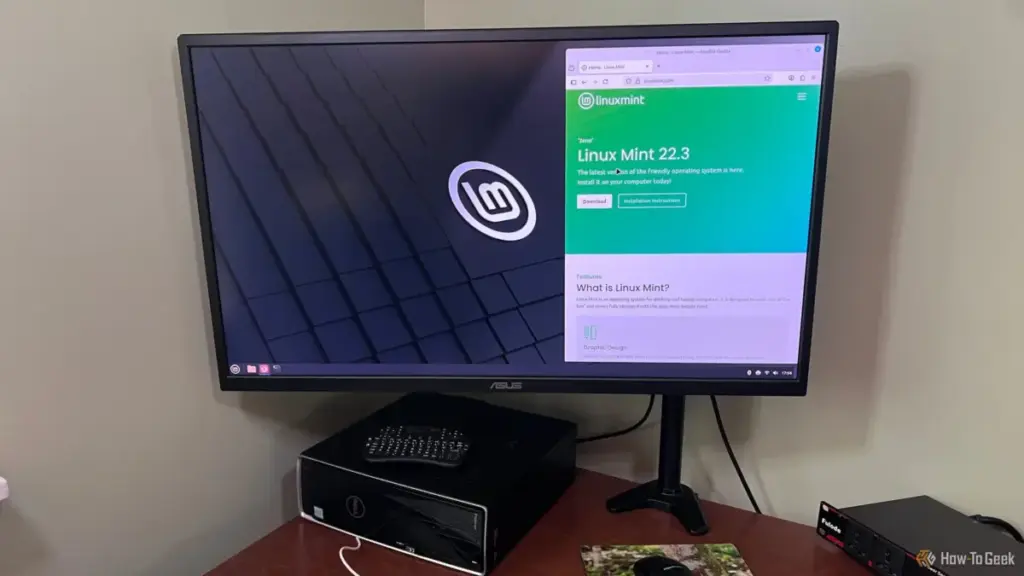
For years, the tech community has championed Linux Mint as the definitive "gateway" operating system for those looking to escape the ecosystem of Microsoft Windows. It is frequently presented as the friendly, stable, and intuitive face of the open-source world—a distribution designed specifically to lower the barrier of entry for the average user. However, for veteran technology writer and editor Jorge Aguilar, a year-long experiment with the platform on his Lenovo IdeaPad Y70 revealed a different reality. What began as a hopeful transition into the world of Linux ended in a series of technical frustrations, hardware incompatibilities, and a realization that the gap between Windows and Linux remains wider than many advocates are willing to admit.
The narrative surrounding Linux Mint often centers on its Cinnamon desktop environment, which provides a familiar taskbar, start menu, and window management system that mimics the Windows user experience. But as Aguilar discovered, a familiar interface does not necessarily translate to a seamless functional experience. After twelve months of navigating the complexities of the OS, he argues that the marketing of Linux Mint as a "drop-in" replacement for Windows often glosses over the significant technical friction that power users, gamers, and creative professionals are likely to encounter.
The Persistent Struggle of Older Hardware Compatibility
One of the most common arguments in favor of switching to Linux is its ability to "breathe new life" into aging hardware. While this may be true for lightweight distributions on basic machines, Aguilar’s experience with his Lenovo laptop suggests that for mid-range or specialized hardware, the experience is often fraught with instability. On some machines, Mint fails to accurately interpret the hardware configuration, leading to critical failures in basic connectivity.
In Aguilar’s case, the first major hurdle was the total failure of the wireless system. Despite the hardware being functional, the operating system would sporadically report that wireless capabilities were turned off, effectively killing both Wi-Fi and Bluetooth functionality without warning. This is a known issue within the Linux ecosystem, where wireless chips—specifically those manufactured during the peak of the Windows 8 and 10 eras—were designed with proprietary Windows drivers in mind.
Linux Mint relies on generic, open-source drivers for many of these components. While these drivers allow for basic operation, they often lack the sophisticated power management and stability features of their proprietary counterparts. The result is a shaky connection that may drop every few minutes or a wireless card that fails to "wake up" after the laptop lid is closed and reopened. For a new user, fixing such an issue requires an immediate dive into community forums and the manual installation of drivers from outside the standard repositories—a task that is far removed from the "user-friendly" promise of the OS.
The hardware woes extended into the realm of graphics. Like many laptops of its era, the IdeaPad Y70 utilizes NVIDIA hardware. By default, Linux Mint often utilizes the "Nouveau" open-source driver. While functional for basic desktop tasks, this driver cannot utilize the GPU at its full clock speeds, forcing the card into its lowest performance state during gaming or intensive tasks. Switching to the official proprietary NVIDIA drivers via the Mint Driver Manager solves the performance issue but introduces a new, more systemic problem: kernel updates.
Every time Linux Mint updates its core software, the proprietary driver must be rebuilt to maintain compatibility with the new kernel. On older hardware, this process is prone to failure. Aguilar noted that after a routine update, he was met with the dreaded "black screen," a situation where the driver fails to load, leaving the user with a non-functional display. Resolving this requires significant manual intervention, a hurdle that many casual users would find insurmountable.
 Tech Tutorials & How-To Guides
Paramount+ Thriller Spotlight: From Gritty Action Franchises to Luc Besson’s Reimagined Dracula
As the calendar turns deeper into October, the shift in atmosphere is...
 Tech Tutorials & How-To Guides
The Hidden Costs of the Modern Living Room: Why Your Smart TV Knows More Than You Think
In the contemporary landscape of consumer electronics, it has become an open...
 Tech Tutorials & How-To Guides
Five Highly Rated Comedy Series on Netflix for Quick and Easy Viewing
In the modern landscape of streaming, where "prestige television" often demands dozens...







