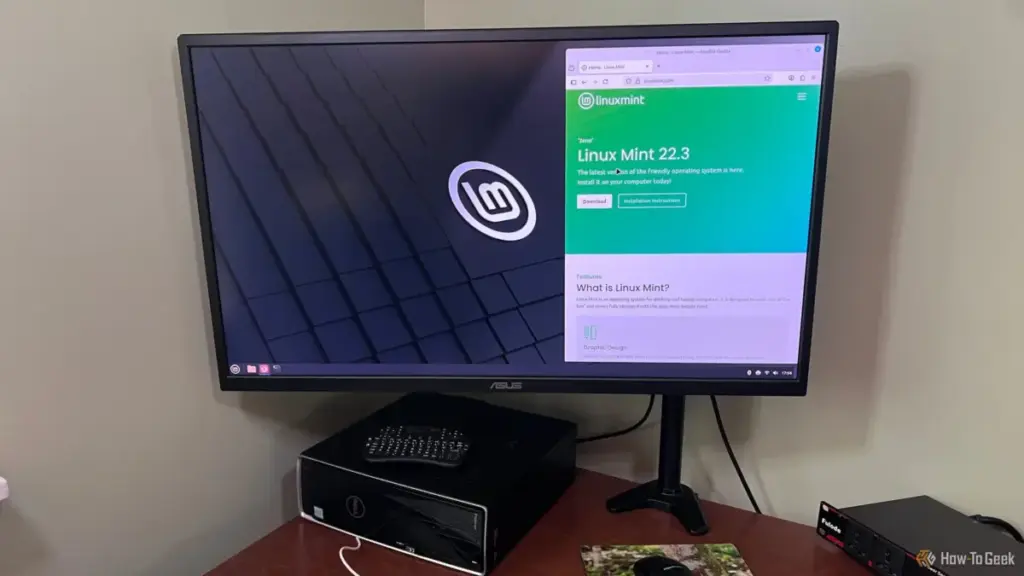
Performance Gaps in Gaming and Creative Workflows
The limitations of Linux Mint are perhaps most visible when it moves beyond web browsing and document editing into the realms of high-end gaming and professional creative work. For those who rely on specialized software, the transition to Linux is often not a "switch," but a sacrifice.
Aguilar highlighted the total absence of Linux versions for popular creative suites, such as Reallusion’s iClone, Character Creator, and Cartoon Animator. In the Windows world, these tools are industry standards for animation and character design. In the Linux world, they simply do not exist. Furthermore, the traditional workaround of using a Virtual Machine (VM) is often inadequate for these tasks. Creative applications require direct access to the GPU’s hardware acceleration to function effectively, and virtualized graphics layers rarely provide the necessary performance or stability.

The gaming experience on Linux has improved significantly thanks to Valve’s Proton translation layer, which allows Windows games to run on Linux. However, the underlying architecture of Linux Mint presents its own set of obstacles. The default Cinnamon desktop environment utilizes the aging X11 display system and the Muffin compositor. While stable for general use, this combination can introduce input lag and frame pacing issues that are not present on Windows.
While a casual player of turn-based strategy games might not notice these micro-stutters, they are immediately apparent in fast-paced environments like first-person shooters or competitive titles. The "feel" of the game is subtly different, and for many users, that difference is a regression. This technical overhead is a reality of the Linux experience that is frequently omitted from the enthusiastic "Switch to Linux" guides found online.
The Peripheral Gamble and the Driver Vacuum
Another significant, yet often overlooked, issue is the lack of support for high-end gaming and productivity peripherals. Modern mice, keyboards, and headsets from manufacturers like Logitech, Razer, and Corsair are sold with the promise of deep customization through software suites like G-Hub or Synapse. These companies almost exclusively target Windows and macOS, leaving Linux users in a "driver vacuum."
On Linux Mint, a $150 high-performance gaming mouse often functions only as a basic pointing device. The advanced features that justify the price tag—customizable DPI stages, button rebinding, polling rate adjustments, and complex RGB lighting profiles—are locked away. Because the Windows installers for these suites rely on specific Windows kernel drivers, they cannot be run through compatibility layers like WINE.
Users are instead forced to rely on community-developed tools such as Piper or OpenRGB. While these projects are impressive feats of reverse-engineering, they are not official solutions. They often lack support for the latest hardware and, in extreme cases, carry the risk of "bricking" a device if a firmware interaction goes wrong. For users who have invested hundreds of dollars in a specific hardware ecosystem, this lack of interoperability is a significant deterrent.
 Tech Tutorials & How-To Guides
The Unseen Ecosystem: Why Samsung’s Most Powerful One UI Features Remain Hidden to Most Users
In the hyper-competitive landscape of global smartphone manufacturing, Samsung Electronics has long...
 Tech Tutorials & How-To Guides
The Self-Hosted Revolution: Leveraging Raspberry Pi for Professional and Personal Digital Sovereignty
In the rapidly evolving landscape of modern technology, the boundary between consumer-grade...
 Tech Tutorials & How-To Guides
Thrills and Psychological Chills: Netflix Bolsters October Lineup With ‘Unabomber’ and Genre Classics
As the calendar turns to the first full week of October, the...