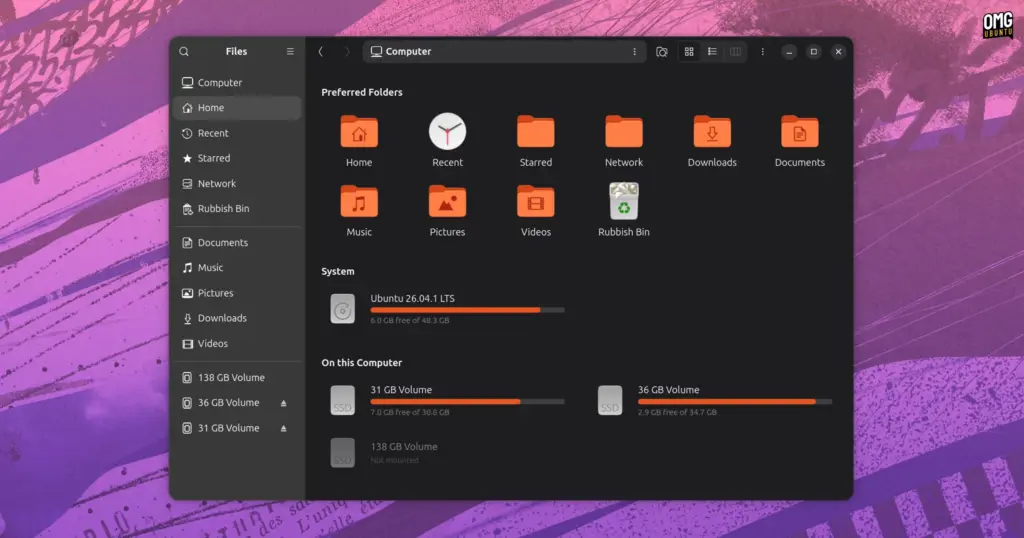
The default GNOME desktop environment has long prioritized minimalism, streamlined interfaces, and stripped-back design paradigms. For millions of Linux users who rely on the Nautilus file manager—officially known as GNOME Files—this philosophy delivers a clean and uncluttered workspace for day-to-day file operations. However, this same dedication to minimalism has occasionally come at the cost of traditional computing layouts that many longtime operating system users take for granted. Chief among these missing legacy layouts is a dedicated, consolidated system drive overview capable of illustrating disk capacities, mounted partitions, and available storage at a glance.
A third-party add-on known as Nautilus My Computer, developed by open-source programmer Yann Masoch, aims to bridge this long-standing design gap. Designed as an integrated view for modern iterations of the GNOME file manager, the software provides a centralized landing screen specifically focused on drive management, volume metrics, and high-level directory navigation. Beyond merely reintroducing an overview of attached hardware, the project packages an array of interface tweaks and an oft-requested navigation paradigm: experimental Miller columns.
A Centralized Storage Hub for GNOME
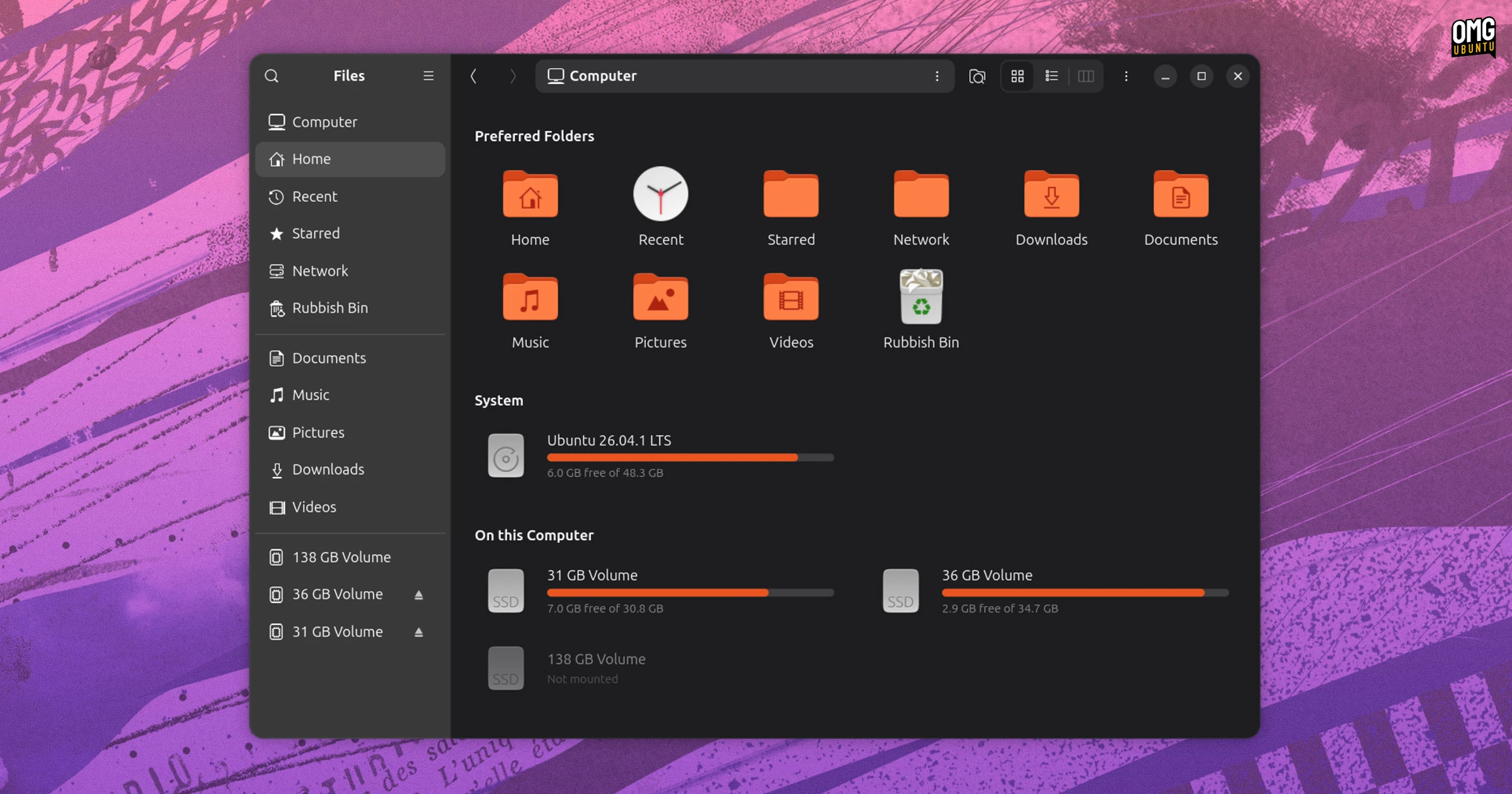
At its core, the Nautilus My Computer add-on introduces a dedicated graphical page directly inside the file manager window. Rather than requiring users to open separate analytical utilities or dig into partition tables, this unified page enumerates all recognized local disks, external hardware, removable media volumes, and active storage partitions.
Crucially, each volume entry on the overview screen is paired with an inline storage usage meter. These visual progress bars give users immediate feedback regarding which drives have ample headroom and which are approaching capacity, eliminating the need to inspect file properties individually across several different mount points.
Interaction within the newly added page mirrors traditional folder navigation. Users can double-click on any listed drive or partition to browse its underlying filesystem structure immediately. Right-clicking an entry displays a contextual menu populated with standard file system actions. Depending on the physical hardware and partition configuration, users can choose to open the location in a new tab, launch it within an entirely distinct window, safely unmount active partitions, or eject physical media such as flash memory sticks and external hard disks.
To further anchor the display as a daily starting point, a designated "Preferred Folders" module is pinned toward the top of the main screen. This area presents quick links to commonly referenced user directories. The layout is designed to be user-configurable, allowing individuals to pin their most frequently accessed project directories directly to the upper region while discarding shortcuts they consider superfluous to their everyday workflows.
The overview itself offers visual flexibility to accommodate diverse display sizes and desktop scaling preferences. Users can toggle the display between an expansive large-icon presentation and a more information-dense compact view, catering both to users who prefer clean visual separation and those who require quick scanning across multiple active filesystems.
A Customisable Computer View
Customization forms a significant pillar of the project, extending well beyond basic icon adjustments. By right-clicking the primary "Computer" entry located in the top section of the sidebar, users can access an integrated configuration interface that governs the behavior and aesthetics of the add-on.
Within this settings window, users can dictate precisely how local filesystems are organized and displayed. The software allows users to include or exclude low-level system partitions, such as EFI system volumes, /boot partitions, and swap allocations, which modern desktop distributions generally hide from everyday desktop users to prevent accidental system breakage. The interface also provides options to group connected media logically, allowing drives to be systematically categorized by their hardware type or unified into a single continuous stream of accessible locations.
 Linux & Open Source Solutions
Linux Booting Returns to PlayStation 5 on Newer Firmware via pLinux5-NG Project
Efforts to transform home video game consoles into open computing platforms have...
 Linux & Open Source Solutions
Orbit Global Menu Brings Pragmatic Global Application Menus Back to the GNOME Shell Desktop
For more than a decade, the global menu bar has remained one...
 Linux & Open Source Solutions
Ubuntu 26.10 Flavour Lineup Arrives with Updated Desktops, Architectural Changes, and the Return of Ubuntu MATE
Following the official launch of the Ubuntu 26.10 operating system, Canonical’s family...