
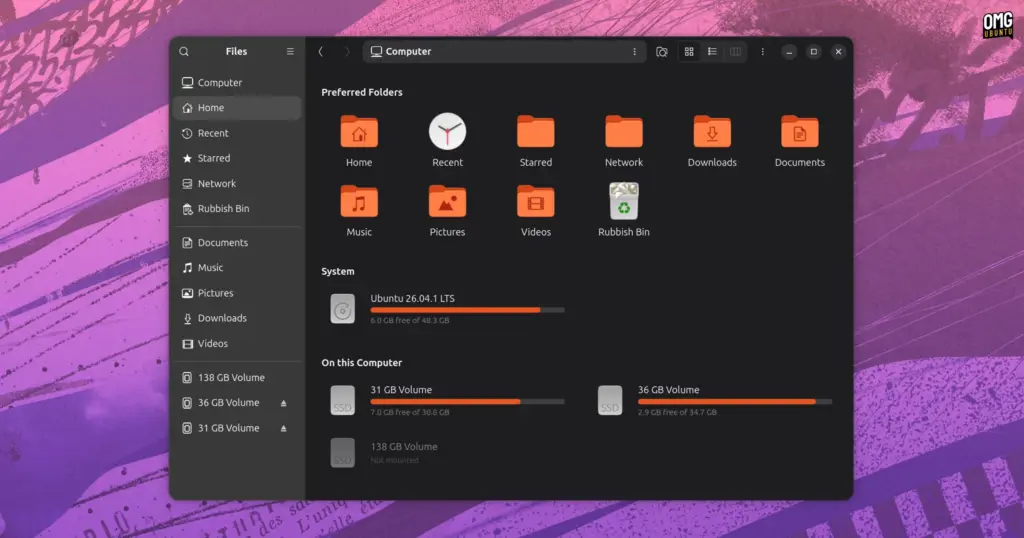
sudo add-apt-repository ppa:yannmasoch/nautilus-my-computerOnce the personal package archive has been successfully fetched and acknowledged by the local package cache, the extension can be deployed directly through the system package manager:
sudo apt install nautilus-my-computerBecause the software modifies the visual layouts and interface structure of the running desktop shell, the Nautilus process must be fully terminated and restarted following package installation in order to load the compiled binaries and seat the user interface alterations into their intended locations.
Worth Installing?
The arrival of Nautilus My Computer highlights enduring differences in workflow preferences between core GNOME interface designers and a sizable contingent of traditional desktop computing users.
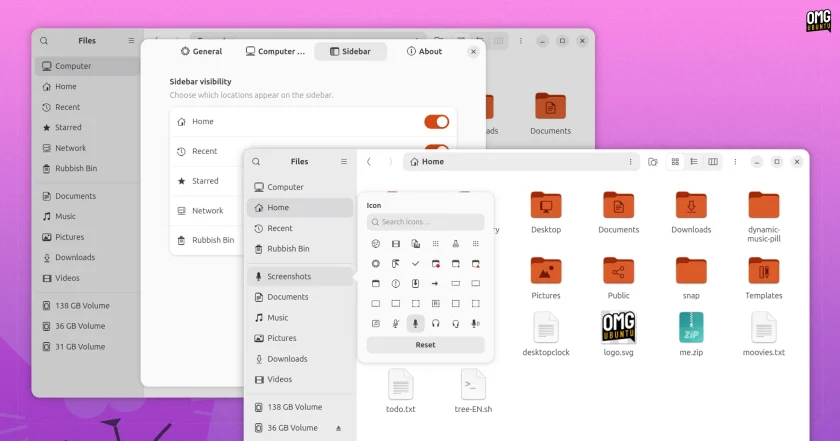
GNOME’s file manager was not always devoid of a root-level storage overview. In earlier iterations of the Linux desktop, Nautilus featured a dedicated, system-level Computer view that displayed attached physical hardware and local volumes. However, upstream GNOME developers chose to excise that view entirely in 2012. The rationale cited at the time was functional redundancy; because mounted storage drives, removable flash media, and physical volumes were already represented as persistent targets inside the file manager’s sidebar, maintaining an identical set of storage links across the central window was deemed an inefficient duplication of interface real estate.
Following the removal of that dedicated screen, users desiring a broader spatial look at internal devices often turned to the file manager’s Other Locations panel. However, that interface was progressively altered over time, eventually being retooled during the GNOME 47 development cycle to function primarily as an entry point for network-attached storage infrastructure and remote server connections.
From a purely functional standpoint, the modern GNOME Files workflow offers various built-in mechanisms to access basic drive parameters without dedicated overview extensions. Mounted drives and system partitions populate the primary sidebar, the contextual Properties dialog provides detailed breakdowns of available space, and navigating to root filesystems can be accomplished rapidly by focusing the application’s path bar and issuing standard path commands. For users accustomed to that keyboard-assisted or sidebar-driven routine, the absence of an overarching hardware directory rarely impedes daily productivity.
Nevertheless, visual overviews remain a standard and comfortable fixture across operating systems like Microsoft Windows, and many users still find a dedicated, top-down visual summary of their hardware capacities significantly more straightforward than parsing sidebar listings or invoking separate dialog boxes. For this subset of users, Masoch’s project fulfills a persistent desktop interface request that has sat largely unaddressed within the mainline GNOME design roadmap for over a decade.
Even so, potential users must weigh operational convenience against long-term maintenance and desktop stability. Because Nautilus My Computer operates as an unsanctioned third-party patch rather than an official, upstream-approved GNOME extension running through a stable, guaranteed application programming interface, it interfaces intimately with Nautilus’s internal rendering mechanisms. Future upstream point releases, GNOME version increments, and foundational file manager overhauls have the potential to break the extension’s code or induce application instability. As a result, users opting to integrate the third-party view must remain mindful of the maintenance realities that inevitably accompany deeply integrated system modifications.
 Linux & Open Source Solutions
Now Playing Card shows media info for multiple apps at a time
Modern computer usage rarely involves listening to a single continuous stream of...
 Linux & Open Source Solutions
Ubuntu 26.10 Flavour Lineup Arrives with Updated Desktops, Wayland Advances, and the Return of Ubuntu MATE
Alongside the debut of the primary distribution, the wider Ubuntu ecosystem has...
 Linux & Open Source Solutions
Ubuntu 26.10 Releases Across Official Community Flavours: Desktop Refinements, Wayland Transitions, and the Return of MATE
Alongside the general availability of the primary distribution, the release of Ubuntu...







