The launch of the Ubuntu 26.10 operating system cycle extends well beyond Canonical’s flagship desktop edition. Alongside the primary distribution, the wider family of official community flavours has rolled out new releases, delivering targeted desktop environments tailored to specific workflows, hardware footprints, and user preferences. The milestone is highlighted by updated desktop packages for long-standing editions such as Kubuntu and Xubuntu, alongside the official return of Ubuntu MATE under a reconstituted maintenance team.
While each flavour presents a distinct graphical shell and default software suite, every official variant is built upon a shared architectural base. For the 26.10 cycle, this underlying foundation incorporates the Linux 7.3 kernel and Mesa 26.2 graphics drivers. The shared core guarantees hardware compatibility across newer graphics processing units and peripheral equipment, supplemented by modern toolchains, core libraries, and standard integration with Canonical’s Snap Store for containerized application deployment. For end users, this architecture ensures that whether one opts for a lightweight desktop or an expansive creative studio environment, the foundational stability, hardware initialization, and driver support remain uniform across the entire release portfolio.
Ubuntu 26.10 Flavour Recap
The interim 26.10 release window serves as a platform for official flavours to refine desktop experiences, introduce updated utility packages, and advance long-term migrations toward modern display servers and system management tools. From lightweight window managers adapting to Wayland to workstation environments incorporating refined multimedia stacks, the collective releases demonstrate steady iterative engineering.
Xubuntu 26.10
Xubuntu 26.10 continues to deliver a dependable, resource-efficient experience built on the classic Xfce desktop environment, shipping this cycle with Xfce 4.20. Upstream maintenance in this version focuses heavily on core stability improvements, code refactoring, and continued work on nascent Wayland display protocol support. The development team has characterized Wayland compatibility in this release as an ongoing initiative targeted primarily at adventurous users willing to evaluate the experimental session, while X11 remains the proven default for general production workloads.
Beneath the window manager level, several core Xfce applications and default utility tools have received targeted functional upgrades. Ristretto, the default image viewer, gains a new option to shuffle image sequences during playback, introduces improved local printing routines, and can now load images directly from web URLs. The standard Xfce Terminal emulator has undergone targeted optimizations to decrease ambient CPU consumption, alongside a user toggle to disable automatic URL highlighting in terminal buffers.
System-level interaction is similarly refined across several standard workflow tools. Screenshooter, Xubuntu’s native screen-capture utility, has been updated to support both region-based and full-screen capture workflows under Wayland environments, while deprecating and removing its legacy direct-to-Imgur upload integration. The desktop search utility Catfish now defaults to initiating search queries within the currently active folder rather than querying broader file paths from the start. For creative tasks and graphic production, the system’s preinstalled application inventory loops in the updated GIMP 3.2.6 graphics suite.
Ubuntu Kylin 26.10
Ubuntu Kylin 26.10 arrives primarily as a maintenance and package-bump milestone tailored for users seeking a conventional desktop paradigm. The distribution’s signature UKUI desktop environment, known for its traditional Windows 7-style taskbar and navigational layout, remains on the same generation deployed during the April release of Ubuntu 26.04. Upstream efforts for this release focus on stability, incremental package alignments, and low-level system synchronizations rather than extensive interface overhauls.
Visual identity serves as the primary external differentiator for the release, highlighted by an eye-catching, artificial-intelligence-generated desktop background. The default wallpaper reimagines Ubuntu’s official release mascot—the stingray—through a fluid glassmorphism aesthetic rendered with iridescent pastel colour gradients. This creative treatment follows a precedent established in the 26.04 cycle, which memorably reinterpreted the release mascot as an island shaped like a raccoon surrounded by water and flanked by upside-down seagulls. The continuation of this distinctive artistic styling appears to solidify a new release tradition for the flavour’s design language.
 Linux & Open Source Solutions
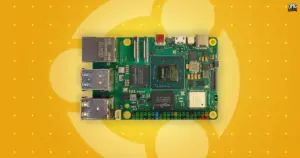
Canonical Releases Official Ubuntu Desktop Images for RISC-V Hardware Ahead of Ubuntu 26.10
Installing Ubuntu on RISC-V hardware is poised to become significantly more straightforward...
 Linux & Open Source Solutions
Canonical Unveils Official Ubuntu Desktop Images for RISC-V Ahead of Ubuntu 26.10
Installing a complete graphical Ubuntu desktop on 64-bit RISC-V hardware is poised...
 Linux & Open Source Solutions
Ubuntu 26.10 Releases Across Official Community Flavours: Desktop Refinements, Wayland Transitions, and the Return of MATE
Alongside the general availability of the primary distribution, the release of Ubuntu...