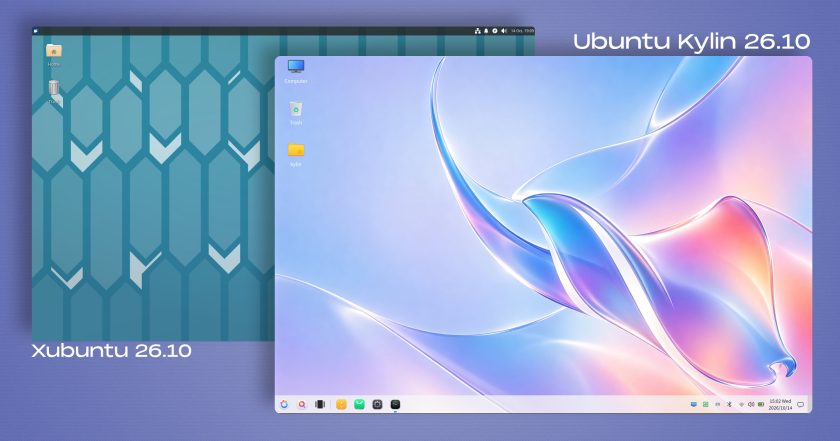
The renewed flavour integrates several deep platform changes implemented across the wider Ubuntu system architecture. This release represents the first edition of Ubuntu MATE to incorporate the distribution’s broader migration to Dracut for handling the initial ramdisk environment. In parallel, the packaging stack has been streamlined: the legacy gdebi graphical package installation utility has been dropped, and traditional network management via ifupdown has been officially deprecated in favour of Canonical’s standard Netplan network configuration framework.
Because rebuilding a maintainer infrastructure is an iterative process, the development team has acknowledged a variety of unresolved issues in this release, including broken RedShift display-tinting behaviour, localized missing system icons, and minor performance quirks when operating inside virtualized environments. Despite these early developmental rough edges, the 26.10 milestone establishes a stable, modern baseline for future releases.
Ubuntu Studio 26.10
Ubuntu Studio 26.10 expands its specialized workstation distribution for audio engineers, video editors, and digital visual artists. While continuing to cater to all digital creative disciplines, this release places specific emphasis on modernizing its audio production and sequencing toolkit. The platform introduces Sonic Pi, a live-coding music synthesis environment, alongside the SuperCollider audio synthesis platform designed for algorithmic composition and generative sound design.
For utility audio generation, the flavour now bundles jnoise, a command-line white-noise generator useful for acoustics testing and studio configuration. The wider creative suite benefits from broad version bumps across critical production software, including OBS Studio for broadcasting and screen capture, the GIMP graphics editor, the Ardour digital audio workstation, Krita for digital painting, and Kdenlive for non-linear video editing.
Beyond application updates, the installation process has been refined. The Ubuntu Studio installer now allows users to selectively pick individual software components from larger meta packages, granting greater authority over the initial disk footprint. Furthermore, the user interface for the system’s specialized audio configuration wizard has been streamlined to simplify low-latency kernel tuning and interface configuration.
Additional Community Flavours: Edubuntu, Budgie, and Cinnamon
The 26.10 cycle also brings functional updates to the remaining specialized and desktop-focused flavours across the ecosystem:
- Edubuntu 26.10: The education-focused remix refines its deployment options by allowing system administrators and teachers to select specific software packages from predefined age-tier bundles during initial setup. The distribution also updates Paperboy, its dedicated news-reading platform built specifically to support media literacy and current-events curricula across secondary and tertiary education environments.
- Ubuntu Budgie 26.10: Emphasizing visual elegance and panel-based desktop ergonomics, Ubuntu Budgie introduces an integrated desktop applet designed for finding, indexing, and streaming internet radio stations directly from the system panel. The distribution also integrates automated wallpaper scheduling, allowing background artwork to cycle seamlessly between day and night themes based on local solar times.
- Ubuntu Cinnamon 26.10: Bringing the Linux Mint-developed desktop environment to the Ubuntu base, this release updates its desktop shell to Cinnamon 6.6.9, providing a refined, traditional workspace alongside the modern system libraries of the 26.10 foundation.
 Linux & Open Source Solutions
Canonical Hardens Ubuntu 26.10 Boot Security by Stripping Advanced Filesystem Parsers from Signed GRUB
Canonical has implemented a significant architectural shift in how Ubuntu 26.10 boots...
 Linux & Open Source Solutions
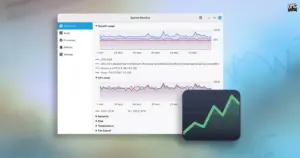
Linux Mint Unveils "Superlight," a Modern System Monitor Slated for Version 27
Linux Mint is preparing a major refresh of its core software lineup...
 Linux & Open Source Solutions
KDE Plasma 6.8 Released on Project’s 30th Anniversary, Dropping X11 Sessions and Expanding Core Features
The KDE community has officially released KDE Plasma 6.8, marking a historic...