
Lubuntu 26.10
Geared toward efficiency and minimal memory consumption, Lubuntu 26.10 ships with the upstream LXQt 2.4.0 desktop environment. Described by upstream maintainers as a cycle centered largely around bug fixes, internal housekeeping, and code cleanup, the release nonetheless introduces refined desktop ergonomics. Notable quality-of-life adjustments include a newly introduced horizontal layout option for the system tray volume applet, alongside fixes to the notification daemon to ensure transient notification bubbles dismiss cleanly without lingering on the display canvas.
On the display server front, Lubuntu retains X11 as its default desktop session to guarantee broad compatibility with legacy hardware configurations. However, the flavour continues to advance its evaluation of modern display protocols by including an optional Wayland session accessible directly from the system display manager at login. This secondary session relies on the Miriway compositor, allowing users to test Lubuntu’s lightweight software stack under a Wayland-native environment without disrupting the stability of the primary X11 foundation.
Ubuntu Unity 26.10
Ubuntu Unity 26.10 represents another focused maintenance cycle for the revived classic desktop. The release retains the Unity 7.7 interface, pairing the traditional shell with an updated round of bug fixes, structural maintenance, and dependency cleanups designed to decouple the desktop from unmaintained legacy packages across the archive.
The primary strategic role of Ubuntu Unity 26.10 is maintaining desktop continuity for dedicated users while developers coordinate the long-term migration toward Lomiri, the convergent user interface originally envisioned for mobile and desktop integration. To bridge the gap and prepare the broader application ecosystem for this eventual transition, Ubuntu Unity 26.10 now includes the Lomiri Calculator, Lomiri Files, and Lomiri Terminal applications directly out of the box, offering users an early view of the ecosystem’s planned direction.
Kubuntu 26.10
Kubuntu 26.10 delivers a significant visual and functional update for KDE enthusiasts, centered on the KDE Plasma 6.7 desktop environment. While the flavour’s announcement materials refer to the inclusion of the latest KDE Plasma software, the system actually deploys version 6.7 rather than the newly announced Plasma 6.8 upstream release. Despite not shipping the bleeding-edge release, Plasma 6.7 represents a direct generational advancement over the environment provided in the preceding 26.04 LTS milestone.
The desktop environment brings several substantial improvements to multi-monitor workflows and window management. Users working across multi-screen setups can now assign specific virtual desktops directly to individual physical displays, assisted by dedicated keyboard shortcuts designed to expedite cross-screen navigation. Additional visual polish includes refined glide animations for incoming system notifications, targeted fixes for desktop theme and dark-mode switching inconsistencies, and new timezone offset indicators embedded within the Digital Clock panel widget. The release also adds an option to enable type-ahead file searching directly across the active desktop view.
In continuity with the 26.04 release, Kubuntu 26.10 runs a Wayland session by default. A classic Plasma X11 session is not included in the standard installation image, though users who require it can still install it manually from the software repositories. This cycle marks the final opportunity for users to do so, as upstream KDE developers have completely removed the plasma-session-x11 package in Plasma 6.8, cementing Wayland as the sole supported display architecture going forward.
Ubuntu MATE 26.10
Ubuntu MATE 26.10 marks an important turning point for the long-standing traditional desktop flavour, representing its official return to the Ubuntu family following a hiatus during the 26.04 LTS cycle earlier this year. The release is the first to be published under the stewardship of a reconstituted development and maintenance team dedicated to revitalizing the project. While not every component of the MATE desktop stack has been updated to its newest upstream milestone, the software packages selected for inclusion have been curated to ensure day-to-day stability and deliver key bug fixes.
 Linux & Open Source Solutions
Kagi Halts Development of Orion Browser for Linux and Windows, Plans to Open Source Codebase
Kagi has officially announced that it is ending the internal development of...
 Linux & Open Source Solutions
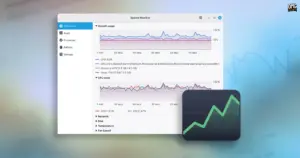
Linux Mint 27 to Introduce ‘Superlight’, a Modernized In-House System Monitor Built for the XApp Ecosystem
The upcoming release of Linux Mint 27, scheduled to make its public...
 Linux & Open Source Solutions
Ubuntu 26.10 Flavour Lineup Arrives with Updated Desktops, Wayland Advances, and the Return of Ubuntu MATE
Alongside the debut of the primary distribution, the wider Ubuntu ecosystem has...