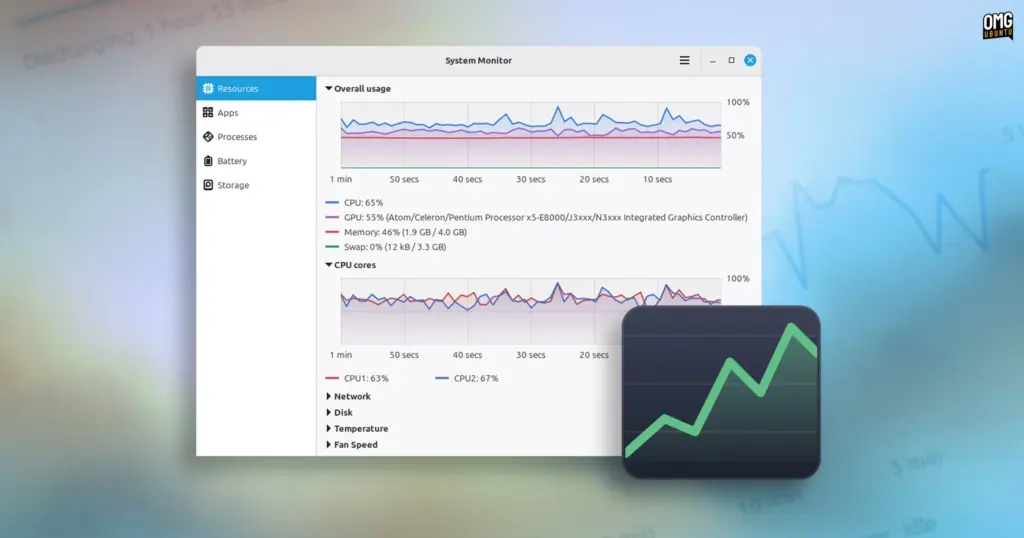
Linux Mint is preparing a major refresh of its core software lineup ahead of the upcoming Linux Mint 27 release, scheduled to arrive in December. Among the most notable additions is an entirely redesigned, homegrown system monitoring utility that will be included out of the box. Developed under the package and project name Superlight, the utility will be presented to end users under the familiar title of System Monitor, replacing the aging GNOME System Monitor that has long served as the default performance tracking tool across many distributions.
The new application represents a substantial step forward in usability and aesthetic cohesion for Linux Mint. Currently undergoing active development, Superlight brings together real-time hardware telemetry, application and process inspection, granular laptop battery statistics, and a dedicated storage analysis and cleanup interface into a unified, responsive client. While the software remains subject to feature adjustments and visual polish ahead of its first stable release, early previews show an application tailored to both routine everyday troubleshooting and in-depth performance monitoring.
Linux Mint’s Superlight Delivers a Unified Resources Dashboard
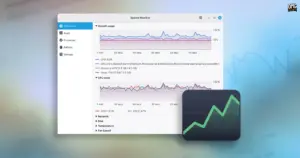
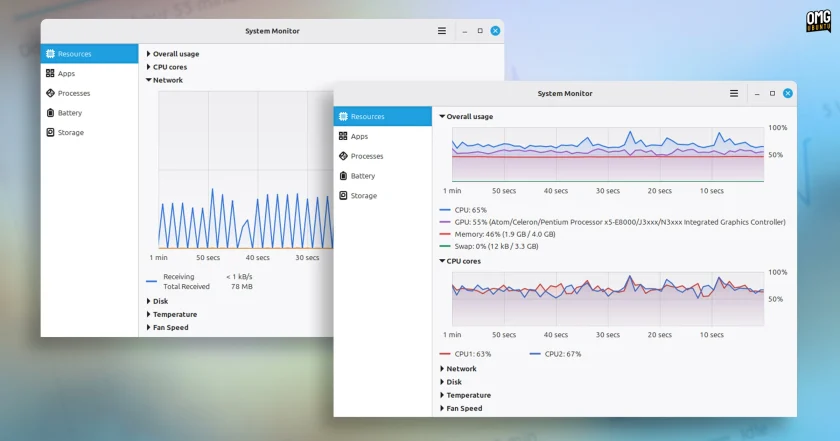
Upon launching the application, users are greeted immediately by the Resources overview, designed to deliver immediate situational awareness regarding system state. Unlike older monitoring tools that often fragment metrics into disconnected tabs or separate windows, Superlight places an "overall usage" chart at the very top of the interface. This top-level visualization simultaneously plots CPU, GPU, system memory (RAM), and Swap utilization across the preceding 60 seconds on a single unified canvas. By presenting these core hardware metrics in parallel, the software allows users to quickly correlate resource spikes—such as determining whether a sudden burst in memory consumption is pushing system state into Swap or whether an intensive graphics task is placing unexpected pressure on the central processor.
Below the combined graph, the Resources page provides dedicated secondary charts tracking specific hardware subsystems in closer detail. These include:
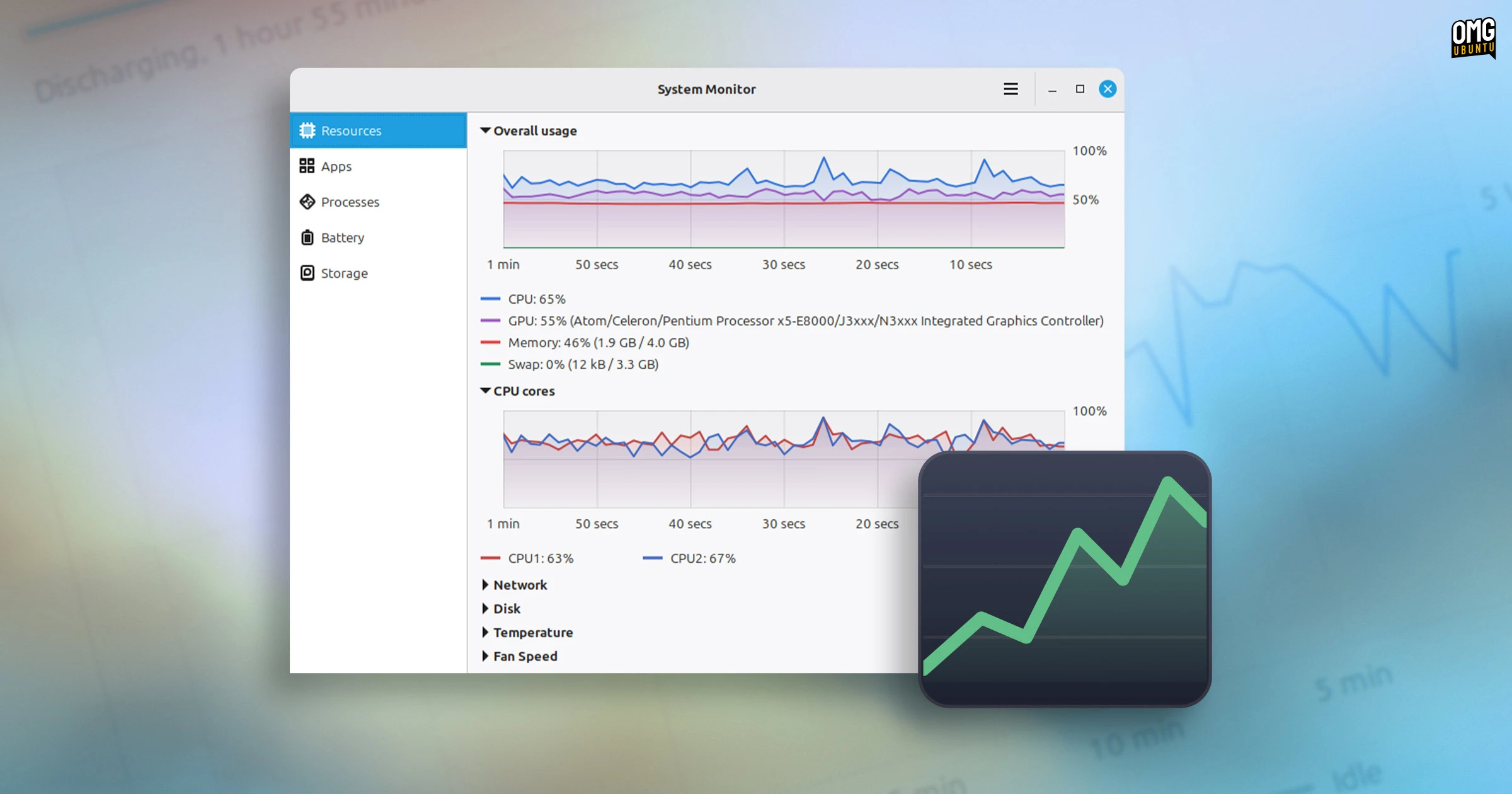
- Breakdowns of individual CPU core activity, tracking thread saturation across modern multi-core architectures.
- Network bandwidth consumption, monitoring ingress and egress data traffic.
- Storage input/output (I/O) read and write throughput.
- Dedicated thermal monitoring displaying active temperature readouts from available motherboard, chip, and drive sensors.
- Real-time fan speed tachometers, showing thermal mitigation in response to load.
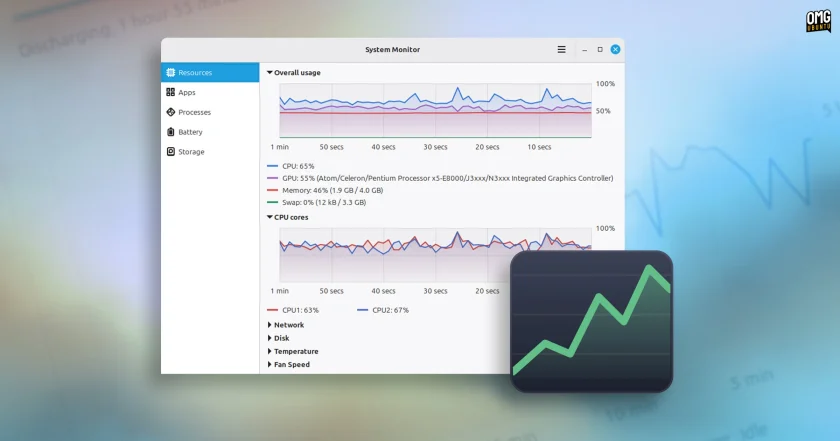
To prevent visual clutter on smaller screens, all graphs within the interface are collapsible. Users can hide metrics that are not currently relevant, and when only a single graph is left active, the application dynamically enlarges the chart to fill the available viewing area, giving power users a larger, detailed timeline of specific hardware activity.
Streamlined Process and Application Inspection
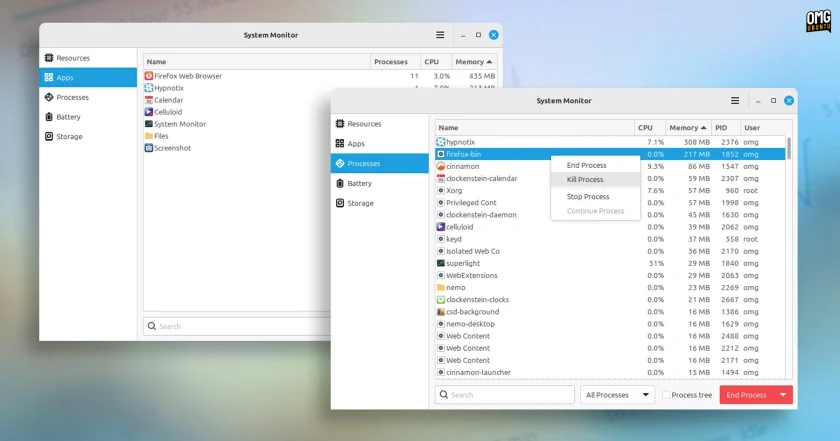
Beyond hardware telemetry, Superlight overhauls process management with a tiered approach designed to accommodate both mainstream desktop users and seasoned administrators. The tool separates running tasks into two distinct navigation sections: Apps and Processes.
The Apps page offers a simplified, user-centric perspective, grouping system activity into high-level desktop applications. Each entry displays:
- Total child process count associated with the software.
- Aggregate CPU usage across all associated threads.
- Overall physical and virtual memory footprint.
Users can organize this data by clicking on any column header to sort values in ascending or descending order. Furthermore, the application allows users to click and drag column headers directly, letting them reorder information according to personal workflow preferences.
For deeper investigations into running services, background daemons, or unresponsive utilities, the Processes view provides an exhaustive view of every task running on the machine. Both the Apps and Processes pages feature an integrated, real-time search bar to filter entries quickly by name.
The Processes tab adds granular filtering toggles, allowing users to view all active processes, isolate only user-spawned programs, or focus strictly on system and background processes. To assist in troubleshooting stubborn parent-child task loops or stuck helper binaries, the view can also be switched into a hierarchical tree display, illustrating the exact parentage and dependency tree of every executing process on the operating system.
Dedicated Laptop Telemetry and Battery Diagnostics
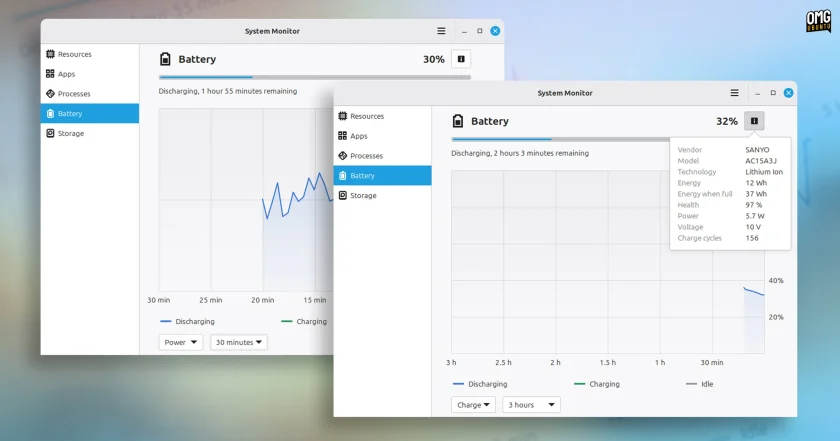
For mobile hardware, Linux Mint’s upcoming monitor incorporates a dedicated Battery telemetry dashboard. Rather than relying solely on the desktop panel’s basic percentage indicator, the utility exposes comprehensive power metrics on a dedicated graph, tracking historical charge state, discharge patterns, and instantaneous power draw over time.
Alongside real-time power metrics, the interface calculates estimated time-to-full during charging cycles and remaining runtime projections while operating on battery power.
The page also functions as a hardware diagnostic panel, surfacing low-level factory battery parameters sourced directly from the system kernel:
- Manufacturer make and specific model numbers.
- Battery cell chemistry and underlying power technology.
- Design capacity compared against current maximum usable capacity.
- Total accumulated hardware charge cycles.
- An overall computed battery health assessment indicating long-term wear and degradation.
Integrated Storage Analysis and Maintenance
One of the more unique additions to Superlight is its built-in Storage dashboard—a feature not typically bundled inside classic desktop system monitors. The view serves as a faster, more accessible alternative to dedicated space-auditing tools like Disk Usage Analyzer (Baobab), offering users an immediate visual representation of how internal drives and mounted external storage volumes are being utilized.
The page maps out capacity consumption, making it straightforward to identify large directories, neglected download folders, or space-heavy media libraries without having to open separate administrative disk utilities.
Beyond passive space auditing, the Storage view doubles as a maintenance tool by integrating a direct system cleaning mechanism. Users are provided with a dedicated "Clear Cache" button designed to safely purge temporary system files and residual application caches. In testing conducted on a converted Chromebook equipped with a modest 32GB eMMC internal storage drive, invoking the cache cleanup action immediately reclaimed approximately 900MB of unnecessary files, demonstrating practical utility for low-spec and storage-constrained machines.
System Performance and the Broader Desktop Shift
Despite its modern visual design and real-time analytical graphing, early testing indicates that Superlight remains lightweight and performant. Resource overhead is largely comparable to the older GNOME System Monitor it aims to replace, though rendering multiple complex real-time graphs simultaneously on the Resources tab can produce minor, brief utilization blips typical of dynamic graphical monitoring software.
The introduction of Superlight reflects a broader push across the Linux ecosystem to modernize foundational system utilities. While GNOME System Monitor remains capable and familiar, its user interface has grown increasingly anachronistic alongside modern GTK and libadwaita application designs. Other major distributions and desktop environments have pursued similar modernizations:
- Ubuntu recently integrated the third-party Resources utility to provide modern graphing and telemetry.
- System76 developed a bespoke, Rust-based system monitor for its next-generation COSMIC desktop environment.
- Modern standalone community monitors, such as Mission Center, have gained traction among desktop users seeking detailed hardware breakdowns.
Linux Mint’s developers plan to expand Superlight further ahead of its production debut. Future development goals include an integrated system log viewer and expanded user configuration settings, such as customizable data polling and metric refresh intervals.
Notably, current builds of Superlight do not surface low-level silicon specifications—such as CPU socket formats, microarchitecture instruction sets, or granular memory timings and bank assignments—which utilities like Mission Center or Resources often include. Because much of this low-level component data is already handled by Linux Mint’s existing System Information utility, the development team has prioritized keeping Superlight focused on live system responsiveness, active resource allocation, and troubleshooting.
A Broader Modernization Effort Across the XApp Ecosystem
The emergence of Superlight is not an isolated development; it is part of an ambitious wave of software modernizations being orchestrated through Linux Mint’s XApp Project. The initiative continues to maintain and expand a suite of desktop-agnostic, traditional GTK applications that integrate seamlessly across environments, including Cinnamon, MATE, and Xfce.
Alongside the new system monitor, the Mint development team is actively engineering several other new software utilities slated for upcoming release cycles:
- A brand-new calendar and clock utility.
- A modernized native e-book reading application.
- A revamped archive manager to streamline file compression and extraction workflows.
- Velocitty, an all-new terminal emulator drawing structural and performance inspiration from modern terminal projects such as Ghostty and Ptyxis.
These projects join established XApps such as the Pix image organizer, the Thingy document manager, and the Library reader. By standardizing these essential desktop tools under the XApp umbrella, the Linux Mint project aims to ensure that its upcoming distributions deliver a cohesive, modern desktop experience that remains fast, visually consistent, and free from external desktop-environment dependencies.
 Linux & Open Source Solutions
Ubuntu 26.10 Flavours Arrive with Updated Desktops, System Modernization, and the Return of Ubuntu MATE
The launch of the Ubuntu 26.10 operating system cycle extends well beyond...
 Linux & Open Source Solutions
Ubuntu 26.10 Releases Across Official Community Flavours: Desktop Refinements, Wayland Transitions, and the Return of MATE
Alongside the general availability of the primary distribution, the release of Ubuntu...
 Linux & Open Source Solutions
GNOME Shell Weather Extensions Bring Dynamic Visuals to the Desktop Panel
While dedicated desktop applications for checking the weather have long enjoyed a...