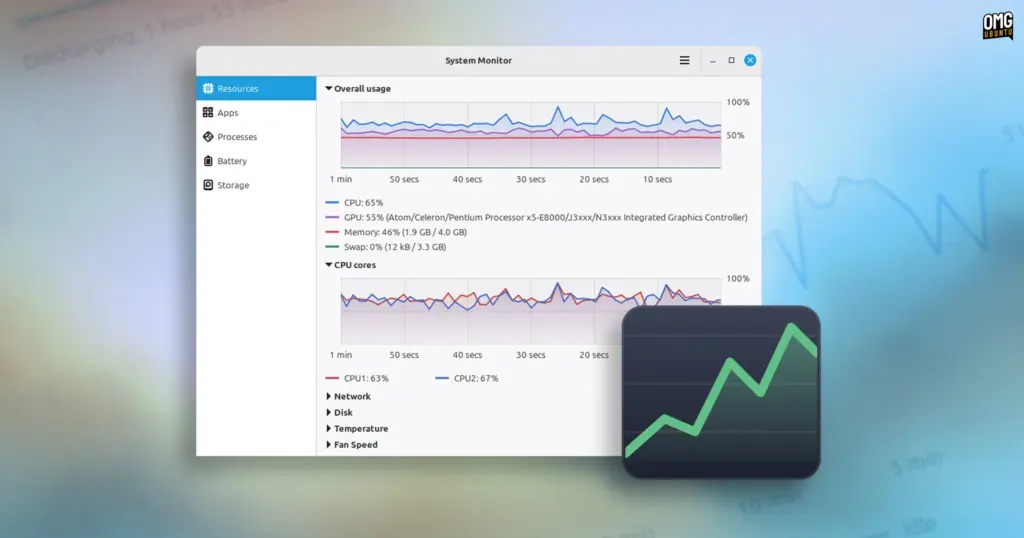
The upcoming release of Linux Mint 27, scheduled to make its public debut this December, is poised to bring a long-awaited modernization to one of the most fundamental administrative utilities in the operating system: the system monitor.
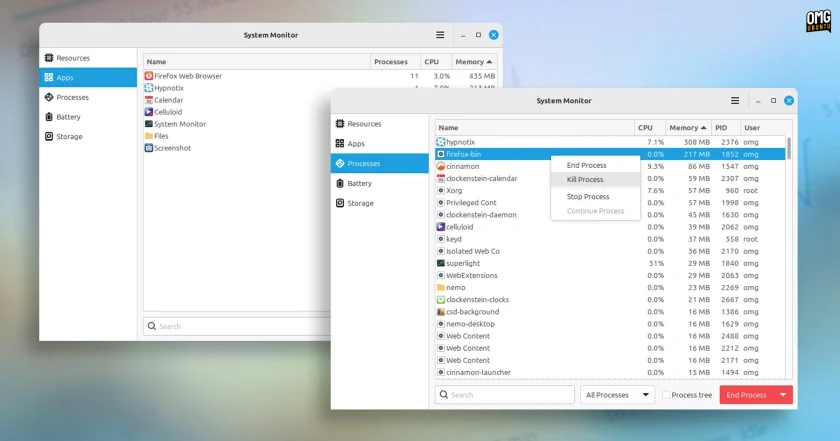
Known internally within its source repository and packaging metadata as Superlight, the newly developed application will be presented to end users simply as System Monitor. The utility represents an in-house effort by the Linux Mint development team to phase out the aging GNOME System Monitor that has served the distribution for years. By building a customized solution within the project’s broader application ecosystem, Linux Mint aims to deliver a modernized, unified diagnostic hub that integrates real-time hardware graphing, detailed process tracking, laptop battery telemetry, and interactive storage management into a single, cohesive desktop interface.
Although Superlight remains under active development ahead of the year-end distribution freeze, early iterations showcase an ambitious rethink of how day-to-day resource diagnostics should function across the Linux desktop. While features and interface refinements may continue to shift before the operating system reaches its stable milestone, the preview builds reveal an application that substantially broadens the scope of what users can inspect out of the box.
Inside Superlight: Unified Resource Tracking and Storage Intelligence
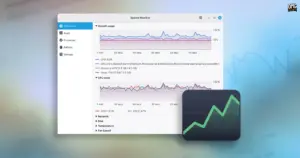
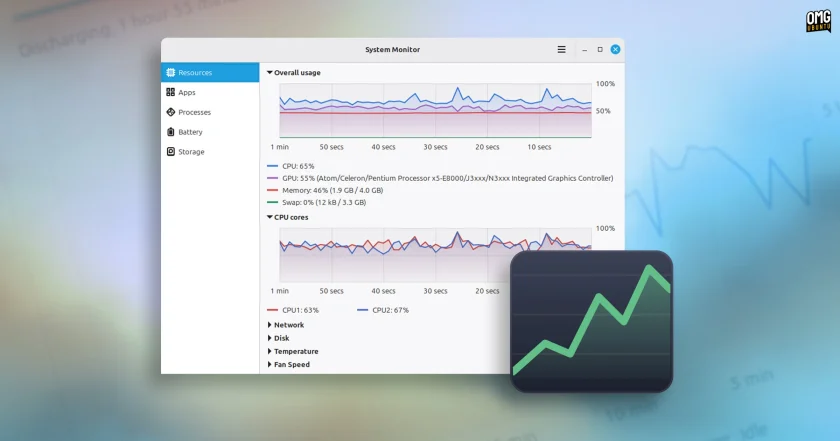
From the moment the application is launched, Superlight establishes a distinct operational rhythm by opening directly to its centralized Resources view. Rather than forcing users to navigate through separate tabs or segmented panels to deduce what component is throttling performance, the application places an overall usage graph prominently at the top of the window.
This consolidated dashboard plots CPU activity, GPU load, RAM utilization, and Swap consumption side-by-side across a continuous 60-second scrolling window. By unifying these primary metrics into an aggregated temporal overview, the tool allows desktop users to immediately identify bottlenecks. A sudden performance hiccup can be diagnosed in seconds, whether it stems from an unexpected compile job pinning the processor, graphical rendering saturation, or escalating memory consumption that threatens to push the machine into aggressive swap usage.
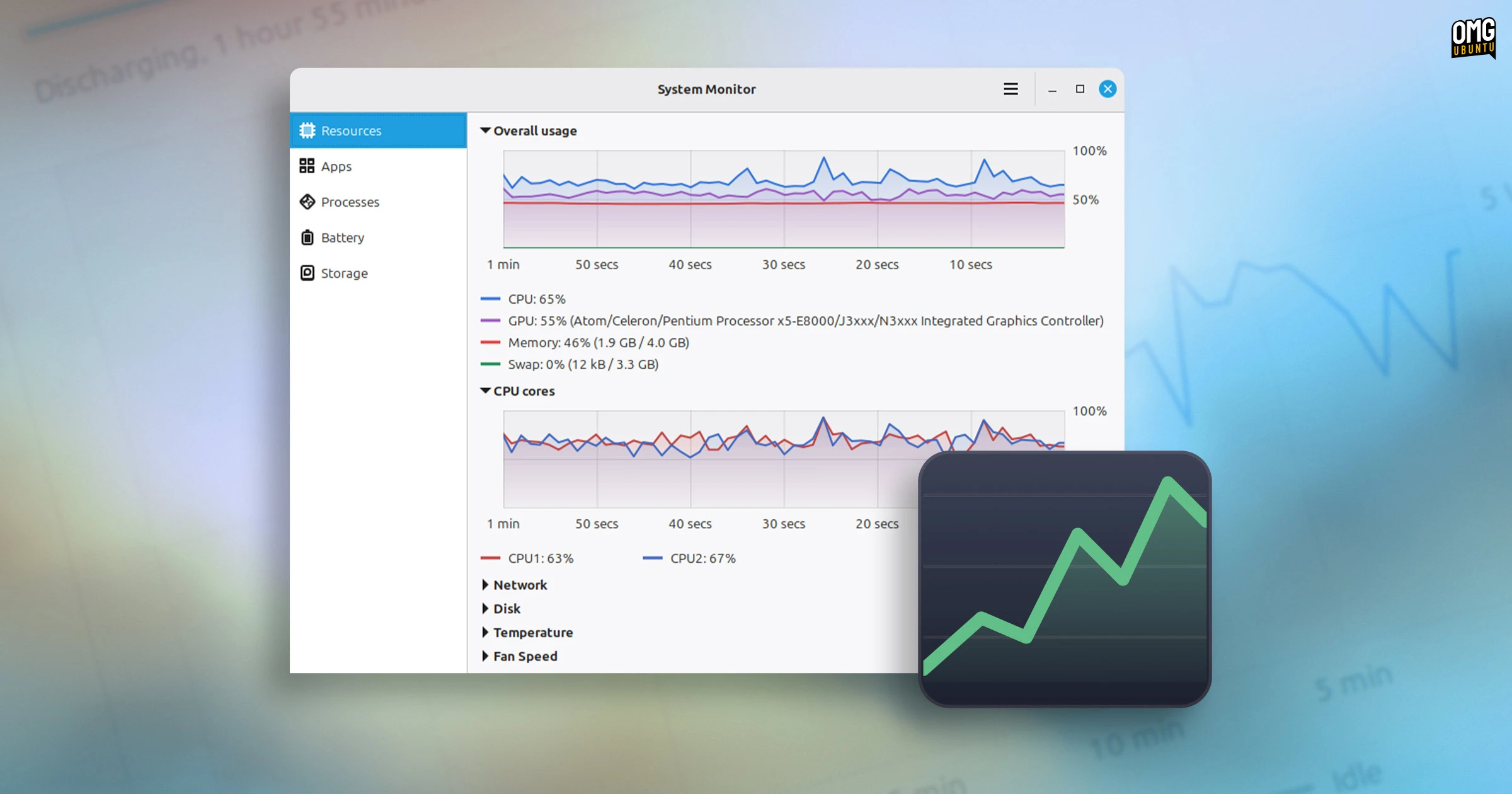
Beneath the unified monitor, Superlight provides a suite of modular, granular graphs tailored for deeper diagnostic inspections. Individual visualizers track multi-core CPU distribution, per-device network throughput, and real-time disk input/output activity. Hardware monitoring is further expanded through built-in support for platform sensor data, including physical system temperatures and cooling fan speeds.
To maintain clean desktop ergonomics, every graph in the resource stack is fully collapsible. When users collapse secondary graphs to focus exclusively on a specific metric, such as thermal throttling or storage read/write performance, the active visualizer automatically enlarges to fill the available canvas. This design accommodates power users debugging heavy computational workflows as well as casual desktop operators monitoring system health on compact laptop displays.
Beyond immediate processor and memory telemetry, the application revamps workflow tracking across two dedicated interfaces: an Apps view and a Processes view.
The Apps page focuses on high-level usability, grouping running software into identifiable, end-user-facing items alongside their associated process counts, aggregate CPU utilization, and overall system memory footprints. Users can freely interact with the presentation; clicking any column header re-sorts running tasks in ascending or descending order, while the columns themselves can be dragged and rearranged to accommodate individual administrative preferences.
For deeper technical diagnostics, the Processes view offers a lower-level environment equipped with dynamic search filtering by name. Users can toggle the display between all processes, user-owned processes, or underlying root and system processes. Critically, the view includes a full hierarchical tree mode, allowing administrators to visually trace parent-child process dependencies. This capability makes it straightforward to pinpoint runaway child processes, isolate background daemons, or understand the cascading execution paths of multi-threaded Linux software.
On portable hardware, Superlight introduces an extensive battery and power telemetry panel that outpaces traditional desktop monitoring tools. Rather than simply relaying an estimated percentage remaining in the system tray, the new application plots power draw over time on a dedicated timeline. The interface surfaces real-time estimates for both active discharge rates and remaining charge durations.
Furthermore, the battery diagnostics inspect the underlying hardware directly, exposing manufacturer identity, hardware model specifications, cell chemistry, overall capacity thresholds, lifetime charge cycles, and calculated battery health metrics. For mobile users relying on Linux Mint on older or refurbished notebooks, having immediate access to physical cell degradation data removes the need to drop into the terminal to parse hardware states manually.
Rounding out the application’s capabilities is a dedicated Storage section, which integrates core functionality traditionally reserved for standalone disk usage analyzers. The utility maps out local and mounted external drives, providing an intuitive, interactive breakdown of which folders and files are claiming the largest shares of storage capacity.
In addition to visual inspection, the storage panel incorporates basic drive-maintenance capabilities. A built-in cache-clearing mechanism allows users to reclaim disk space with a single click. In preliminary testing conducted on constrained systems—such as repurposed Chromebook hardware equipped with modest 32GB eMMC internal flash memory—the integrated cleaner successfully purged roughly 900MB of unnecessary cached files without requiring third-party cleaning scripts or terminal commands.
Performance and the Shift Away from Legacy Utilities
Despite its expansive functional footprint, early testing indicates that Superlight achieves a favorable performance balance on desktop hardware. The application does not feel noticeably heavier than the long-standing GNOME System Monitor it is slated to replace, handling standard process polling and interactive sorting smoothly.
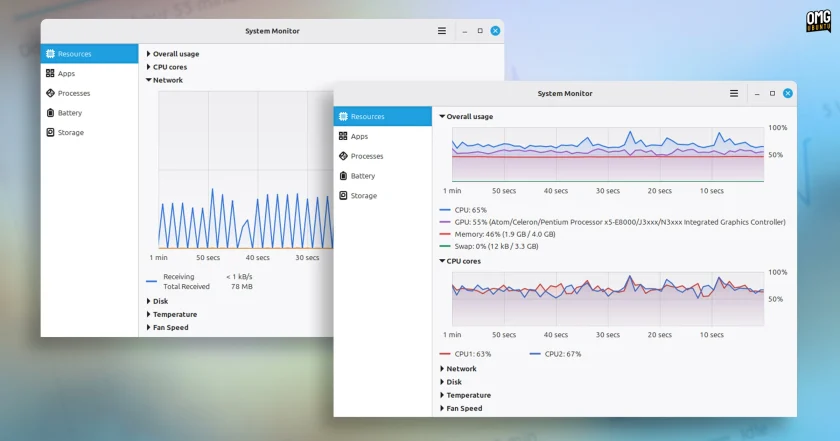
When users actively inspect the Resources page with every hardware graph and sensor metric expanded simultaneously, minor resource consumption spikes can be observed as the interface continuously renders dynamic data plots. However, these localized spikes remain typical for real-time telemetry visualizers and do not impede general system responsiveness.
The decision by the Linux Mint project to construct an entirely new system monitor reflects a broader shift across the modern open-source landscape. GNOME System Monitor, while functionally reliable and historically ubiquitous, has increasingly come to look and feel anachronistic alongside modern desktop environments and streamlined application stacks.
Other major distributions and independent developer communities have addressed this gap in recent cycles. Canonical replaced the classic utility in Ubuntu with Resources, System76 engineered a purpose-built system monitor tailored for its Rust-based COSMIC desktop environment, and community projects such as Mission Center have gained widespread traction by modernizing performance telemetry across flatpak distributions. With Superlight, Linux Mint ensures its desktop stack retains parity with modern diagnostic design patterns while keeping development aligned with Mint’s specific UI sensibilities.
Looking forward toward the stable release of Linux Mint 27, development on Superlight is expected to continue expanding. Future updates are planned to bring integrated system log viewing directly into the application, centralizing error reporting and hardware warnings alongside runtime performance data. Additional user-configurable parameters—such as customizable metric polling intervals to minimize background CPU overhead on low-power devices—are also under consideration.
Notably, the tool deliberately omits ultra-detailed hardware component profiling, such as granular CPU instruction sets, physical processor socket specifications, or memory bank timings. While alternatives like Mission Center or Resources sometimes blend low-level hardware component sheets into their telemetry views, Linux Mint already provides a dedicated System Information utility within the operating system. By keeping deep hardware component inventories separated from runtime operational telemetry, Superlight avoids unnecessary interface bloat, keeping its primary focus locked on real-time system performance, process control, and storage management.
Expanding the XApp Ecosystem: Velocitty and Beyond
The introduction of Superlight is not an isolated update; it forms part of a wider software refresh spearheaded by the XApp Project. Initiated by the Linux Mint team, the XApp initiative is guided by a specific development mandate: to produce a collection of lightweight, traditional, yet modern desktop applications that remain agnostic of any single desktop environment. While designed to integrate seamlessly into Linux Mint’s flagship Cinnamon desktop, XApps are specifically engineered to function predictably across traditional GTK-based environments, including MATE, Xfce, and standard desktop shells.
Longstanding applications like Pix (for image viewing and organization), Thingy (a dedicated document manager), and Library (for quick file access) have established the XApp design language. Superlight joins this portfolio to ensure that core administrative tasks no longer depend on external upstream software whose interface guidelines may diverge from traditional desktop paradigms.
The utility is accompanied by several other new applications currently making their way through the Mint engineering pipeline. Among the most notable additions is Velocitty, an upcoming terminal emulator designed for Linux Mint. Developed with inspiration drawn from modern terminal projects such as Ghostty and Ptyxis, Velocitty aims to combine contemporary terminal performance and features with the stability and layout consistency expected by the distribution’s user base.
Beyond terminal emulation and performance tracking, the development team is also actively working on a modern calendar and clock utility, a dedicated archive manager to streamline archive extraction and compression tasks, and a lightweight ebook reader designed for the desktop.
Together, these parallel software developments illustrate the continued evolution of the Linux Mint ecosystem. As the project marches toward the launch of Linux Mint 27, the arrival of Superlight and its companion utilities highlights a development philosophy focused on delivering refined, self-contained, and intuitive tools that modernize the desktop without compromising user familiarity.
 Linux & Open Source Solutions
The Document Foundation Unveils New Visual Identity to Establish Distinct Institutional Profile Apart from LibreOffice
The Document Foundation, the charitable non-profit entity responsible for overseeing the development...
 Linux & Open Source Solutions
Ubuntu 26.10 Arrives with Rust Coreutils, Passkey Authentication, and Smarter Window Snapping
Canonical has officially announced the release of Ubuntu 26.10, codenamed "Stonking Stingray."...
 Linux & Open Source Solutions
Canonical Publishes Official Ubuntu Desktop Images for RISC-V Hardware Ahead of Ubuntu 26.10
Installing an official Ubuntu desktop operating system on 64-bit RISC-V hardware is...