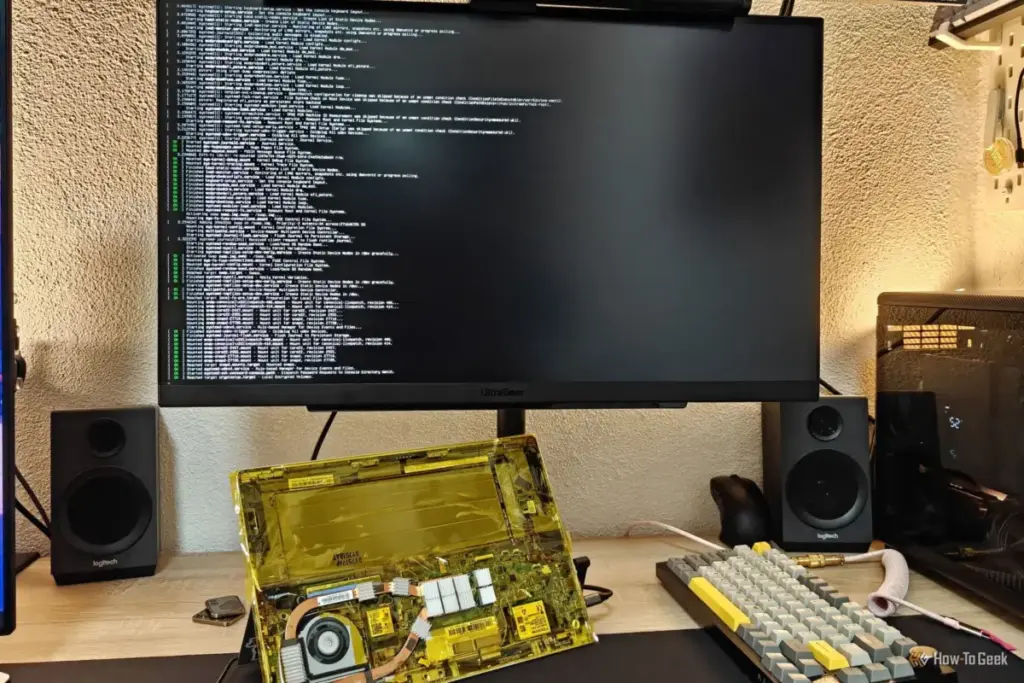
In an era of rapid technological cycles, the transition of a once-capable device into "electronic waste" is often a swift and unceremonious process. For many, a laptop with a cracked screen and an aging processor is a candidate for the recycling bin or a permanent residence in a cluttered drawer. However, as the burgeoning community of "homelabbing" enthusiasts continues to demonstrate, hardware that is no longer fit for the demands of modern consumer operating systems can often find a second life in the world of specialized server applications.
This was the case for a Lenovo Miix 510, a 2-in-1 convertible laptop released in 2016. After years of service, the machine had been relegated to a laptop bag, dismissed as a lost cause. It was underpowered, physically damaged, and seemingly obsolete. Yet, through the installation of Ubuntu Server and a shift in perspective, this "worthless" piece of hardware has been transformed into the central nervous system of a modern household, handling everything from media streaming to network-wide security.
My Old Windows 10 Laptop Was Too Slow, Too Hot, and Eventually Too Broken to Use
The journey of this particular Lenovo Miix 510 mirrors the lifecycle of many mid-range portables from the mid-2010s. When it was first unboxed, it represented a versatile form factor—a tablet-first design with a detachable keyboard, intended to compete with the likes of the Microsoft Surface Pro. Under the hood, it featured an Intel Core i5-7200U processor, a dual-core, four-thread chip from the Kaby Lake generation. While respectable at the time, its maximum boost clock of 3.10GHz and its reliance on just 4GB of RAM eventually became its Achilles’ heel.
As the years progressed, the demands of Windows 10 began to outpace the Miix 510’s capabilities. The operating system, known for its background processes and resource-heavy telemetry, frequently pushed the dual-core CPU to its limits. Even simple tasks like maintaining multiple Chrome tabs or streaming high-definition video became arduous. The device’s physical design exacerbated these issues; the thin chassis and diminutive heatsink meant the fan was often at full tilt, struggling to dissipate the heat generated by a processor that was constantly redlining.

The situation reached a breaking point when the hardware began to fail physically. The integrated display began to flicker and turn black intermittently, suggesting a loose or failing internal display cable. In an attempt to perform a DIY repair, a common pitfall occurred: while prying the chassis open to reach the internal components, the glass screen succumbed to the pressure and cracked. With a broken display, a worn-out battery, and a processor that Intel and Microsoft had excluded from the official Windows 11 support list, the laptop was effectively retired. For two years, it sat unused, a victim of both planned obsolescence and accidental damage.
It Had Been Collecting Dust for Two Years
The decision to let the laptop sit idle was driven by a lack of viable options. The cost of a replacement screen assembly for the Miix 510 often exceeded the market value of the laptop itself, making a repair economically irrational. Furthermore, the 128GB NVMe SSD, while fast, was too small for modern storage needs, and the soldered 4GB of RAM meant that there was no path for a performance upgrade within the Windows ecosystem.
However, the perspective shifted as the owner began exploring the world of self-hosting and home servers. The realization dawned that while the laptop was a "potato" by the standards of a modern workstation, its components were actually quite powerful when compared to the low-power ARM-based microcomputers, such as the Raspberry Pi, that many people use to start their homelab journey. The i5-7200U, despite its age, still possessed enough computational power to handle multiple lightweight services simultaneously, provided it wasn’t burdened by a graphical user interface (GUI).
Ubuntu Server Turned My Underpowered, Broken Laptop Into a Proper Home Server
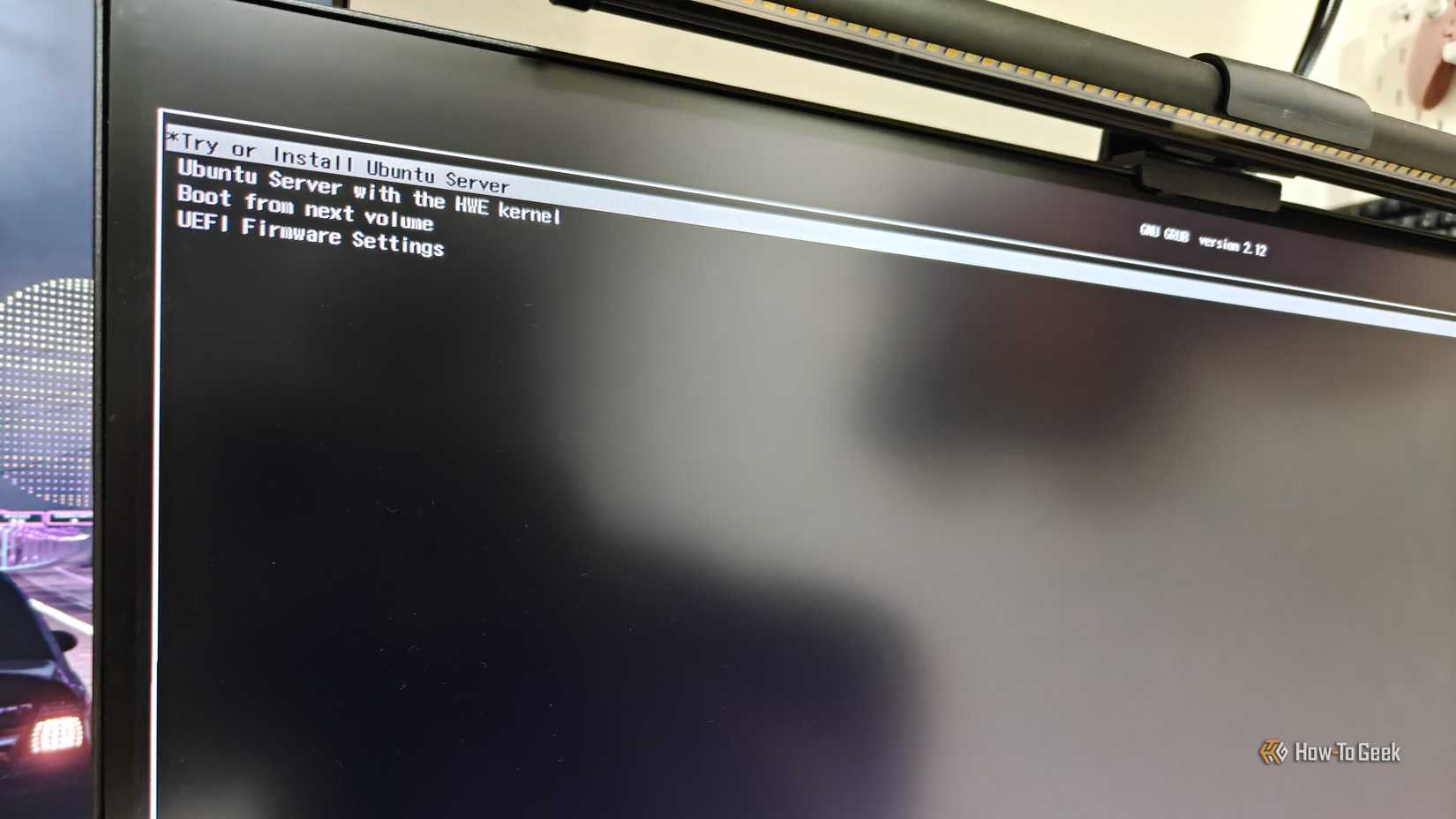
The transition from a discarded Windows machine to a functional server began with the selection of the right operating system. While various Linux distributions could have worked, Ubuntu Server was chosen for its balance of stability, extensive documentation, and lightweight footprint. Unlike the standard desktop version of Ubuntu, the Server edition does not install a GUI by default. It is designed to be managed entirely through a command-line interface (CLI), usually via a Secure Shell (SSH) connection from another computer.
By removing the need to render a desktop environment, the system resources that were previously consumed by Windows were suddenly available for actual work. The results of the installation were immediate and striking. Upon booting into the command line, a check of the system resources revealed that the OS was idling with only a few hundred megabytes of RAM in use. The CPU, which had previously struggled to stay under 50% utilization on the Windows desktop, was now sitting at near-zero activity.

It Was Time for a Completely Different Purpose
Setting up a server on a machine with a broken, partially blacked-out screen presented a unique set of challenges. During the initial installation phase, visibility was severely hampered by the cracks and the dead zones on the display. To circumvent this, a USB-C hub with an HDMI output was employed to mirror the console to an external monitor. Once the initial configuration was complete and SSH was enabled, the physical screen became irrelevant. The laptop could now be tucked away in a corner, connected to power and the network, and managed remotely.
This "headless" configuration is the standard for professional data centers, and bringing that methodology to a home environment allowed the aging Lenovo to punch well above its weight class. The 128GB SSD, previously cramped under Windows 10, now felt cavernous, as the base Ubuntu Server installation occupied less than 10GB of space. This left plenty of room for Docker containers—the virtualization technology that would allow the server to run dozens of independent applications without them interfering with one another.
My Abandoned Laptop Is Now the Backbone of My Homelab
The transformation of the laptop was not just a technical exercise; it resulted in a suite of services that the entire household now utilizes daily. The project began with a focus on media management. By installing Docker and deploying a Jellyfin container, the laptop became a private alternative to streaming services like Netflix or Hulu.
Because the internal storage was limited, the server’s capacity was expanded using a 6TB external hard drive connected via USB. This allowed for the curation of a massive media library. To manage this library, the "Arr" suite of applications—Sonarr, Radarr, and Bazarr—was installed to automate the organization and subtitling of content. While the i5-7200U is not a powerhouse for 4K video transcoding, its support for Intel Quick Sync Video (QSV) allows it to handle 1080p streams with ease, providing a smooth viewing experience on phones, tablets, and smart TVs throughout the house.
It Now Runs Practically Everything in My Home
As the owner’s confidence in the stability of the platform grew, so did the list of responsibilities assigned to the old Lenovo. The server now hosts a variety of critical infrastructure tools that have fundamentally changed the home’s digital environment:
- AdGuard Home: This service acts as a network-wide DNS filter. By routing all home traffic through the server, ads and trackers are blocked at the source before they ever reach a browser or an app. This not only cleans up the web experience on every device but also reduces bandwidth consumption.
- Immich: To move away from reliance on big-tech cloud storage, Immich was deployed as a self-hosted alternative to Google Photos. It provides a high-performance interface for backing up and viewing photos directly from mobile devices to the server’s 6TB drive.
- Home Assistant: The laptop now serves as the brain of the home’s smart devices. Home Assistant allows for the integration of various smart lights, sensors, and appliances into a single, locally controlled dashboard, removing the need for multiple proprietary apps and cloud dependencies.
Managing the hardware for 24/7 operation required some physical adjustments. During the heat of summer, the laptop’s original cooling system remained a weak point. To prevent thermal throttling, the owner applied a DIY cooling solution consisting of external heatsinks and a dedicated fan to maintain airflow over the chassis. Furthermore, to address safety concerns regarding "battery swelling"—a common issue when laptops are left plugged in indefinitely—the internal battery was physically removed. The machine now runs exclusively on AC power, eliminating the fire risk and further streamlining the internal airflow.
Sometimes You Just Need to Give Your Old Hardware a New Purpose
The success of this project serves as a compelling argument for the repurposing of "obsolete" technology. What was once a source of frustration—a slow, hot, and broken laptop—has become an indispensable asset. The Lenovo Miix 510, despite its cracked screen and meager 4GB of RAM, provides a level of utility that far exceeds its meager resale value.
By shifting the workload from a heavy, consumer-facing OS to a streamlined, server-grade environment, the hardware was given a new lease on life. It is a reminder that the "value" of a device is not always found in its ability to run the latest version of Windows, but in its ability to perform a specific set of tasks reliably. For this household, the old laptop is no longer e-waste; it is the foundation of their digital lives, proving that with a little ingenuity and a copy of Linux, even the most broken machines can find a way to be useful again.
 Tech Tutorials & How-To Guides
Innovation in Pocket Utility: The Development of a MagSafe-Compatible EDC Toolbox
In the modern landscape of personal productivity, the concept of "Every Day...
 Tech Tutorials & How-To Guides
The Ghost in the Machine: Investigating the Root Causes of Unexpected Windows Wake Events
For many Windows users, the experience is unnervingly familiar: a desktop or...
 Tech Tutorials & How-To Guides
Amazon Retires Fire Tablet Brand in Favor of New Alexa Tablet Line with Google Play Support
In a sweeping transformation of its mobile hardware strategy, Amazon has announced...