
For years, the search functionality within Windows has been a point of contention for both power users and casual enthusiasts. What was once a simple tool for finding local files and launching applications gradually transformed into a cluttered interface, often prioritizing web results and storefront suggestions over the data actually stored on a user’s hard drive. However, following a series of updates culminating in late 2026, Microsoft appears to be steering Windows 11 Search back toward its roots as a high-performance, local-first utility.
Through a combination of structural redesigns, a shift to native UI frameworks, and the introduction of long-requested customization toggles, the Windows Search experience has seen its most significant improvement since the operating system’s launch. Yet, as the platform becomes faster and more reliable, a familiar shadow looms on the horizon: the impending integration of Copilot, Microsoft’s ubiquitous AI assistant.
Microsoft Finally Empowers Users to Remove Web and Store Results
One of the most persistent frustrations for Windows 11 users has been the forced integration of Bing and the Microsoft Store into the Start menu’s search bar. For many, the act of searching for a local document or a specific system setting was frequently interrupted by suggested web queries or advertisements for apps in the Microsoft Store. While tech-savvy users often turned to complex workarounds—such as executing specific PowerShell commands or editing the Windows Registry—to reclaim their search bar, a native solution remained elusive for the general public.
Microsoft’s stance began to shift in early June 2026 during a Windows Insider meetup. Acknowledging the feedback from a vocal community of testers, the company promised to introduce a direct method for disabling these external results within the standard Windows Settings menu. This commitment marked a rare moment of Microsoft prioritizing user-requested "de-cluttering" over its own cross-platform service integration.

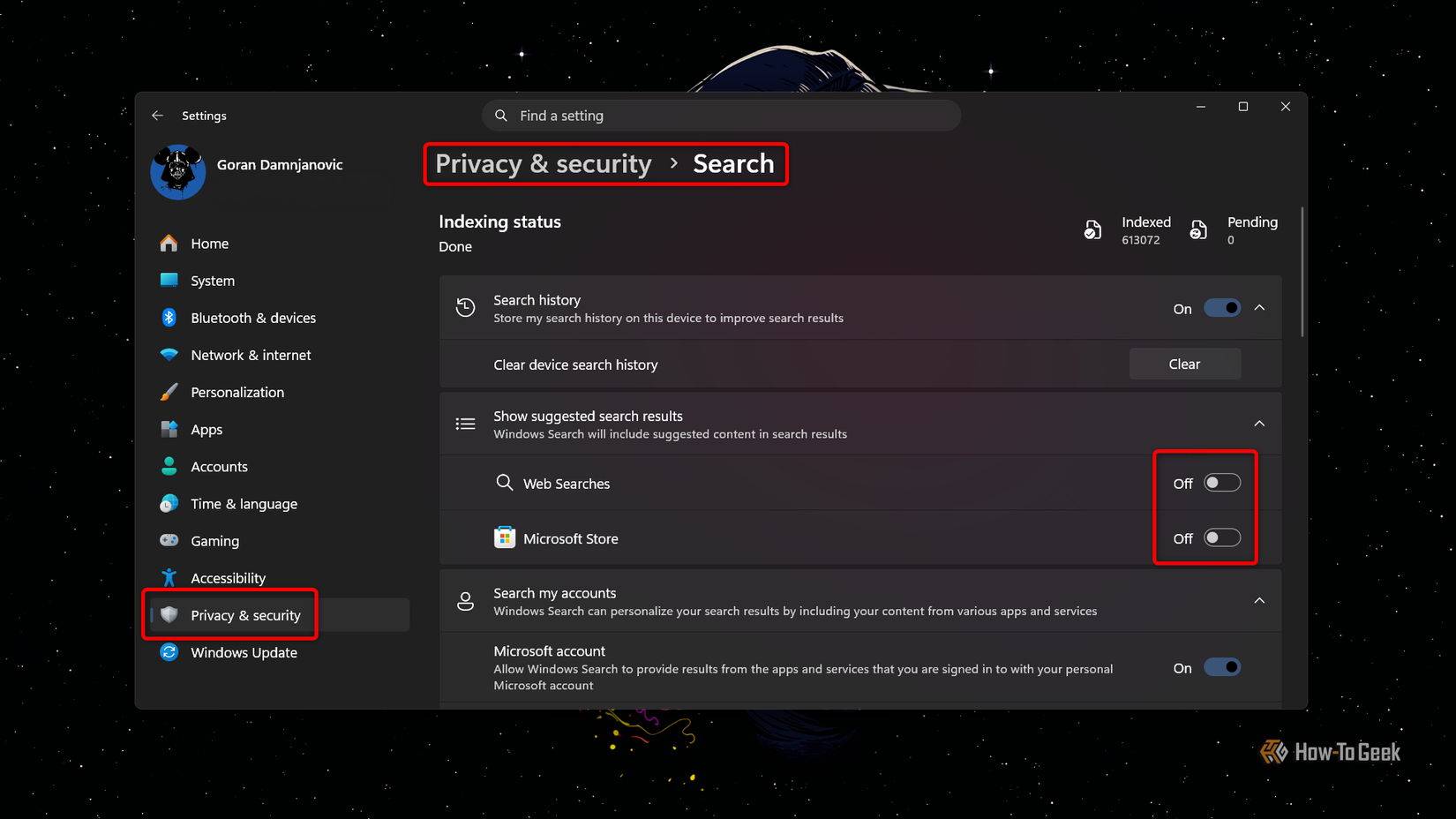
The rollout of this feature has been a gradual process. While Windows Insiders saw the changes first, the broader public began receiving the update in stages starting in late August. By late October 2026, the feature had reached a critical mass of global users. The implementation is remarkably straightforward, housed under the "Privacy & security" section of the Settings app. Within the Search sub-menu, users are now presented with two distinct toggles: "Web Searches" and "Microsoft Store."
By disabling these options, the search interface reverts to a localized indexing tool. The impact on the user experience is immediate; queries no longer hang while waiting for a server response from Bing, and the results list is no longer padded with irrelevant commercial suggestions. For those who use their PCs primarily for productivity, this change represents a significant "quality of life" improvement that restores the utility of the Start menu as a professional tool rather than a portal for web discovery.
A Native Redesign: The Shift to WinUI 3
Beyond the new customization options, the underlying architecture of Windows Search has undergone a fundamental transformation. For a significant portion of Windows 11’s lifecycle, the search interface was powered by WebView2, a framework that essentially ran a version of the Microsoft Edge web engine in the background to render the UI. While this allowed Microsoft to update the search experience dynamically without full OS patches, it came at a cost: resource consumption and a perceptible "lag" when opening the search window.
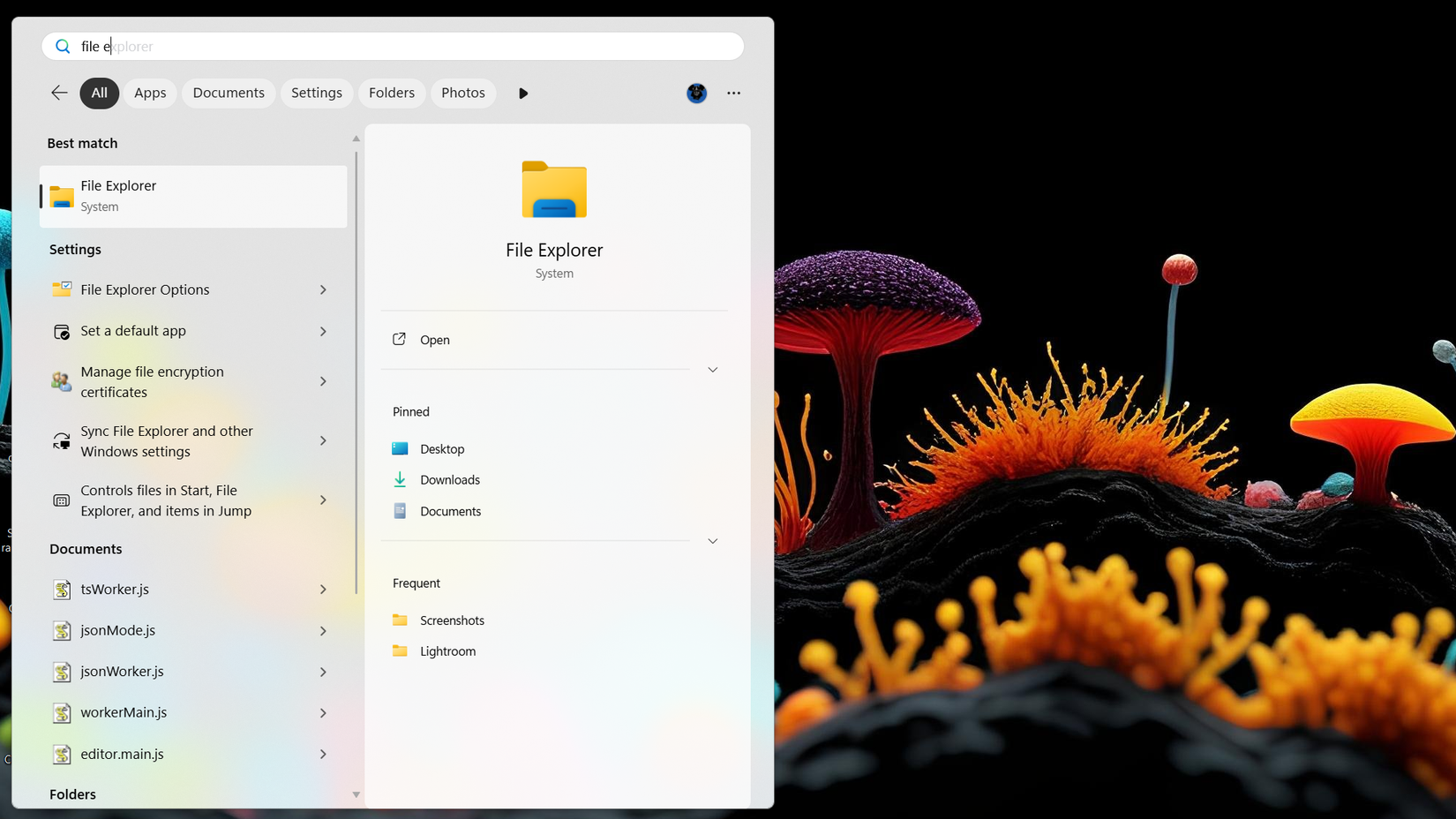
The latest update, included in the KB5132057 package, replaces the WebView2-based interface with a new UI built from the ground up on WinUI 3. As the native UI framework for Windows desktop applications, WinUI 3 allows for a much tighter integration with the operating system’s core resources. The results are palpable; the search window now appears almost instantaneously upon clicking the taskbar icon or pressing the Windows key.
The aesthetic of the new interface is also more refined. By default, the search pane is more compact, occupying less screen real estate and presenting a cleaner overview of recent activities. However, it features an "intelligent expansion" logic. As a user begins to scroll through a large set of results, the window expands dynamically to accommodate the data.

One minor point of friction in the current design is its alignment. Regardless of whether a user has their taskbar icons aligned to the left (a preference for many long-time Windows veterans) or the center, the new Search interface currently defaults to a centered position on the screen. Microsoft has acknowledged this discrepancy, stating that future iterations will include better adaptation for various taskbar configurations to ensure a consistent visual flow.
Faster Performance and Smarter Indexing
The transition to a native framework has done more than just speed up the animations; it has improved the actual utility of the search logic. The new system demonstrates a higher degree of typo tolerance and a more sophisticated understanding of user intent. In practical testing, the search engine has shown a remarkable ability to surface the correct application or file even when provided with only two or three letters.
For instance, a user frequently playing a specific title like System Shock might find that typing "sy" immediately brings the game to the top of the list, despite the hundreds of system files and settings that share those initial characters. This suggest that the "frequently used" algorithm has been tuned to prioritize user behavior more effectively than previous versions, which often favored literal alphabetical matches or promoted system-level tools regardless of their relevance to the user’s daily habits.
This update is currently being delivered as an optional preview. For users on Windows 11 version 26H2, the update is identified as Build 26300.10075, while those still on version 25H2 will see Build 26200.10075. Because it is an optional update, it requires users to manually check for updates or have the "Get the latest updates as soon as they’re available" toggle enabled in the Windows Update menu.
The Rise of Inline Actions
Perhaps the most ambitious addition to the redesigned Search is a feature Microsoft calls "inline actions." This is part of a broader philosophy to move the search bar "from searching to doing." The goal is to allow users to modify system states directly from the search interface without ever needing to open the full Settings app or navigate the Control Panel.
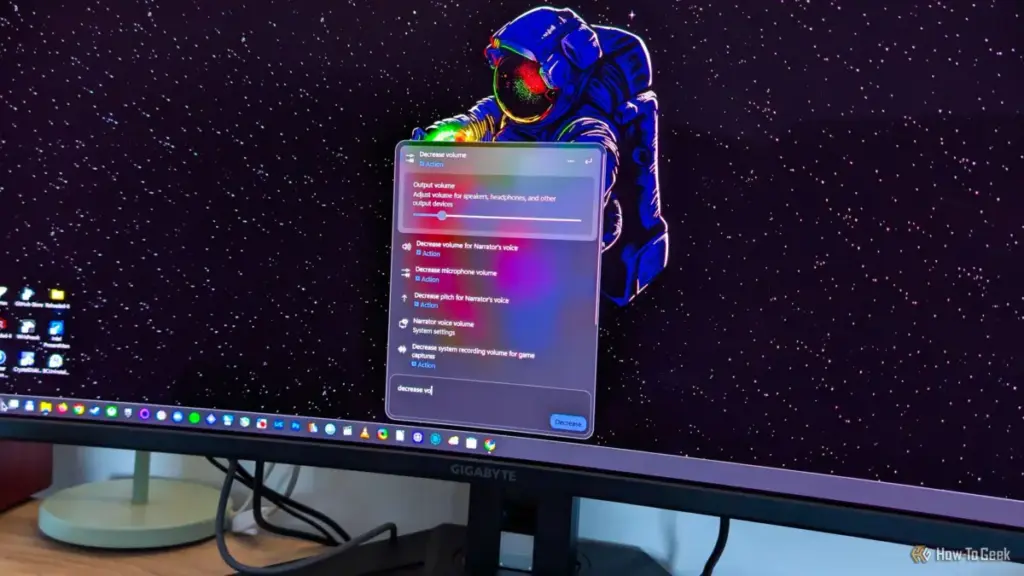
Currently, the feature supports a variety of common tasks. Users can toggle the Night Light, lock their workstation, turn Bluetooth on or off, and even adjust the size and speed of the mouse pointer. This functionality turns the search bar into a pseudo-command line for the modern desktop, potentially saving users several clicks during their workday.
However, the feature currently lacks the "natural language" polish that would make it truly intuitive. The system relies on specific phrasing to trigger these actions. For example, a user must type "increase volume" or "decrease volume" to see the inline slider; simply typing "adjust volume" currently only provides a shortcut to the Sound settings menu. While the framework feels slightly unfinished in its current state, it represents a promising direction for Windows UI design, provided Microsoft continues to refine the phrasing recognition.
The AI Caveat: Copilot’s Impending Integration
Despite the praise for the new, streamlined search experience, a new concern has emerged for privacy-conscious users and those who prefer a "bloat-free" OS. Microsoft has confirmed that Copilot is slated to be integrated directly into the Windows Search interface later this year.
The company’s strategy involves making Copilot an omnipresent assistant across the Windows ecosystem. While the new Search interface is currently a lean, high-performance tool, the addition of a generative AI component raises questions about future resource usage and data privacy. Microsoft has previously experimented with an "Ask Copilot" feature that replaced the search box entirely, a move that was met with significant pushback from the community.
The silver lining in Microsoft’s current announcement is the promise that Copilot integration within Search will be an "opt-in" feature. This mirrors the company’s recent attempts to be more transparent about AI deployment, following the controversy surrounding features like "Recall." If Microsoft adheres to this promise, users who have spent the last several months carefully disabling web results and cleaning up their Start menus will be able to ignore the AI assistant entirely.
However, skepticism remains. Critics point to the recent history of AI assistants on other platforms—such as Google’s Gemini on Android—which often replaced established, reliable tools with more complex, cloud-dependent versions that sometimes failed at basic local tasks. For many Windows users, the ideal search tool is one that indexes local files with 100% accuracy and zero latency; the prospect of an AI "digging" through personal files to provide "better" results is often viewed as a privacy risk rather than a feature.
A Delicate Balance for the Future of Windows 11
The current state of Windows 11 Search reflects the broader tension within Microsoft’s development philosophy. On one hand, the company is clearly listening to its core user base by providing the tools to disable unwanted web integration and by rebuilding the UI on faster, native frameworks. The result is a search experience that feels more "Pro" than it has in years.
On the other hand, the relentless push toward AI integration threatens to re-clutter the very interface Microsoft just finished cleaning. For now, the KB5132057 update stands as a major victory for user choice and system performance. Whether that victory remains intact after the "AI invasion" later this year will depend entirely on Microsoft’s willingness to keep its promise of making these advanced features truly optional. For the time being, Windows 11 users can enjoy a faster, more focused search experience—provided they take the few seconds required to flip the new toggles in their settings.
 Tech Tutorials & How-To Guides
Innovation in Pocket Utility: The Development of a MagSafe-Compatible EDC Toolbox
In the modern landscape of personal productivity, the concept of "Every Day...
 Tech Tutorials & How-To Guides
The Weight of Quality: Overcoming the Material Limitations of Desktop 3D Printing
The rise of desktop 3D printing has fundamentally democratized manufacturing, allowing hobbyists...
 Tech Tutorials & How-To Guides
Best Buy Slashes Price of WD_BLACK SN850P 2TB SSD in Major Doorbuster Deal
The perennial struggle of the modern gamer is not found in the...







