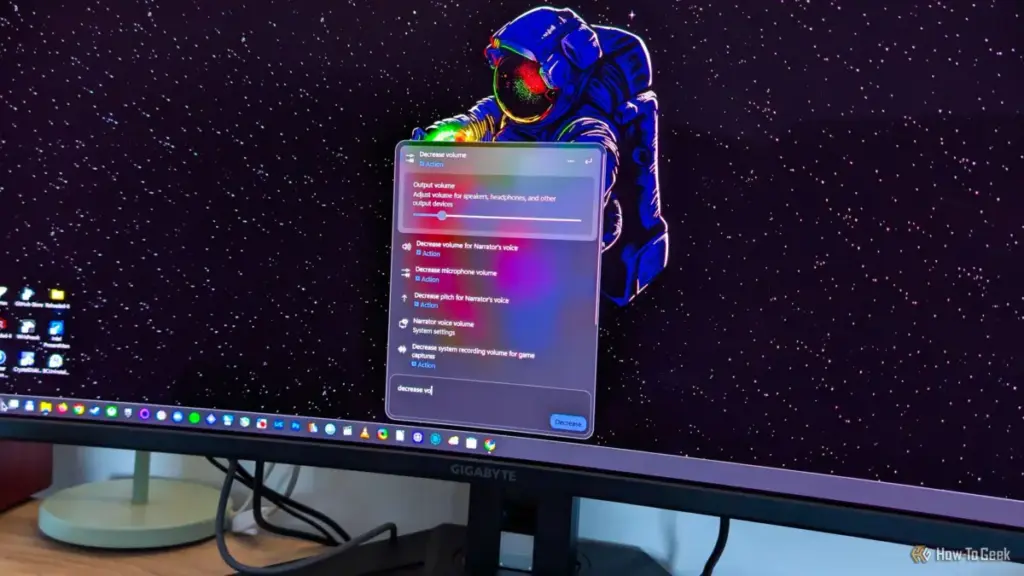
However, the feature currently lacks the "natural language" polish that would make it truly intuitive. The system relies on specific phrasing to trigger these actions. For example, a user must type "increase volume" or "decrease volume" to see the inline slider; simply typing "adjust volume" currently only provides a shortcut to the Sound settings menu. While the framework feels slightly unfinished in its current state, it represents a promising direction for Windows UI design, provided Microsoft continues to refine the phrasing recognition.
The AI Caveat: Copilot’s Impending Integration
Despite the praise for the new, streamlined search experience, a new concern has emerged for privacy-conscious users and those who prefer a "bloat-free" OS. Microsoft has confirmed that Copilot is slated to be integrated directly into the Windows Search interface later this year.
The company’s strategy involves making Copilot an omnipresent assistant across the Windows ecosystem. While the new Search interface is currently a lean, high-performance tool, the addition of a generative AI component raises questions about future resource usage and data privacy. Microsoft has previously experimented with an "Ask Copilot" feature that replaced the search box entirely, a move that was met with significant pushback from the community.
The silver lining in Microsoft’s current announcement is the promise that Copilot integration within Search will be an "opt-in" feature. This mirrors the company’s recent attempts to be more transparent about AI deployment, following the controversy surrounding features like "Recall." If Microsoft adheres to this promise, users who have spent the last several months carefully disabling web results and cleaning up their Start menus will be able to ignore the AI assistant entirely.
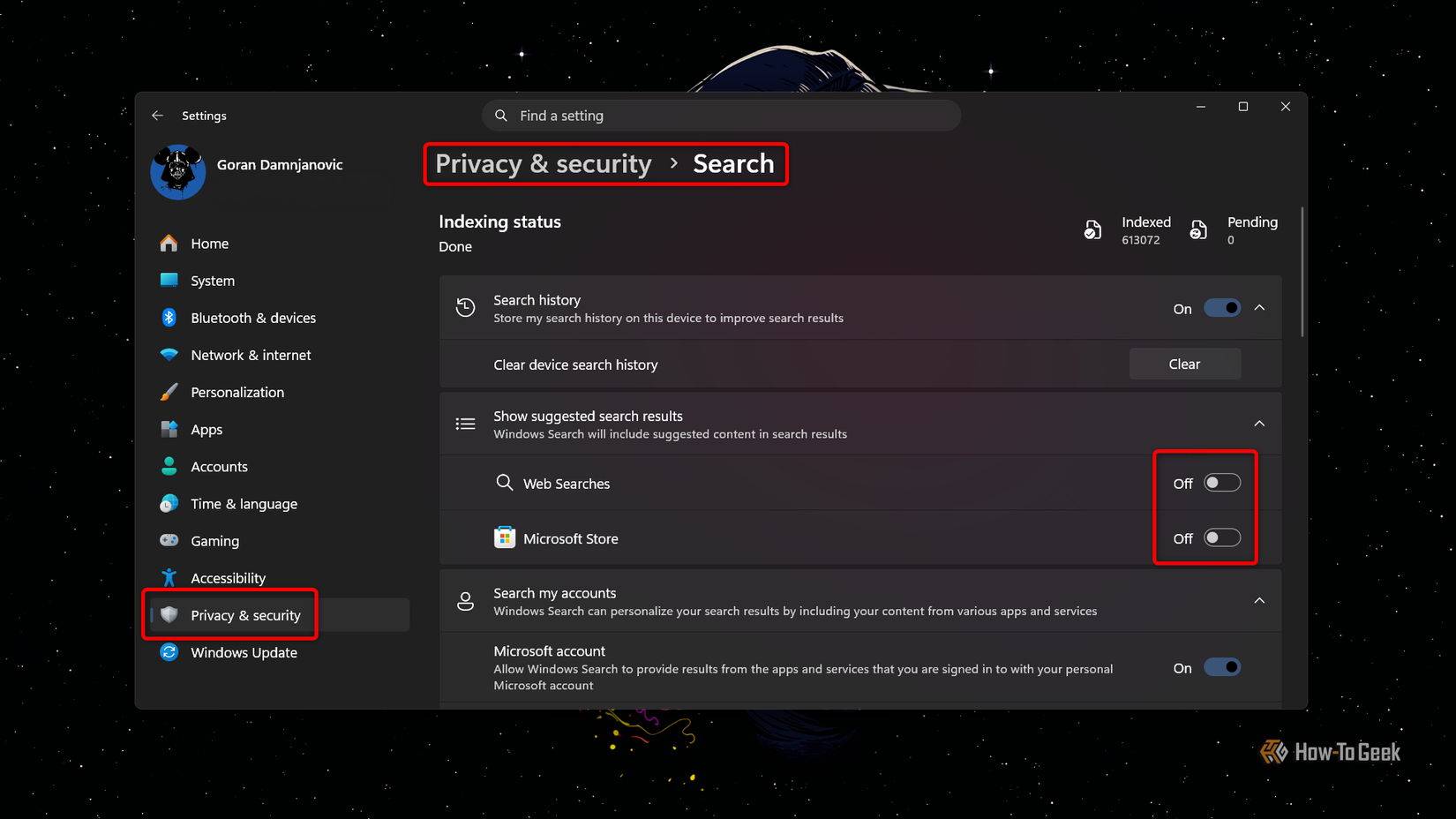
However, skepticism remains. Critics point to the recent history of AI assistants on other platforms—such as Google’s Gemini on Android—which often replaced established, reliable tools with more complex, cloud-dependent versions that sometimes failed at basic local tasks. For many Windows users, the ideal search tool is one that indexes local files with 100% accuracy and zero latency; the prospect of an AI "digging" through personal files to provide "better" results is often viewed as a privacy risk rather than a feature.
A Delicate Balance for the Future of Windows 11
The current state of Windows 11 Search reflects the broader tension within Microsoft’s development philosophy. On one hand, the company is clearly listening to its core user base by providing the tools to disable unwanted web integration and by rebuilding the UI on faster, native frameworks. The result is a search experience that feels more "Pro" than it has in years.
On the other hand, the relentless push toward AI integration threatens to re-clutter the very interface Microsoft just finished cleaning. For now, the KB5132057 update stands as a major victory for user choice and system performance. Whether that victory remains intact after the "AI invasion" later this year will depend entirely on Microsoft’s willingness to keep its promise of making these advanced features truly optional. For the time being, Windows 11 users can enjoy a faster, more focused search experience—provided they take the few seconds required to flip the new toggles in their settings.
 Tech Tutorials & How-To Guides
The Self-Hosted Revolution: Leveraging Raspberry Pi for Professional and Personal Digital Sovereignty
In the rapidly evolving landscape of modern technology, the boundary between consumer-grade...
 Tech Tutorials & How-To Guides
The Minimalist Mobile Office: Essential Networking Tools for the Modern Remote Professional
For many technology professionals, the allure of remote work is often tempered...
 Tech Tutorials & How-To Guides
Exploring the Frontiers of the Unknown: Three Essential Science Fiction Films to Stream on Netflix This Weekend
As the autumn of 2026 unfolds, the digital landscape of the American...