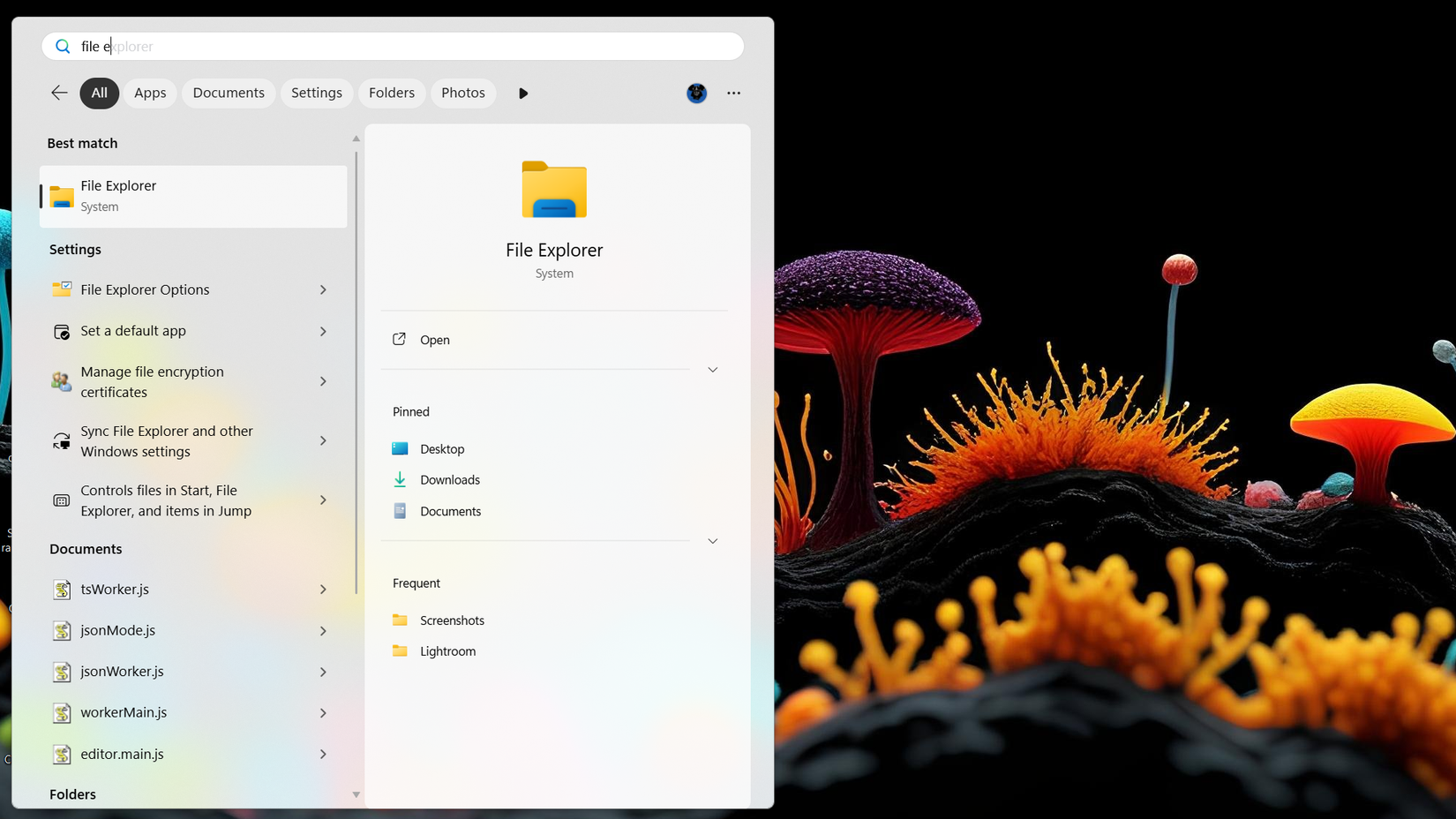
The aesthetic of the new interface is also more refined. By default, the search pane is more compact, occupying less screen real estate and presenting a cleaner overview of recent activities. However, it features an "intelligent expansion" logic. As a user begins to scroll through a large set of results, the window expands dynamically to accommodate the data.

One minor point of friction in the current design is its alignment. Regardless of whether a user has their taskbar icons aligned to the left (a preference for many long-time Windows veterans) or the center, the new Search interface currently defaults to a centered position on the screen. Microsoft has acknowledged this discrepancy, stating that future iterations will include better adaptation for various taskbar configurations to ensure a consistent visual flow.
Faster Performance and Smarter Indexing
The transition to a native framework has done more than just speed up the animations; it has improved the actual utility of the search logic. The new system demonstrates a higher degree of typo tolerance and a more sophisticated understanding of user intent. In practical testing, the search engine has shown a remarkable ability to surface the correct application or file even when provided with only two or three letters.
For instance, a user frequently playing a specific title like System Shock might find that typing "sy" immediately brings the game to the top of the list, despite the hundreds of system files and settings that share those initial characters. This suggest that the "frequently used" algorithm has been tuned to prioritize user behavior more effectively than previous versions, which often favored literal alphabetical matches or promoted system-level tools regardless of their relevance to the user’s daily habits.
This update is currently being delivered as an optional preview. For users on Windows 11 version 26H2, the update is identified as Build 26300.10075, while those still on version 25H2 will see Build 26200.10075. Because it is an optional update, it requires users to manually check for updates or have the "Get the latest updates as soon as they’re available" toggle enabled in the Windows Update menu.
The Rise of Inline Actions
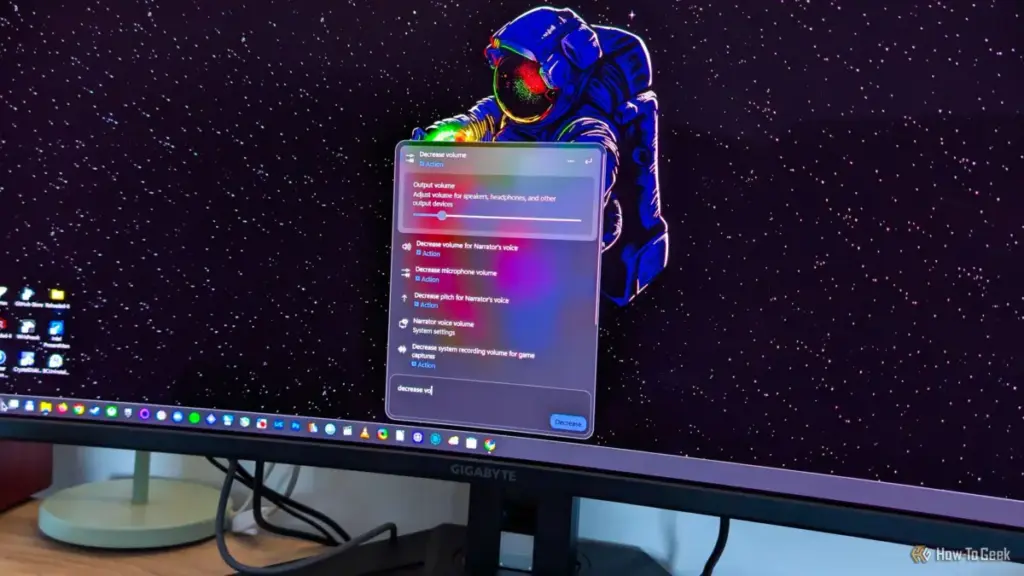
Perhaps the most ambitious addition to the redesigned Search is a feature Microsoft calls "inline actions." This is part of a broader philosophy to move the search bar "from searching to doing." The goal is to allow users to modify system states directly from the search interface without ever needing to open the full Settings app or navigate the Control Panel.
Currently, the feature supports a variety of common tasks. Users can toggle the Night Light, lock their workstation, turn Bluetooth on or off, and even adjust the size and speed of the mouse pointer. This functionality turns the search bar into a pseudo-command line for the modern desktop, potentially saving users several clicks during their workday.
 Tech Tutorials & How-To Guides
The Hidden Costs of the Modern Living Room: Why Your Smart TV Knows More Than You Think
In the contemporary landscape of consumer electronics, it has become an open...
 Tech Tutorials & How-To Guides
Streaming Transitions: Navigating the Major Movie Departures from Netflix This November
The modern streaming landscape is often defined by a sense of abundance,...
 Tech Tutorials & How-To Guides
Paramount+ Expands Library with Major October Update as Spooky Season Begins
As the calendar turns to October and the first chill of autumn...