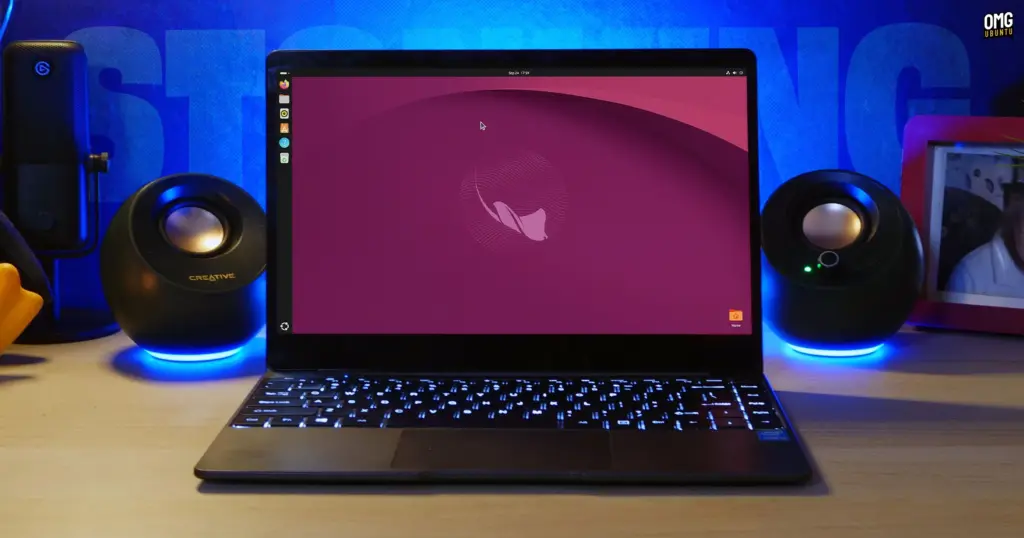
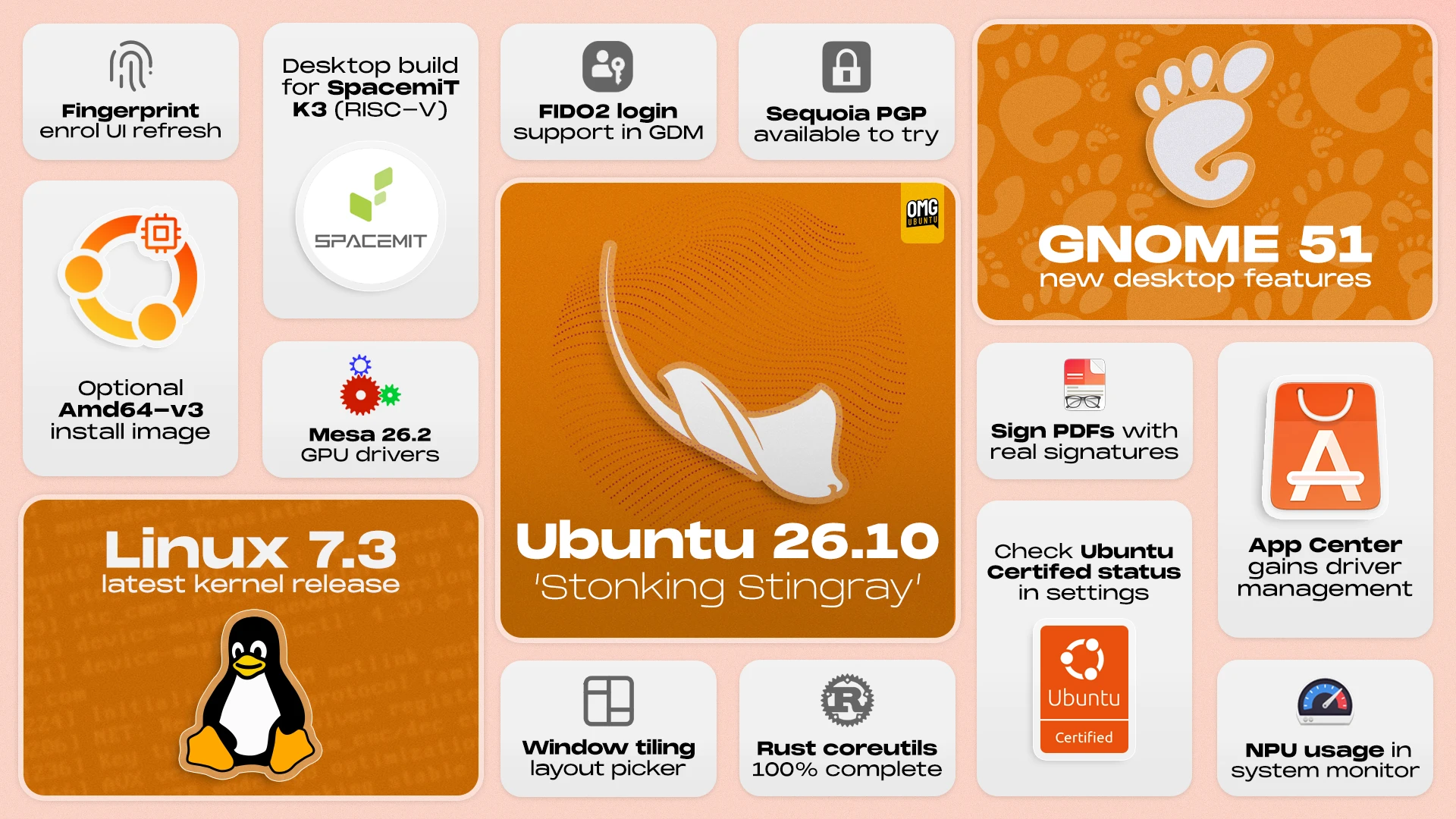
Canonical has officially announced the release of Ubuntu 26.10, codenamed "Stonking Stingray." Serving as the project’s latest interim release, the distribution arrives packed with significant technological shifts under the hood alongside an array of desktop refinements. Supported for nine months through July 2027, the release provides a forward-looking testbed for bleeding-edge technologies, highlighted by GNOME 51, the Linux 7.3 kernel, Mesa 26.2 graphics libraries, and a complete transition to Rust-based core utility commands.
In addition to system-level upgrades, the new release delivers expanded enterprise authentication capabilities, broader full-disk encryption options, performance-tailored installation media, and experimental desktop support for RISC-V hardware architectures. For everyday users and system administrators alike, Ubuntu 26.10 bridges modern security paradigms with everyday desktop conveniences.
New Window Snapping and Layout Picker
Leading the visible desktop improvements is an overhauled window tiling experience designed to streamline multi-window workflows directly during drag actions. When a user begins dragging a window across the workspace, an interactive layout picker peeks down from the top edge of the display. Guiding the active window toward this bar reveals an array of pre-configured tiling zones.
Hovering over a specific zone displays a translucent ghost preview indicating precisely where the application window will seat itself. Releasing the mouse button immediately snaps the window to that layout. While the functionality expedites multi-tasking without requiring dedicated shortcut combinations, it operates as an active visual element that users may not always want running. Because Ubuntu does not offer an immediate graphical toggle to disable the interface, users who find the animated picker distracting can deactivate it via the command line by executing:
gsettings set org.gnome.shell.extensions.tiling-assistant enable-layout-picker false
The picker can subsequently be restored at any point by running the identical command with the parameter set back to true.
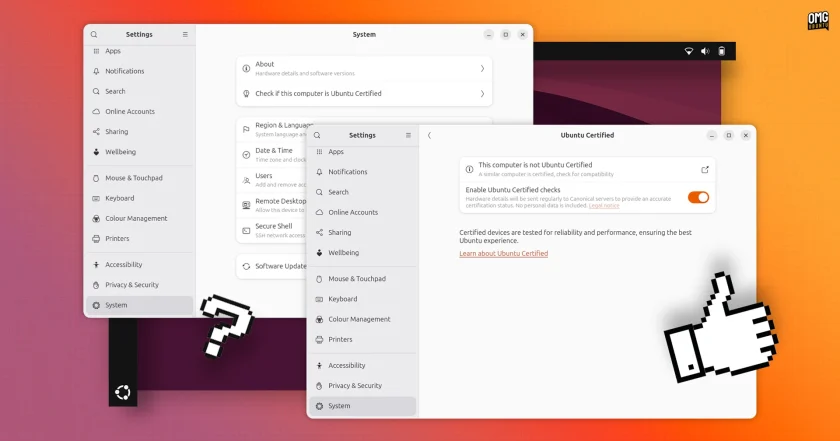
Checking Ubuntu Certified Status Directly from Settings
Ubuntu 26.10 makes hardware validation considerably more transparent by embedding a dedicated verification tool within the default desktop settings. By navigating to Settings and selecting the System menu, users can instantly determine whether their specific laptop or workstation carries official Ubuntu Certified status.
Behind the scenes, these diagnostics query the Ubuntu Hardware API through Canonical’s hwctl client, which has been converted into an isolated snap package for this cycle. The interface reports a clear, definitive confirmation if the machine matches a certified production device. If the hardware is not recognized, the interface indicates as much, while systems that closely match certified configurations receive partial-match notices with direct links to the relevant hardware documentation on Ubuntu’s website. Official certification is typically limited to hardware configurations specifically validated and maintained through direct engineering partnerships between Canonical and original equipment manufacturers (OEMs).
Built-in PDF Signature Support in Document Viewer
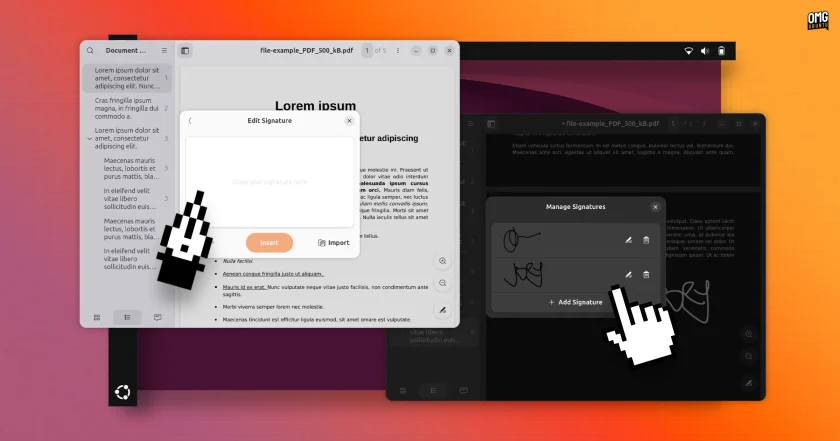
Document processing sees a practical productivity upgrade in the default Document Viewer, also known as Papers. The utility now incorporates native support for creating, importing, and placing handwritten signatures directly onto PDF documents.
Users can sketch a signature on a built-in canvas using a mouse, digital stylus, graphics tablet, or touchscreen. Alternatively, the app allows users to import an existing photograph of a written signature, with an integrated background-removal mechanism isolating the ink from paper glare.
Once created, signatures are saved internally for future applications. They behave like standard vector document annotations, allowing users to move, scale, and reposition them anywhere across individual pages. Beyond signatures, Papers introduces more descriptive paper size labeling within file properties and ensures that free-text annotations are included on printed copies by default.
Accessible Screenshots and Audio Adjustments
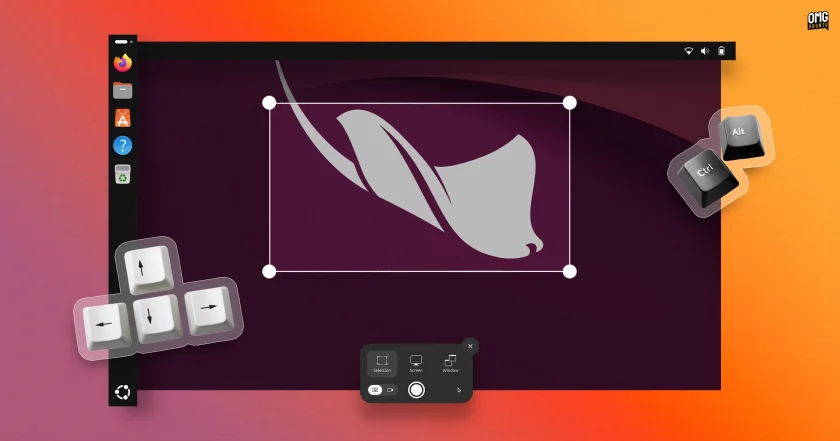
The desktop screenshot tool in GNOME 51 includes fine-grained accessibility adjustments via keyboard controls. After drawing a capture area across the screen, users can employ the directional arrow keys to target a specific boundary. Continued arrow keystrokes expand or contract the frame, while holding the Shift key shifts boundaries in larger increments and the Control key restricts adjustments to micro-steps. Holding the Alt key alongside the arrows allows the entire capture selection to be panned across the display. If an adjustment becomes unwieldy, pressing the R key resets the selection box entirely.
Complementing the mechanical changes is a revamped audio cue. The longstanding camera shutter sound effect has been retired in favor of a discreet system sound. The change was made upstream by GNOME developers to avoid the awkward or suspicious looks users often encountered when triggering screen captures in public settings with speakers unmuted.
Nautilus File Manager Enhancements
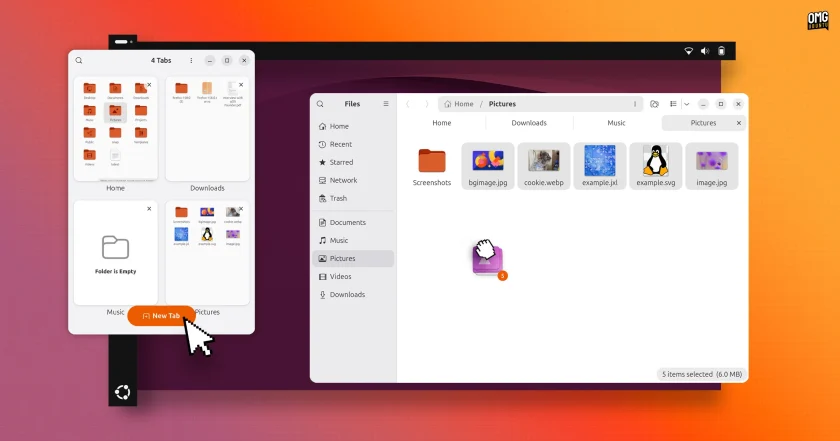
Ubuntu’s native file manager, Nautilus, introduces helpful visual and organizational feedback. When users click and drag multiple files between directories, the cursor dynamically displays an accurate real-time file count.
Underlying architectural optimizations accelerate directory loading and refresh times when browsing exceptionally large folders. Additionally, when a Nautilus window is resized to narrower widths or constrained within tiled window configurations, an overview button appears in the tab strip, letting users browse and switch between active folder tabs without excessive interface clutter.
Desktop Icons Migrate to GTK4
The desktop experience receives greater visual consistency via a substantial backend update to Desktop Icons NG (DING), the extension tasked with rendering desktop folders and files. The extension has now been fully ported to the GTK4 toolkit.
As a result of the transition, right-click desktop context menus and secondary system dialogs visually harmonize with modern GNOME applications. Performance is also noticeably crisper: desktop menus now render immediately without the micro-pause previously caused by synchronous clipboard inspection, as the clipboard check is now handled asynchronously in the background. Desktop icon stacks can now be expanded and collapsed directly from the keyboard, and the contextual "Open With" dialog has eliminated the non-functional "Find new apps" option, which previously attempted to launch the uninstalled GNOME Software store.
Passkey Authentication and Microsoft Entra ID Integration
Security and identity infrastructure receive enterprise-grade enhancements at the GDM login and lock screens. Users can now authenticate locally using FIDO2-compliant physical passkeys or through web-based federated sign-in flows, sitting alongside existing smart card provisions. The authentication overhaul relies on a modernized, unified system framework designed to accommodate emerging credential methods over future release cycles.
For professional and academic networks, Ubuntu 26.10 integrates support for Microsoft Entra ID. Users tied to corporate environments can sign into Ubuntu using their standard Entra directory credentials, with Multi-Factor Authentication (MFA) prompts verified directly through the Microsoft Authenticator mobile app or secondary one-time passcodes. This unified authentication mechanism applies consistently across local graphical desktop sessions, virtual console terminals, and remote SSH connections.
App Center Expansion and Software Handling
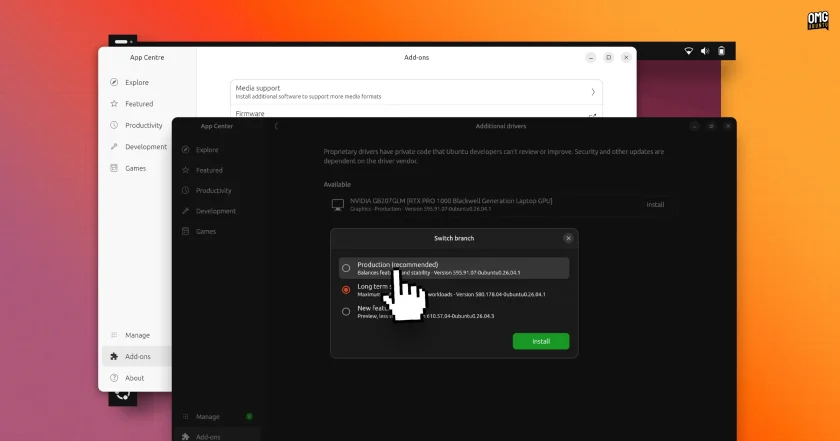
Ubuntu’s default App Center gains expanded maintenance roles through a newly introduced Add-ons section. This area incorporates dedicated panels for Additional Drivers, enabling users to inspect and toggle proprietary hardware drivers—such as proprietary NVIDIA graphics packages—on machines where specific firmware dependencies are detected. A companion Media Support panel provides simplified installation pathways for third-party audio and video codecs.
The App Center also resolves package confusion by cleanly unifying Snap and Debian package references for applications distributed across both formats. Users viewing dual-format software encounter a consolidated profile displaying comparative download footprints, maintainer publishers, system permissions, and exact version markers, allowing for an informed installation choice. Package maintenance routines have similarly been stabilized; updated applications no longer linger incorrectly in the pending software queue, and the installer now permits users to directly upgrade pre-existing third-party Deb packages with newer revision files.
Architectural Additions: amd64-v3 and RISC-V
Canonical is expanding the reach and performance characteristics of its installation media in 26.10. Alongside the standard Intel and AMD desktop installation image, an optimized amd64v3 image is now available via Canonical’s CD image mirror servers.
Tailored specifically for modern processors supporting the x86-64-v3 microarchitecture level—which includes most Intel and AMD processors manufactured since roughly 2015—the specialized packages make deeper use of advanced vector extensions and modern instruction sets. While low-power, older, or embedded chips cannot boot this targeted build, supported systems gain tangible performance advantages across computational workloads and virtualization tasks.
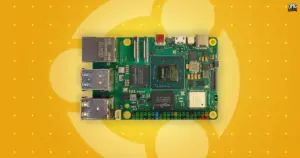
Simultaneously, Ubuntu 26.10 marks the official introduction of experimental desktop images built for the emerging RISC-V computing architecture. Offered in both standard GNOME and lightweight Xubuntu flavors, these initial images target developers utilizing hardware platforms like the SpacemiT K3 alongside virtualized environments like QEMU. Although regular repository updates are provided, Canonical treats these initial RISC-V desktop distributions as strictly experimental installations that currently omit select default desktop snaps, including the standard App Center.
Granular Display, Input, and Accessibility Settings
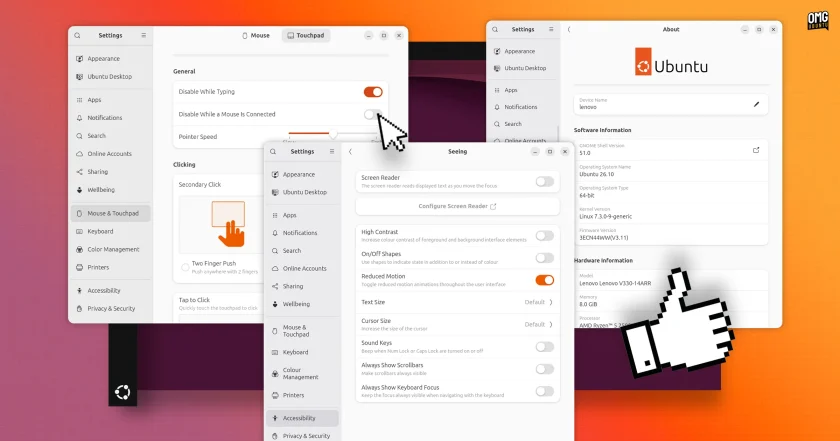
The system Settings control panel introduces numerous fine-tuned controls to manage workspace preferences:
- Mouse & Touchpad: Users working with mobile setups can enable a toggle that automatically disables the internal laptop touchpad whenever a physical mouse is connected.
- Displays: Touchscreen users gain an explicit toggle to manage display auto-rotation. Furthermore, multi-monitor configuration interfaces now snap to center-aligned layouts automatically, preventing misaligned display boundaries.
- Display Memory: GNOME Shell now stores precise per-monitor display brightness levels and HDR color configuration profiles indexed by monitor EDID data. Unlike older iterations that relied on kernel-level memory that could be skewed by interim power-saving dimming sequences, the display server properly restores exact hardware brightness levels across subsequent system reboots.
- Network Security: The Network settings pane adds options for specific DNS domain search paths. Meanwhile, configuration support for legacy WEP wireless encryption has been removed entirely across the operating system due to fundamental security deficiencies.
- Accessibility: The "Reduce Motion" setting has been overhauled to suppress desktop transition animations more broadly, though primary application overview zoom sequences and the default application drawer currently remain active.
Modernizing Core Commands and System Architecture
Ubuntu 26.10 represents an engineering milestone in Canonical’s transition toward memory-safe system foundations. The distribution’s core command-line toolchain has completed its migration to Rust-based utilities, with core tools including cp, mv, and rm now fully provided by the uutils implementation. Rust-based OpenPGP functionality via Sequoia is also installed across system images ahead of planned default status in Ubuntu 27.04.
Underneath the user interface, Ubuntu 26.10 adopts dbus-broker as the standard system and session message bus, cleanly deprecating the 22-year-old dbus-daemon service. While visually transparent to users, the modern message broker improves inter-process communication performance and provides better architectural security across desktop services.
System responsiveness during high memory constraints has also received attention. Tuning across the systemd-oomd memory monitor ensures that when volatile RAM is depleted, runaway user applications are isolated and terminated prior to core graphical shell services, drastically mitigating the likelihood that high memory loads drop users back to the display manager login screen.

Terminal Diagnostics with APT 3.3.3
The core command-line packaging tool updates to APT version 3.3.3, bringing interactive, context-sensitive assistance to command-line operators. Previously, appending the --help flag to individual subcommands frequently yielded the broad, top-level help text rather than guidance pertinent to the action attempted. Under APT 3.3.3, subcommands like apt install --help properly output operational parameters, flags, and syntax exclusively relevant to that specific task, eliminating the need to consult external documentation or system manual pages for standard operations.
Expanded TPM Disk Encryption and Hardware Tracking
Disk encryption implementations in Ubuntu 26.10 broaden support for systems lacking hardware root of trust. Users can now apply Trusted Platform Module (TPM)-backed full-disk encryption across wider hardware classes by supplying an initial passkey or PIN during installation. Systems built after 2021 that fully implement hardware root of trust standards continue to benefit from transparent, automated hardware-authenticated unlocks without mandatory PIN entry.
In tandem, the Resources system monitor, introduced during the prior LTS cycle, gains native telemetry tracking for Neural Processing Units (NPUs). System resource displays can actively plot hardware utilization, operational efficiency, and power consumption across AMD Ryzen 7040, 8040, and Ryzen AI 300 and 400 series chips. Visual metrics within the interface have been elevated above sidebar graphs for better legibility, the sidebar can now be collapsed or restored via the F9 key, and tracking hooks have been refined to capture performance footprints across Steam gaming libraries and isolated Snap containers.
Linux 7.3 Kernel and Graphics Stack
At its foundational level, Ubuntu 26.10 ships with the Linux 7.3 kernel, packaged in its late release candidate state due to development cycles aligning just ahead of upstream kernel completion in late October; finalized kernel builds will roll out to 26.10 installations as an in-place software update.
Linux 7.3 incorporates broad architectural additions, including preliminary platform enablement for Snapdragon X2 Elite architectures like the Asus Zenbook A14, accompanied by peripheral expansions such as webcam support for existing X Elite laptops. Storage layers benefit from an overhauled EXT4 multi-block allocator optimizing large-file pre-allocations, alongside zero-copy throughput capabilities for FUSE configurations leveraging io_uring. Graphics management gains memory fixes mitigating micro-stutters, alongside tailored VRAM management algorithms that yield performance gains in gaming workloads on GPUs equipped with under 8GB of video memory.
Graphical pipelines are reinforced by Mesa 26.2, which brings mesh shading pipelines to the open-source NVK Vulkan driver for NVIDIA hardware, alongside low-latency Vulkan Video encoding and decoding acceleration on AMD GPUs. Proprietary graphics stacks transition to the NVIDIA 615 driver branch. The updated package exclusively distributes open kernel modules compatible with the Turing architecture and newer, requiring legacy hardware configurations to remain on the NVIDIA 580 branch.
For developers, Ubuntu 26.10 updates its foundational software toolchains. Environments available or pre-installed across the software repositories include Python 3.14.7, Rust 1.97, LLVM 22.1.8, .NET 10, OpenJDK 25, and access to upcoming OpenJDK 27 packages.
Release Lifespan and Upgrade Paths
Ubuntu 26.10 installation media for 64-bit AMD and Intel hardware, alongside developer builds for Raspberry Pi, WSL environments, RISC-V developer platforms, and x86-64-v3 hardware, are available via Ubuntu’s public release distribution mirrors.
As an interim release, Ubuntu 26.10 will receive security patches, package updates, and system maintenance for nine months, concluding support in July 2027. Workstations actively operating Ubuntu 26.04 LTS can perform direct in-place operating system upgrades by intentionally configuring system update managers to track non-LTS releases. Older standalone iterations, including Ubuntu 24.04 LTS or 25.10, cannot jump directly to 26.10 and require successive release-to-release upgrades or standard clean installations using new media.
 Linux & Open Source Solutions
Ubuntu 26.10 Introduces Top-Screen Layout Picker to Streamline Window Tiling
Ubuntu 26.10 is introducing a new way for users to organize their...
 Linux & Open Source Solutions
Canonical Unveils Official Ubuntu Desktop Images for RISC-V Ahead of Ubuntu 26.10
Installing a complete graphical Ubuntu desktop on 64-bit RISC-V hardware is poised...
 Linux & Open Source Solutions
Ubuntu 26.10 Beta Rescheduled to October 1 Following Unforeseen Infrastructure Issues
Canonical has officially postponed the public beta release of its upcoming operating...