
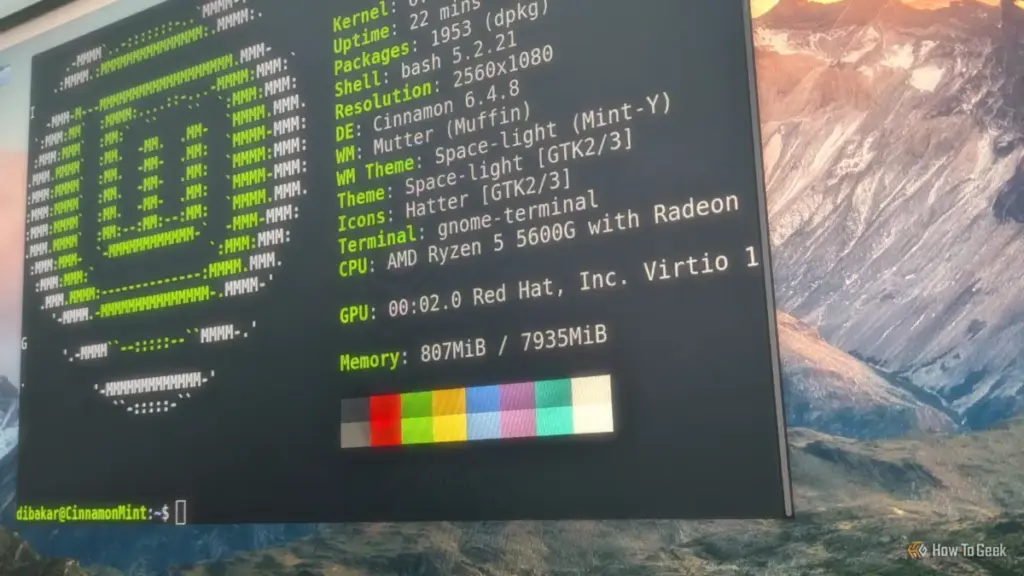
For many veteran technology enthusiasts, the journey through the landscape of Unix-like operating systems is often a long and winding road. For David Delony, a journalist and tech historian whose roots in the ecosystem trace back to the mid-2000s during the transition of Mac OS X, the evolution of Linux has been a constant point of fascination. Having spent the better part of two decades immersed in the structured environments of Ubuntu and the rock-solid stability of Debian, the name "Linux Mint" was always present in the periphery—a derivative known for its user-friendliness, yet one that many seasoned users often overlook in favor of more "hardcore" distributions.
However, a recent deep dive into the latest iteration of Linux Mint has revealed a startling truth: in an era where operating systems are increasingly cluttered with telemetry, forced updates, and radical interface overhauls, Mint’s commitment to being "refreshingly boring" is perhaps its greatest strength. By prioritizing familiarity and ease of use over experimental design, Linux Mint has carved out a unique niche as the most logical destination for those looking to escape the complexities of modern proprietary platforms.
A Departure from the Technical Hurdles of the Past
There was a time in the history of personal computing when installing a Linux distribution was considered a rite of passage—a feat that required a deep understanding of partition tables, X11 configurations, and kernel modules. During the early 2000s, "live" distributions like Knoppix gained legendary status because they allowed users to bypass the often-perilous installation process entirely, running a full operating system from a CD-ROM.

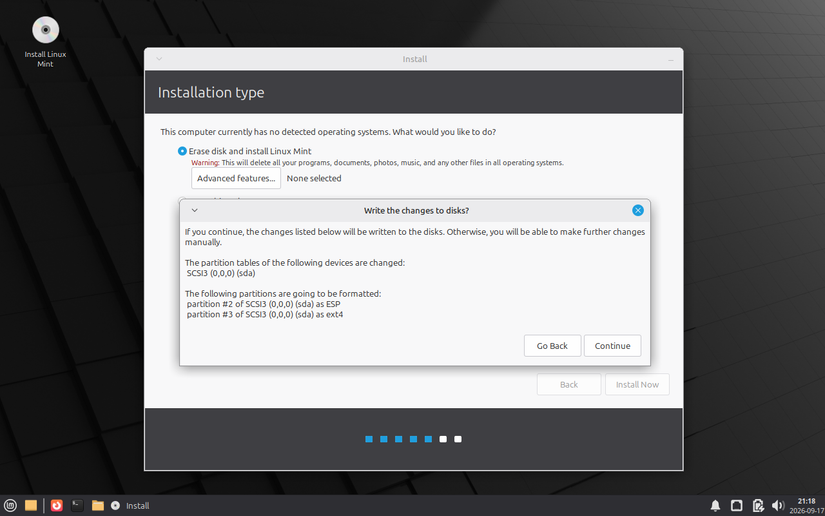
In his recent exploration of Linux Mint, Delony noted how far the industry has come. While the concept of the "live environment" remains a staple—allowing users to test-drive the OS before committing their hardware—the actual installation process has been refined into a frictionless experience. Opting for the Xfce edition, a version of Mint known for its lightweight footprint and efficiency in virtualized environments, the installation proved to be a masterclass in accessible design.
The modern Mint installer manages to strike a difficult balance. It guides the novice through the daunting tasks of disk partitioning and user creation using plain, non-technical language, while simultaneously providing the "hooks" and granular controls that a Linux veteran expects. This "installation without tears" approach ensures that the barrier to entry is no longer a technical one, but merely a matter of choice. As hardware detection has become nearly instantaneous, the days of hunting for obscure drivers just to get a Wi-Fi card or a sound chip working are largely a relic of the past.
The Philosophy of the "Boring" Desktop
One of the most persistent criticisms of the Linux desktop is that it often tries too hard to be different. From the unique workflow of GNOME to the hyper-customizability of KDE Plasma, many distributions demand that the user learn a new way of interacting with their computer. Linux Mint, conversely, leans into the familiar.
Delony describes the Mint experience as "refreshingly boring," a term that serves as high praise in a world of disruptive software updates. For the vast majority of computer users, the operating system is not the destination; it is the vehicle. They want to browse the web, write documents, and manage their media without having to navigate a steep learning curve.

Because Windows remains the dominant force in the desktop market, Linux Mint’s developers have made the pragmatic decision to emulate its most successful UI paradigms. In the Xfce variant, the main panel is positioned at the bottom of the screen, serving as a functional analog to the Windows taskbar. This design choice is not a lack of creativity; it is an exercise in empathy for the user. By providing a "Start"-style menu and a recognizable window management system, Mint allows users to get straight to work. The interface effectively disappears into the background, which is arguably the highest achievement any user interface can reach.
Bridging the Gap with Familiar Applications
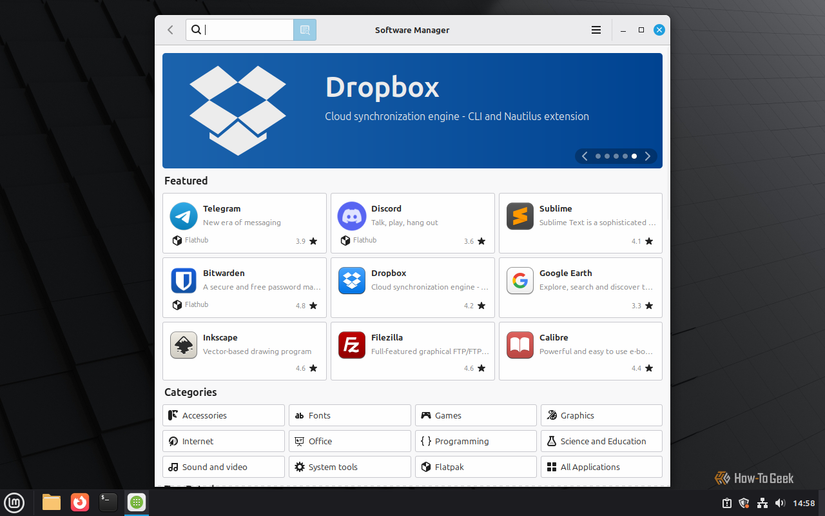
The transition from a proprietary ecosystem to an open-source one often falters at the "software wall." New users frequently ask, "Where is my Microsoft Office?" or "Can I run my favorite music app?" Linux Mint addresses these concerns through a Software Center that prioritizes utility over ideological purity.
While the system comes pre-loaded with staples like Firefox for web browsing and LibreOffice for productivity, it is the Software Center’s inclusion of popular proprietary applications that truly sets it apart. In many "pure" Linux circles, the inclusion of closed-source software like Spotify or Steam is a point of contention. However, Mint recognizes that for a desktop to be viable for the average person, it must meet them where they are.
The inclusion of Spotify is a perfect example of this pragmatism. While open-source advocates might prefer users to utilize DRM-free local files and open players, the reality of modern music consumption is rooted in streaming services governed by complex copyright regimes. By making these apps available with a single click, Mint ensures that the user’s transition is not defined by what they’ve lost, but by what they’ve gained in stability and privacy.
Furthermore, the productivity suite remains a highlight. While LibreOffice is distinct from Microsoft Word, its high level of compatibility remains impressive. Delony recounts his own experience as a freelance writer, submitting documents created in LibreOffice to clients who insisted on .doc formats. The compatibility was so seamless that the clients never realized the files hadn’t originated in a Microsoft environment—a testament to the maturity of the open-source office ecosystem.
The "Batteries Included" Approach to Multimedia
One of the historic pain points for Linux newcomers has been the handling of multimedia codecs. Due to licensing restrictions, many distributions—particularly those following strict Free Software guidelines—ship without the ability to play common video and audio formats like MP3, H.264, or AAC.
Linux Mint famously offers an "opt-in" for these codecs during the installation process. This "batteries included" philosophy is a significant factor in Mint’s enduring popularity. Even in an age where web-based streaming dominates, the ability to play local media files without a secondary search for obscure plugins is vital. By handling the "messy" side of licensing and proprietary formats on behalf of the user, Mint removes one of the most common points of frustration that leads people to abandon Linux and return to Windows or macOS.
Maintenance Without the Headache
In the current computing climate, "updates" have become a source of anxiety for many users. Windows Update, in particular, has gained a reputation for intrusive reboots and unexpected changes to system settings. Linux Mint offers a counter-narrative through its Update Manager, which provides clear, categorized information about what is being updated and why.
Right from the first boot, the system encourages the user to perform an initial update, ensuring that security patches and the latest driver improvements are in place. Despite the "lightweight" nature of the Xfce desktop, the system is comprehensive. A fresh installation, once fully updated, can occupy upwards of 15GB of disk space. While this might seem significant compared to the tiny Linux distros of yesteryear, it reflects the reality of a modern, feature-complete operating system that includes everything from printing stacks to complex graphics libraries.
The update process in Mint is designed to be non-intrusive. It doesn’t hijack the user’s workflow or force a restart at an inconvenient time. Instead, it empowers the user to maintain their system on their own terms, providing a level of agency that is increasingly rare in the tech world.
A Solid Foundation for the Future
As David Delony concluded his exploration of Linux Mint, the sentiment was clear: this is a distribution that understands its audience. It is not trying to reinvent the wheel or push the boundaries of experimental computing. Instead, it is focused on providing a stable, reliable, and comfortable home for users who simply want their computers to work.
For those considering a move away from the traditional tech giants, Linux Mint serves as a gentle introduction to the world of Linux. It offers a hand-holding experience that is rare in the open-source community, making it perhaps the most pleasant desktop experience available today. Whether for a retrocomputing enthusiast looking for a modern daily driver or a professional writer seeking a distraction-free environment, Mint proves that sometimes, being "boring" is the most innovative thing a piece of software can be.
 Tech Tutorials & How-To Guides
Paramount+ Expands Library with Major October Update as Spooky Season Begins
As the calendar turns to October and the first chill of autumn...
 Tech Tutorials & How-To Guides
Essential Roadside Resilience: Why Modern Drivers are Turning to Portable Battery-Powered Solutions
The modern driving experience is often defined by a sense of seamless...
 Tech Tutorials & How-To Guides
Best Buy Slashes Price of LG 77-Inch B5 Series OLED TV by Fifty Percent in Early Holiday Sales Push
As the calendar turns and the final quarter of the year approaches,...







