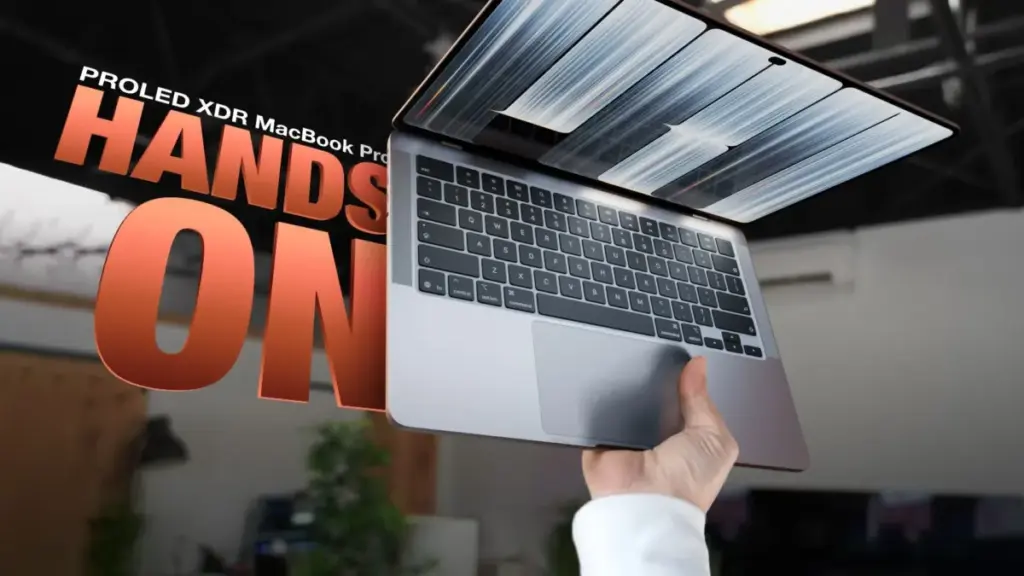
Another visible change to the display hardware is the replacement of the familiar camera notch with an iPhone-inspired Dynamic Island. Positioned at the top of the display, the Dynamic Island serves as a central hub for system interactions, accommodating Apple’s Siri AI features, Live Activities, and context-sensitive notifications.
The inclusion of the Dynamic Island aligns with the introduction of touch-screen functionality to the MacBook Pro line. The new display supports direct multi-touch gestures, bringing interactions familiar to iPhone and iPad users directly to the Mac desktop experience. Users can interact with the screen by tapping buttons, swiping through long webpages, dragging and dropping files across the desktop, and using multi-finger pinches to zoom into photos or documents.
To accommodate touch input without alienating traditional desktop users, Apple has introduced specific software adaptations within macOS. The operating system dynamically responds to touch inputs by enlarging target areas; for instance, drop-down menu options expand slightly when touched rather than clicked, and tiny window-resizing controls enlarge on screen to make precise finger input easier and less prone to accidental taps.
To support physical interactions with the display, Apple engineered a reinforced, sturdier hinge mechanism for the PROLED MacBook Pro. The updated hardware is designed to stabilize the panel and resist force when users press against the glass. In practical use, the sturdier hinge mitigates display movement, though it does not eliminate it entirely. Depending on where and how firmly the panel is tapped, some slight jiggling still occurs during screen interactions.
Despite these software and hardware adjustments, touch input is designed to act as an additive convenience rather than a primary navigation method. It is not intended to displace the precision of the built-in Force Touch trackpad or the physical keyboard, but rather to offer an alternate input method for quick tasks. While touch capability adds flexibility in specific scenarios, early testing suggests it serves as a secondary feature rather than a revolutionary shift in how most professionals interact with macOS.
 macOS & Apple IT Support
Apple’s $250 Million Siri AI Lawsuit Settlement: Payout Estimates Reach $61 Per Device as Claim Deadline Nears
With just one month remaining for eligible consumers to submit claims, details...
 macOS & Apple IT Support
Production Begins on Season 2 of Vince Gilligan’s Apple TV+ Sci-Fi Drama ‘Pluribus’ in Albuquerque
ALBUQUERQUE, N.M. — Principal photography on the second season of the acclaimed...
 macOS & Apple IT Support
Apple Confirms iPhone 18 Pro Max Cellular Outage on AT&T Network, Recommends Full Device Replacement for Affected Hardware
Apple has officially acknowledged a persistent technical issue impacting its latest flagship...