
In an era where digital identity is under constant siege from sophisticated phishing schemes and credential stuffing attacks, the move toward passwordless authentication has transitioned from a niche tech enthusiast’s dream to a mainstream security necessity. For years, the industry gold standard for this transition has been the hardware security key—most notably the YubiKey. However, for many users, the $30 to $50 entry price for a single USB dongle remains a psychological and financial barrier. I found myself in this exact position: deeply curious about the security benefits of hardware-backed passkeys, yet hesitant to pull the trigger on a dedicated device.
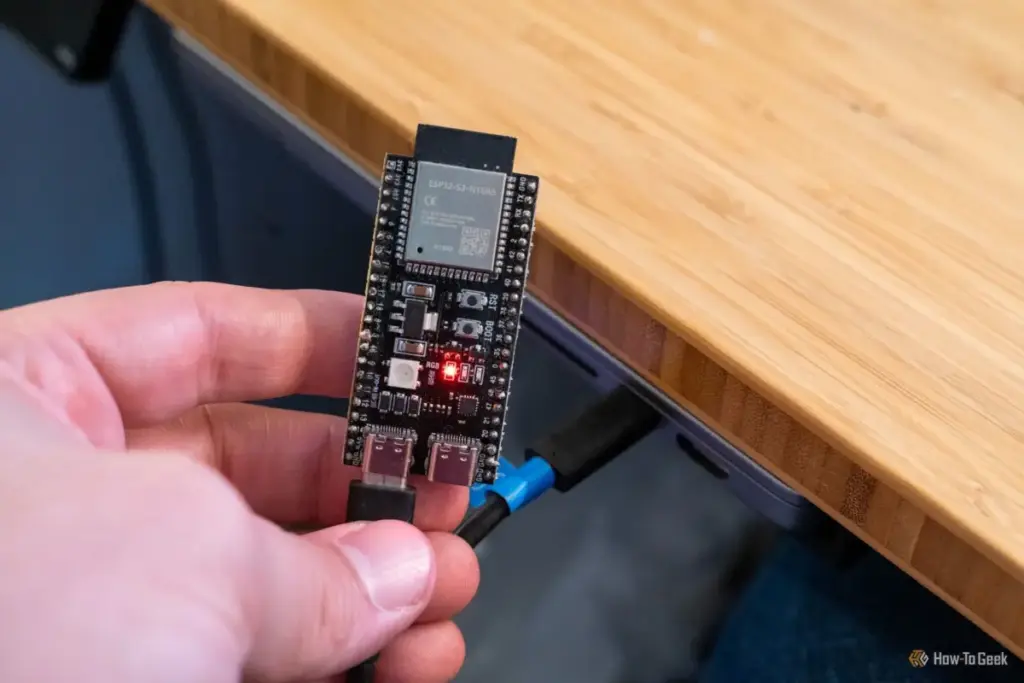
Instead of reaching for my wallet, I reached into my desk drawer. There, I found a $6 ESP32 microcontroller, a versatile piece of hardware I had originally purchased for a different project. I set out to see if I could replicate the core functionality of a high-end security key using this affordable, hobbyist-grade silicon. To my surprise, the process was not only successful but remarkably straightforward, offering a fascinating glimpse into how accessible high-level security can be for those willing to experiment with DIY solutions.
What is an ESP32, and How Does It Replace a YubiKey?
To understand how a hobbyist board can mimic a professional security tool, one must first understand the architecture of the ESP32. Designed by Espressif Systems, the ESP32 is a low-cost, low-power system-on-a-chip (SoC) with integrated Wi-Fi and dual-mode Bluetooth. While it is commonly found at the heart of smart home devices, sensors, and robotics projects, its utility extends far beyond simple automation.
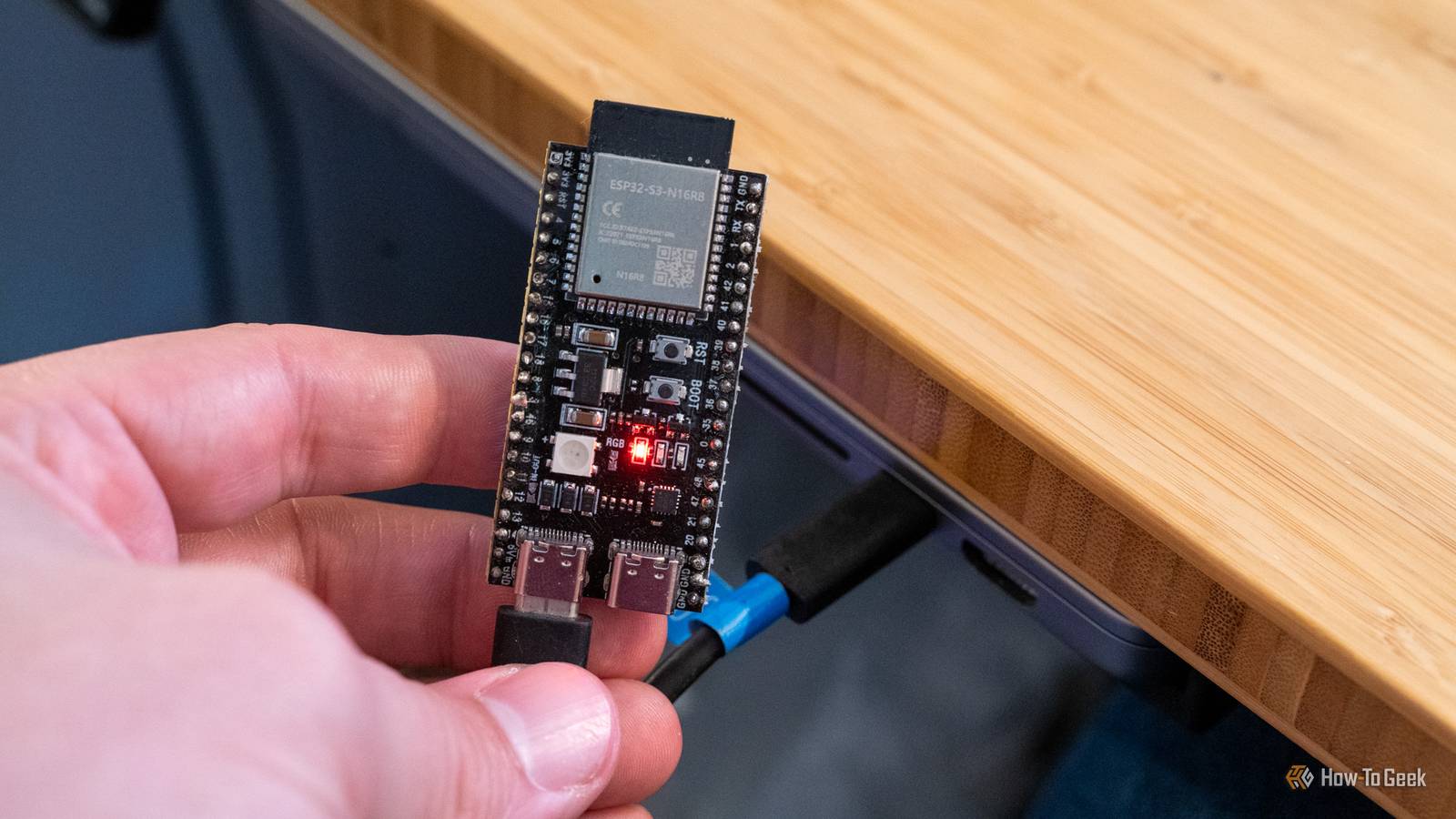
The specific variant I utilized for this project was the ESP32-S3N16R8. This particular model is a powerhouse in the microcontroller world, featuring 16MB of flash memory and 8MB of PSRAM. The "S3" series is particularly crucial for this application because it includes native USB support. Unlike older microcontrollers that required a secondary chip to communicate with a computer’s serial port, the ESP32-S3 can natively emulate various USB devices.
This capability is the secret sauce of the project. By programming the ESP32-S3 to act as a Human Interface Device (HID), it can appear to a computer as a keyboard, a mouse, or, in this case, a FIDO2-compliant security key. Essentially, the hardware provides the physical platform, and the software provides the cryptographic logic necessary to satisfy the requirements of modern passwordless login protocols.
What is a YubiKey?
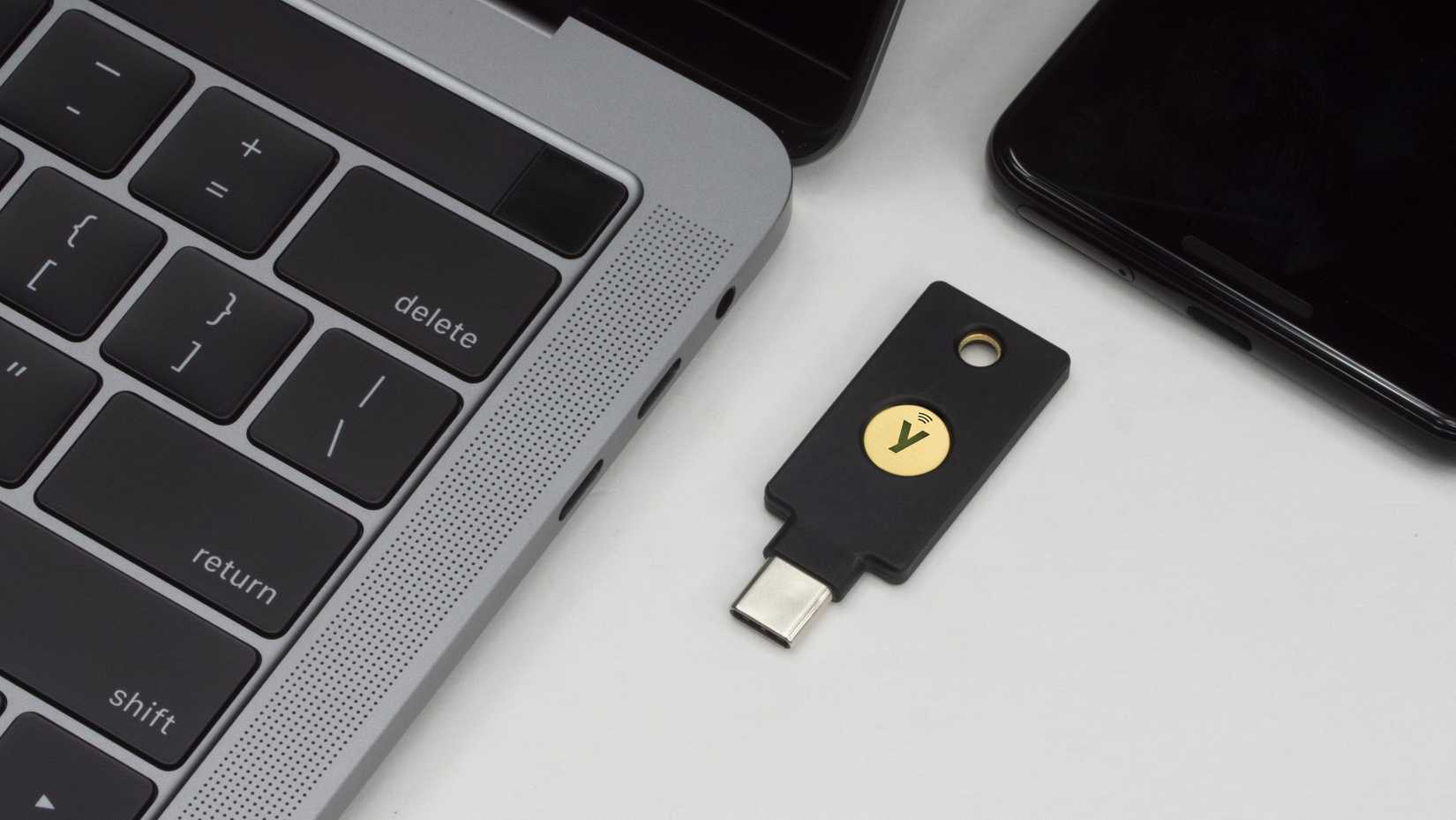
To appreciate what the DIY version accomplishes, it is important to define the role of the commercial product it seeks to emulate. A YubiKey is a hardware authentication device manufactured by Yubico that supports multiple protocols, including FIDO2, WebAuthn, and U2F. Its primary purpose is to act as a physical "something you have" factor in multi-factor authentication (MFA) or as a standalone passkey for passwordless logins.
Several years ago, the tech industry began a massive push toward passkeys as a more secure alternative to traditional passwords. Passkeys rely on public-key cryptography; your device creates a pair of keys—one public, which is shared with the service you are logging into, and one private, which never leaves your device. This architecture is inherently more resilient than passwords because there is no secret "shared" with the server that can be stolen in a data breach.

Currently, most consumers use passkeys through software-based password managers or mobile operating systems like iOS and Android. While convenient, this approach introduces a potential vulnerability: if the password manager account or the cloud-synced ecosystem is compromised, the passkeys could theoretically be accessed.
Hardware keys like the YubiKey or other FIDO-compliant devices operate on a different principle. They physically store the cryptographic secrets in a secure onboard vault. The key never leaves the physical hardware. This makes the authentication process almost entirely phish-proof; even if an attacker tricks you into visiting a fake website, the hardware key will recognize that the site’s origin does not match the registered credentials and will refuse to authenticate. However, this high level of security comes at a cost, and for those who are budget-conscious, the $30 price tag for a basic YubiKey NFC can feel steep.
Setting Up the ESP32-S3 to Replicate a YubiKey
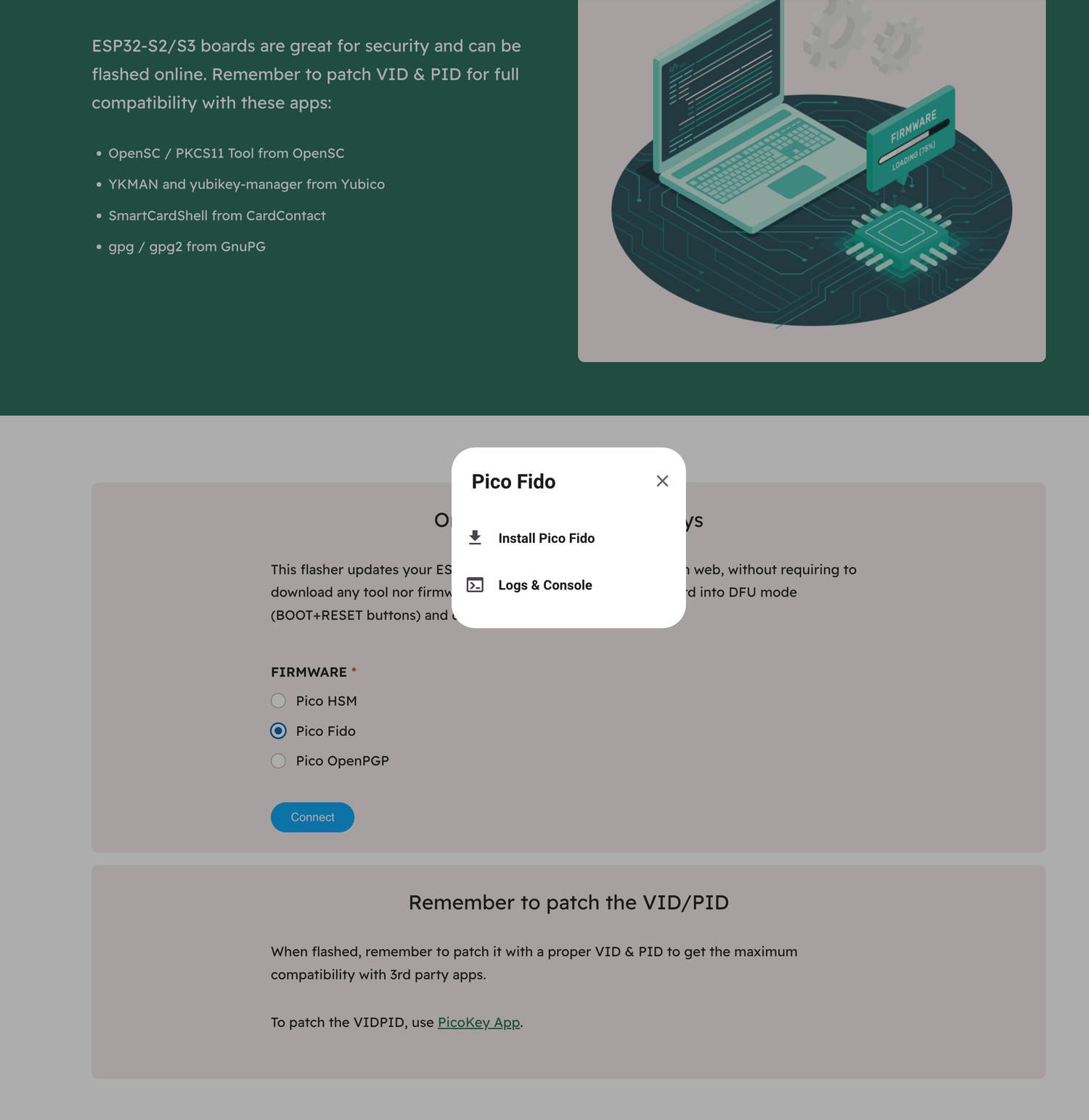
The journey from a raw microcontroller to a functional security key was surprisingly brief. I began by visiting Pico Keys, a platform dedicated to making hardware security modules (HSM) more accessible through open-source and community-driven tools. Pico Keys offers a specialized ESP32-S2/S3 flasher tool that runs directly within a web browser, leveraging the WebUSB API to communicate with hardware connected to the computer.
From the flasher interface, I selected "Pico FIDO." This specific firmware is designed to enable the ESP32 to register and function as a passkey-compatible device within a modern browser. It brings the necessary components to the table: WebAuthn support, PIN protection, and physical button confirmation. This last part is vital for security; the FIDO protocol requires "user presence," meaning a human must physically interact with the device—usually by pressing a button—to prove that the login attempt isn’t being triggered by remote malware.
The actual flashing process was a testament to how far DIY tech has come. It took approximately 60 to 90 seconds for the firmware to be written to the ESP32’s flash memory. Once the progress bar finished, I performed a simple power cycle by unplugging the device from my MacBook and plugging it back in after a short pause.
To verify the success of the project, I turned to WebAuthn.io, a standard testing ground for developers and security enthusiasts to validate their hardware keys. The site allows you to register a mock user account and store a passkey on your connected device. While it took a few initial attempts to ensure the browser recognized the ESP32 as a security token, the device eventually synchronized perfectly. Now, the $6 board was functioning exactly like a commercial security key, prompting me for a physical interaction whenever a login was requested.
The hardware I used, often sold in affordable multi-packs, is particularly well-suited for this. For instance, a 3-pack of ESP32-S3 N16R8 modules provides enough overhead to experiment with various firmware options, including MicroPython-based security tools, without the constraints of lower-memory boards. While these boards often require some light soldering to attach the pins, they offer a level of flexibility that proprietary hardware simply cannot match.
Evaluating Trust: DIY vs. Commercial Hardware
The inevitable question following such a project is one of trust. Can a $6 microcontroller truly replace a device engineered specifically for high-stakes security? From a purely functional and cryptographic perspective, the answer is largely yes. The ESP32 is a robust platform, and the FIDO2/WebAuthn protocols it is running are standardized and well-vetted. For a user looking to secure their personal email or social media accounts, this DIY solution provides a massive upgrade over simple passwords or SMS-based two-factor authentication.
However, there are nuances to consider regarding the form factor and physical durability. A YubiKey is a masterpiece of industrial design—rugged, water-resistant, and small enough to live on a keychain for years without failing. The ESP32, by contrast, is a naked circuit board. It is "chonky," as I like to say, and its exposed components are delicate. While I could easily use my workshop skills to 3D-print a protective enclosure or even a custom wood-carved case using my CNC machine, it would still lack the ultra-compact, "set it and forget it" nature of a commercial key.
Because I spend the majority of my working hours at a stationary desk, I have no qualms about leaving the ESP32 plugged into a USB hub for local authentication. It serves its purpose perfectly in that environment. However, I wouldn’t necessarily trust it to survive the rigors of being tossed into a backpack or carried in a pocket alongside loose change and keys. In that regard, the YubiKey’s price tag reflects not just the silicon inside, but the engineering of the shell that protects it.
Ultimately, going the DIY route is an exceptional way to "test-drive" hardware-based security. I have always been intrigued by the prospect of using physical keys, but my frugal nature kept me from committing to the purchase. By spending a few minutes tinkering with a device I already owned, I was able to experience the workflow of passwordless login firsthand. This experiment has served as a proof-of-concept; I now know that I value the convenience and security of a physical key. If I eventually decide to upgrade to a genuine YubiKey, I will do so with the confidence that it is a tool I will actually use, rather than another gadget destined for a desk drawer. For anyone sitting on the fence, the ESP32 provides a low-stakes, high-reward entry point into the future of digital security.
 Tech Tutorials & How-To Guides
The Evolution of Mobile Audio: Why Your Smartphone is a Professional-Grade Microphone in Disguise
In the modern era of digital content creation, the barrier to entry...
 Tech Tutorials & How-To Guides
Unfiltered Cinema: Why R-Rated Hits Are Finding a Second Life on Major Streaming Platforms
In the modern landscape of digital entertainment, the motion picture rating system...
 Tech Tutorials & How-To Guides
Amazon Retires Fire Tablet Brand in Favor of New Alexa Tablet Line with Google Play Support
In a sweeping transformation of its mobile hardware strategy, Amazon has announced...







