
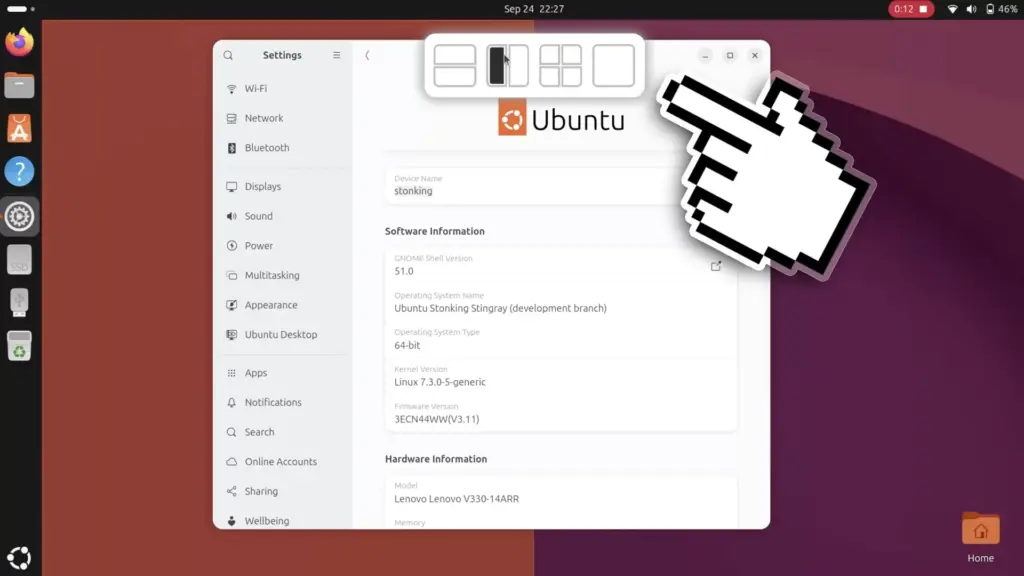
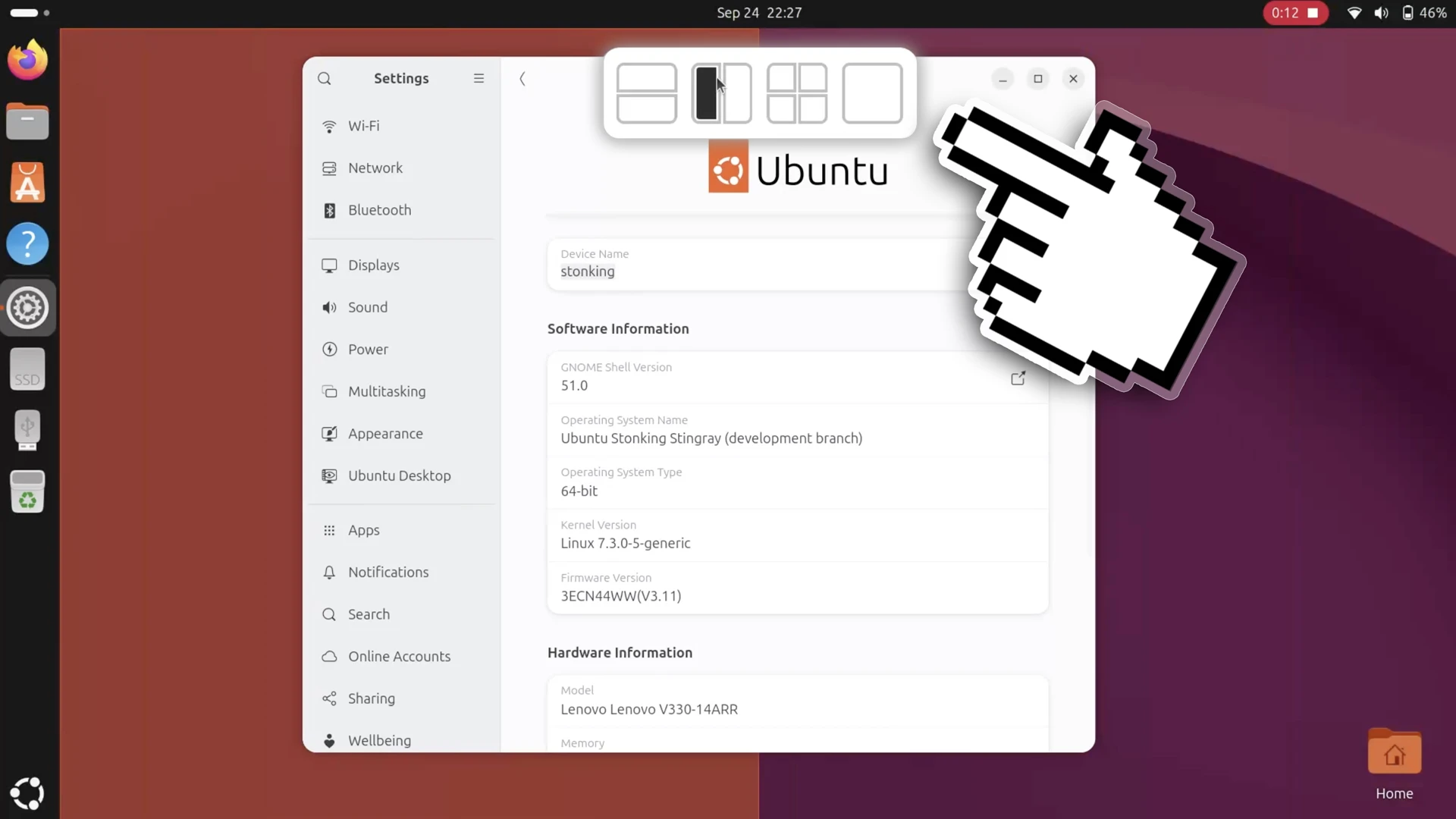
Ubuntu 26.10 is introducing a new way for users to organize their workspaces, featuring an intuitive layout picker that glides into view from the top edge of the display whenever an application window is moved. This interface enhancement brings a modern drop-zone approach to the Linux distribution’s native window management, simplifying the process of arranging open applications across the desktop. Designed to reduce the physical effort of snapping windows into predefined grid arrangements, the new mechanism represents an ongoing evolution of Ubuntu’s desktop ergonomics.
The visual behavior of the new feature will feel immediately recognizable to anyone who has interacted with the snap layouts in Windows 11 or experimented with the popular Tiling Shell extension on GNOME Shell. The underlying principle across these implementations remains broadly consistent: providing users with an accessible, visual target area at the top of the monitor where windows can be deposited into neatly calculated screen divisions. Instead of requiring users to throw windows against distant display borders or memorize multi-key combinations, the layout picker consolidates available configurations into a central interface element that activates dynamically during window drag operations.
When a user clicks a window’s title bar and begins dragging it across the desktop, the top-mounted layout picker smoothly descends into view. The panel reveals a series of preset drop zones, each representing a distinct window arrangement. As the cursor steers the floating application over one of these designated zones, the system renders a translucent ghost preview across the desktop workspace. This preview clearly delineates the exact dimensions and positioning that the application will adopt, removing the guesswork from window placement. Once the user releases the mouse button over the intended drop zone, the window snaps instantly into the selected region of the screen.
The utility of this system does not conclude once the primary window settles into its designated slot. As part of Ubuntu’s integrated Tiling Assistant mechanism, the operating system immediately acts to streamline the remainder of the user’s workspace. Just as it does with standard edge-snapping actions, the interface displays intelligent tiling suggestions to populate the remaining open spaces on the monitor. If an individual drops a document or browser into a single quadrant of a four-way split, the system surfaces interactive thumbnail previews of other active windows, inviting the user to fill the adjacent quadrants with single clicks. This cohesive workflow ensures that multi-window arrangements can be established in a matter of moments, rather than requiring individual windows to be painstakingly positioned one after another.
In terms of layout variety, the drop zones featured within the new top-mounted picker directly reflect the window configurations already supported by Ubuntu’s traditional edge-dragging mechanics. The available presets center around straightforward halves and quarters, operating strictly within a two-column and two-row paradigm. Users cannot create custom layouts, alter partition ratios directly from the picker, or assemble asymmetrical combinations of rows and columns. While community-developed tools such as Tiling Shell have gained popularity by supporting heavily customized arrangements with variable widths and complex multi-window matrices, Ubuntu’s native implementation opts for operational simplicity. The design avoids the cognitive overhead and visual density that often accompany highly customizable tiling systems, ensuring that the primary picker remains lightweight and immediately understandable to general users.
The arrival of the layout picker on Ubuntu 26.10 test installations came as an unexpected development for those closely tracking the distribution’s ongoing release milestones. The feature represents a remarkably late addition to the operating system’s development cycle, which is codenamed "Stonking Stingray." In the structured cadence of Ubuntu’s development process, the user interface freeze marks a critical juncture after which significant visual modifications and new user-facing elements are typically prohibited from being introduced. This freeze is traditionally enforced to give developers and quality assurance testers ample time to stabilize the desktop, polish existing interactions, and ensure translation completeness before the final images are generated.
An examination of the project’s development history on GitHub reveals that the pull request introducing the layout picker had actually been under active consideration for several months, having been initially opened in June. The underlying code was submitted by a designer associated with the Yaru icon theme team, illustrating the collaborative cross-discipline efforts that often shape the desktop environment. Despite sitting in review through the middle of the development cycle, the pull request was formally merged into Ubuntu’s customized tiling extension only days before appearing in active test builds. Its late inclusion highlights Canonical’s willingness to grant exceptions for features that substantially refine core desktop productivity, even when they bypass the usual milestone guardrails.
This new visual picker builds directly upon Canonical’s long-standing effort to provide modern window tiling capabilities out of the box. For many years, the standard Ubuntu desktop lagged behind competing platforms in providing granular window snapping options, offering little beyond basic side-by-side split-screen functionality. While operating systems like Windows and various alternative Linux desktop environments embraced advanced quadrant tiling early on, native quarter-screen snapping only officially landed in Ubuntu during the latter half of 2023 with the release of Ubuntu 23.10. That milestone was achieved by integrating a tailored fork of the third-party Tiling Assistant extension directly into the operating system.
Although the new layout picker does not expand the absolute mathematical limits of screen partitioning—maintaining the established ceiling of two columns and two rows—it fundamentally improves the physical interaction model of managing multiple open tasks. On large monitors, high-resolution panels, and expansive ultrawide displays, dragging an application all the way to a distant screen corner or edge to trigger a quarter-snap can be physically inefficient and clumsy. By positioning the drop-zone interface along the top perimeter of the screen, the desktop environment significantly shortens the travel distance required for the cursor, creating a more centralized and accessible focal point for multitasking workflows.
Despite the obvious productivity benefits of the new layout picker, its current implementation in Ubuntu 26.10 lacks an immediate mechanism for users to disable the feature if they find it unnecessary. Navigating through the standard system configuration menus, including the dedicated settings pane under Settings > Ubuntu Desktop, reveals no toggle switch or user preference option dedicated to the layout bar. For individuals who prefer a minimalist desktop or who frequently relocate floating windows across the upper portions of their display without intending to snap them, the automatic appearance of a descending menu can become visually distracting. The sudden motion of the interface sliding downward can interrupt the visual flow of moving windows freely, making the absence of a simple user-facing off switch a notable omission in the standard settings interface.
Users determined to adjust the behavior of the new feature are not entirely without options, though the solution requires venturing beyond the distribution’s default control panel. Because the picker is implemented within the underlying Tiling Assistant extension, a toggle switch to deactivate the top-screen layout drop zone does exist within the extension’s internal preference architecture. However, gaining access to these deeper configuration parameters requires the installation of dedicated third-party utilities, such as the Extensions Manager application available for GNOME-based desktops.
Through external configuration tools, users can access an array of unexposed settings that Canonical chooses not to surface within the mainstream Ubuntu settings application. In addition to switching off the layout picker entirely, these deeper extension menus provide control over visual elements such as configurable window gaps, allowing users to introduce aesthetic padding between snapped windows according to their personal tastes. For the time being, the need to rely on external software to manage the layout picker underscores the ongoing tension between Canonical’s preference for streamlined, uncluttered system settings and the desire of power users for comprehensive interface control.
The introduction of the layout picker represents another deliberate step forward in Canonical’s gradual transformation of the default GNOME desktop into an adaptable productivity environment. By taking inspiration from proven desktop paradigms and continuing to build upon the foundation established by Tiling Assistant, Ubuntu 26.10 delivers a more fluid, cohesive approach to multitasking that bridges the gap between basic window positioning and advanced grid management. As the Stonking Stingray release approaches its finalized state, the community will be watching closely to see whether additional polish, such as an official disable toggle in the primary settings menu, arrives to complete this late-breaking addition.
 Linux & Open Source Solutions
GNOME Shell Weather Extensions Bring Dynamic Visuals to the Desktop Panel
While dedicated desktop applications for checking the weather have long enjoyed a...
 Linux & Open Source Solutions
Ubuntu 26.10 Beta Rescheduled to October 1 Following Unforeseen Infrastructure Issues
Canonical has officially postponed the public beta release of its upcoming operating...
 Linux & Open Source Solutions
Ex-Microsoft dev builds a new task manager for Linux
For millions of personal computer users over the past three decades, Plummer’s...







