
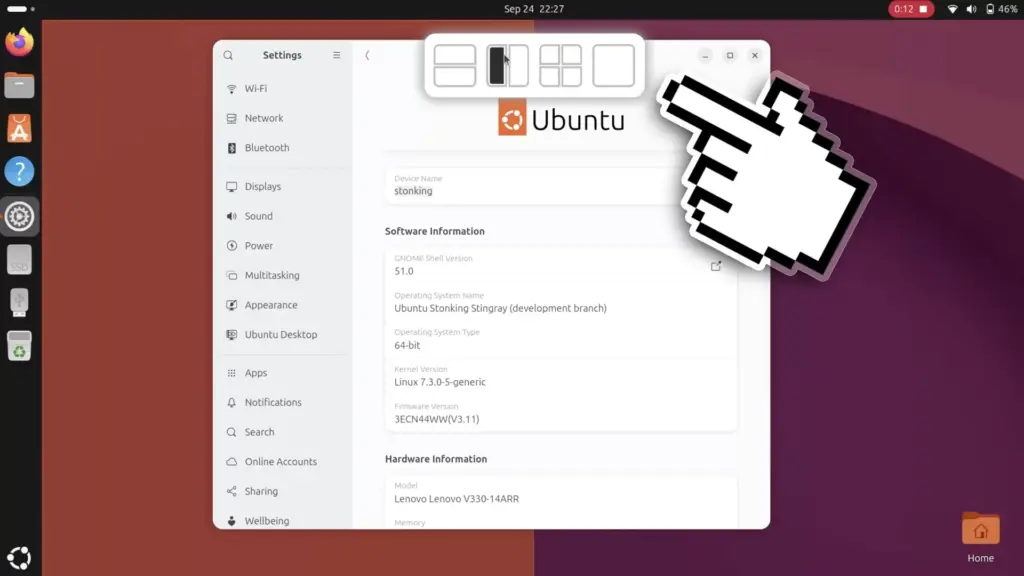
The arrival of the layout picker on Ubuntu 26.10 test installations came as an unexpected development for those closely tracking the distribution’s ongoing release milestones. The feature represents a remarkably late addition to the operating system’s development cycle, which is codenamed "Stonking Stingray." In the structured cadence of Ubuntu’s development process, the user interface freeze marks a critical juncture after which significant visual modifications and new user-facing elements are typically prohibited from being introduced. This freeze is traditionally enforced to give developers and quality assurance testers ample time to stabilize the desktop, polish existing interactions, and ensure translation completeness before the final images are generated.
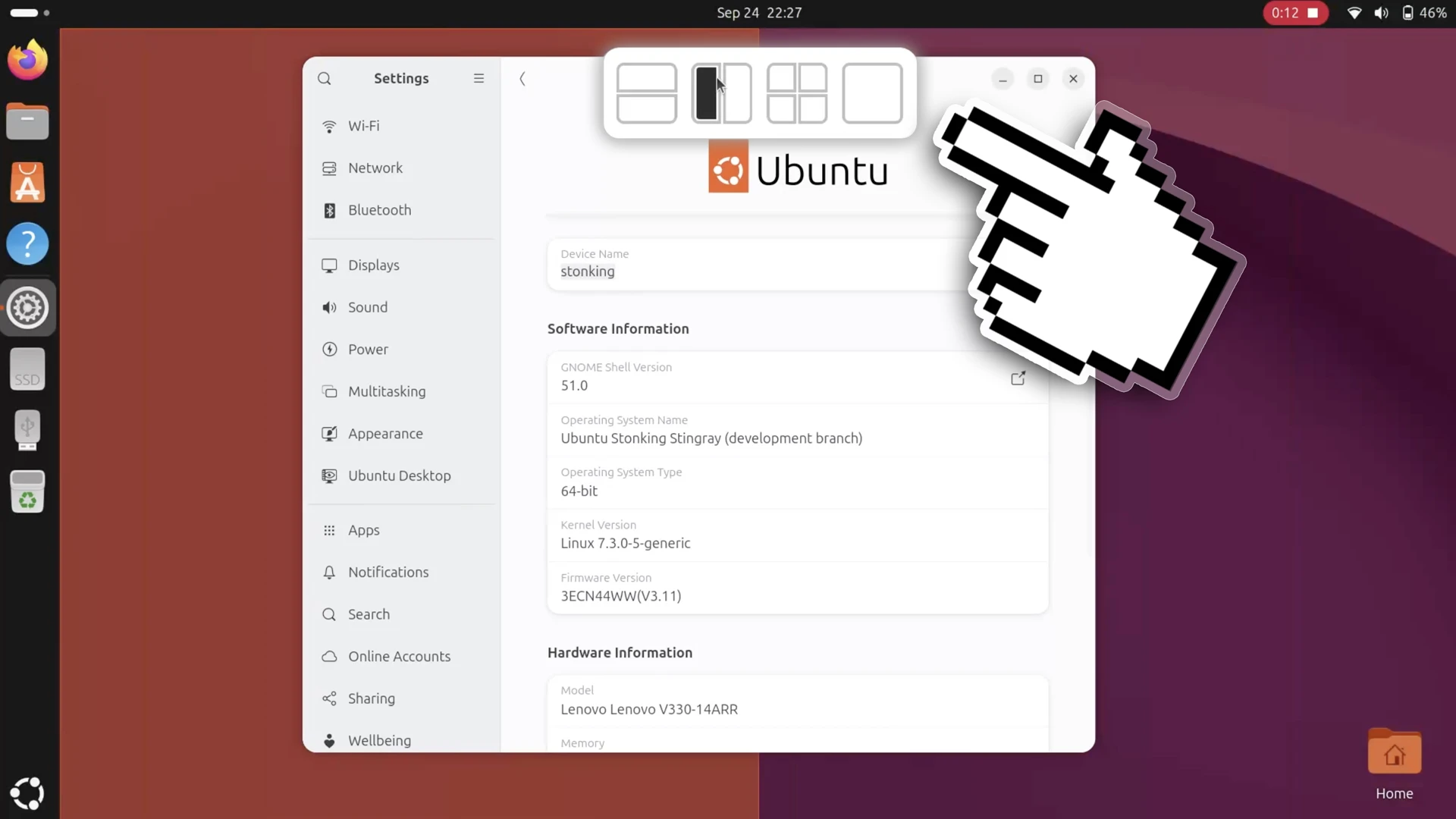
An examination of the project’s development history on GitHub reveals that the pull request introducing the layout picker had actually been under active consideration for several months, having been initially opened in June. The underlying code was submitted by a designer associated with the Yaru icon theme team, illustrating the collaborative cross-discipline efforts that often shape the desktop environment. Despite sitting in review through the middle of the development cycle, the pull request was formally merged into Ubuntu’s customized tiling extension only days before appearing in active test builds. Its late inclusion highlights Canonical’s willingness to grant exceptions for features that substantially refine core desktop productivity, even when they bypass the usual milestone guardrails.
This new visual picker builds directly upon Canonical’s long-standing effort to provide modern window tiling capabilities out of the box. For many years, the standard Ubuntu desktop lagged behind competing platforms in providing granular window snapping options, offering little beyond basic side-by-side split-screen functionality. While operating systems like Windows and various alternative Linux desktop environments embraced advanced quadrant tiling early on, native quarter-screen snapping only officially landed in Ubuntu during the latter half of 2023 with the release of Ubuntu 23.10. That milestone was achieved by integrating a tailored fork of the third-party Tiling Assistant extension directly into the operating system.
Although the new layout picker does not expand the absolute mathematical limits of screen partitioning—maintaining the established ceiling of two columns and two rows—it fundamentally improves the physical interaction model of managing multiple open tasks. On large monitors, high-resolution panels, and expansive ultrawide displays, dragging an application all the way to a distant screen corner or edge to trigger a quarter-snap can be physically inefficient and clumsy. By positioning the drop-zone interface along the top perimeter of the screen, the desktop environment significantly shortens the travel distance required for the cursor, creating a more centralized and accessible focal point for multitasking workflows.
 Linux & Open Source Solutions
The Document Foundation Unveils New Visual Identity to Establish Distinct Institutional Profile Apart from LibreOffice
The Document Foundation, the charitable non-profit entity responsible for overseeing the development...
 Linux & Open Source Solutions
GNOME Shell Weather Extensions Bring Dynamic Visuals to the Desktop Panel
While dedicated desktop applications for checking the weather have long enjoyed a...
 Linux & Open Source Solutions
Ubuntu 26.10 Beta Rescheduled to October 1 Following Unforeseen Infrastructure Issues
Canonical has officially postponed the public beta release of its upcoming operating...







