Ubuntu MATE 26.10
Ubuntu MATE marks its formal return to the distribution lineup with version 26.10, representing the first milestone published under the supervision of a reconstituted maintenance team. The flavour, which preserves the traditional GNOME 2 workflow through the MATE desktop environment, was absent from the 26.04 LTS cycle while organizational transitions were settled.
Rather than chasing bleeding-edge upstream releases across every component, the newly assembled team focused on stabilizing core packages and realigning the distribution with modern Ubuntu base mechanics. This release serves as Ubuntu MATE’s formal transition to Dracut for managing initramfs image creation. The distribution has also phased out the legacy gdebi package installer and replaced the outdated ifupdown networking framework with standard netplan network configuration utilities.
The engineering team has been transparent about the ongoing stabilization process, noting that several known issues persist in this release, including display quirks when utilizing RedShift, missing desktop icon assets under specific configurations, and sporadic display issues inside virtual machine environments. Nonetheless, the successful delivery of 26.10 re-establishes Ubuntu MATE as an active participant in Canonical’s regular six-month release cadence.
Ubuntu Studio
Ubuntu Studio 26.10 updates its specialized platform tailored for digital artists, musicians, video editors, and audio engineers. While the distribution maintains support across visual, photographic, and multimedia disciplines, this cycle introduces a noticeable expansion in audio production environments and modular composition tools.
Among the expanded audio packages are the Sonic Pi live-coding music synthesizer environment and SuperCollider, an algorithmic sound synthesis and signal processing platform widely favored by experimental composers. The update also adds jnoise, a lightweight command-line utility used for generating calibrated white-noise profiles. Across the wider creative stack, Ubuntu Studio updates its pre-bundled production packages, incorporating newer upstream versions of OBS Studio for streaming, GIMP for image manipulation, Ardour for multitrack audio engineering, Krita for digital illustration, and Kdenlive for non-linear video editing.
The system installer has also been reworked. Users deploying Ubuntu Studio can now selectively choose individual packages from the distribution’s broad meta-packages during the initial installation phase, avoiding unwanted utilities. Additionally, the graphical configuration wizard designed for managing low-latency audio permissions and jack server routing features a simplified, more intuitive user interface.
Other Flavours Available in the 26.10 Family
The 26.10 release catalog extends across several other specialized community distributions, each addressing specific administrative and user preferences:
- Edubuntu 26.10: Designed for deployment in academic and primary learning spaces, Edubuntu updates its installer to allow system administrators to pick and choose specific software packages categorized by educational age tiers during system setup. It also updates Paperboy, an integrated news reader application engineered specifically for teaching media literacy and source analysis in secondary and higher education environments.
- Ubuntu Budgie 26.10: Featuring the modern Budgie desktop shell, this release introduces a dedicated desktop widget designed to discover and stream internet radio broadcasts directly from the panel. The release also integrates native support for dynamic day-and-night wallpaper transitions that adapt based on local time.
- Ubuntu Cinnamon 26.10: Centered on the desktop environment created by the Linux Mint project, Ubuntu Cinnamon updates its core interface to Cinnamon 6.6.9, bringing refined workspace animations, performance adjustments, and bug fixes to users who favor a classic taskbar-and-menu desktop paradigm.
 Linux & Open Source Solutions
Hylki Brings Modern Rust Engineering and Deep Customization to the GNOME Desktop
For years, the Linux desktop has maintained a complicated relationship with the...
 Linux & Open Source Solutions
Ex-Microsoft dev builds a new task manager for Linux
For millions of personal computer users over the past three decades, Plummer’s...
 Linux & Open Source Solutions
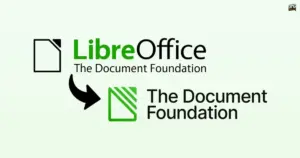
The Document Foundation Unveils New Visual Identity to Establish Distinct Institutional Profile Apart from LibreOffice
The Document Foundation, the charitable non-profit entity responsible for overseeing the development...