

Lubuntu 26.10
Lubuntu 26.10 maintains its mission of lightweight resource efficiency, shipping with the LXQt 2.4.0 desktop environment. Upstream development on this iteration of LXQt prioritized extensive code refactoring, background cleanup, and targeted bug elimination, resulting in a lean footprint well-suited for constrained hardware environments and virtual instances.
Despite the focus on stability, users will notice several quality-of-life adjustments across the standard panel applets. The sound applet now features a horizontal orientation option, granting greater flexibility when organizing desktop panels across varying screen dimensions. Additionally, transient desktop notifications have been patched to ensure alert bubbles dismiss reliably rather than lingering indefinitely over active application windows.
Regarding display architecture, Lubuntu 26.10 retains an X11-powered environment as its out-of-the-box default session. However, the development team has included an alternative Wayland desktop session built around the Miriway compositor. Users wishing to evaluate the state of Wayland on LXQt can switch sessions directly from the login display manager screen.
Ubuntu Unity 26.10
Ubuntu Unity 26.10 serves as a bridge release that preserves the classic Unity 7 desktop paradigm while advancing broader modernization efforts behind the scenes. The distribution continues to rely on Unity 7.7, incorporating a targeted collection of bug fixes and library adjustments designed to remove obsolete system dependencies and keep the environment operational on modern underlying software stacks.
The team’s primary long-term objective remains the architectural shift toward the Lomiri desktop environment, the converged interface originally conceived for multi-form-factor devices. To prepare the groundwork and acclimate users to the evolving application stack, Ubuntu Unity 26.10 bundles several native Lomiri utilities out of the box, including the Lomiri Calculator, Lomiri Files file manager, and Lomiri Terminal. These modern components operate alongside traditional Unity desktop modules, providing an incremental path forward as upstream integration matures.
Kubuntu 26.10
Kubuntu 26.10 advances the KDE-based wing of the Ubuntu family by shipping with KDE Plasma 6.7. While the broader KDE community recently rolled out Plasma 6.8, the integration of Plasma 6.7 still represents a notable advancement over the desktop configuration provided in Kubuntu 26.04, offering substantial improvements to day-to-day workflow management.
A highlight of this release is enhanced multi-monitor productivity. Users managing multi-display setups can now explicitly assign distinct virtual desktops to individual physical monitors. This capability is paired with configurable keyboard shortcuts that make switching contexts across expansive workstation environments faster and more intuitive.
The update also resolves visual inconsistencies related to dynamic theme switching and dark mode toggling. The desktop notification daemon gains a subtle glide animation when displaying alerts, the digital clock panel widget can now display precise timezone offset indicators, and users can enable type-ahead search behaviors directly when focused on the desktop workspace.
On the architectural front, Kubuntu 26.10 continues to default strictly to Wayland. While the classic Plasma X11 session is omitted from the base installation image, users can still manually retrieve and install it from the official package archives. However, the maintainers indicate that 26.10 represents the final release where an X11 session will be achievable, as upstream Plasma 6.8 has permanently retired the legacy plasma-session-x11 package from its codebase.
 Linux & Open Source Solutions
KDE Plasma 6.8 Released on Project’s 30th Anniversary, Dropping X11 Sessions and Expanding Core Features
The KDE community has officially released KDE Plasma 6.8, marking a historic...
 Linux & Open Source Solutions
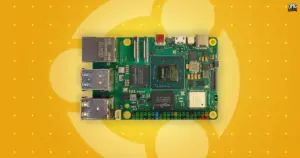
Canonical Unveils Official Ubuntu Desktop Images for RISC-V Ahead of Ubuntu 26.10
Installing a complete graphical Ubuntu desktop on 64-bit RISC-V hardware is poised...
 Linux & Open Source Solutions
The Document Foundation Unveils New Visual Identity to Establish Distinct Institutional Profile Apart from LibreOffice
The Document Foundation, the charitable non-profit entity responsible for overseeing the development...