

Permissions, Plan, and Visibility: The Administrative Hurdles
Beyond logic and criteria, the very foundation of the Zoho CRM account can impact workflow performance. One of the most overlooked causes for a total cessation of automation is a change in the subscription plan. If a Zoho account is downgraded from a higher tier to a lower one, or if a subscription temporarily expires due to a payment issue, Zoho may disable workflow rules that exceed the limits of the new plan. Crucially, these rules often remain "Disabled" even after the subscription is renewed or upgraded, requiring an administrator to manually toggle them back to "Active."
Visibility and sharing settings also play a role. If a workflow is set to trigger based on the actions of a specific role or group, and the organizational hierarchy is restructured, those rules may no longer find the triggers they are looking for. Similarly, if a "User" who was the "Owner" of a workflow rule is deactivated, the rule may lose its authorization to execute certain tasks, particularly those involving sending emails from that user’s address.
A Strategic Approach to Debugging
For businesses facing these challenges, Skyfall Labs offers a practical order of operations for debugging. Rather than haphazardly changing criteria, administrators should first consult the "Timeline" view of an individual record. This feature provides a chronological audit trail of every action taken on a record, including which workflow rules were triggered and which failed.
The next step is to verify the "Trigger" itself. By manually performing the action that is supposed to fire the rule, an admin can determine if the issue is with the trigger mechanism or the subsequent criteria. If the manual test works, the problem likely lies in how the data is being entered—via API, Import, or Form—and whether the "Trigger Automation" flags are correctly set.
The Impact of Reliable Automation
The goal of resolving these technical hurdles is to build an automation system that the entire organization can trust. When sales teams cannot rely on the CRM to send their follow-up emails or update their pipelines, they often revert to manual, off-platform methods, leading to data fragmentation and decreased productivity.
Skyfall Labs emphasizes that while Zoho provides the tools, the responsibility for maintaining the "integrity of the trigger" lies with the administrators. By understanding the default behaviors of the system—particularly the "opt-in" nature of automation for imports and APIs—and respecting the hierarchy of Blueprints and permissions, businesses can ensure their Zoho CRM remains a reliable engine for growth. As a Zoho Partner, Skyfall Labs continues to monitor these technical nuances, noting that as the platform evolves, the intersection of user-defined logic and system-level safeguards will remain the most critical area for CRM optimization.
 Software Development & Scripting for IT
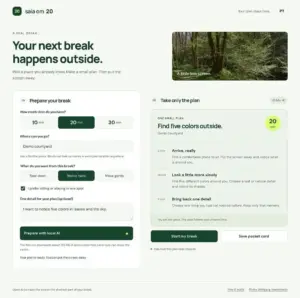
"Outside in 20" Redefines Digital Wellness with Local AI-Driven Outdoor Encouragement
In an era where digital connectivity often feels inescapable, a new open-source...
 Software Development & Scripting for IT
Unlocking Digital Visibility: How Website Owners Can Ensure Inclusion in ChatGPT Search Results
As the digital landscape undergoes a seismic shift toward artificial intelligence-driven discovery,...
 Software Development & Scripting for IT
The Museum of Almost: Redefining Digital Narrative through Speculative Design and Technical Rigor
In the evolving landscape of digital art and web development, the boundary...







