
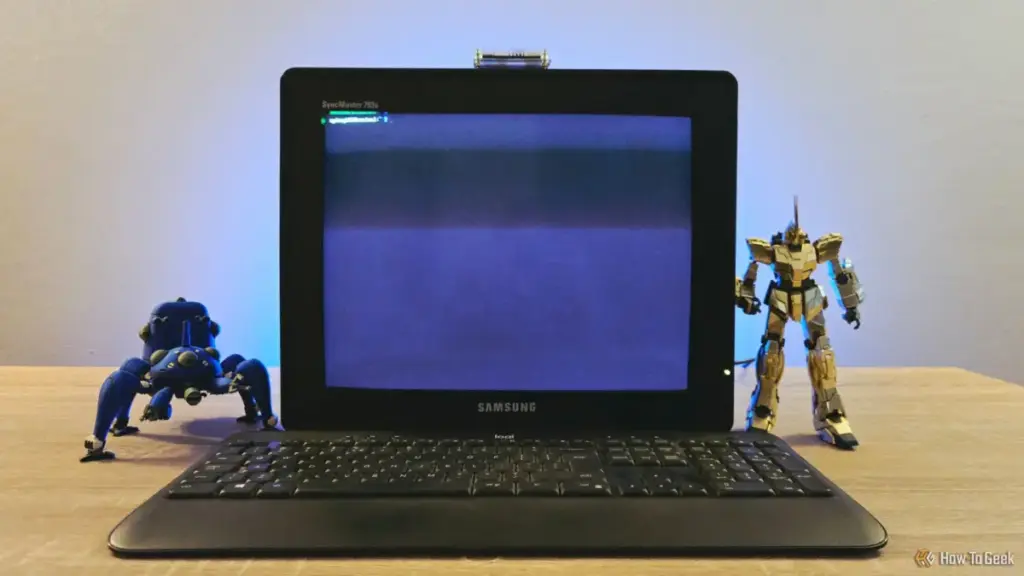
In an era dominated by ultra-thin 4K OLED displays and the seamless graphical interfaces of macOS and Windows 11, there is a growing counter-culture among technology enthusiasts that finds solace in the flickering glow of a cathode-ray tube (CRT). For Sydney Butler, a seasoned technology writer and system builder with over two decades of experience, the shift toward self-hosting and remote server management provided the perfect excuse to merge the cutting-edge versatility of modern single-board computers with the nostalgic, heavy-duty hardware of the 1990s.
Butler’s recent project—transforming a "shabby" Samsung CRT monitor and a dormant Raspberry Pi Zero 2W into a dedicated terminal—highlights a unique intersection of digital sustainability and aesthetic preference. While the project may lack a strictly "practical" justification in a world where any laptop can open a terminal window, it serves as a testament to the enduring appeal of dedicated hardware and the creative potential of "upcycling" electronic waste.
The Hardware: Bridging the Generational Gap
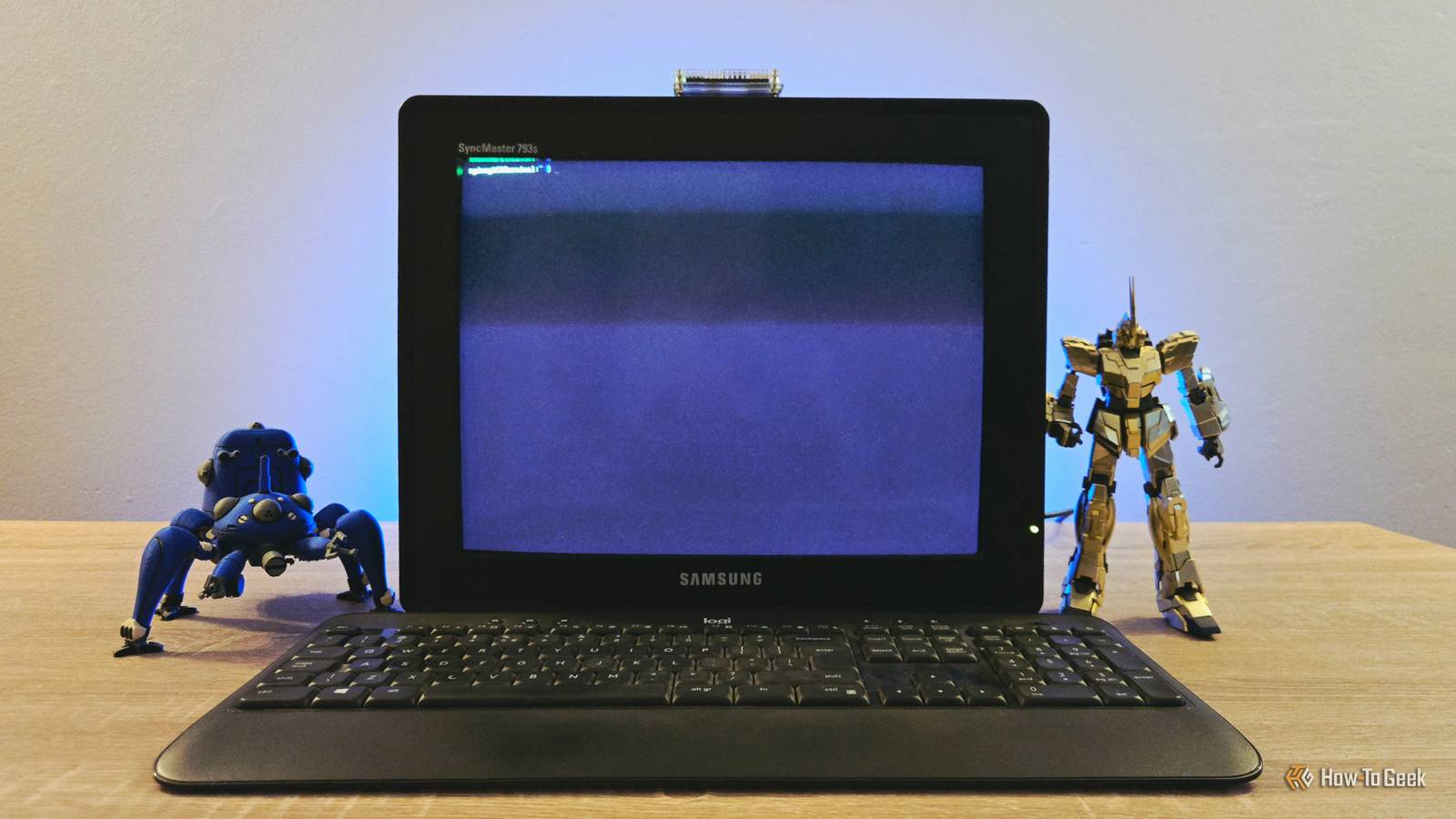
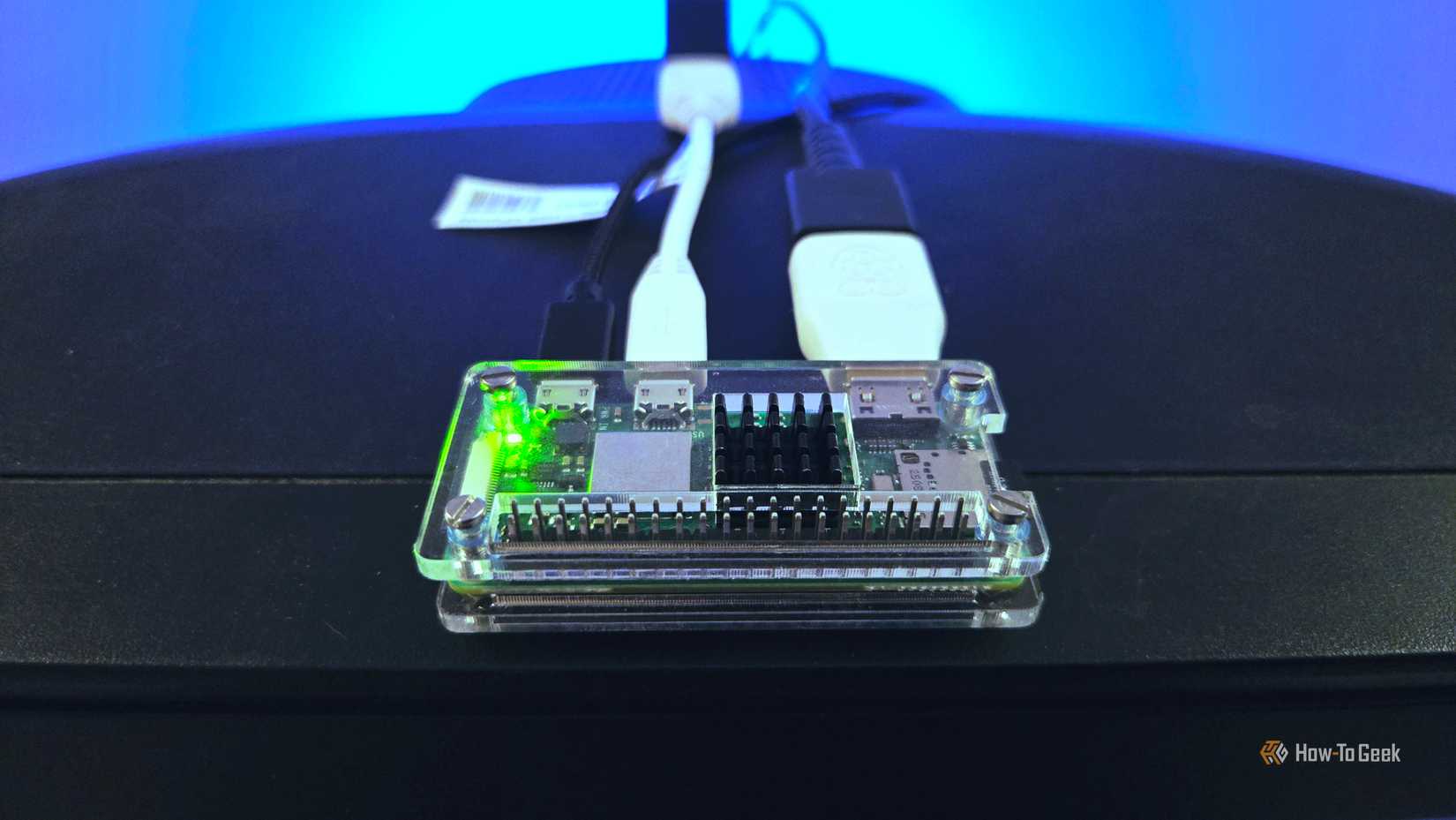
The foundation of the project rests on a stark contrast in hardware generations. On one hand, the Samsung CRT represents a bygone era of computing—bulky, heavy, and reliant on analog signals. On the other, the Raspberry Pi Zero 2W is a marvel of modern miniaturization, packing a quad-core 64-bit ARM processor into a form factor roughly the size of a stick of gum.
Butler, whose background includes a decade of user education and a Master’s degree in Research Psychology, approached the assembly with the eye of a professional technician. The challenge of such a build is primarily one of connectivity. Modern Raspberry Pi boards output digital signals via Mini-HDMI, while vintage monitors like the Samsung CRT expect an analog VGA signal. To bridge this gap, Butler utilized a series of adapters: a Mini-HDMI to HDMI converter, followed by an active HDMI-to-VGA adapter to feed the monitor’s legacy input.
The peripheral setup was equally eclectic. Powering the system required generic USB chargers for both the Pi and the active adapter, while a simple USB hub allowed for the connection of a keyboard. In its current state, the setup is a sprawling web of cables and converters—a "mad scientist" aesthetic that Butler embraces. The result is a workstation that feels less like a modern appliance and more like a specialized tool from a cyberpunk film.

Minimalist Software for Limited Resources
Given the hardware constraints of the Raspberry Pi Zero 2W, software selection was critical. While the Zero 2W is significantly more powerful than its predecessor, it is still limited by 512MB of RAM. To ensure the system remained responsive as a dedicated terminal, Butler opted for Raspberry Pi OS Lite.
Unlike the standard version of the operating system, the "Lite" variant dispenses with the graphical user interface (GUI) entirely. By booting straight into a command-line interface (CLI), the system preserves precious resources. At idle, the OS consumes approximately 150MB of RAM, leaving a comfortable overhead for the Pi’s primary tasks. This minimalist approach transforms the device into what is effectively a "dumb terminal," a concept dating back to the mainframe era where a local station provided a window into more powerful remote systems.
Butler noted that the installation process via the Raspberry Pi Imager was remarkably efficient, taking only minutes to configure. During the imaging process, he pre-configured SSH (Secure Shell) credentials. This allowed for a "reverse" control scenario: while the CRT setup is designed to control other machines, Butler can also remote into the Pi from his main Mac workstation to perform maintenance or updates without having to move to the CRT’s keyboard.
The Utility of a Dedicated Command Center
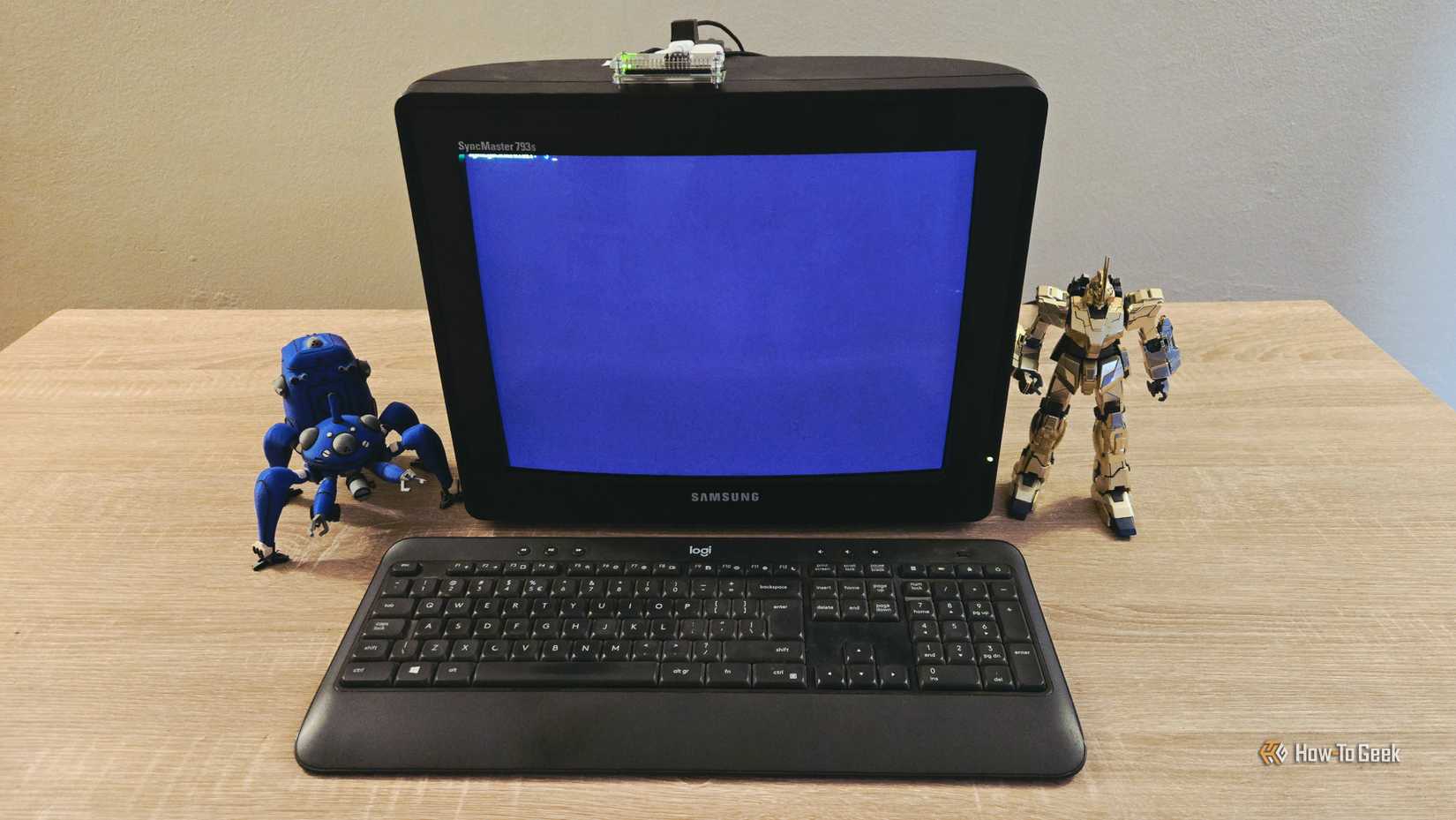
The primary use case for this retro-terminal is SSH-ing into other headless devices on Butler’s local area network (LAN). As he delves deeper into self-hosting—running private servers for data, media, or web services—the need for a quick, reliable way to interface with those servers has grown.
"I find myself SSH-ing from my Mac’s terminal at least once or twice a week," Butler explained. By having a dedicated physical station for these tasks, the workflow becomes more intentional. There is a psychological benefit to having a specific "place" for server maintenance, separate from the distractions of a primary workstation filled with browser tabs and notification pings.
Beyond simple server management, the project has opened the door for more ambitious self-hosting experiments. Butler previously gained attention for hosting an entire local instance of Wikipedia on a Raspberry Pi, a project that ensures access to a massive repository of human knowledge even without an internet connection. He is currently considering migrating that Wikipedia instance to the Pi Zero 2W driving the CRT.
"I’d be keen to see if this little guy can serve the pages up as snappily," Butler remarked, acknowledging that the Pi Zero 2W might be the perfect low-power host for such a service. If successful, the CRT terminal would become not just a controller, but a portal to a local digital library, further cementing its role as a functional piece of tech rather than just a desk ornament.
The Aesthetic Journey: Making it Truly Retro
While the current setup is functional, Butler views it as a work in progress, particularly regarding its visual and tactile identity. The "shabby" appearance of the Samsung monitor provides a certain charm, but there are plans to lean further into the retro-futurist aesthetic.
One potential software addition is "Cool Retro Term," a terminal emulator designed to mimic the specific visual quirks of old monochrome monitors. It replicates the scanlines, phosphor flicker, and slight curvature of 1980s displays. However, Butler expressed some hesitation regarding this route. Since the system is already running on a physical CRT, emulating a CRT through software might be redundant, or even detrimental to performance, as it would require the installation of a desktop environment to run the emulator.
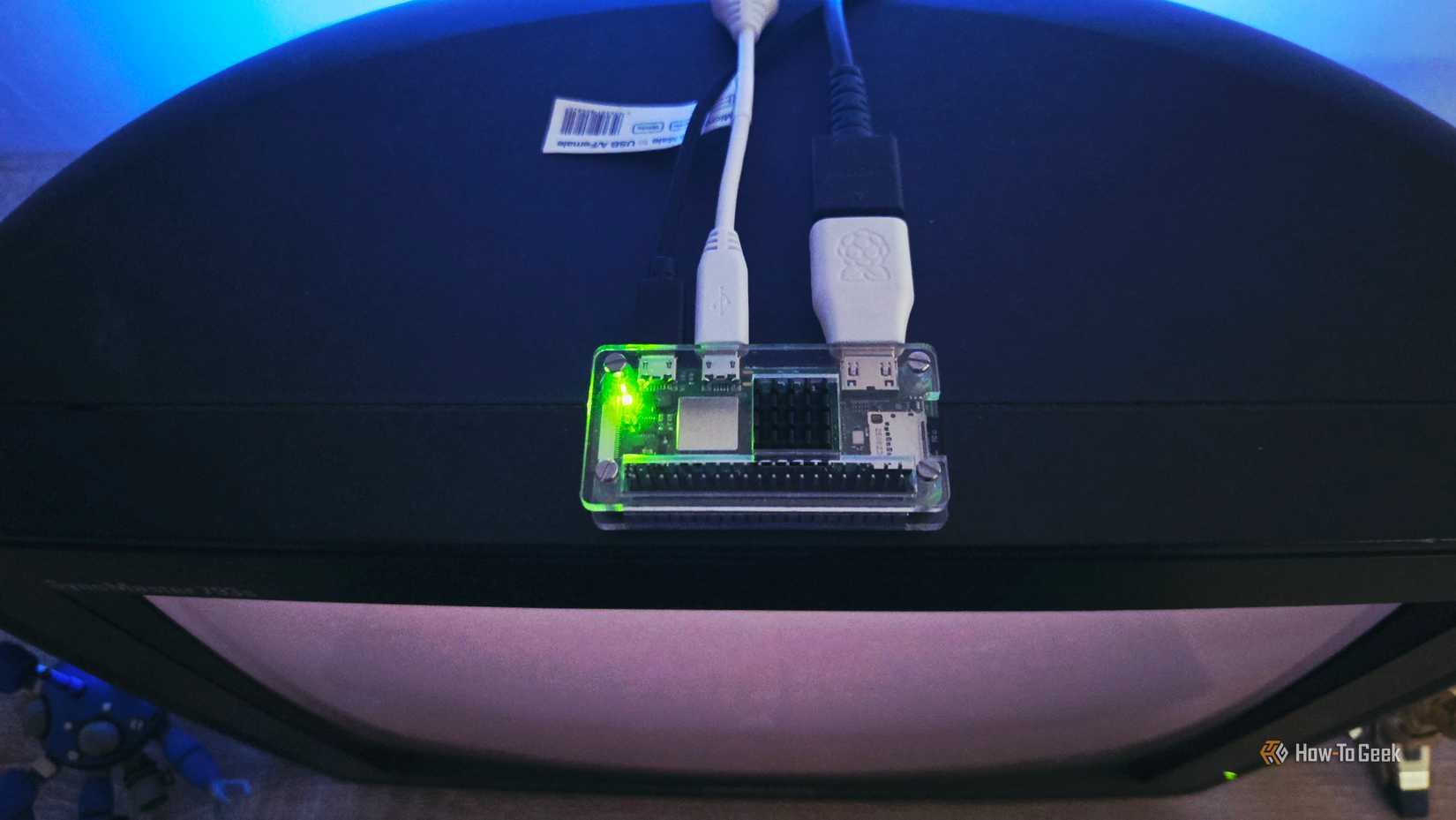
"In-person, having the terminal run on a popular budget CRT model that I actually used in high school feels plenty retro to me," Butler noted. The authenticity of the hardware provides a tactile experience that software emulation can rarely match.
To complete the transformation, Butler is looking toward physical modifications. This includes sourcing a period-appropriate keyboard—perhaps a mechanical model with the heavy, clicky switches of the early 90s—and 3D printing a custom enclosure for the Raspberry Pi. Using "beige" filament to match the iconic office equipment color of the era, the casing would hide the modern board and messy adapters, creating a cohesive, "factory-original" look for the entire unit.
A Lesson in Digital Sustainability
Beyond the fun of the build, Butler’s project serves as a subtle commentary on the lifecycle of consumer electronics. In an industry that encourages frequent upgrades, the Samsung CRT and the Raspberry Pi Zero 2W represent two different ends of the "forgotten tech" spectrum: one an obsolete relic and the other a cheap, often overlooked component sitting in a drawer.
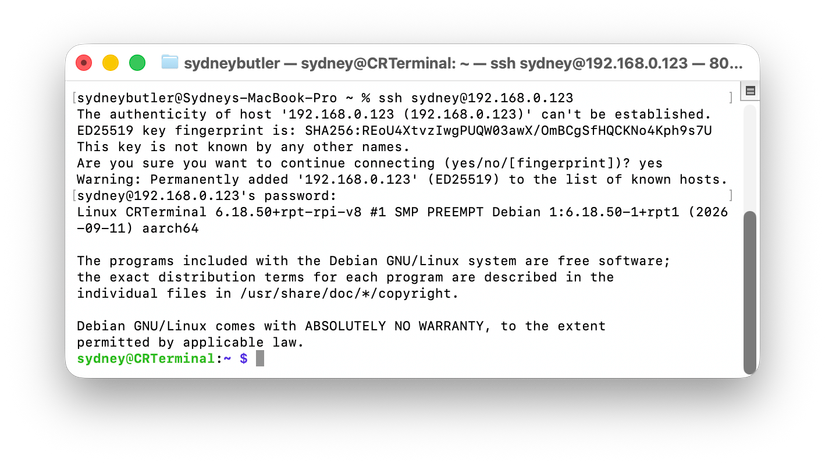
By combining them, Butler has created a tool that is arguably more focused and less distracting than a modern computer. It is a reminder that "obsolete" hardware often retains its utility if the user is willing to rethink its purpose. As single-board computer prices stabilize and the "maker" community continues to grow, projects like this offer a blueprint for how enthusiasts can reduce e-waste while building specialized, high-personality workstations.
For Sydney Butler, the project is a blend of his professional expertise in hardware and his psychological interest in how we interact with technology. It is a "pointless-yet-fun" endeavor that ultimately results in a more engaging way to manage the invisible servers that power a modern home. Whether it remains a simple terminal or evolves into a dedicated Wikipedia station, the glowing glass of the Samsung CRT has, for now, found a new lease on life in the age of the cloud.
 Tech Tutorials & How-To Guides
Exploring the Frontiers of the Unknown: Three Essential Science Fiction Films to Stream on Netflix This Weekend
As the autumn of 2026 unfolds, the digital landscape of the American...
 Tech Tutorials & How-To Guides
Cinematic Cornerstones: Why These Essential Classics Continue to Define the Modern Movie Experience
The landscape of modern cinema is often dominated by the ephemeral—the latest...
 Tech Tutorials & How-To Guides
Beyond the Blinking Lights: Navigating the Technical Challenges and Repairability of Ryobi’s Battery Ecosystem
For many homeowners and DIY enthusiasts, the Ryobi brand represents a gateway...







