
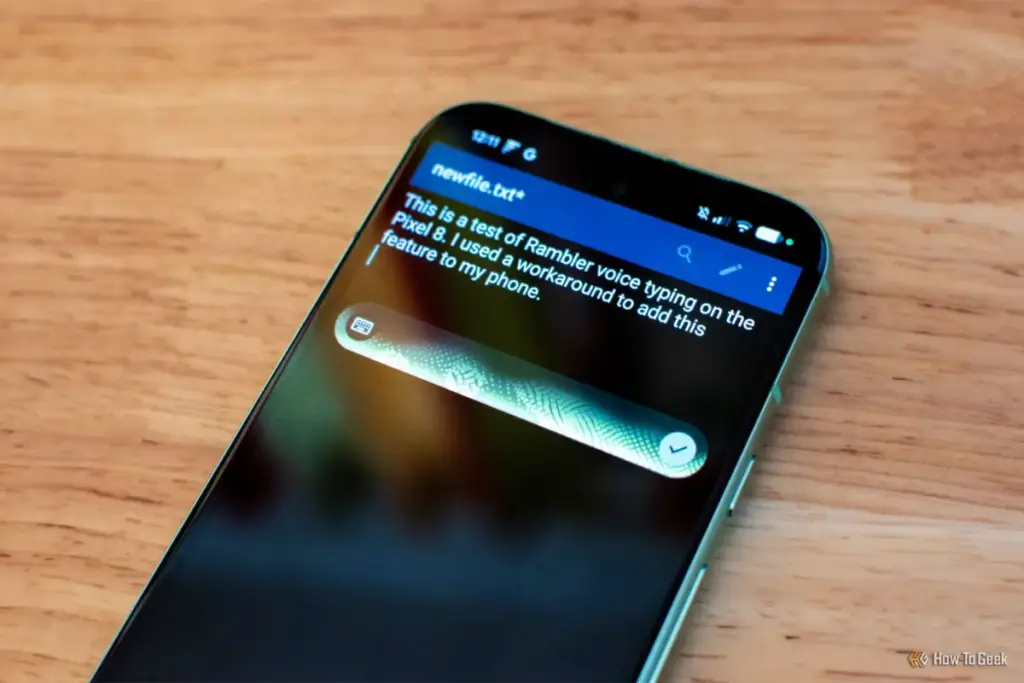
One of the most striking design choices in Rambler is the absence of real-time transcription. Unlike traditional dictation, where words appear on the screen as you say them, Rambler shows nothing until the user has finished speaking. Instead, a glowing animation appears over the keyboard to indicate that the AI is listening. While this may be jarring for users accustomed to watching their words appear in real-time, there is a psychological benefit to this approach. Traditional speech-to-text forces the user to look for mistakes while they are still trying to formulate their thoughts, which can be highly distracting. Rambler’s "listen first, type later" philosophy allows for a more natural flow of thought.
The Pixel 8a Experiment
The exclusivity of Rambler to the Pixel 11 has been a point of contention since the phone’s announcement, particularly given Google’s promises at the I/O event in May 2026 to bring more AI features to its legacy lineup. To test the validity of this exclusivity, Rambler was forced onto a Pixel 8a using a modified version of Gboard.
The results of the experiment were unexpected. Despite the Pixel 8a utilizing older Tensor hardware, the installation of "PixelBoard"—a modified keyboard APK available on GitHub—brought full Rambler functionality to the older device. The setup process was remarkably straightforward, requiring no root access and taking less than two minutes to complete.
The most surprising takeaway from the test was the speed and reliability of the feature. On the Pixel 8a, Rambler’s response times were nearly instantaneous, mirroring the performance seen on the flagship Googlebook 14. Even more impressive was the discovery that the core features of Rambler work entirely offline. While it was assumed that the intensive processing required for LLM-based rewriting would necessitate a constant cloud connection, the Pixel 8a handled the tasks locally without a significant hit to performance.
The fact that a mid-range phone from 2024 can handle the "signature" feature of a 2026 flagship suggests that the hardware gap is not as wide as marketing materials might suggest. The revising and rewriting features, while perhaps slightly less "intense" without a cloud connection, remained fully functional. For users who struggle with non-native languages or those who find it difficult to strike the right tone in written communication, this level of AI assistance on an affordable, older device could be a game-changer.
Security Risks and Ethical Concerns
While the technical success of the experiment is noteworthy, it comes with significant caveats. Utilizing modified versions of system-level apps like Gboard is not a practice that can be recommended for the general public. There are two primary areas of concern: security and terms of service violations.

First and foremost, keyboard applications are a primary target for malicious actors because they have access to every single character a user types. From private messages and emails to passwords and credit card numbers, a keyboard is the gateway to a user’s digital life. Unofficial, modified versions of Gboard—such as PixelBoard or Gboardwu—do not come from the Google Play Store and do not receive official security updates. If a critical vulnerability is discovered in the modified code, users are left exposed to potential keystroke logging or data exfiltration.
 Tech Tutorials & How-To Guides
The Hidden Hazards of Pausing 3D Prints: Why Glitter and Sand Can Devastate Your Hardware
The ability to pause a 3D print mid-operation has long been celebrated...
 Tech Tutorials & How-To Guides
Optimizing the Modern Workspace: Quntis Monitor Light Bar Sees Significant Price Drop on Amazon
In an era where the boundary between professional obligations and personal time...
 Tech Tutorials & How-To Guides
Battle of the Store Brands: How Ryobi, Craftsman, and Hyper Tough Reshape the DIY Power Tool Market
In the modern landscape of home improvement, the barrier to entry for...







