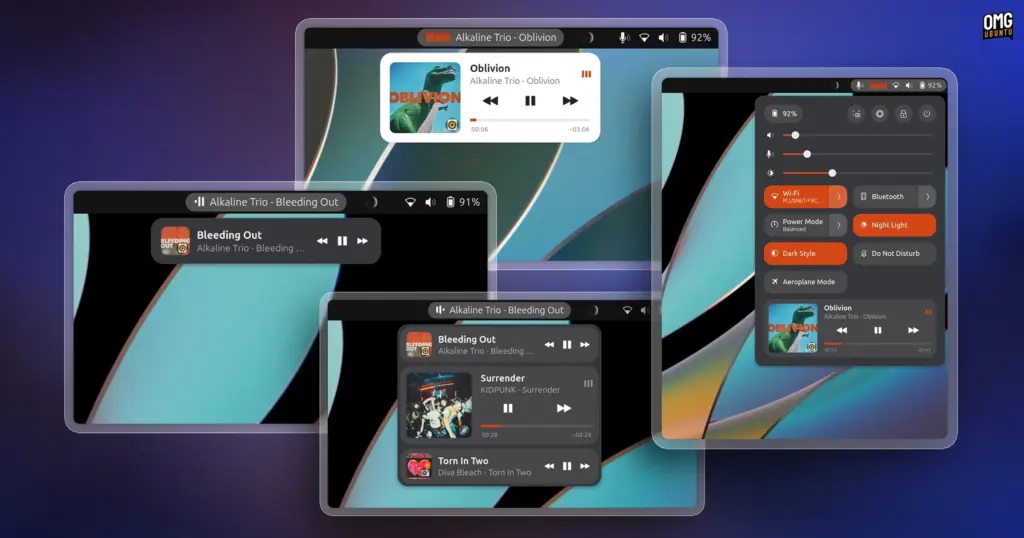
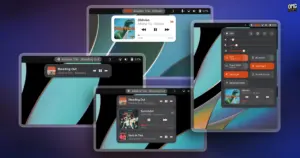
Within each expanded card, Now Playing Card delivers an extensive set of controls and visual indicators. The design features album artwork whose sizing can be adjusted by the user, alongside a distinct icon indicating the parent application, ensuring that users can immediately identify which software is managing the stream. Playback navigation includes responsive seek bars that allow listeners to scrub back and forth across a track’s timeline, provided the underlying player software supports seeking functionality over MPRIS. In addition to primary transport functions such as play, pause, next, and previous track buttons, the extension accommodates advanced playback toggles, exposing shuffle and loop buttons whenever the respective media player makes those capabilities available.
Beyond housing multiple players within the dropdown menu or Quick Settings panel, Now Playing Card caters to users who prefer continuous, at-a-glance visibility directly from the desktop panel. For many desktop users, the quintessential media controller use case is simply casting an eye upward to answer the immediate question of what track is currently playing. The extension accommodates this preference by allowing the currently active track title, artist name, and a selection of playback control buttons to be positioned directly along the top panel. The configuration settings grant users granular control over the behavior, placement, and visual sizing of these panel items, making it straightforward to match personal desktop aesthetics.
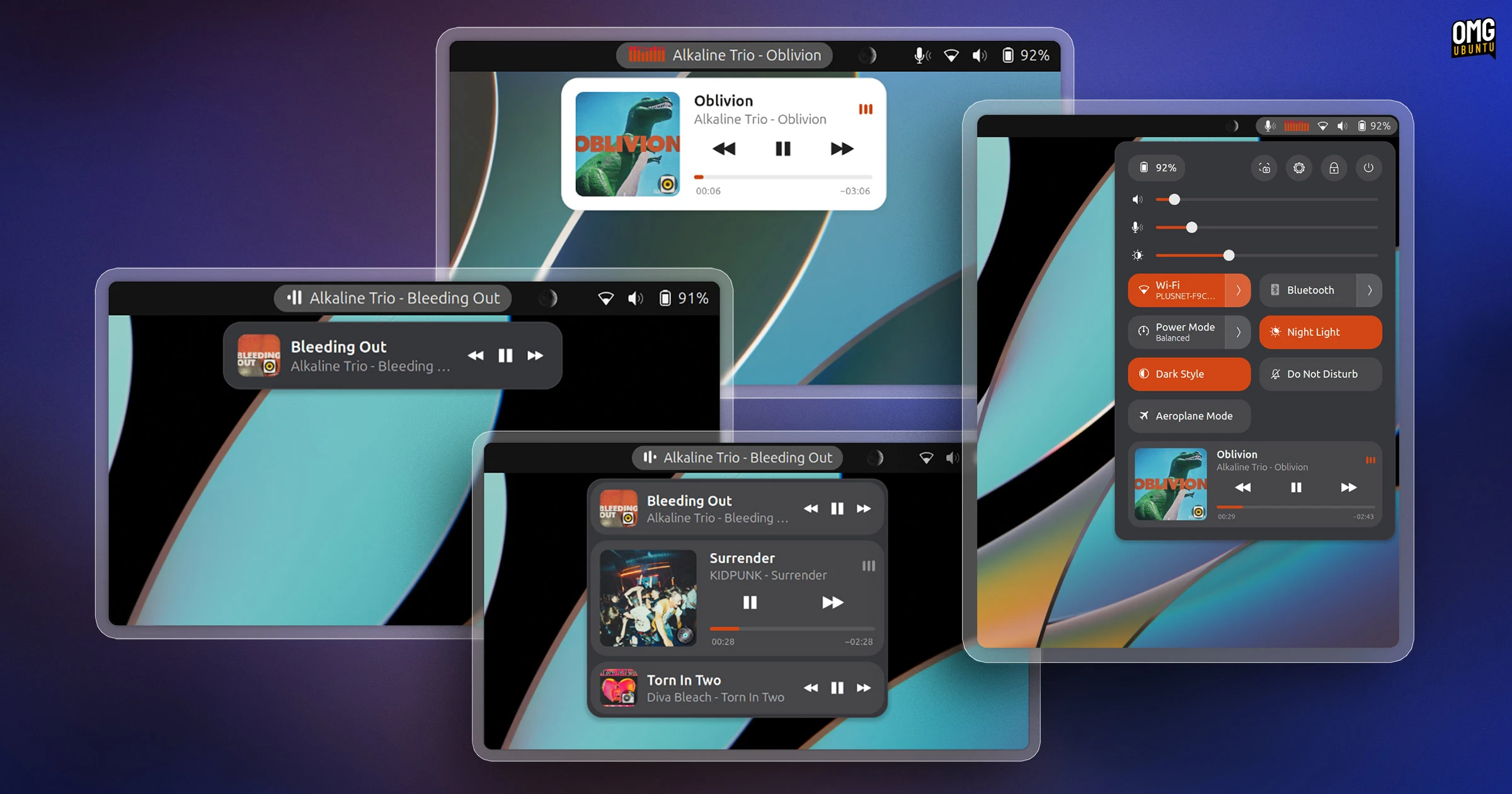
Visual flair is another area where the extension provides substantial flexibility. To complement the text label on the top panel, users can enable an animated sound wave indicator that pulses during playback. For those who want more dynamic desktop ornamentation, Now Playing Card includes a real-time reactive audio spectrum analyzer whose graphic bars bounce in direct synchronization with the system’s sound output. Recognizing that visual movement on the top bar can occasionally prove distracting during focused work, the developer has also included a clean, static option, allowing users to turn off animations entirely in favor of an understated, strictly utilitarian text display.
The extension also offers deliberate integration choices to prevent desktop redundancy. When Now Playing Card is enabled, it automatically suppresses GNOME’s stock media controller located inside the notification and calendar pop-over. This suppression ensures that users are not presented with conflicting or duplicate media widgets across different corners of the GNOME desktop shell, keeping the calendar tray reserved purely for alerts, tasks, and scheduling information while consolidating all playback functionality into the extension’s designated space.
 Linux & Open Source Solutions
Now Playing Card shows media info for multiple apps at a time
Modern computer usage rarely involves listening to a single continuous stream of...
 Linux & Open Source Solutions
Ubuntu 26.10 Beta Rescheduled to October 1 Following Unforeseen Infrastructure Issues
Canonical has officially postponed the public beta release of its upcoming operating...
 Linux & Open Source Solutions
Ubuntu 26.10 Flavour Lineup Arrives with Updated Desktops, Wayland Advances, and the Return of Ubuntu MATE
Alongside the debut of the primary distribution, the wider Ubuntu ecosystem has...