
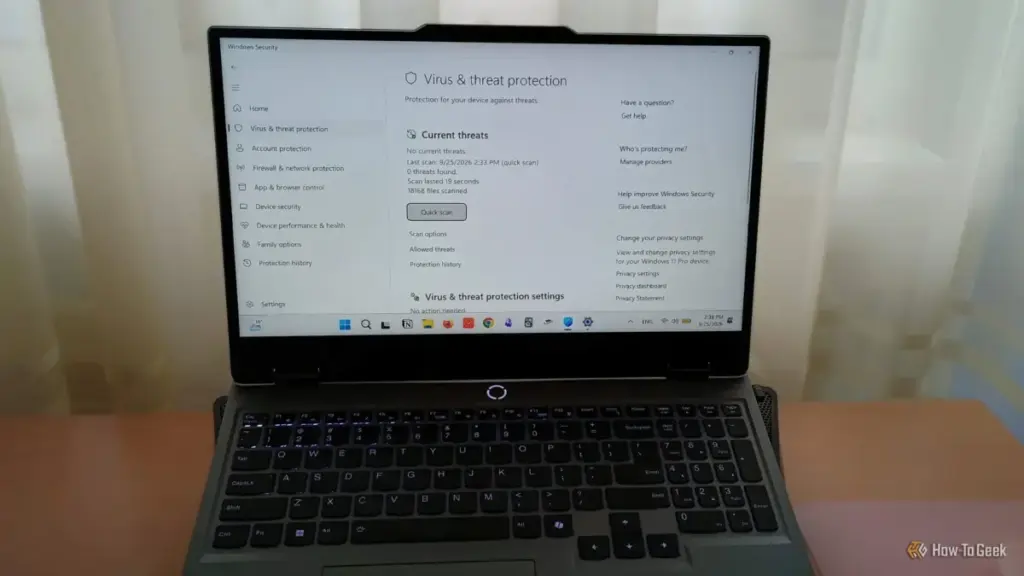
The landscape of digital security is undergoing a fundamental shift as cybercriminals pivot from direct attacks to more insidious methods of subverting operating system defenses. Recent findings from Microsoft’s security researchers have shed light on a sophisticated wave of malware campaigns designed specifically to undermine the built-in protections of Windows 11. These threats, often delivered via counterfeit installers that mimic popular, legitimate applications, do not always announce their presence with immediate file encryption or data theft. Instead, they focus on a "silent deactivation" strategy, systematically disabling security features to leave the system vulnerable to long-term compromise.
For the average user, the default configuration of Windows Security has long been considered a sufficient "set it and forget it" solution. However, the increasing complexity of these deceptive software download campaigns is prompting a reevaluation of how users interact with their security settings. Microsoft’s analysis suggests that while the operating system provides a robust suite of defensive tools, many of the most effective barriers against modern malware remain underutilized or entirely overlooked by the general public.
Tamper Protection: Defending the Defenders
At the heart of Microsoft’s recent security warnings is the concept of "tamper protection." In traditional cyberattacks, malware would attempt to bypass a firewall or hide from an antivirus scan. Modern iterations, however, are designed to act with administrative-level intent. Once a user inadvertently executes a malicious installer—often disguised as a productivity tool or a graphic design suite—the malware attempts to reach into the Windows Security infrastructure and toggle off real-time protection, cloud-delivered protection, and even the antivirus engine itself.

The Tamper Protection feature was developed specifically to address this escalation. When enabled, it creates a locked environment for security settings, ensuring that no application or process—even those running with elevated administrator privileges—can modify critical security configurations through the Windows Registry or other system-level interfaces. This creates a "read-only" state for the machine’s primary defenses, accessible only through the manual, authenticated Windows Security interface.
The necessity of this feature has become more apparent as malware developers find ways to hide within legitimate processes. By blocking unauthorized Registry changes, Tamper Protection ensures that even if a malicious script gains a foothold on the system, it cannot "blind" the operating system to its presence. For users who rely on Windows for both personal and professional tasks, this setting represents a critical first line of defense in maintaining the integrity of the security stack.
Controlled Folder Access and the Rising Ransomware Threat
Beyond the technical subversion of security settings, the physical loss of data remains one of the most significant risks facing Windows users. A 2025 survey conducted by the Pew Research Center underscored the severity of this issue, revealing that approximately 10% of respondents in the United States reported being locked out of their personal files or computers by attackers demanding a ransom payment. The financial and emotional toll of such attacks is significant, often involving the loss of irreplaceable photos, medical records, and sensitive financial documents.
 Tech Tutorials & How-To Guides
Asustor Lockerstor 2 Gen2+ NAS Review: A High-Security Storage Solution for Power Users and Small Businesses
In the rapidly evolving landscape of network-attached storage (NAS), the market is...
 Tech Tutorials & How-To Guides
Beyond the Drill: How Ryobi’s ONE+ Ecosystem is Redefining the Modern Home and Workshop
For decades, the image of a cordless power tool was tethered strictly...
 Tech Tutorials & How-To Guides
The Precision Gap: Why the Electric Screwdriver Has Become the Essential Companion to the Cordless Drill
In the world of home improvement and DIY maintenance, the cordless drill...







