
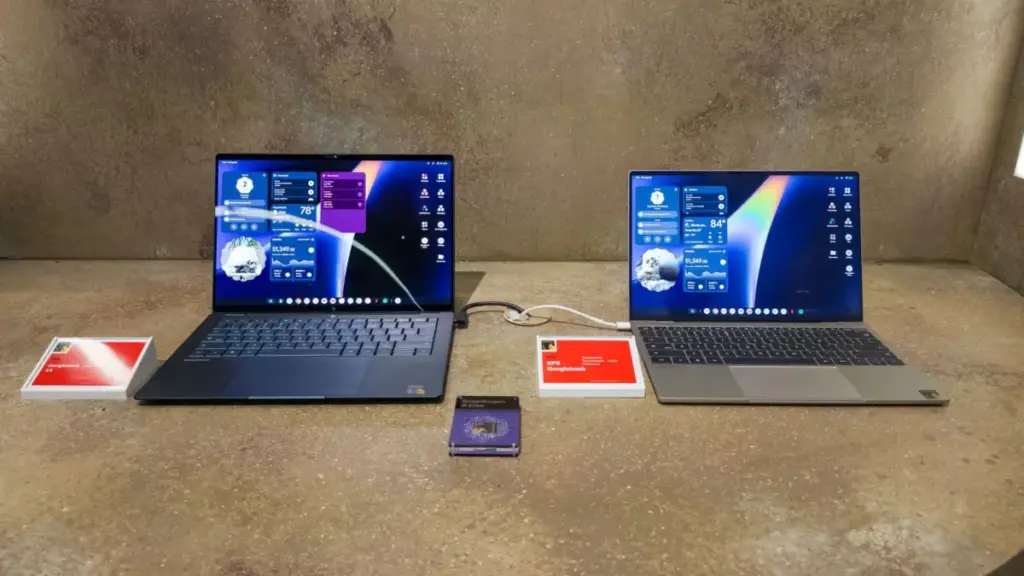
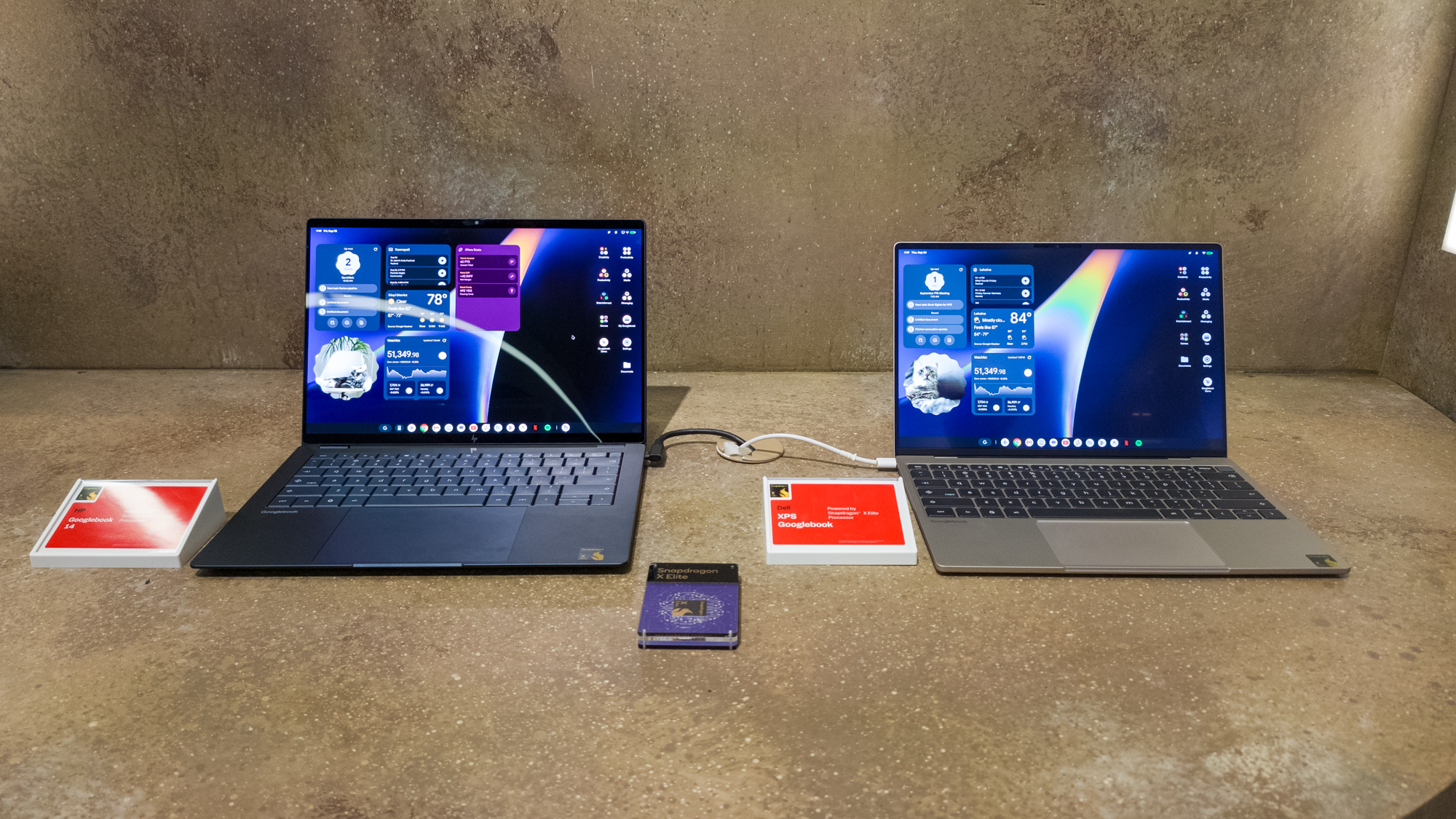
The HP Googlebook 14, priced at $1,299, is a flagship in every sense of the word. It features a stunning 14-inch OLED display that offers the kind of visual fidelity rarely seen in the ChromeOS era. With deep, true blacks and vibrant color reproduction, the screen is designed for both creative work and high-definition media consumption. The build quality is equally impressive, featuring a refined keyboard with comfortable travel and a spacious, responsive trackpad.
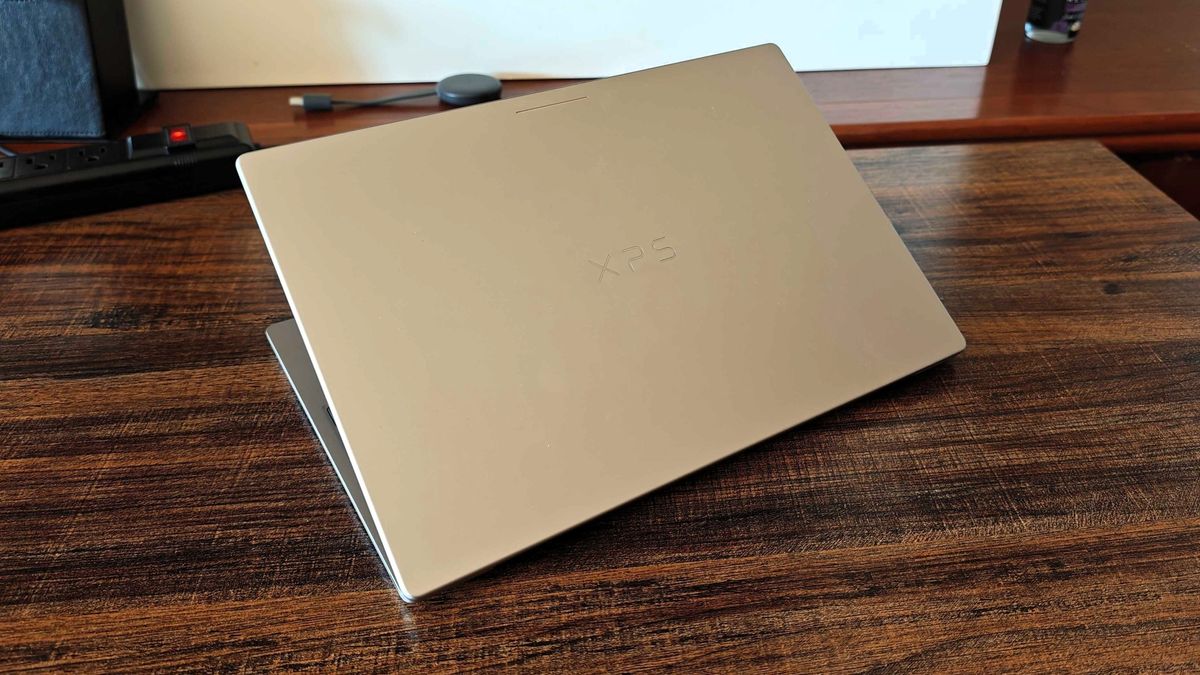
On the other hand, the Dell XPS Googlebook, starting at $999, brings the legendary XPS design language to the Google ecosystem. It features a 13.4-inch LCD panel with remarkably thin bezels and a matte finish designed to minimize glare in bright environments. The aluminum chassis is reminiscent of a MacBook, offering a lightweight yet incredibly sturdy feel that emphasizes portability without sacrificing the "pro" aesthetic.
Both devices come equipped with 16GB of RAM and 512GB of internal storage, specs that align them more closely with high-end Windows ultrabooks than with the education-focused laptops of the past. They also include modern biometric security via built-in fingerprint sensors and a unique hardware feature known as the "Glowbar."
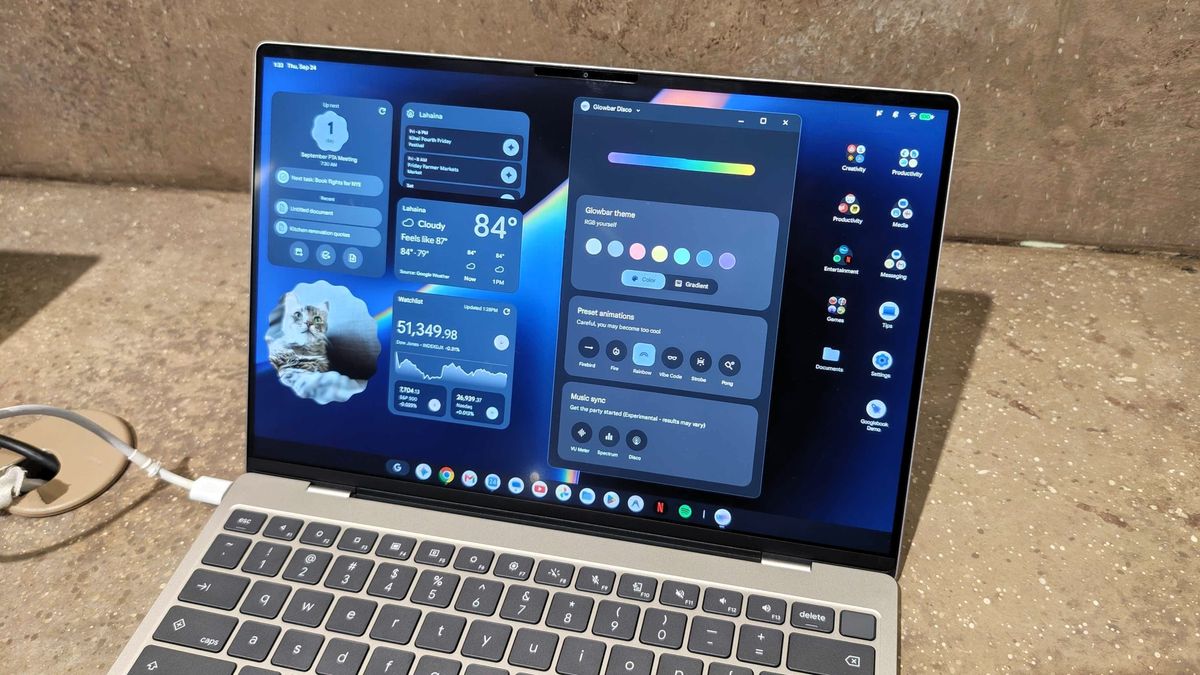
The Glowbar serves as a multifunctional status indicator, providing at-a-glance information such as battery life and active Gemini AI interactions. It adds a futuristic flair to the devices, though much of its deeper functionality remains hidden. Google has even included an "easter egg" within the system that unlocks a hidden control panel for the Glowbar, encouraging users to explore and interact with their hardware in new ways. While currently limited in scope, Google plans to expand the Glowbar’s utility, much like the HiLight feature found on the Pixel 11 Pro.
The Integration of AI and the Android Foundation
The shift to an Android foundation allows Googlebooks to leverage artificial intelligence in ways that were previously difficult on ChromeOS. With the Snapdragon X Elite’s powerful NPU (Neural Processing Unit), Googlebooks are capable of running complex AI tasks locally, providing a snappier and more private experience.
One of the most impressive AI features demonstrated was "Rambler." This tool is designed to revolutionize how users take notes and draft documents. Unlike standard dictation software, Rambler uses natural language processing to filter out disfluencies—such as "ums" and "uhs"—and can even track when a speaker changes their mind mid-sentence, adjusting the transcribed text accordingly. To emphasize the importance of this feature, Googlebooks include a dedicated Rambler key, allowing users to trigger the AI assistant instantly.
Another standout addition is the "Magic Pointer." This feature feels like a desktop-optimized version of the popular "Circle to Search" found on Pixel and Galaxy smartphones. By simply wiggling the cursor, the user activates an intelligent overlay. From there, clicking on an image, a block of text, or a specific UI element prompts a Gemini dialogue box to open in a side panel. Users can ask questions about what they see on their screen, request summaries, or even pull data from multiple items at once. It is a seamless way to integrate Google’s most powerful AI directly into the daily workflow without needing to switch tabs or apps.
 Mobile Device Management (MDM) & Mobile OS
Google Reportedly Developing Next-Generation TV Streamer with Hands-Free Gemini and Presence-Sensing Technology
In the rapidly evolving landscape of home entertainment, Google appears to be...
 Mobile Device Management (MDM) & Mobile OS
Google to Replace Gemini Gems with Modular ‘Skills’ Starting in October
Google is preparing a significant evolution for its artificial intelligence ecosystem, announcing...
 Mobile Device Management (MDM) & Mobile OS
Google Reportedly Developing Next-Generation TV Streamer with Hands-Free Voice Controls and Presence Sensing
The landscape of home entertainment is shifting once again as reports emerge...







