
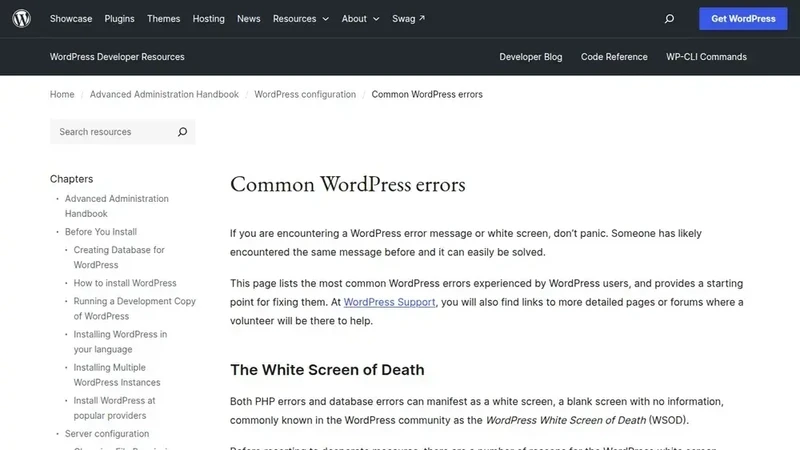
The standard diagnostic procedure for this scenario involves a "process of elimination." By temporarily deactivating all plugins and attempting an upload, a user can determine if the core WordPress installation is functioning correctly. If the error disappears, the plugins are reactivated one by one until the failure recurs, identifying the specific culprit. A similar approach is taken with themes; if the problem persists even after plugins are disabled, switching to a default WordPress theme can help determine if the site’s primary design framework is interfering with the Media Library’s operations.
In some instances, the issue may not be with the server or the software at all, but rather with the user’s local environment. Modern web browsers use complex JavaScript to power the drag-and-drop uploader found in the WordPress dashboard. Occasionally, browser extensions, ad blockers, or even a corrupted cache can prevent these scripts from executing properly. WordPress includes a "browser uploader" as a fallback—a simpler, older method of uploading files that bypasses much of the modern interface’s complexity. If a file successfully uploads via the browser uploader but fails through the standard interface, it is a clear indication that the problem lies within the browser or a specific extension. Testing the process in an "incognito" window or a different browser entirely is a quick way to narrow down these client-side variables.
For those who find themselves still facing the HTTP error after exhausted all primary fixes, the WordPress "Site Health" tool provides a final layer of diagnostic data. This built-in utility can identify missing server modules, such as the aforementioned GD or Imagick libraries, which are essential for image processing. If these modules are absent, the server literally lacks the tools required to handle images correctly. At this stage, the most efficient path to resolution is often through professional hosting support. Providing a clear description of the error and the steps already taken allows support technicians to examine the server’s PHP error logs, which record the specific reason for every failed process.
Ultimately, while the WordPress HTTP error is a significant annoyance that can disrupt the creative process, it is rarely a sign of a catastrophic failure. It is a symptom of a specific, identifiable bottleneck in the complex interaction between a user’s computer, the WordPress core software, and the web server’s hardware. By systematically addressing file sizes, folder permissions, memory limits, and software conflicts, users can typically restore their Media Library to full functionality in a matter of minutes. The resolution of these errors not only facilitates the immediate upload of content but often leads to a more robust, secure, and faster-loading website in the long run.
 Software Development & Scripting for IT
Microsoft Unveils C# 15: A Deep Dive into Union Types, Enhanced Memory Safety, and Language Refinements
As the annual release cycle for the .NET ecosystem approaches, Microsoft has...
 Software Development & Scripting for IT
Navigating the Choice Between Legged and Wheeled Robotics for Industrial Inspection
In the rapidly evolving landscape of industrial automation, the deployment of autonomous...
 Software Development & Scripting for IT
CogniRunner Unveils AI-Driven License Management and Workflow Validation for Atlassian Cloud Ecosystem
The landscape of enterprise software management is undergoing a significant shift as...







