
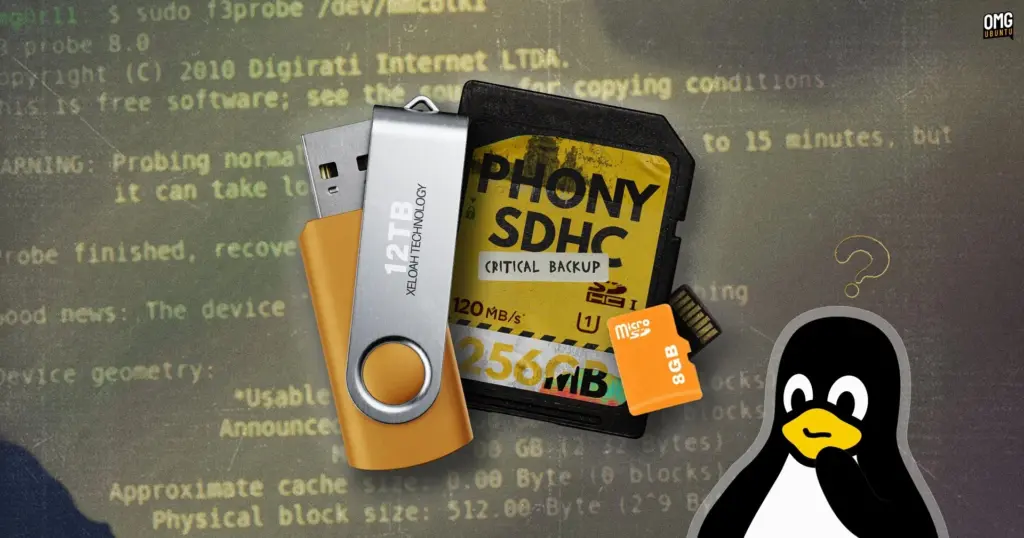
Surging hardware prices across the consumer electronics sector have created fertile ground for digital scams, with flash storage devices emerging as one of the most persistent and deceptive categories. As the retail cost of memory cards and USB thumb drives has doubled over the past year, consumers shopping on tight budgets are frequently drawn to heavily discounted alternatives. Secondary marketplaces and peer-to-peer selling platforms such as eBay and Vinted, alongside unfamiliar storefront brands on major retail websites, have seen an influx of listings offering high-capacity storage at prices that appear too good to pass up.
Behind many of these bargain listings, however, lies an insidious hardware trick. Unsuspecting buyers regularly receive counterfeit drives whose physical storage capacity represents only a tiny fraction of the figures printed on their packaging. A USB stick sold as a 512GB unit may physically possess only 32GB, 16GB, or even less of actual NAND flash memory.
To conceal the discrepancy, counterfeiters manipulate the device’s internal flash memory controller. The controller firmware is reprogrammed to report a falsified capacity directly to the host operating system. When plugged into a computer, the device appears fully legitimate, displaying hundreds of gigabytes of available space in desktop file managers and system diagnostic utilities.
The deception typically remains hidden until victims face catastrophic data loss. Because the storage controller has been altered to misrepresent its physical limits, the operating system continues to transfer files normally even when the physical memory cells are completely exhausted. The hardware handles overflow data silently: incoming files that cannot physically fit onto the flash chips are discarded into oblivion, or the controller loops back to overwrite previously saved files. From the user’s perspective, file transfers complete without throwing errors or warnings. The fraud only becomes obvious much later, when a user attempts to open a document, family photograph, or project backup, only to discover that the file has been rendered completely corrupt or missing entirely.
The problem has frustrated consumers and hardware enthusiasts for years. One Windows developer, having repeatedly fallen victim to manipulated flash drives, famously engineered a lightweight diagnostic utility known as h2testw. The software works by systematically writing specific data patterns to a drive until it is full and then reading them back, verifying whether the data remains intact.
For the Linux ecosystem, the same methodology is carried forward and expanded through F3—short for Fight Flash Fraud. Released as an open-source tool, F3 provides Linux users with a reliable, scriptable, and transparent means of testing suspect media before trusting it with valuable personal or professional data.
Installing F3 on Ubuntu
The F3 suite is distributed across major Linux software repositories, making installation straightforward on distributions such as Ubuntu, Linux Mint, Zorin OS, and other Debian-derived operating systems. The software can be retrieved and installed directly through the Advanced Package Tool using standard command-line package management:
sudo apt install f3
Unlike typical consumer utilities, F3 is designed strictly as a command-line software package rather than a graphical desktop application. As a result, users will not find an icon for the utility within their desktop application menus or docks. While the lack of a graphical interface can initially appear intimidating to newcomers, the suite is straightforward to operate, requiring only a basic understanding of Linux drive naming conventions and file paths.
Within the package, two distinct testing methodologies are provided to identify deceptive hardware. The classic approach employs two companion utilities, f3write and f3read, which operate in sequence to fill remaining capacity with test blocks and then verify their structural integrity. While comprehensive, this traditional approach can be slow and subjects the flash memory to substantial write cycles, potentially accelerating wear on delicate chips.
To address the limitations of the sequential write-and-read method, F3 also includes f3probe. This specialized tool takes a much faster, targeted approach by directly probing the physical media to verify controller reporting without having to fill every gigabyte of space, making it particularly useful for large-capacity storage devices.
Regardless of which tool is selected, caution is essential when evaluating any storage medium. Users testing pre-owned drives or devices that already contain data should ensure that all irreplaceable personal files are backed up to a secure, independent machine prior to launching tests, as diagnostic operations can overwrite or destroy existing data on manipulated devices.
Run a quick check with f3probe
The f3probe utility is built for speed and efficiency, making it the preferred starting point when evaluating high-capacity storage drives. Rather than spending hours filling a drive that claims to offer hundreds of gigabytes, f3probe examines the hardware directly to expose firmware-level falsification.
Before executing the tool, users must determine the correct device path assigned to their storage drive. Plugging the drive into the system and running the lsblk command in the terminal outputs a structured list of all recognized block devices, storage controllers, and mounted partitions. Users can also verify device paths through graphical utilities such as the GNOME Disks application. Correct identification is critical: running low-level hardware commands against an internal system drive or main operating system partition can cause catastrophic data loss.
Unlike file-level tests, f3probe operates directly on raw block devices rather than mounted file system partitions. This means the command must be pointed at the drive itself (such as /dev/sdb), rather than an individual partition on the drive (such as /dev/sdb1 or /dev/sdb2). The general syntax is executed with administrative privileges:
sudo f3probe /dev/xyz
The duration of the test depends heavily on the interface connection and the underlying speed of the memory chips. Connected to modern, high-speed USB ports, genuine and high-quality storage devices can often complete the probe within a few minutes. On slower interfaces or substandard flash memory, the diagnostic process can take up to 15 minutes as the tool interacts with the controller.
Upon completion, f3probe provides an unambiguous diagnosis of the device’s authenticity. If the internal memory cells align with the firmware declarations, the terminal returns a straightforward confirmation:
Good news: The device '/dev/xyz' is the real thing
If the device has been tampered with to show inflated figures, the tool identifies the fraud and categorizes the failure mode:
Bad news: The device '/dev/xyz' is a counterfeit of type limbo
When a counterfeit drive is identified, the utility’s output provides detailed technical metrics regarding the physical memory detected versus the fictitious capacity advertised. It also generates a suggested command that users can optionally deploy to reclaim the drive at its authentic capacity using an included companion tool, f3fix. This process wipes the drive entirely, carving out a new partition that matches only the genuine physical memory space available.
Run a fuller check to verify
For users who prefer a thorough, traditional diagnostic run that tests every sector of the usable file system, the combination of f3write and f3read provides an exhaustive alternative modeled on the original h2testw process.
This two-step process functions at the file system level rather than the raw device level. Consequently, users supply the command with the drive’s active mount point—the directory where the device is accessed within the file system hierarchy, commonly structured as /media/username/DRIVE—rather than the raw /dev/ device node used by f3probe.
After confirming the active mount point through lsblk or a file manager, the write phase is initiated from the terminal:
f3write /media/device/
The utility systematically generates 1GB test files containing predictable data sequences, labeled sequentially in the format N.h2w, until the remaining free space on the drive is completely filled. A progress indicator tracks data throughput and estimated completion times. Because every megabyte of free space must be written to disk, this phase can take several hours on slower or large-capacity drives.
Once the write operation concludes, the verification phase is launched by pointing f3read at the identical mount directory:
f3read /media/device/
During this pass, f3read examines each generated test file, comparing the data retrieved from the flash memory against the original patterns written during the first phase. If the storage device is legitimate, all sectors pass without incident. If the drive is counterfeit, any sectors that the controller discarded, wrapped around, or overwrote will immediately surface as damaged, corrupted, or missing data blocks in the terminal report. Once testing is complete, users simply delete the generated .h2w test files to restore standard storage availability.
And if the drive is fake?
Discovering that a newly purchased memory card or flash drive possesses only a fraction of its advertised capacity leaves consumers with distinct practical and technical choices. From a consumer perspective, retaining original transaction receipts, packaging, and order confirmations is critical. A failed F3 diagnostic report provides clear, undeniable documentation of counterfeit goods, which can be leveraged to dispute charges, request immediate refunds, or file formal vendor complaints through marketplace buyer protection policies.
From a technical perspective, users who cannot secure a refund or who simply wish to repurpose the hardware can deploy the f3fix utility. By applying the parameters generated during an f3probe diagnostic scan, f3fix configures a modified partition table that restricts drive usage exclusively to the physical boundary of genuine storage cells. This prevents the operating system from attempting to write beyond the physical capacity of the flash chips, effectively eliminating the silent data loss caused by loopback overwriting.
However, system administrators and storage analysts caution against relying on salvaged counterfeit drives for important work. Flash memory controllers that have been deliberately reprogrammed to defraud consumers are typically paired with the lowest tier of factory-rejected, substandard NAND silicon. These components are prone to premature degradation, controller lockups, and unrecoverable read errors, meaning that even when downsized to their true capacity, counterfeit drives remain deeply unreliable for any critical storage needs.
 Linux & Open Source Solutions
Now Playing Card shows media info for multiple apps at a time
In the standard GNOME Shell environment, media playback has long been relegated...
 Linux & Open Source Solutions
Ubuntu 26.10 Flavours Arrive with Updated Desktops, System Modernization, and the Return of Ubuntu MATE
The launch of the Ubuntu 26.10 operating system cycle extends well beyond...
 Linux & Open Source Solutions
The Document Foundation Unveils New Visual Identity to Establish Distinct Institutional Profile Apart from LibreOffice
The Document Foundation, the charitable non-profit entity responsible for overseeing the development...







