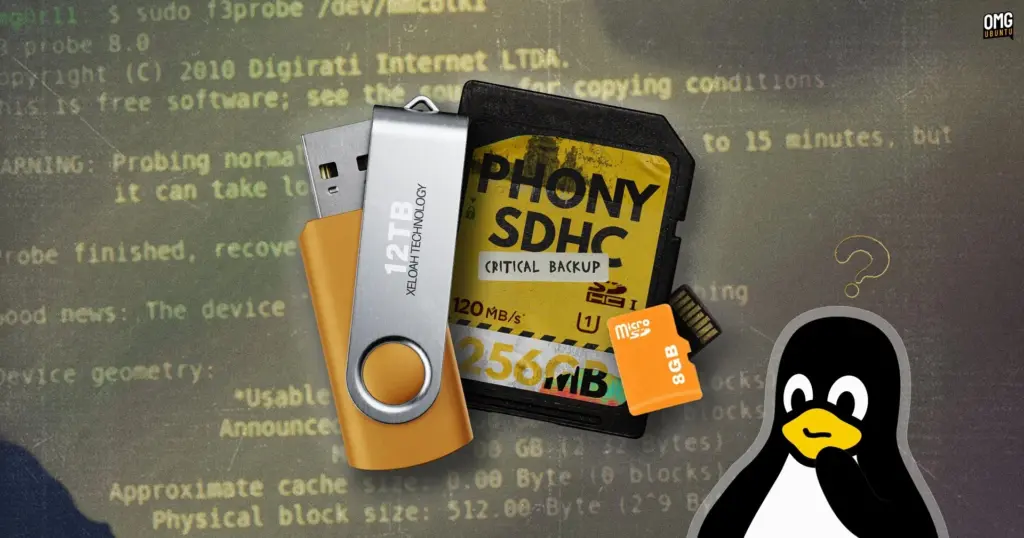
Surging hardware prices across the consumer electronics sector have created fertile ground for digital scams, with flash storage devices emerging as one of the most persistent and deceptive categories. As the retail cost of memory cards and USB thumb drives has doubled over the past year, consumers shopping on tight budgets are frequently drawn to heavily discounted alternatives. Secondary marketplaces and peer-to-peer selling platforms such as eBay and Vinted, alongside unfamiliar storefront brands on major retail websites, have seen an influx of listings offering high-capacity storage at prices that appear too good to pass up.
Behind many of these bargain listings, however, lies an insidious hardware trick. Unsuspecting buyers regularly receive counterfeit drives whose physical storage capacity represents only a tiny fraction of the figures printed on their packaging. A USB stick sold as a 512GB unit may physically possess only 32GB, 16GB, or even less of actual NAND flash memory.
To conceal the discrepancy, counterfeiters manipulate the device’s internal flash memory controller. The controller firmware is reprogrammed to report a falsified capacity directly to the host operating system. When plugged into a computer, the device appears fully legitimate, displaying hundreds of gigabytes of available space in desktop file managers and system diagnostic utilities.
The deception typically remains hidden until victims face catastrophic data loss. Because the storage controller has been altered to misrepresent its physical limits, the operating system continues to transfer files normally even when the physical memory cells are completely exhausted. The hardware handles overflow data silently: incoming files that cannot physically fit onto the flash chips are discarded into oblivion, or the controller loops back to overwrite previously saved files. From the user’s perspective, file transfers complete without throwing errors or warnings. The fraud only becomes obvious much later, when a user attempts to open a document, family photograph, or project backup, only to discover that the file has been rendered completely corrupt or missing entirely.
The problem has frustrated consumers and hardware enthusiasts for years. One Windows developer, having repeatedly fallen victim to manipulated flash drives, famously engineered a lightweight diagnostic utility known as h2testw. The software works by systematically writing specific data patterns to a drive until it is full and then reading them back, verifying whether the data remains intact.
For the Linux ecosystem, the same methodology is carried forward and expanded through F3—short for Fight Flash Fraud. Released as an open-source tool, F3 provides Linux users with a reliable, scriptable, and transparent means of testing suspect media before trusting it with valuable personal or professional data.
Installing F3 on Ubuntu
The F3 suite is distributed across major Linux software repositories, making installation straightforward on distributions such as Ubuntu, Linux Mint, Zorin OS, and other Debian-derived operating systems. The software can be retrieved and installed directly through the Advanced Package Tool using standard command-line package management:
sudo apt install f3
Unlike typical consumer utilities, F3 is designed strictly as a command-line software package rather than a graphical desktop application. As a result, users will not find an icon for the utility within their desktop application menus or docks. While the lack of a graphical interface can initially appear intimidating to newcomers, the suite is straightforward to operate, requiring only a basic understanding of Linux drive naming conventions and file paths.
Within the package, two distinct testing methodologies are provided to identify deceptive hardware. The classic approach employs two companion utilities, f3write and f3read, which operate in sequence to fill remaining capacity with test blocks and then verify their structural integrity. While comprehensive, this traditional approach can be slow and subjects the flash memory to substantial write cycles, potentially accelerating wear on delicate chips.
To address the limitations of the sequential write-and-read method, F3 also includes f3probe. This specialized tool takes a much faster, targeted approach by directly probing the physical media to verify controller reporting without having to fill every gigabyte of space, making it particularly useful for large-capacity storage devices.
 Linux & Open Source Solutions
Linux Mint 27 to Introduce ‘Superlight’, a Modernized In-House System Monitor Built for the XApp Ecosystem
The upcoming release of Linux Mint 27, scheduled to make its public...
 Linux & Open Source Solutions
Now Playing Card shows media info for multiple apps at a time
In the standard GNOME Shell environment, media playback has long been relegated...
 Linux & Open Source Solutions
Third-Party ‘Nautilus My Computer’ Extension Restores Drive Overview and Introduces Miller Columns to GNOME Files
The default GNOME desktop environment has long prioritized minimalism, streamlined interfaces, and...