
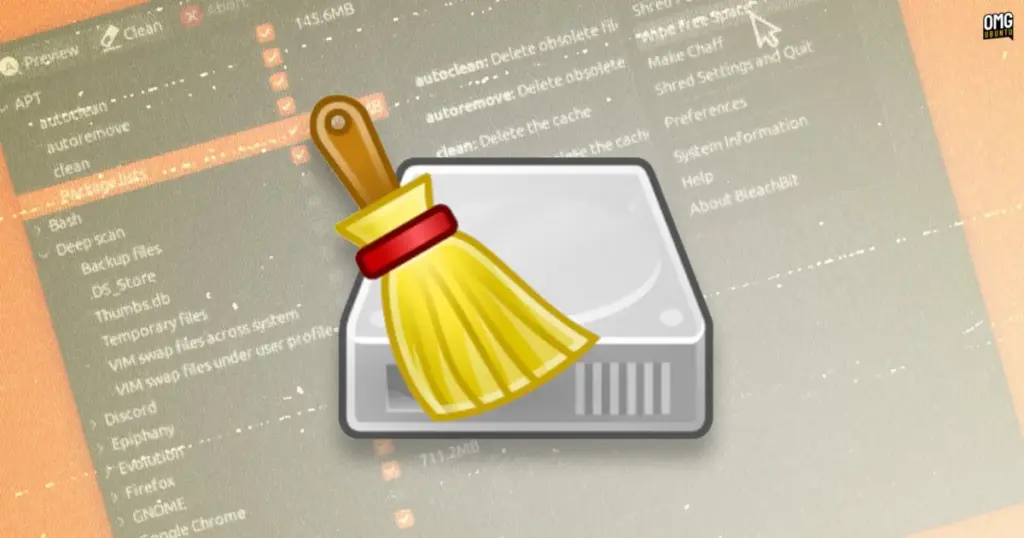
The developers behind BleachBit, the longstanding free and open-source system maintenance and privacy utility, have officially released BleachBit 6.0.6. The new maintenance release delivers a comprehensive collection of performance optimizations, expanded cleaning profiles tailored to contemporary software workflows, and foundational platform compatibility updates headlined by initial support and an official deb package for Ubuntu 26.10. Available across Linux, Windows, and macOS, the utility continues its core mission of helping computer users reclaim storage space, shred redundant clutter, and scrub persistent privacy traces that accumulate across daily operating system routines.
As personal computing environments increasingly shoulder heavy workloads generated by software containers, artificial intelligence assistants, and browser-based software frameworks, local disk space management has become an increasingly demanding operational concern. BleachBit 6.0.6 directly addresses these contemporary storage burdens by extending its target routines into newer utilities and containerized architectures, all while fundamentally modernizing how the software executes lower-level operations such as scanning directories, purging unneeded files, and performing secure sanitization across free disk sectors.
A central highlight of the 6.0.6 maintenance milestone is a substantial overhaul to the software’s internal operational velocity. Users interacting with the application will notice immediate responsiveness improvements beginning the moment the program launches, with the development team engineering measurable boosts to overall startup times. Once inside the application, the speed improvements extend directly to the utility’s operational engine. The scanning routines that comb through complex directory trees during deep scans have been accelerated, allowing BleachBit to catalog disposable files and directory bloat significantly faster than in earlier releases. The core deletion routines responsible for removing identified junk have likewise received performance tuning to shorten the time required to complete large maintenance tasks.
Beyond standard deletion routines, the updated release significantly restructures how BleachBit approaches its low-level file wiping operations. Secure file wiping—a critical privacy feature designed to overwrite discarded data so that residual file fragments cannot be reconstructed using data recovery software—now operates using 512 KiB data blocks rather than the 4 KiB blocks utilized in prior iterations. Transitioning to a 512 KiB block size reduces system call overhead and significantly improves sequential write throughput across both traditional spinning disks and solid-state storage. By transferring data in larger blocks, the utility can overwrite free space and shred designated files with noticeably reduced input-output contention, yielding faster sanitization sweeps when clearing massive swaths of decommissioned storage.
On the application cleaning front, BleachBit 6.0.6 expands its roster of supported third-party programs to reflect modern desktop workflows. The update introduces dedicated cleaning routines for the Helium web browser alongside deep cleanup support for Docker Desktop. Containerized software management has become an indispensable element of software development, but local container environments routinely amass extensive remnants over time, ranging from transient operational caches to internal operational logs. The new Docker Desktop cleaner in BleachBit addresses these exact footprints, with the cleaner specifically encompassing components associated with Docker Desktop’s integrated artificial intelligence assistant. By introducing cleanup capabilities for container management software and its ancillary AI tooling, BleachBit provides developers and system administrators with a streamlined, graphical mechanism to prevent container virtualization tools from quietly monopolizing local system drives.
In tandem with these new cleaning targets, the update significantly broadens the capabilities of several preexisting cleaning definitions. As modern productivity software increasingly relies on web frameworks, Electron wrappers, and GPU-accelerated rendering surfaces, auxiliary application directories can easily bloat with temporary files that serve little purpose after an active work session ends. BleachBit 6.0.6 introduces optional, targeted routines capable of expunging stale crash reports, accumulated GPU caches, and lingering session files across Claude, Visual Studio Code-based code editors, and Chromium. These optional cleaning targets allow users to selectively purge transient data structures that often persist indefinitely within application support folders without impairing the baseline installation or configuration of the underlying programs.
Linux web browser coverage has similarly received a functional upgrade through broader packaging support for LibreWolf, the privacy-focused independent fork of Firefox. While earlier releases of BleachBit provided cleaning functionality for specific packaging configurations, version 6.0.6 expands its LibreWolf cleaning modules to comprehensively cover both native deb package installations and sandboxed Flatpak deployments. Because Flatpak applications operate inside sandboxed filesystem environments that isolate runtime data into specialized user directory structures, traditional file cleaners often miss Flatpak-specific application states unless explicitly programmed to parse those non-standard paths. The unified coverage in 6.0.6 ensures that regardless of whether a user installs LibreWolf from a distribution repository or pulls it from a decentralized application store via Flatpak, their browsing caches, cookies, and history can be fully identified and sanitized.
For users within the Ubuntu ecosystem, BleachBit 6.0.6 arrives with targeted adjustments designed to accommodate both upcoming distribution releases and the disk consumption characteristics of the Canonical package ecosystem. The release introduces an official deb installer tailored specifically for Ubuntu 26.10, ensuring users testing or transitioning to the newer distribution have an officially packaged binary that conforms to the system’s package management baseline.
Furthermore, the new release enhances the utility’s integration with Canonical’s Snap package management framework by improving its ability to detect and purge accumulated Snap revisions. By architectural design, the Snap package daemon retains older revisions of installed packages across update cycles, establishing fallback restore points in the event that an updated snap introduces bugs or operational incompatibilities. While this mechanism serves an administrative safeguard, preserving historical revisions across large applications quickly consumes dozens of gigabytes of disk space. The problem becomes particularly acute when users install heavy workloads—such as running Myna on Ubuntu and experimenting with diverse machine learning models—where individual snap revisions and related model weights rapidly compound system storage footprints. While administrators have historically relied on manual terminal commands to trim unneeded revision archives, BleachBit’s upgraded detection logic provides an accessible, automated way to clear older revisions and reclaim drive capacity directly from the maintenance interface.
Administrative privilege handling across enterprise and community Linux distributions has also been refined in this release. System maintenance utilities frequently require elevated permissions to clean system-level directories, such as package manager caches, global logs, and temporary directories owned by the root account. Previous iterations of BleachBit encountered operational hurdles when users attempted to invoke the dedicated "BleachBit as Administrator" mode on Red Hat enterprise installations. BleachBit 6.0.6 resolves these launch and execution conflicts on Red Hat platforms by transitioning its privilege escalation mechanism to utilize pkexec, the command-line execution tool provided by the system PolicyKit framework. In addition to resolving operational issues on Red Hat distributions, the development team recommends utilizing pkexec when running BleachBit in administrative mode on Ubuntu systems running the native deb installation, ensuring smoother desktop privilege authentication during deep system sweeps.
The cross-platform utility also brings meaningful updates to other operating environments. Users on Microsoft Windows benefit from a suite of platform-specific bug fixes aimed at polishing utility stability and cleaning execution across the operating system. Alongside these functional improvements, the Windows build introduces a refreshed application logo, enclosing the traditional BleachBit icon within a modernized square frame. Desktop polish extends across open-source environments as well, with the release officially packaging a scalable SVG icon for Linux and BSD desktop environments to ensure the interface visual assets scale cleanly across high-density displays.
Meanwhile, engineering work on the macOS port of BleachBit continues to make substantial progress. The 6.0.6 release attaches a wide spectrum of cleaning modules to the Apple platform, significantly extending the utility’s footprint across macOS desktop environments. Mac users running the utility now have access to dedicated cleaners for Adobe Acrobat, the Claude desktop environment, the Devin software platform, GIMP, Google Earth, TeamViewer, Visual Studio Code, VLC media player, the Zen browser, and Zoom. The extensive roster of macOS additions highlights the project’s ongoing investment in bringing the utility to functional parity across all major operating systems, catering to developers, creative professionals, and general users seeking to purge cache build-ups from communication software, office tools, and media players alike.
BleachBit 6.0.6 is available for immediate download through the utility’s official website. The project provides official installation packages and runtimes covering all supported operating systems, including direct deb installation binaries and standalone, portable AppImage releases for Ubuntu and compatible Linux environments.
 Linux & Open Source Solutions
Ubuntu 26.10 Flavour Lineup Arrives with Updated Desktops, Architectural Changes, and the Return of Ubuntu MATE
Following the official launch of the Ubuntu 26.10 operating system, Canonical’s family...
 Linux & Open Source Solutions
NexPhone Multi-OS Smartphone Delayed to March 2027 as Hardware Challenges and Price Adjustments Emerge
The NexPhone, an ambitious multi-operating system smartphone designed to bridge the divide...
 Linux & Open Source Solutions
Orbit Global Menu Brings Pragmatic Global Application Menus Back to the GNOME Shell Desktop
For more than a decade, the global menu bar has remained one...







