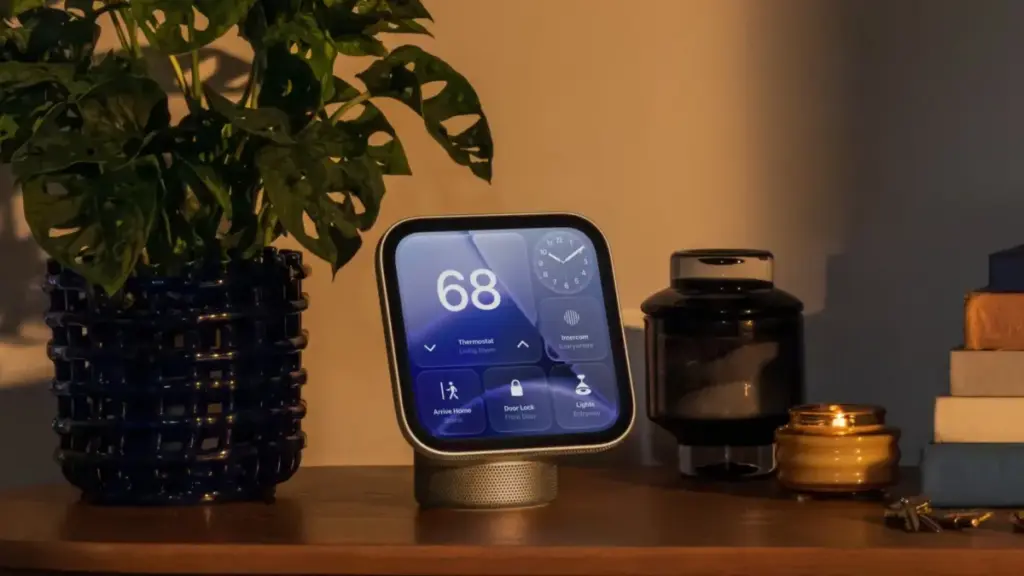
Apple officially released its new HomeView smart home hub on Friday, November 13, 2026, marking the arrival of one of the central products in its fall hardware lineup. Launching alongside the fourth-generation Apple TV 4K, the HomeView hub serves as a dedicated smart home command center designed to integrate deeply into the company’s hardware and software ecosystem. The release brings a close to an unusually dense period of product rollouts for Apple, which has seen the debut of more than 25 new hardware devices and accessories since late August.
As the first units reach consumers and early adopters begin setting up the device, broader details have emerged regarding the operational quirks, hardware design choices, authentication protocols, and software capabilities of the new hub. From its buttonless physical housing to its specialized camera controls and strict data lockout procedures, the HomeView introduces several distinct user experience considerations that shape how the device functions within a household.
Hardware Design and Power Management
One of the most immediate physical characteristics of the HomeView is its entirely buttonless chassis. Apple has eliminated traditional hardware controls, omitting any physical buttons to power the device on, turn it off, or trigger a reboot. Users looking to restart the hardware must perform the operation through the built-in Settings app on the device’s interface or physically disconnect the power cable from the wall outlet for a brief moment.
The physical placement of the HomeView within a room plays a critical role in its functional reliability. According to technical documentation and setup guidelines from Apple, proper positioning is mandatory for the hub’s onboard sensors and camera array to operate correctly. The screen of the device must be angled directly toward the user’s face, requiring a clear line of sight.
Environmental surroundings also affect performance. Apple specifies that the HomeView cannot be placed directly beneath overhanging shelves, deep cabinets, or other architectural elements that might cast shadows or obstruct the top of the display. Furthermore, the environment demands front-facing, even lighting to ensure the camera can clearly register the space. If multiple occupants are standing within the room, the device relies on proximity and framing, requiring the primary user to be centered in the frame and located closest to the camera array relative to bystanders.
Facial Recognition and Sunwear Limitations
Authentication on the HomeView relies heavily on facial identification via its embedded front-facing camera, though the system comes with clear operational parameters. Apple notes that the HomeView will generally fail to recognize users if their facial features are covered, explicitly pointing out that wearing sunglasses will prevent successful facial identification.
In instances where the HomeView fails to identify an individual, setup guidance recommends removing any facial coverings, accessories, or headwear that block the camera’s view of key facial features. Because the system relies on an unobstructed view under standard ambient lighting, dramatic backlighting or uneven lateral shadows can similarly trigger authentication failures. When visual tracking fails, the hardware relies on secondary verification methods tied to paired personal electronics.
Built-in Mirror Feature and Camera Controls
To assist users with camera positioning and offer quick visual checks, Apple has integrated a dedicated "Mirror" tool within the HomeView Control Center. When activated, the Mirror feature displays a live feed of the front-facing camera directly on the main screen, allowing users to inspect their appearance or verify how they are framed within the camera’s field of view.
The Mirror utility includes integrated controls designed to adapt to low-light environments and varying room depths. Users can switch on an edge light feature, which illuminates the perimeter of the HomeView display to cast soft, front-facing light onto the user’s face. Additionally, the interface provides quick toggle options for 1x and 2x digital zoom levels, allowing individuals to adjust their framing directly from the screen during setup or active use.
Authentication Protocols and Network Resilience
Security and identity management on the HomeView operate through a multi-factor system that combines local facial recognition with local network proximity. To grant access to personal data, calendars, media libraries, or private controls, the HomeView verifies the user’s identity through facial recognition while simultaneously confirming that an authorized iOS device—such as an iPhone—is situated nearby. The paired iOS device must have been recently unlocked and connected to the exact same local Wi-Fi network as the HomeView hub.
To address potential network disruptions, Apple has engineered a cellular fallback mechanism for personal content authentication. In the event of a total Wi-Fi network outage, the HomeView can maintain authentication privileges using cellular data connectivity, provided the paired iOS device remains in the immediate physical location and was connected to the local Wi-Fi network prior to the connection loss. This ensures that essential personalized features remain functional even when home broadbands experience downtime.
Security Thresholds and Personal Data Lockouts
Protecting private personal information on a shared household display requires strict security boundaries. The HomeView incorporates explicit anti-tampering and privacy lockouts designed to prevent unauthorized individuals from attempting to force access to personal data.
If an unrecognized individual—or a recognized user whose face is obstructed—makes repeated failed attempts to access restricted personal content on the HomeView, the hardware automatically locks down its biometric systems. Under these conditions, facial recognition via the onboard camera is completely disabled. To regain access to personal content after a security lockout, the system requires identity confirmation via a registered secondary device, requiring the primary owner to authenticate the session from their iPhone or iPad.
Guest Access Management
Because smart home hubs are frequently positioned in shared family spaces or high-traffic areas accessible to visitors, the HomeView provides dedicated control systems for visitor interactions. Device owners are provided with granular options within the management settings to configure what external users and guests can view or interact with.
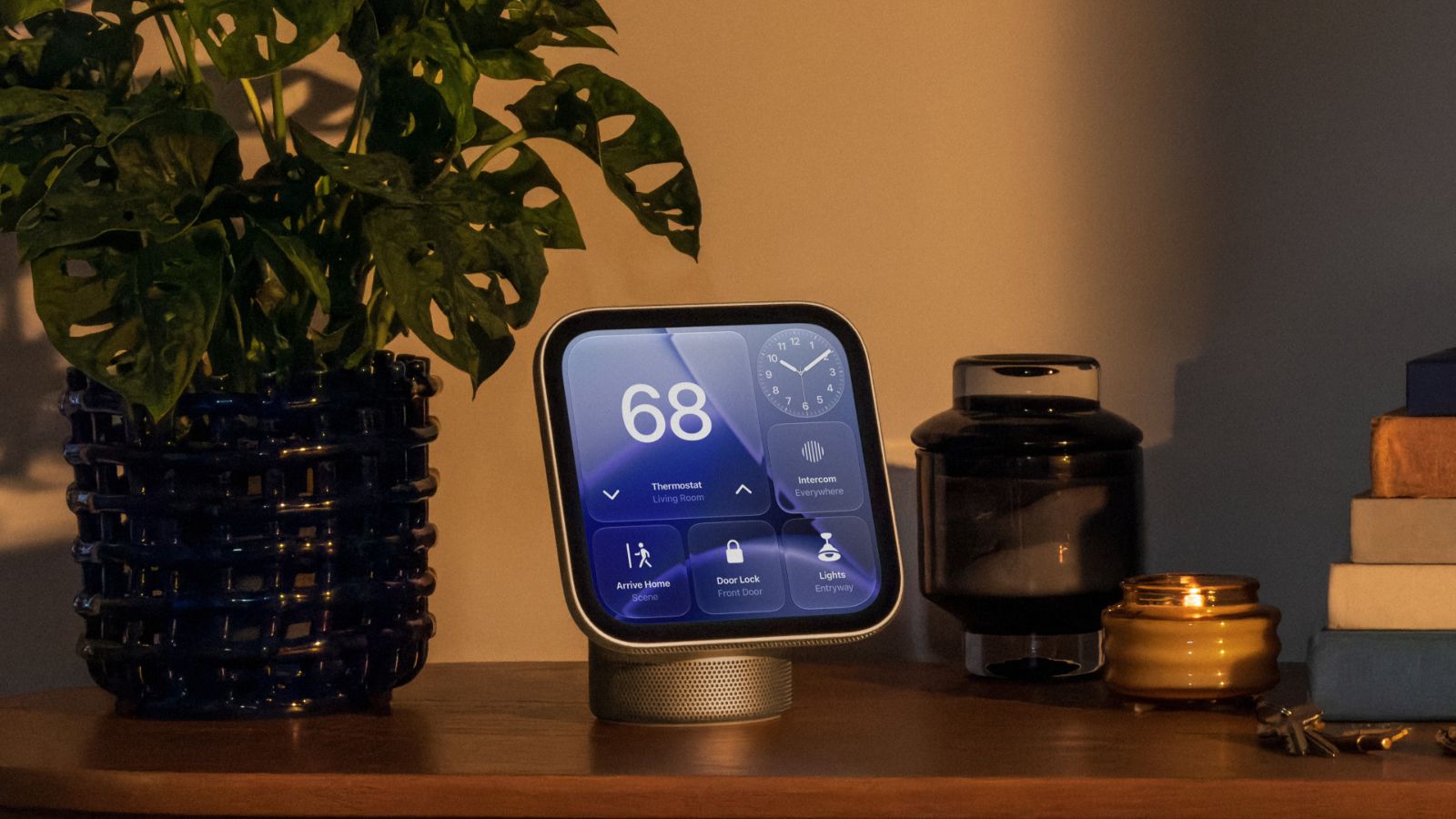
These permission settings allow the primary home manager to restrict access to sensitive device controls, home automation scenes, security systems, and personal media integrations. Depending on the preferences set by the owner, guest permissions can be scaled up or down, allowing guests basic interaction with smart accessories while blocking access to sensitive household controls and private personal data.
Liquid Glass Interface and Customization
On the software front, the HomeView runs a visual user interface built around Apple’s Liquid Glass design paradigm. First introduced across iOS, iPadOS, and macOS, the dynamic visual style relies on translucent layers, light refraction effects, and fluid depth cues to render menus, widgets, and home controls.
Within the system preferences of the HomeView, users have direct control over the aesthetic presentation of the Liquid Glass interface. The software includes a transparency adjustment slider, allowing individuals to shift the appearance of system elements from fully transparent, frosted glass visuals to completely opaque solids. This customization option helps ensure menu legibility against varying background wallpapers or room lighting conditions.
Restricted Notification Architecture
Unlike fully featured mobile operating systems or tablet software, the HomeView implements a deliberately constrained notification architecture tailored specifically for home hub environments. System notifications are strictly isolated to incoming phone calls and connected home automation devices.
Users will receive real-time alerts for incoming telecommunication calls routed through their linked Apple devices, alongside alerts generated by smart accessories, such as door locks, cameras, and environmental sensors. The settings panel includes a master toggle to enable or disable critical alerts for urgent home safety events. Beyond these specific categories, Apple has omitted all standard application notifications, banners, and app-level alert configurations, keeping the screen clear of social media, email, or message clutter.
App and Website Authentication
Navigating digital sign-ins on a hub display without a traditional physical keyboard presents usability challenges. To solve this, Apple has adapted the seamless authentication system originally developed for the Apple TV platform into the HomeView experience.
When a user encounters a sign-in prompt for an app, third-party media channel, or web service on the HomeView, the display prompts nearby paired devices. Users can authorize sign-in requests, autofill account credentials, and approve passkey prompts directly from an iPhone. This eliminates the need to manually enter complex passwords or usernames on the smart hub screen itself, leveraging the secure enclave and stored credentials of the mobile device.
Media Management and Sleep Timers
In addition to home control and monitoring features, the HomeView functions as a central audio and video playback node within the living space. To facilitate bedtime routine management or scheduled media shutdown, the device includes a built-in media sleep timer.
Users can configure a sleep timer directly through the playback interface or main control menus. Once the timer reaches zero, the HomeView automatically pauses any active media streams, including music, podcasts, or video playback. This functionality mirror traditional audio equipment management, preventing media from streaming indefinitely overnight or when a room is left unoccupied.
Software Development and Ecosystem Context
The commercial arrival of the HomeView follows months of public speculation, developer analysis, and preliminary software tours. Prior to the official public release, details regarding the software environment were showcased by independent developers and tech analysts. Broadcasts app developer Steve Troughton-Smith notably shared a comprehensive video tour of the HomeView software architecture, running the operating system within a virtualized environment engineered by developer Guilherme Rambo.
Those early software builds provided the public with an early glimpse into the core layout, menu structures, widget systems, and interactive apps that make up the finished consumer experience. Apple also conducted restricted previews with select technology journalists and content creators ahead of the November 13 launch to demonstrate how the hub manages real-world home automation hardware.
The arrival of the HomeView and the fourth-generation Apple TV 4K caps an exceptionally dense autumn launch window for Apple. Previous reports from Bloomberg’s Mark Gurman correctly pointed toward an aggressive late-fall launch schedule that encompassed major refreshes across Apple’s primary hardware lines. Over the preceding weeks, Apple introduced MacBook Pro models featuring OLED display panels, updated 14-inch MacBook Pro laptops and desktop iMacs powered by the M6 chip family, alongside the eighth-generation iPad mini featuring an OLED display screen.
With the HomeView now officially available in retail channels and arriving on customer doorsteps, Apple completes its major hardware pipeline for the calendar year, placing its new smart home hub at the center of its broader connected hardware portfolio.
 macOS & Apple IT Support
IFixit Teardown Finds Apple’s AirPods 5 Are Slightly More Repairable, Earning First-Ever Non-Zero Score Despite ‘Disaster’ Charging Case
In its traditional deep-dive disassembly video, repair authority iFixit has taken apart...
 macOS & Apple IT Support
Apple EU Regulatory Filing Reveals iPad Mini 8 Battery Capacity as Efficiency Gains Offset Smaller Cell
An official regulatory filing published in Europe has revealed precise hardware specifications...
 macOS & Apple IT Support
Amazon Launches Early Prime Big Deal Days Savings on Apple’s 2026 Mac Mini and Mac Studio Lineups
Amazon has officially initiated its early Prime Big Deal Days sales campaign,...