
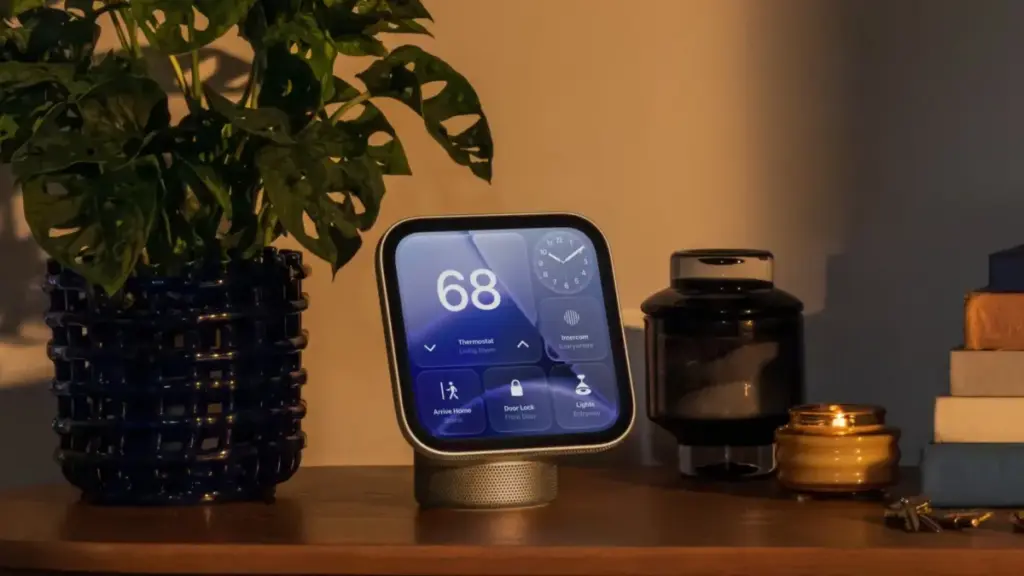
Authentication Protocols and Network Resilience
Security and identity management on the HomeView operate through a multi-factor system that combines local facial recognition with local network proximity. To grant access to personal data, calendars, media libraries, or private controls, the HomeView verifies the user’s identity through facial recognition while simultaneously confirming that an authorized iOS device—such as an iPhone—is situated nearby. The paired iOS device must have been recently unlocked and connected to the exact same local Wi-Fi network as the HomeView hub.
To address potential network disruptions, Apple has engineered a cellular fallback mechanism for personal content authentication. In the event of a total Wi-Fi network outage, the HomeView can maintain authentication privileges using cellular data connectivity, provided the paired iOS device remains in the immediate physical location and was connected to the local Wi-Fi network prior to the connection loss. This ensures that essential personalized features remain functional even when home broadbands experience downtime.
Security Thresholds and Personal Data Lockouts
Protecting private personal information on a shared household display requires strict security boundaries. The HomeView incorporates explicit anti-tampering and privacy lockouts designed to prevent unauthorized individuals from attempting to force access to personal data.
If an unrecognized individual—or a recognized user whose face is obstructed—makes repeated failed attempts to access restricted personal content on the HomeView, the hardware automatically locks down its biometric systems. Under these conditions, facial recognition via the onboard camera is completely disabled. To regain access to personal content after a security lockout, the system requires identity confirmation via a registered secondary device, requiring the primary owner to authenticate the session from their iPhone or iPad.
Guest Access Management
Because smart home hubs are frequently positioned in shared family spaces or high-traffic areas accessible to visitors, the HomeView provides dedicated control systems for visitor interactions. Device owners are provided with granular options within the management settings to configure what external users and guests can view or interact with.
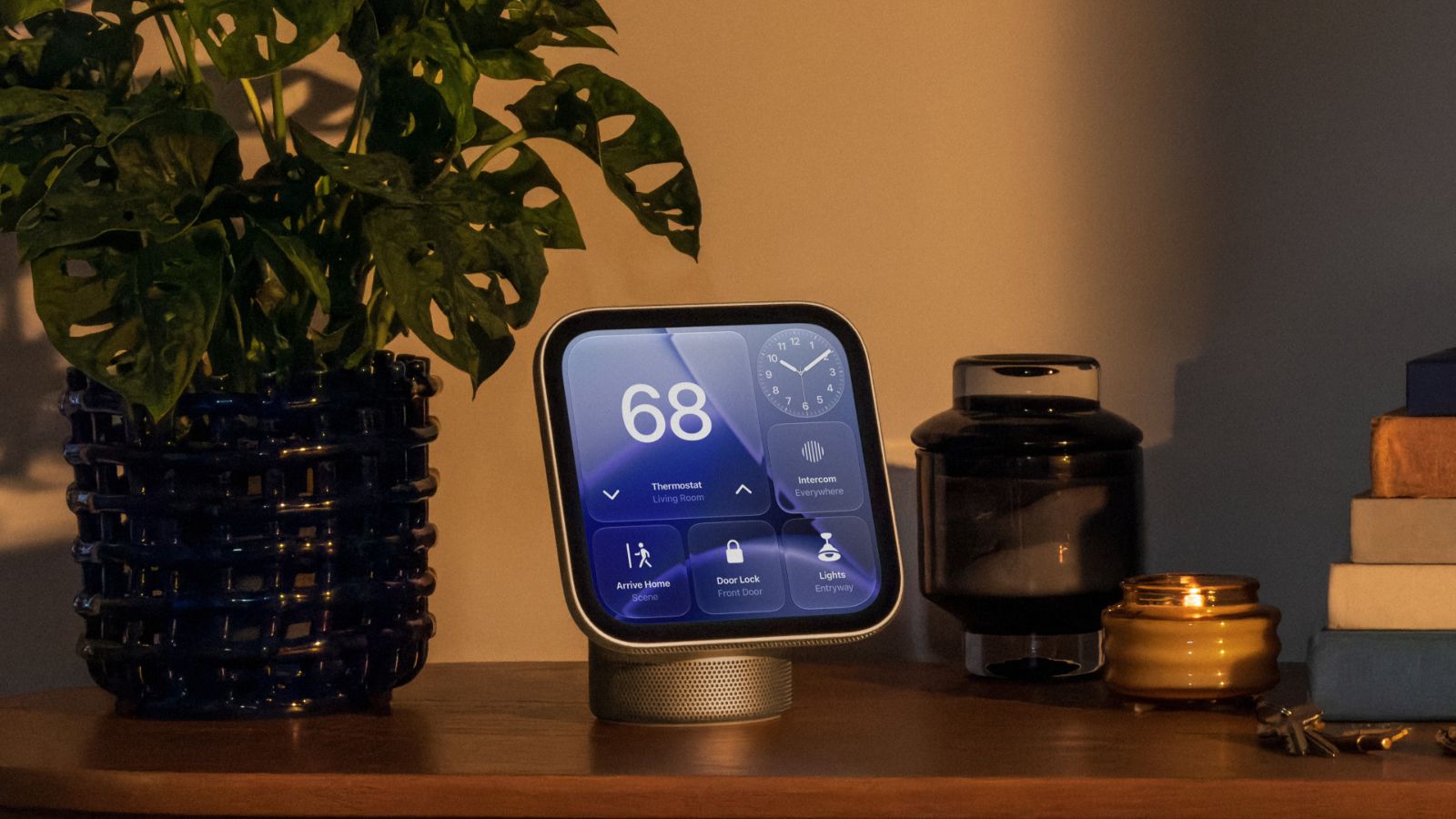
These permission settings allow the primary home manager to restrict access to sensitive device controls, home automation scenes, security systems, and personal media integrations. Depending on the preferences set by the owner, guest permissions can be scaled up or down, allowing guests basic interaction with smart accessories while blocking access to sensitive household controls and private personal data.
Liquid Glass Interface and Customization
On the software front, the HomeView runs a visual user interface built around Apple’s Liquid Glass design paradigm. First introduced across iOS, iPadOS, and macOS, the dynamic visual style relies on translucent layers, light refraction effects, and fluid depth cues to render menus, widgets, and home controls.
Within the system preferences of the HomeView, users have direct control over the aesthetic presentation of the Liquid Glass interface. The software includes a transparency adjustment slider, allowing individuals to shift the appearance of system elements from fully transparent, frosted glass visuals to completely opaque solids. This customization option helps ensure menu legibility against varying background wallpapers or room lighting conditions.
Restricted Notification Architecture
Unlike fully featured mobile operating systems or tablet software, the HomeView implements a deliberately constrained notification architecture tailored specifically for home hub environments. System notifications are strictly isolated to incoming phone calls and connected home automation devices.
 macOS & Apple IT Support
Instagram Rolls Out Apple Music Integration Allowing Users to Save Tracks Directly to Playlists
Instagram has officially expanded its audio integration capabilities by allowing users to...
 macOS & Apple IT Support
Strong Pre-Order Demand for Apple’s iPhone Duo Drives Display Industry Optimism Amid Severe Launch Constraints
Apple’s newly introduced iPhone Duo has attracted higher pre-order volumes than the...
 macOS & Apple IT Support
Apple Releases iOS 27.2 With Upgraded Siri AI, SynthID Watermarking, and Broad Feature Updates
Apple has officially released iOS 27.2, delivering a significant mid-cycle software update...







