
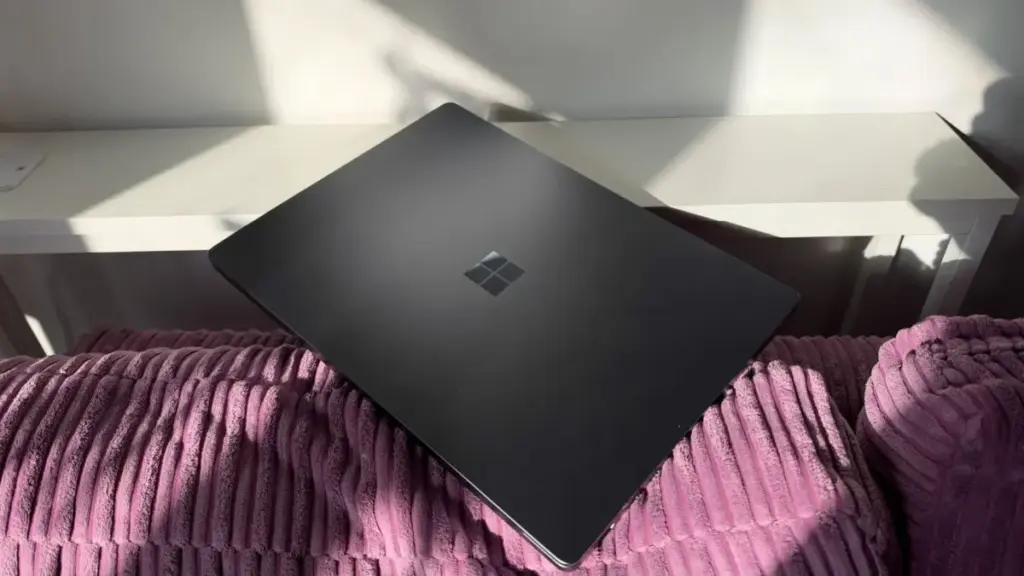
The perennial rivalry between Apple and Microsoft has entered a sophisticated new chapter with the release of the M5 MacBook Pro and the Microsoft Surface Laptop Ultra. For the modern professional, this choice is no longer just about a preference for operating systems; it has become a complex evaluation of hardware philosophy, silicon architecture, and the specific demands of specialized workflows. While the M5 MacBook Pro represents the latest evolution of Apple’s vertically integrated silicon strategy, the Surface Laptop Ultra leans into a high-performance partnership with Nvidia, utilizing the flagship RTX Spark chipset.
Choosing between these two machines requires a deep dive into how they handle the rigors of modern computing, from AI development and 3D rendering to high-end video editing and remote mobility. To provide a clear picture of how these titans compare, we have analyzed the specifications, performance benchmarks, and real-world usability of both devices to determine which workstation truly earns its place in a professional’s arsenal.
Physical Design and the Reality of Portability
When evaluating workstation-class laptops, the balance between power and portability is often the first point of contention. The physical differences between the M5 MacBook Pro and the Surface Laptop Ultra are stark, and they have a significant impact on daily usage. The Surface Laptop Ultra is a substantial machine, weighing in at 2kg. In contrast, the 14-inch M5 MacBook Pro weighs 1.55kg, making the Microsoft device nearly half a kilogram heavier than its Apple counterpart.
This weight discrepancy is mirrored in the dimensions of the chassis. The Surface Laptop Ultra measures 19.16mm in thickness, a necessity driven by the thermal requirements of its Nvidia RTX Spark hardware. The MacBook Pro maintains a more svelte profile at 15.5mm. Even the larger 16-inch MacBook Pro, which offers more screen real estate, remains thinner than the Surface at 16.7mm.
In practical terms, these numbers translate to a noticeable difference in mobility. While both machines are designed to be portable, the MacBook Pro is significantly easier to carry between meeting rooms or to transport in a rucksack during a daily commute. The Surface Laptop Ultra, while sleek in its own right, feels its weight during extended travel, positioning it more as a "desk-bound" workstation that can be moved when necessary, rather than a device built for constant on-the-go use.
Connectivity and Versatility
Where the Surface Laptop Ultra loses points in portability, it attempts to regain them through connectivity. The larger chassis allows for a more diverse array of ports, catering to users who still rely on a variety of peripherals without wanting to carry a bag full of dongles. The Ultra features two USB-C ports, a dedicated magnetic charging port, an HDMI 2.1b port, a traditional USB-A 3.1 slot, an SD card reader, and a 3.5mm headphone jack. These ports are thoughtfully distributed across both sides of the machine, providing flexibility for various desk and monitor configurations.
Apple’s M5 MacBook Pro follows the company’s established design language of streamlined connectivity. It offers three Thunderbolt 4 ports, an HDMI port, an SDXC card slot, and a MagSafe 3 charging port. While the inclusion of three Thunderbolt ports provides immense bandwidth for high-speed storage and multiple displays, the lack of a traditional USB-A port remains a hurdle for those using older hardware or specific enterprise security keys. Apple’s MagSafe system remains a favorite for its safety and ease of use, but unlike the Surface’s magnetic charger, it does not double as a standard data-carrying USB-C port in the same versatile fashion.
 Helpdesk & IT Service Management (ITSM)
Passive Boardroom Leadership and Funding Gaps Leaving Organizations Vulnerable to AI-Driven Cyber Threats, ISACA Warns
The global cybersecurity landscape is currently undergoing a period of unprecedented volatility,...
 Helpdesk & IT Service Management (ITSM)
US Government Intervenes to Limit UK Access to Latest OpenAI and Anthropic Models
The United Kingdom’s ambitions to remain at the vanguard of global artificial...
 Helpdesk & IT Service Management (ITSM)
Nutanix Announces Major FY27 Expansion of Elevate Partner Program to Include Systems Integrators and Enhanced AI Support
In a significant strategic shift designed to capture the burgeoning enterprise AI...







