
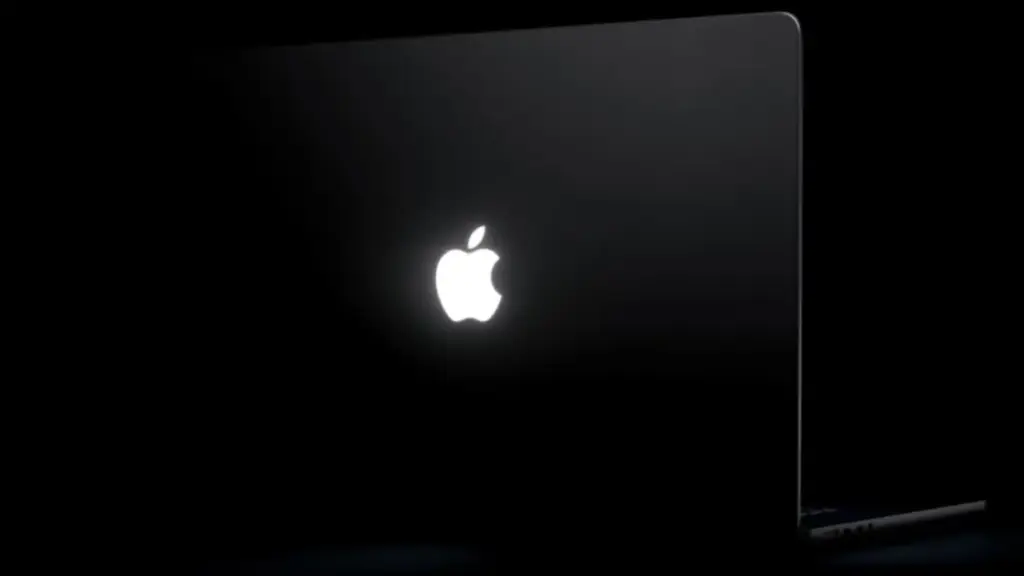
Following Apple’s official release of its redesigned 14-inch and 16-inch MacBook Pro models, a newly launched third-party utility is giving users unprecedented control over one of the hardware update’s most celebrated aesthetic features. Created by designer Juan Buis, the app, titled "Backglow," allows Mac owners to deeply customize, adjust, and automate the behavior of the newly resurrected illuminated Apple logo situated on the outer lid of Apple’s flagship laptops.
The release of Backglow comes immediately on the heels of Apple restoring the glowing rear emblem to its pro laptop line. While Apple’s out-of-the-box software behavior ties the logo’s illumination directly to the active state and brightness of the laptop display, Buis’ app decouples these elements, providing a suite of manual controls, dynamic lighting effects, and workflow-integrated notifications that Apple does not natively offer in macOS.
At its core, the free tier of Backglow addresses a primary limitation of Apple’s default implementation by introducing independent brightness control. Under stock macOS settings, the lid’s glowing logo automatically adjusts its intensity based on screen brightness levels and real-time environment readings gathered by the Mac’s ambient light sensor. Native system settings offer no dedicated slider or toggle to alter this relationship. Backglow fills this gap by allowing users to manually dial in the exact brightness level of the rear logo completely independent of how bright or dim their main display is set.
Additionally, the free version of the software provides a simple, one-click control to turn the illuminated logo off entirely. Prior to the release of Backglow, disabling the lid light required users to execute specific command-line instructions within Terminal, making quick toggling impractical for average users. By bringing this functionality into a streamlined menu bar application, users working in low-light environments, presentation settings, or dark rooms can instantly extinguish the exterior light without modifying system-level code or altering their internal display preferences.
Beyond static brightness adjustments, the free version of Backglow incorporates a nostalgic visual feature dubbed "Breathe" mode. When enabled, this mode causes the white light of the rear emblem to gently pulse in a slow, rhythmic pattern. The effect is designed as an homage to the classic sleep indicator light found on vintage MacBook Pro and MacBook Air models from prior decades—a subtle breathing animation that originally signaled when a closed Mac was in low-power standby mode. By bringing this visual behavior to the lid emblem itself, the app merges iconic elements of legacy Mac design with contemporary hardware.
For users seeking expanded functionality, Buis has introduced a paid Pro tier for Backglow, available for a one-time purchase price of $9 during an initial promotional period, rising to $15 afterward. The Pro upgrade unlocks two specialized dynamic modes: "Music" mode and "Agents" mode.
"Music" mode transforms the rear Apple logo into a reactive light visualizer. When media is played on the Mac, the app analyzes the real-time audio output and modulates the brightness and rhythmic pulsing of the logo’s illumination to match the beat and cadence of the music. This creates a subtle external visual effect synchronized with whatever track is currently playing through the computer’s speakers or system audio output.
 macOS & Apple IT Support
Best Buy Offers $100 Gift Card Incentive as Pre-Orders Open for Apple’s New MacBook Pro With PROLED XDR Display
Following Apple’s official unveil of its next-generation laptop line, pre-orders for the...
 macOS & Apple IT Support
Apple Employee Charged With Murder Following Fatal High-Speed Crash Near Apple Park Visitor Center
An Apple employee is facing severe criminal charges, including murder and assault...
 macOS & Apple IT Support
Apple Watch Series 12 and Apple Watch Ultra 4 Hands-On: Siri Recap Shows the Limits of Privacy-First AI
Apple’s latest software testing cycle has introduced one of its most ambitious—and...







