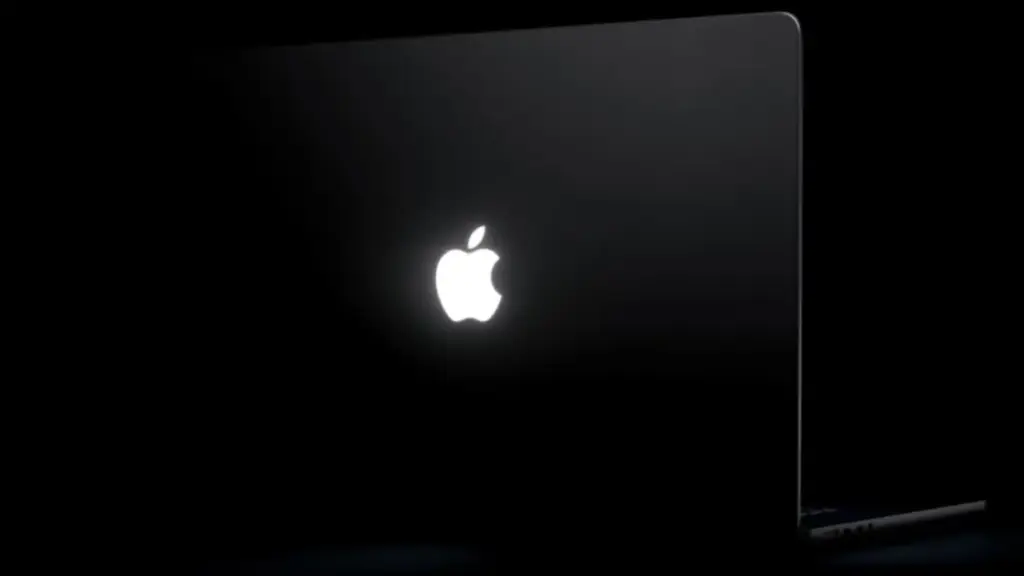
The primary driver behind its removal was the quest for extreme chassis thinness. Modern unibody aluminum display enclosures became so thin that incorporating a translucent cutout compromised the structural integrity of the metal lid. Furthermore, as display assemblies grew thinner, the risk of external light shining through the plastic logo and creating noticeable bright spots or visual artifacts on the active LCD screen increased significantly. To solve these engineering challenges and achieve a sleeker, thinner profile, Apple replaced the illuminated plastic cutouts with precision-milled, polished metal emblem inlays, ending a iconic design era.
The return of the feature on the newly launched 14-inch and 16-inch MacBook Pro models presented Apple engineers with an entirely new technical hurdle. The newest generation of MacBook Pro laptops features advanced PROLED XDR displays, utilizing self-emissive display technology rather than traditional global backlights. Because OLED pixels produce their own individual light and lack a centralized, high-intensity backlight unit behind the panel, the passive light-bleed technique of legacy MacBooks was physically impossible to replicate.
To overcome this, Apple had to completely re-engineer how the illuminated logo functions within the modern display housing. Rather than relying on secondary light from the screen, Apple developed an entirely new, dedicated light module embedded directly inside the top lid of the laptop.
According to reporting from Daring Fireball’s John Gruber, Apple engineered a custom, ultra-thin white light source designed specifically to illuminate the rear emblem independently without adding any measurable thickness to the MacBook Pro lid assembly. The dedicated module allows the logo to shine with high uniform brightness while maintaining the ultra-slim aluminum profile expected of modern hardware. When Gruber questioned an Apple representative regarding why the company invested substantial engineering resources into re-creating a legacy aesthetic feature on an OLED device, the representative candidly responded: "Because it’s awesome."
While Apple’s internal hardware team designed the component to evoke nostalgia and deliver a striking visual finish, macOS out of the box treats the light primarily as a static, automatic extension of the display system. According to official support documentation from Apple, the logo lights up whenever the Mac is active and awake, dynamically scaling its output based on environmental lighting conditions fed through the system’s ambient light sensors. macOS does not provide a native preferences panel to adjust the logo’s behavior, alter its thresholds, or set custom trigger events.
This lack of native customization is precisely what has created an eager market for utilities like Backglow. By offering a clean interface that operates within the macOS menu bar, Buis has transformed Apple’s re-engineered hardware module into a customizable tool for power users, developers, and nostalgic Mac enthusiasts alike. Whether used to dim the logo for late-night work sessions, simulate the classic pulsing sleep light, sync lighting effects to music playback, or monitor complex developer tasks via AI coding tools, Backglow expands the scope of what Apple’s revived glowing logo can do.
 macOS & Apple IT Support
Apple Unveils New Smart Home Portfolio as iPhone Duo Pre-Orders Slip into 2027 Ahead of October Media Event
Apple’s busy autumn product schedule reached a fever pitch this week as...
 macOS & Apple IT Support
App Developers Embrace iPhone Duo Form Factor with Skeuomorphic Designs and Interactive Folding Mechanics
The official arrival of the iPhone Duo marks a significant hardware transition...
 macOS & Apple IT Support
Amazon Launches Early Prime Day Sales Across Apple’s Latest Lineup, Cutting Prices on MacBooks, iPads, AirPods, and Apple Watches
Amazon has officially kicked off an extensive wave of early discounts ahead...