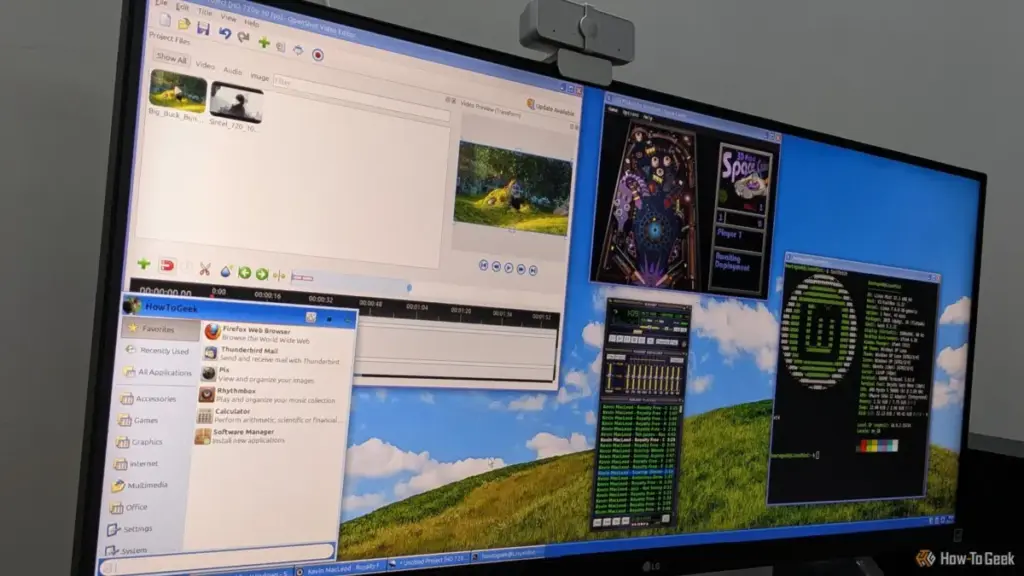
For many technology users who came of age during the late 1990s and early 2000s, the operating system was more than just a layer of code facilitating hardware communication; it was a curated environment of reliable, focused tools. From the satisfying click of a mechanical mouse in Windows 95 to the iconic rolling hills of the Windows XP desktop, the software of that era possessed a specific aesthetic and functional philosophy. However, as the industry shifted toward "software as a service," cloud integration, and aggressive telemetry, many of the beloved applications that defined the "Golden Age" of personal computing were unceremoniously retired or replaced by modern, often bloated, alternatives.
Dibakar Ghosh, a veteran tech journalist with over a decade of experience in the open-source and productivity sectors, has spent years observing this transition. Like many long-term Windows users, Ghosh has watched his favorite utilities vanish, replaced by "modern" versions that frequently prioritize aesthetic trends over functional reliability. While these newer iterations boast high-resolution icons and seamless cloud syncing, there is a growing sentiment among power users that something fundamental has been lost: the simplicity of an app that "just worked" without the need for a subscription or a constant internet connection.
In a surprising twist of digital fate, the search for that lost Windows experience has led many enthusiasts away from Microsoft’s ecosystem and toward the world of Linux. It is a profound irony that the platform once considered the antithesis of the Windows experience has become the premier sanctuary for preserving the look, feel, and workflow of classic Windows applications.
The Disappearance of the "Middle Ground" in Word Processing
The recent decision by Microsoft to officially deprecate and remove WordPad in Windows 11 version 24H2 marked the end of an era. For decades, WordPad served as the essential bridge between the austerity of Notepad and the overwhelming complexity of Microsoft Word. It was the "Goldilocks" of text editors—capable of handling rich-text formatting (RTF) and basic document structures without the system-resource demands or the subscription costs associated with the full Office suite.
Microsoft’s current recommendation for users is binary: use Notepad for simple tasks or subscribe to Microsoft 365 for document editing. This leaves a significant gap for users who need a fast, offline, and lightweight rich-text editor. Notepad, despite recent improvements such as Markdown support and a tabbed interface, remains insufficient for those needing proper page layouts or embedded images. Conversely, Microsoft Word has become a behemoth of features that many casual users find unnecessary and distracting.
For those migrating to Linux, this gap is perfectly filled by AbiWord. This open-source word processor feels like a direct spiritual successor to the classic Windows document editors. Its layout is intentionally traditional, eschewing the modern "ribbon" interface for a clean, menu-driven system that long-time Windows users will find instantly familiar.
AbiWord’s strength lies in its efficiency. It loads almost instantaneously, a stark contrast to the heavy startup times of modern office suites like LibreOffice or ONLYOFFICE. Despite its small footprint, it offers a robust feature set including word counts, footnotes, tables, and even revision tracking—features that were often missing from WordPad but present in early versions of Word. While it handles its own .abw format by default, its ability to manage .doc and .docx files makes it a viable tool for modern interoperability, provided the documents are not overly burdened with complex, proprietary formatting. By offering a completely offline, free-to-use experience, AbiWord preserves the utilitarian philosophy that Microsoft has largely abandoned.
 Tech Tutorials & How-To Guides
Top Streaming Picks for Late October: From High-Stakes Documentaries to Modern Classics
As the final week of October arrives, the cultural atmosphere undergoes a...
 Tech Tutorials & How-To Guides
The Hidden Cost of DLSS: Why NVIDIA’s Software Lead No Longer Justifies the GeForce Price Premium
For over a decade, NVIDIA has cultivated a nearly impenetrable software ecosystem...
 Tech Tutorials & How-To Guides
Netflix Bolsters November Lineup with High-Stakes Thrillers and the Return of Fan-Favorite Dramas
As the final months of 2026 approach, Netflix is signaling that it...