For many technology users who came of age during the late 1990s and early 2000s, the operating system was more than just a layer of code facilitating hardware communication; it was a curated environment of reliable, focused tools. From the satisfying click of a mechanical mouse in Windows 95 to the iconic rolling hills of the Windows XP desktop, the software of that era possessed a specific aesthetic and functional philosophy. However, as the industry shifted toward "software as a service," cloud integration, and aggressive telemetry, many of the beloved applications that defined the "Golden Age" of personal computing were unceremoniously retired or replaced by modern, often bloated, alternatives.
Dibakar Ghosh, a veteran tech journalist with over a decade of experience in the open-source and productivity sectors, has spent years observing this transition. Like many long-term Windows users, Ghosh has watched his favorite utilities vanish, replaced by "modern" versions that frequently prioritize aesthetic trends over functional reliability. While these newer iterations boast high-resolution icons and seamless cloud syncing, there is a growing sentiment among power users that something fundamental has been lost: the simplicity of an app that "just worked" without the need for a subscription or a constant internet connection.
In a surprising twist of digital fate, the search for that lost Windows experience has led many enthusiasts away from Microsoft’s ecosystem and toward the world of Linux. It is a profound irony that the platform once considered the antithesis of the Windows experience has become the premier sanctuary for preserving the look, feel, and workflow of classic Windows applications.
The Disappearance of the "Middle Ground" in Word Processing
The recent decision by Microsoft to officially deprecate and remove WordPad in Windows 11 version 24H2 marked the end of an era. For decades, WordPad served as the essential bridge between the austerity of Notepad and the overwhelming complexity of Microsoft Word. It was the "Goldilocks" of text editors—capable of handling rich-text formatting (RTF) and basic document structures without the system-resource demands or the subscription costs associated with the full Office suite.
Microsoft’s current recommendation for users is binary: use Notepad for simple tasks or subscribe to Microsoft 365 for document editing. This leaves a significant gap for users who need a fast, offline, and lightweight rich-text editor. Notepad, despite recent improvements such as Markdown support and a tabbed interface, remains insufficient for those needing proper page layouts or embedded images. Conversely, Microsoft Word has become a behemoth of features that many casual users find unnecessary and distracting.
For those migrating to Linux, this gap is perfectly filled by AbiWord. This open-source word processor feels like a direct spiritual successor to the classic Windows document editors. Its layout is intentionally traditional, eschewing the modern "ribbon" interface for a clean, menu-driven system that long-time Windows users will find instantly familiar.
AbiWord’s strength lies in its efficiency. It loads almost instantaneously, a stark contrast to the heavy startup times of modern office suites like LibreOffice or ONLYOFFICE. Despite its small footprint, it offers a robust feature set including word counts, footnotes, tables, and even revision tracking—features that were often missing from WordPad but present in early versions of Word. While it handles its own .abw format by default, its ability to manage .doc and .docx files makes it a viable tool for modern interoperability, provided the documents are not overly burdened with complex, proprietary formatting. By offering a completely offline, free-to-use experience, AbiWord preserves the utilitarian philosophy that Microsoft has largely abandoned.
Reclaiming the Creative Simplicity of Windows Movie Maker
In the early 2000s, Windows Movie Maker democratized video editing for the masses. Bundled with Windows XP, it allowed families to take raw footage from camcorders and transform it into structured narratives with transitions, titles, and music. It was a tool that fostered creativity without requiring a degree in film production.
Today, Microsoft’s answer to this is Clipchamp, a web-based editor that arrived following the acquisition of the startup of the same name. While Clipchamp is technically capable, it represents the modern "freemium" trend that many users find distasteful. Essential features, such as 4K exporting, are often locked behind a subscription paywall, and the app’s reliance on web technologies can feel sluggish compared to the native, hardware-accelerated performance of legacy software.
The Linux ecosystem offers several alternatives for the hobbyist editor, but OpenShot stands out for its ability to capture the specific balance of simplicity and power that made Movie Maker a staple. OpenShot provides a non-linear editing environment that feels intuitive to anyone who spent their weekends stitching together family vacation clips in 2004.
Unlike the "prosumer" complexity of Kdenlive or the professional-grade requirements of DaVinci Resolve, OpenShot focuses on a streamlined user experience. It supports unlimited tracks, allowing for complex layering of audio and video, and includes a massive library of built-in effects and transitions that are applied via simple drag-and-drop actions. It is a native application, meaning it respects the user’s hardware resources and operates entirely offline, free from the "upselling" tactics found in modern Windows equivalents.
The Nostalgia of Casual Gaming: The Case for 3D Pinball
Beyond productivity, the "Windows experience" was defined by its bundled games. Before the era of "Live Service" titles designed to maximize player retention through addictive psychological loops, Windows provided simple, high-quality diversions. Perhaps none is more fondly remembered than 3D Pinball for Windows – Space Cadet.
Originally a demo for a full game by Maxis, Space Cadet became a cultural phenomenon when it was bundled with the Microsoft Plus! pack for Windows 95 and later included in Windows NT, 2000, and XP. It was the perfect "micro-game"—something a professional could play for five minutes during a break or a student could obsess over to beat a high score.
Microsoft eventually dropped the game, citing technical difficulties during the transition to 64-bit architecture. Specifically, developers at the time struggled with a collision detection bug that caused the ball to pass through solid objects, and the decision was made to retire the game rather than devote extensive resources to debugging decades-old code.
For years, this left fans of the game relegated to running unstable ports or using emulators. However, the Linux community has successfully hosted a reverse-engineered version of the original game, available on platforms like Flathub. This version is not a mere imitation; it is a faithful recreation that utilizes the original assets and logic. On a Linux desktop, Space Cadet Pinball runs natively, with the exact physics, sound effects, and "feel" of the Windows XP original. It serves as a reminder that in the open-source world, software is preserved by the passion of the community rather than the profit margins of a corporation.

Creating the Complete Retro Environment
The appeal of these applications is significantly enhanced when they are hosted within a desktop environment that mirrors the aesthetics of the past. One of the greatest strengths of Linux is its unprecedented level of customization, which allows a user to recreate the exact look of a classic Windows environment while maintaining the security and performance of a modern kernel.
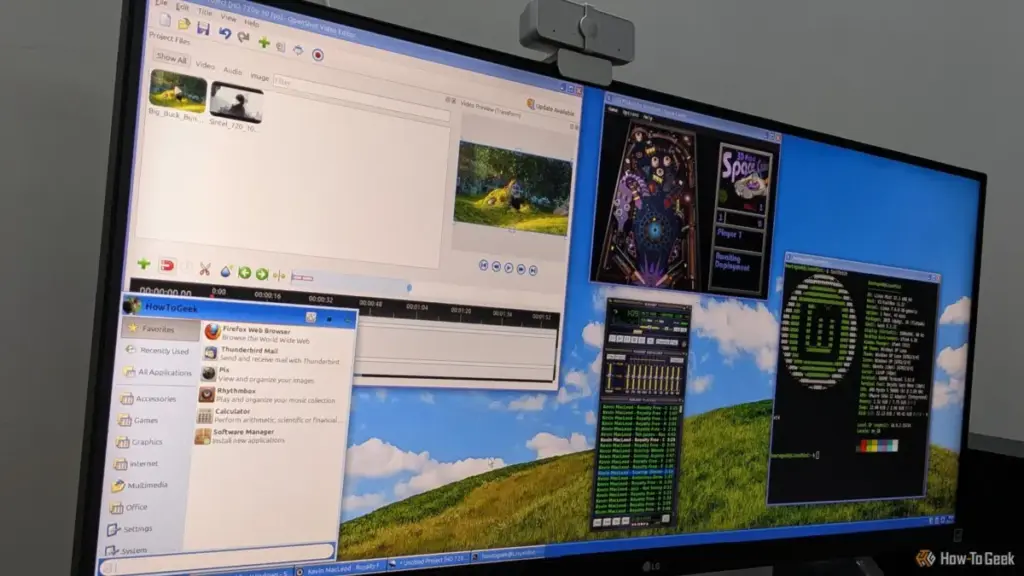
Distributions like Linux Mint, particularly when using the Xfce or Cinnamon desktop environments, provide a familiar taskbar-and-start-menu paradigm. By applying custom themes—many of which are meticulously designed to replicate the "Luna" theme of Windows XP or the "Aero" look of Windows 7—users can create a cohesive experience.
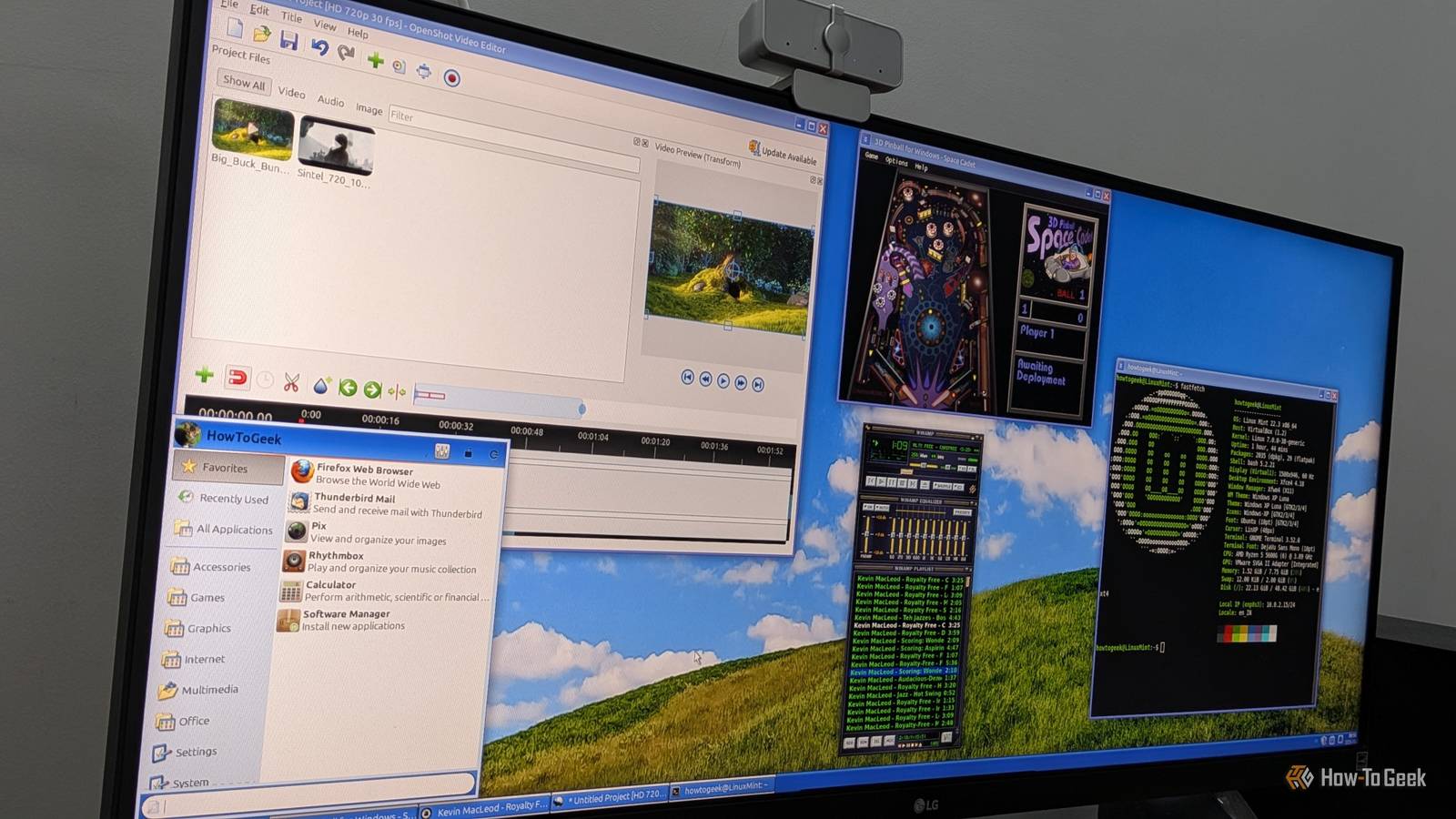
Ghosh notes that his current setup involves Linux Mint Xfce Edition, modified with a custom Windows XP theme. In this environment, apps like AbiWord and OpenShot don’t just function well; they look like they belong. This setup provides a psychological comfort that modern Windows, with its forced updates, integrated advertising in the Start menu, and shifting UI languages, often fails to deliver.
The Philosophy of Software Preservation
The migration of these "Windows-style" experiences to Linux highlights a broader trend in the tech world. As mainstream operating systems move toward a "closed-garden" model, the responsibility for software preservation and user-centric design has shifted to the open-source community.
For users like Ghosh, the move to Linux wasn’t about leaving Windows behind so much as it was about finding where the spirit of Windows had gone. By choosing AbiWord over Word, OpenShot over Clipchamp, and community-maintained pinball over modern mobile-style ports, users are making a statement about what they value: speed, simplicity, and the right to own the tools they use.
As Windows 11 continues to evolve toward a more cloud-centric and AI-integrated future, the divide between the "modern" user and the "classic" enthusiast will likely grow. For the latter, the path to the past ironically leads straight through the most flexible and forward-thinking platform available today: Linux. Through the efforts of open-source developers, the "Golden Age" of the PC isn’t just a memory; it’s a functional, daily-driver reality for anyone willing to make the switch.
 Tech Tutorials & How-To Guides
The Weight of Quality: Overcoming the Material Limitations of Desktop 3D Printing
The rise of desktop 3D printing has fundamentally democratized manufacturing, allowing hobbyists...
 Tech Tutorials & How-To Guides
Paramount+ Thriller Spotlight: From Gritty Action Franchises to Luc Besson’s Reimagined Dracula
As the calendar turns deeper into October, the shift in atmosphere is...
 Tech Tutorials & How-To Guides
The Fedora Paradox: Why the Industry’s Favorite Linux Distribution Still Feels Like an Unfinished Product
Fedora has long occupied a prestigious, if somewhat contradictory, position within the...