
In the hyper-competitive landscape of global smartphone manufacturing, Samsung Electronics has long distinguished itself not merely through cutting-edge hardware, but through an aggressively expansive approach to software development. The company’s proprietary One UI interface, which overlays the Android operating system, is widely recognized as one of the most feature-dense environments available to modern consumers. However, this "kitchen sink" philosophy—the practice of packing as many tools and utilities as possible into a single device—presents a unique paradox for the average user.
While Samsung Galaxy devices are equipped with a suite of tools that arguably surpass those offered by competitors like Google or Apple in terms of sheer variety, a significant portion of this functionality remains untapped. For many users, the complexity of the software leads to a reliance on default settings, leaving some of the most innovative and productivity-enhancing features buried within sub-menus. As the smartphone market moves further into an era defined by artificial intelligence and personalized automation, industry analysts and long-time observers are pointing to five specific One UI features that represent the pinnacle of Samsung’s software engineering, yet remain overlooked by the vast majority of the Galaxy user base.
The Power of Contextual Automation: Modes and Routines
Perhaps the most significant of these underutilized tools is "Modes and Routines." Formerly known as Bixby Routines, this feature has evolved into a sophisticated automation engine that allows users to program their phones to react dynamically to their environment. Despite its potential to radically simplify the daily user experience, many owners perceive it as a tool reserved for "power users" or those with a background in programming.
The reality, however, is that Modes and Routines is designed to handle the mundane tasks that users otherwise perform manually dozens of times a day. By utilizing a "If This, Then That" logic, the system can trigger specific phone behaviors based on time, location, or device status. For instance, a user can configure a routine that automatically launches a music streaming app and disables notification sounds the moment the device connects to a car’s Bluetooth system. Similarly, geofencing capabilities allow the phone to switch to a silent profile or activate a specific "Work Mode" as soon as the user arrives at their office coordinates.
The depth of this feature extends into digital wellbeing. By setting up specific "Modes"—such as Sleep, Theater, or Driving—users can dictate exactly which contacts are allowed to reach them and which applications are permitted to send alerts. This level of granular control ensures that the smartphone serves as a tool for the user, rather than a constant source of distraction. Experts suggest that spending even a brief period configuring these automations can save hours of manual adjustments over the lifespan of a device, yet it remains one of the most frequently bypassed sections of the Settings menu.

Managing the Digital Divide with Dual Messenger
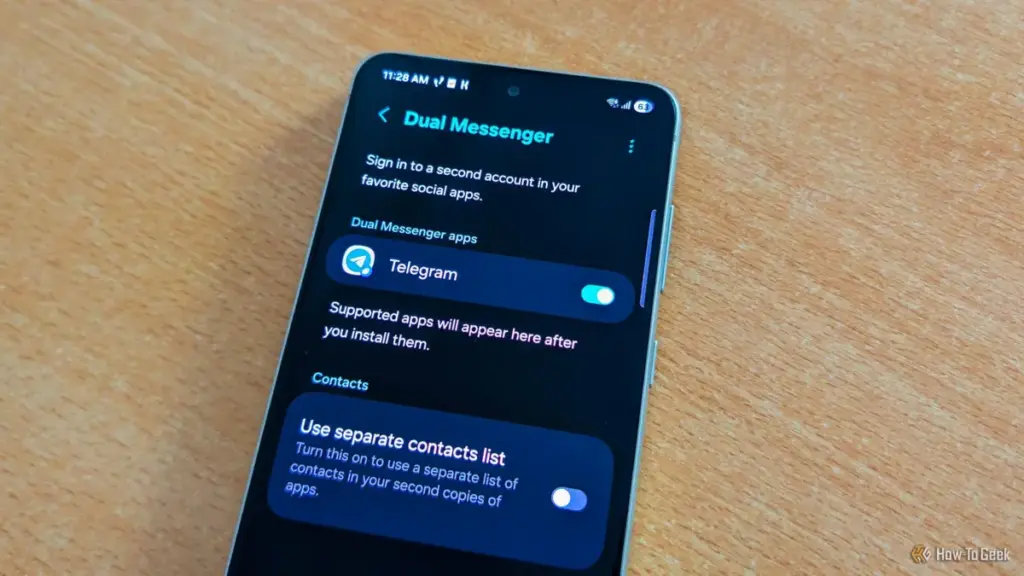
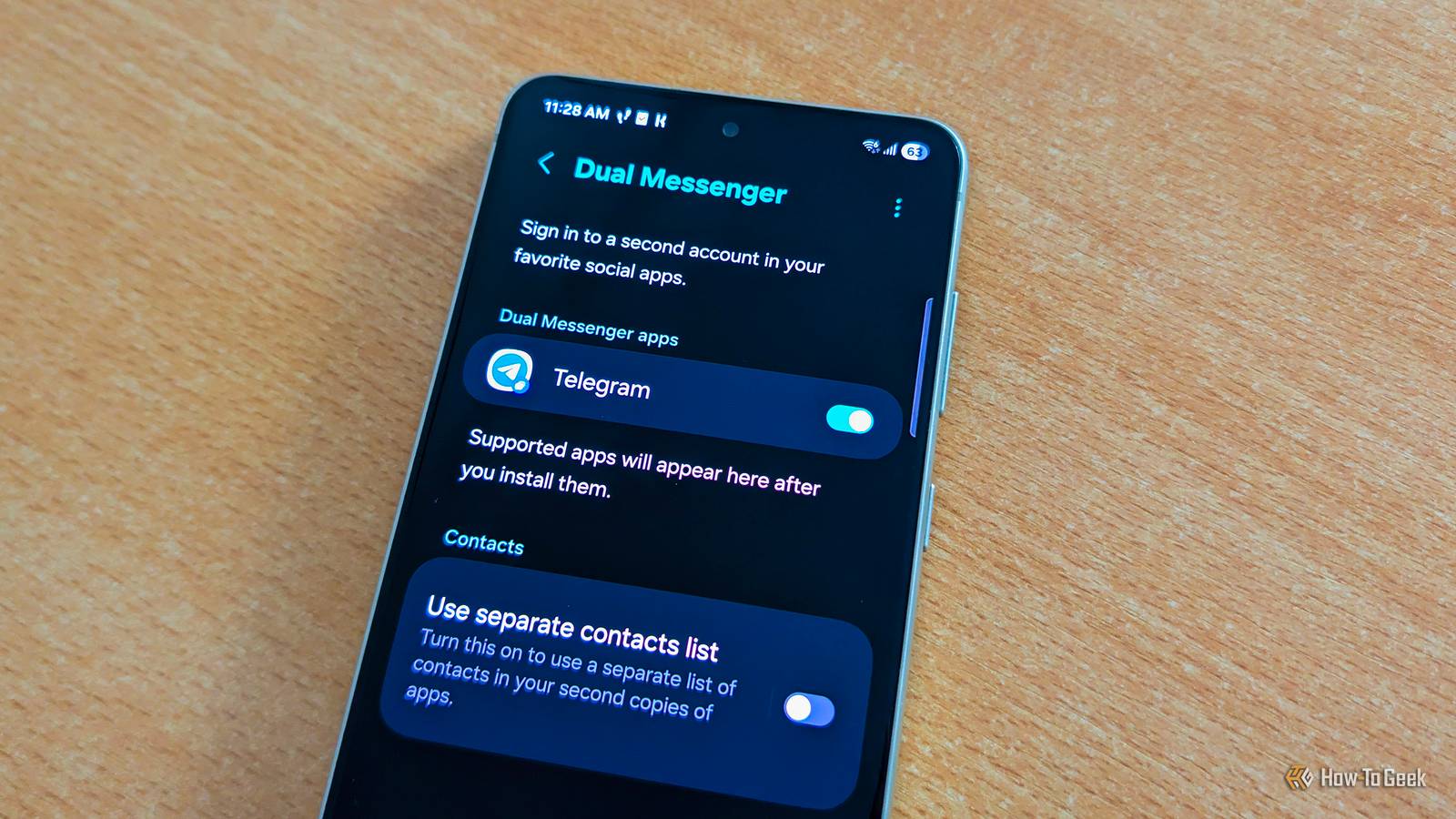
As the lines between professional and personal lives continue to blur, Samsung has integrated a solution that addresses the growing need for account separation without requiring a second physical device. The "Dual Messenger" feature is a specialized utility that allows for the simultaneous operation of two separate accounts within the same messaging application.
Unlike third-party "app cloning" software, which can often be unstable or pose security risks, Dual Messenger is built directly into the One UI framework. It creates a secondary, sandboxed instance of supported apps like WhatsApp, Telegram, or Facebook Messenger. This is particularly beneficial for entrepreneurs, social media managers, or employees who must manage corporate communications alongside personal chats.
 Tech Tutorials & How-To Guides
The Raspberry Pi Returns to Its Maker Roots: Three Innovative Hardware Projects for the Modern Tinkerer
As the technology landscape continues to evolve in 2026, the role of...
 Tech Tutorials & How-To Guides
Smart Solutions for Rising Utility Bills: How Specialized Tech Identifies and Reduces Residential Energy Waste
As global energy markets remain volatile and utility costs continue a steady...
 Tech Tutorials & How-To Guides
The Limits of DNS Privacy: Why Changing Your Resolver Is Not a Total Cloaking Device
In the modern era of digital surveillance and data harvesting, internet users...







