
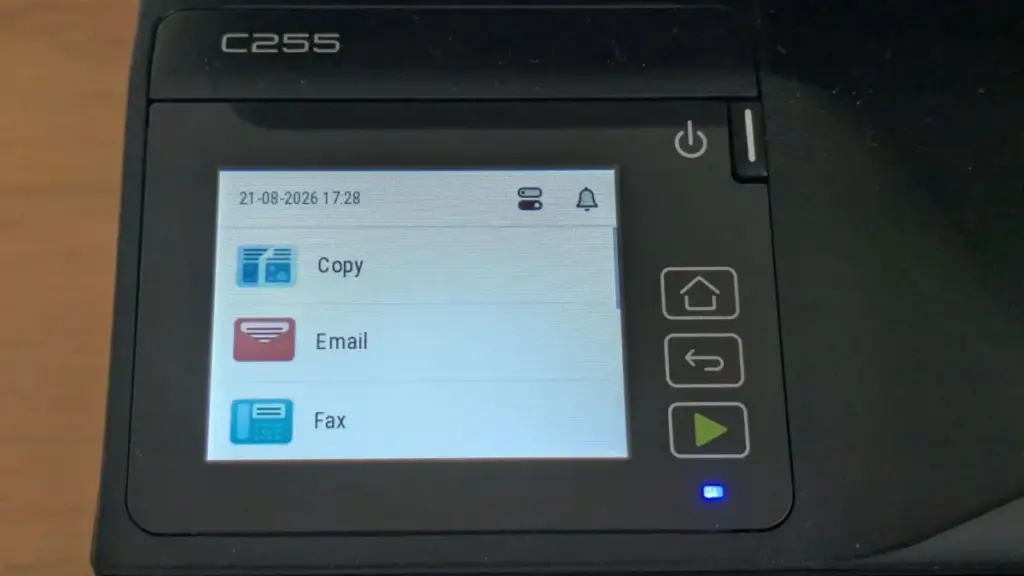
In the competitive landscape of office hardware, Xerox has long maintained a reputation for producing robust, high-capacity imaging devices designed for the rigors of corporate environments. The American manufacturer’s latest push into the entry-level market includes the Xerox C255a, a color laser multifunction peripheral (MFP) aimed at small businesses and home offices. While it arrives with a specification sheet that promises a versatile "all-in-one" experience—encompassing printing, scanning, copying, and faxing—the reality of its performance suggests a device defined as much by its compromises as by its capabilities.
The Xerox C255a enters a crowded segment where users demand professional-grade features at a consumer-friendly price point. On paper, it seems to deliver: it boasts both wired and wireless networking, a color touchscreen interface, a front-facing USB host slot for direct printing and scanning, and automatic double-sided (duplex) printing. However, with a rated engine speed of 25 pages per minute (ppm), it occupies the slower end of the laser spectrum, raising questions about its efficiency in a fast-paced work environment.
Design and Ergonomics
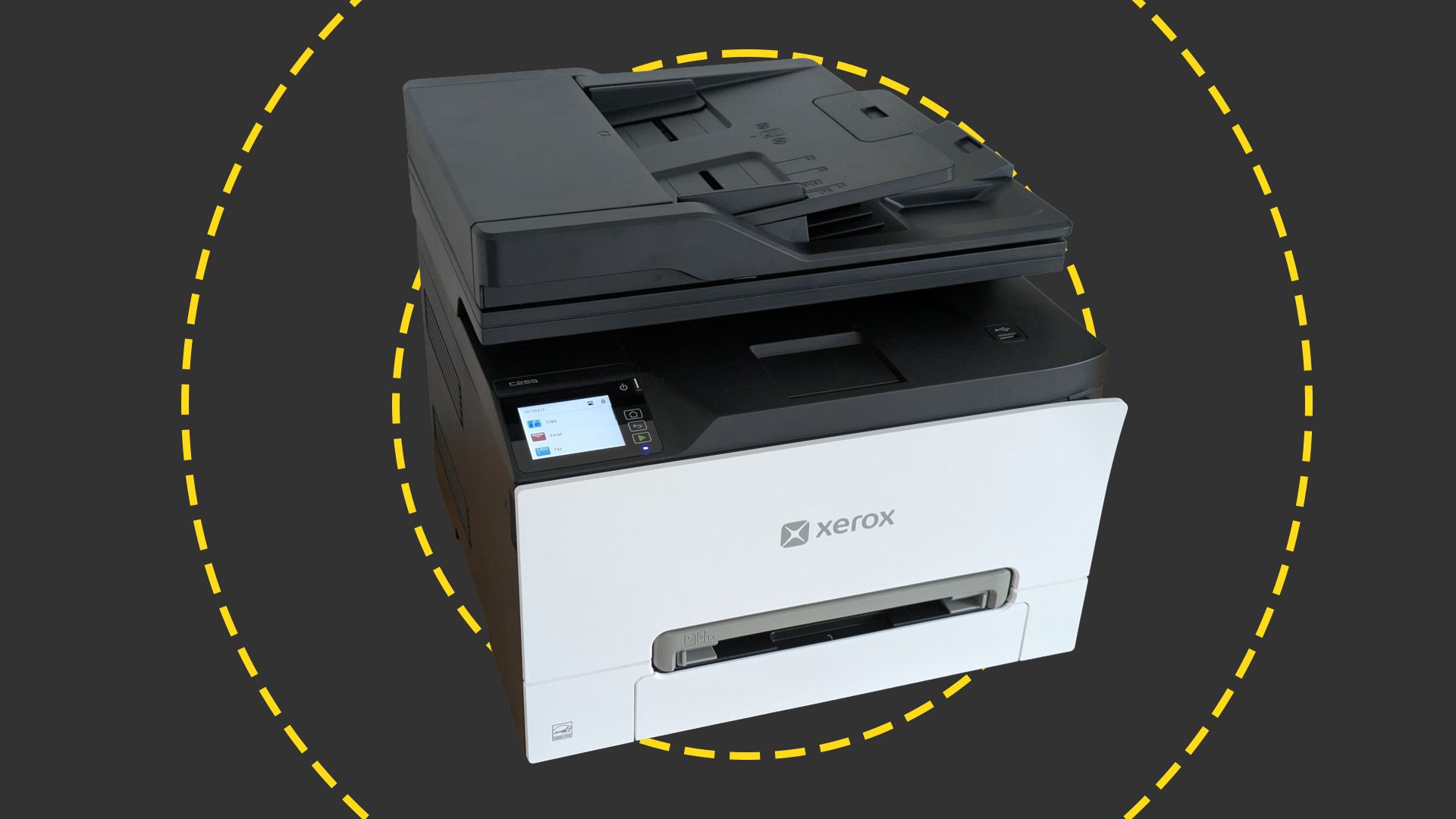
The aesthetic appeal of the C255a is a matter of perspective. Xerox has opted for a high-contrast "panda" color scheme, featuring modern white exterior panels wrapped around a matte black core. When viewed from the front, the design is sleek and professional, fitting seamlessly into a contemporary office aesthetic. However, the visual balance shifts when the device is viewed from the side or rear; from these angles, the black plastic dominates the profile, giving the machine a somewhat disjointed and awkward appearance.
Functionally, the design is more successful. For a laser MFP, the C255a is remarkably compact. Measuring 345mm in height and 411mm in width, it occupies a footprint small enough to sit comfortably on a standard desk without overwhelming the workspace. This compactness is a significant selling point for remote workers or small businesses operating out of cramped quarters where every square inch of desk real estate is at a premium.
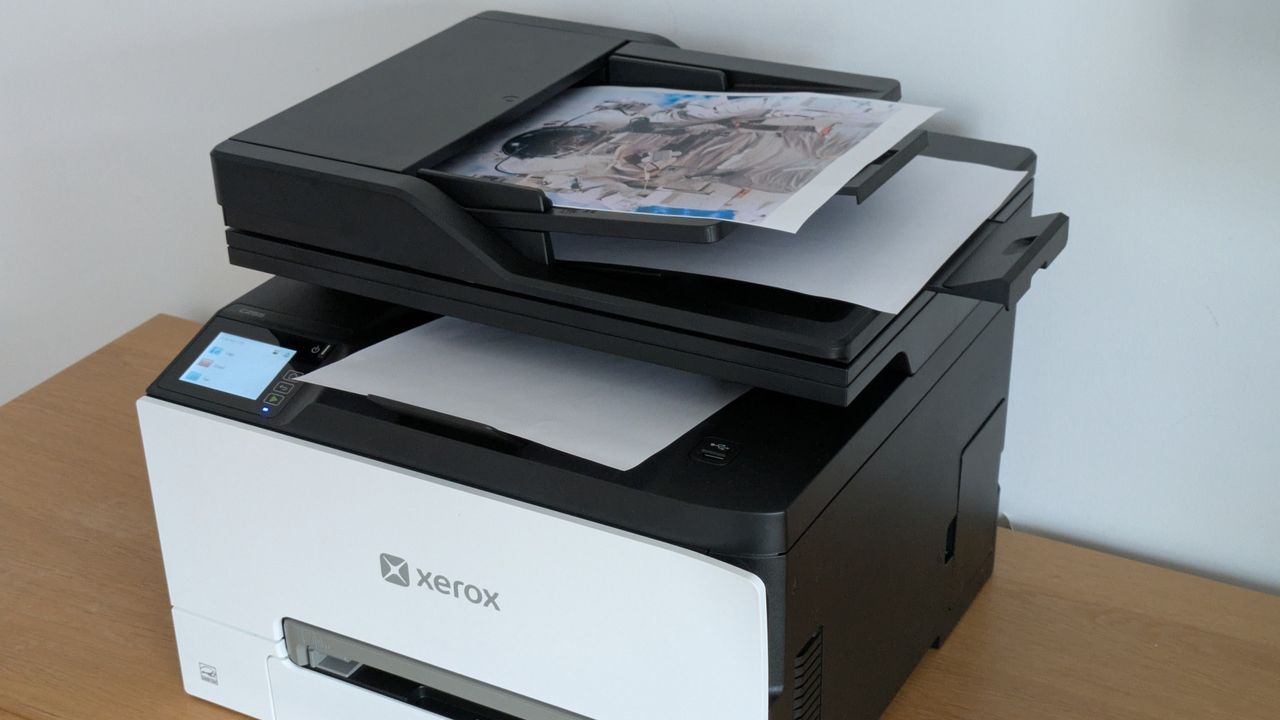
Despite its small stature, the physical build reveals some of the limitations inherent in its entry-level positioning. The primary paper input tray has a maximum capacity of 250 sheets. While this is standard for many desktop printers, it remains a point of friction for users who print in volume; a standard ream of paper contains 500 sheets, meaning users will frequently find themselves with half-empty packs of paper cluttering their storage. Furthermore, the C255a lacks a multi-sheet multipurpose tray, offering instead a single-sheet bypass feed. This makes the handling of specialized media, such as letterhead or envelopes, a manual and repetitive task. On the top of the unit sits a 50-sheet automatic document feeder (ADF) for scanning and copying multi-page documents, but this component is restricted to single-sided operation. For offices that frequently deal with double-sided originals, this lack of duplex scanning adds a layer of manual labor to the digital workflow.
Xerox C255a review: Setting up
While many laser MFPs are notorious for their bulk and weight, requiring a two-person lift, the Xerox C255a is a notable exception. At 19.5kg, it is manageable for a single individual to unbox and position. However, potential users should plan their desk layout carefully; an air vent on the left side and paper guides on the ADF that project slightly to the right mean the unit cannot be pushed flush into a corner.
The physical setup is relatively straightforward, though not without its minor hurdles. Like most modern printers, it arrives with various orange plastic locking clips and tapes to protect the internal components during transit. During our testing, we found it easy to overlook a critical step involving the internal toner tray. Each of the four toner cartridges (cyan, magenta, yellow, and black) is secured by a plastic clip that must be removed by pulling the tray out. Fortunately, Xerox has integrated a helpful on-device setup routine; the printer’s firmware detected the remaining clips upon the first power-up and provided clear instructions on how to rectify the oversight.
The paper tray also requires a small adjustment. In its default shipping state, it is not deep enough to accommodate standard A4 paper. A small lever allows the tray to be extended outward. In a thoughtful bit of engineering, extending the tray does not cause it to protrude from the rear of the machine—a common design flaw in competing compact printers that often leads to dust accumulation or accidental damage.
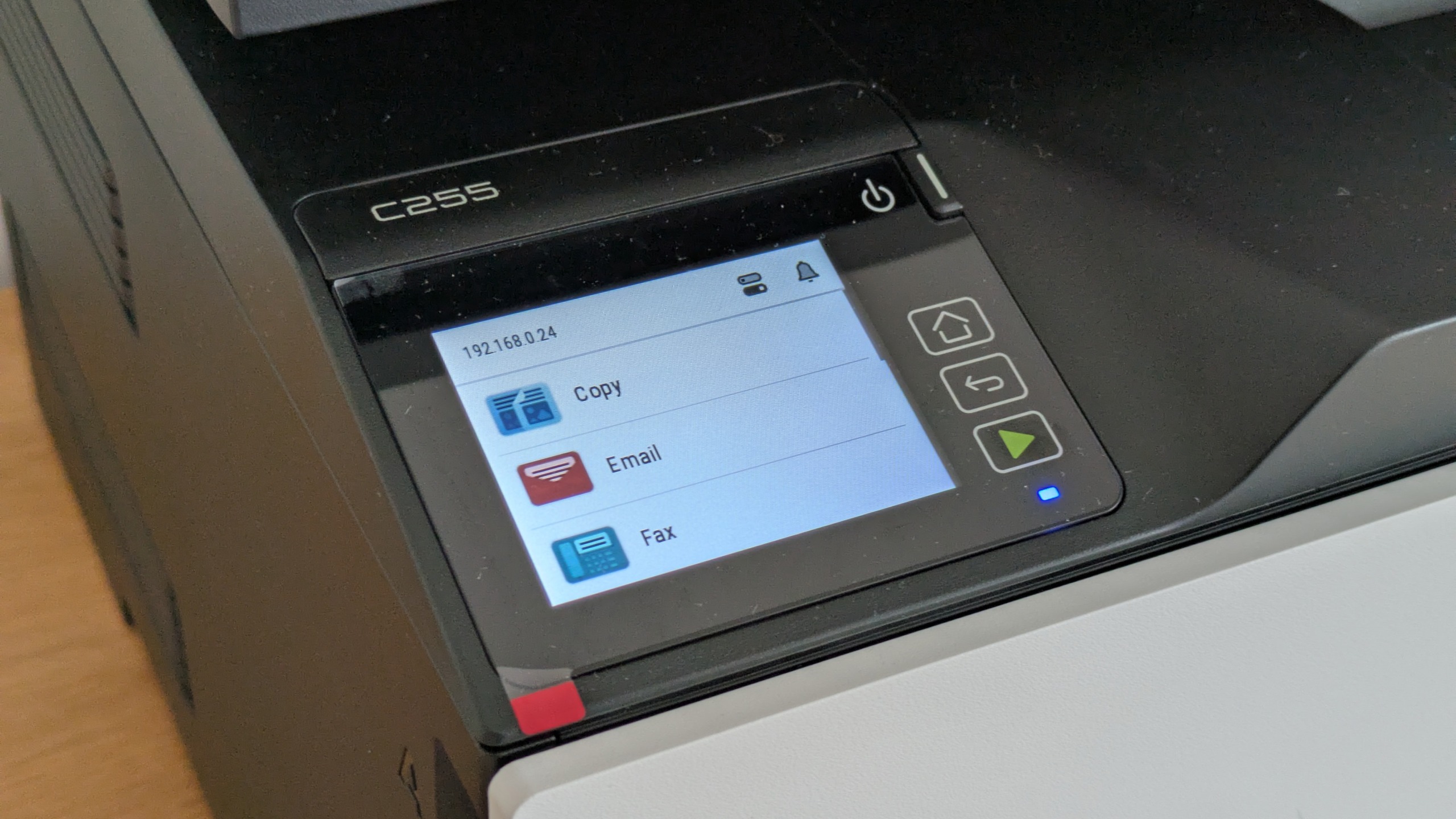
The initial boot sequence is somewhat slow, as the machine initializes its various systems. During this phase, the user is prompted to configure basic settings such as location and time zone. Crucially, the C255a requires the creation of administrator credentials during the initial setup. This is a welcome security feature, ensuring the device is protected from unauthorized configuration changes from the moment it joins the network. The onboard color touchscreen is responsive to the touch, and the menu hierarchy is logically organized, making it easy to navigate through various functions without constantly referring to a manual.
On the software side, the installation process for Windows PCs makes a few unconventional choices. By default, the installer does not include a TWAIN scan driver, which may be a hurdle for users who rely on older imaging software. More puzzling is the default configuration of a 15-second delay between the moment a user clicks "print" and the moment the printer begins processing the job. While this "buffer" might save a few sheets of paper for those who frequently realize they have made a mistake immediately after hitting the button, most users will find it an unnecessary frustration. Fortunately, both the TWAIN driver and the print delay can be adjusted during the custom installation process.
One area where the C255a punching above its weight is in its security and management features. Despite its entry-level status, it supports LDAP and Active Directory login with Kerberos authentication. It also utilizes TLS 1.3 encryption by default and includes an OpenSSL module validated to FIPS 140-3 standards. For businesses requiring centralized oversight, the device is compatible with the Xerox Workplace Suite and Workplace Cloud, allowing it to be integrated into a larger managed fleet of devices.
Xerox C255a review: Printing, scanning and copying
Performance is where the Xerox C255a begins to lose its luster. While the 25ppm engine speed is modest on paper, the real-world results in our testing were consistently lower. When printing a standard black-and-white text document, the first page emerged after 18 seconds. Over a longer 25-page run, the device averaged only 19.7ppm.
The slowdown was even more pronounced when handling color documents. A 24-page color test took over two minutes to complete, resulting in a sluggish 11.7ppm—less than half of the manufacturer’s rated speed. This lack of urgency extended to duplex printing; a five-page color document (ten sides) was delivered at a rate of just 5.6 images per minute (ipm). This sluggishness appears to stem from the printer’s internal processing; the C255a seems to require significant "spooling" time to prepare multi-page documents before the mechanical engine even begins to move. Even during a 50-page mono text test, the device failed to hit its stride, reaching only 18.2ppm.
In contrast to the lethargic print engine, the scanning and copying components of the C255a felt remarkably brisk. A preview scan was generated in just seven seconds, and an A4 document was scanned at 300dpi in 10 seconds. Even a high-resolution 600dpi scan of a 6×4" photo was completed in 11 seconds. When used as a standalone copier, the device delivered single-page copies in 14 seconds regardless of whether they were in mono or color.
This creates a strange dichotomy during operation. When making a 10-page mono copy via the ADF, the scanner finished its work in just 17 seconds, while the printer struggled to keep up, eventually finishing the job in 35 seconds. It is worth noting, however, that the ADF was somewhat temperamental. It struggled with older, slightly creased documents, refusing to feed them until they were rotated 180 degrees.
Xerox C255a review: Results
Speed issues might be forgiven if the output quality were exceptional, but the Xerox C255a produces results that are merely average. Black text is sharp and legible, as is typical for laser technology, but color output leaves much to be desired. Both graphics and photographs exhibited a persistent "cool" blue bias. This was particularly noticeable in portraits, where subjects appeared unnaturally pale, and in business graphics, where vibrant colors felt muted and cold.
Compounding this issue is the lack of granular color control within the print driver. Many competing devices allow users to manually adjust color balances to correct for such biases, but the C255a offers no such utility. Users are essentially stuck with the default color profile.
The scanner suffered from similar calibration issues. Scanned images tended to be overly dark, with a significant loss of detail in the shadows. In our tests using a Kodak Q-60 color calibration target, the scanner failed to distinguish between the darkest shades of gray, effectively crushing the blacks and losing the nuance required for high-quality archival work. While the copies produced by the device were slightly more vibrant than the direct prints, we observed strange bordering artifacts around large blocks of color text, suggesting the firmware was over-processing the image in an attempt to sharpen it.
Final Verdict
The Xerox C255a is a device that promises the world but delivers a much smaller province. While its compact design and enterprise-grade security features are commendable, they are overshadowed by a print engine that fails to meet its advertised speeds and an output quality that is consistently underwhelming.
Running costs also fail to provide a compelling reason for adoption. The printer ships with "starter" toners rated for only 750 black or 500 color pages. Once these are exhausted, replacement cartridges are available in 1,300 or 3,000-page capacities for black, and 1,200 or 2,500 pages for color. At current prices, this results in a cost per page of 2.2p for black and 11.5p for color (excluding VAT). These figures are roughly in line with the industry average for this class of device, meaning the C255a offers no significant economic advantage to offset its performance deficits.
For a small office that prioritizes security and compact dimensions above all else, the C255a might find a niche. However, for most users seeking a reliable, high-speed, and high-quality color laser MFP, there are more capable alternatives on the market that deliver a better balance of speed and fidelity.
 Helpdesk & IT Service Management (ITSM)
The Shift Toward Pre-emptive Cybersecurity: Why "Detect and Respond" is No Longer Enough in the Age of AI
The cybersecurity landscape has long been characterized by a perpetual game of...
 Helpdesk & IT Service Management (ITSM)
Microsoft Reveals Root Cause of Major 365 Outage, Citing Latent Software Defect and Hardware Discrepancies
Microsoft has officially disclosed the technical findings behind a significant and prolonged...
 Helpdesk & IT Service Management (ITSM)
UK Urged to Secure £75 Billion AI Economic Boost Through New National "Prosperity Compact"
The United Kingdom stands at a critical economic crossroads, with the potential...







