


However, relying on terminal package management creates an imposing barrier to entry for mainstream users. Expecting someone to recognize and query specific library packages such as gstreamer1.0-plugins-ugly or other low-level modular frameworks is unrealistic.
Compounding the issue is the way Ubuntu’s modern App Center handles search queries. To maintain a clean, organized, and user-friendly software catalog, the App Center deliberately omits lower-level system packages, developer libraries, and background framework dependencies from its standard search index. It is tailored specifically around standalone applications. Because of this deliberate curation, searching for generic phrases like "media codecs" or "audio plugins" inside the App Center previously produced empty or irrelevant search results.
While the search catalog excluded these packages for good reason—preventing the store from being flooded with thousands of obscure system libraries—it left users who were hunting for essential playback components without a viable graphical recourse. Placing an explicit Add-ons management section into the store resolves this conflict: the primary application catalog remains uncluttered and app-centric, while crucial system-level media enhancements are given a prominent, recognizable home.
Limitations of Legacy Playback Triggers
Before this integrated solution, Ubuntu desktop users often encountered missing media codecs reactively through fallback mechanisms built into individual software packages. The default music player, Rhythmbox, has long included a background query service that detects when a user attempts to open an unsupported media container or audio stream. When playback fails, the application automatically launches a diagnostic dialog box, prompting the user to search for and retrieve the appropriate decoding package.
While functional in theory, this reactive mechanism has notable practical limitations. The dialog presented by Rhythmbox relies on an older interface model that provides minimal context to the user. Rather than presenting a clean, informative explanation of why a particular file cannot be rendered, the prompt typically shows technical package names and obscure plugin designations that offer little reassurance to non-technical users.
Furthermore, this automatic trigger is far from universal. It operates primarily as a localized fallback for the audio player itself rather than serving as a cohesive system-wide multimedia setup tool. Relying on an application-by-application basis means that missing video codecs, specialized web formats, or alternative players might simply fail silently, display generic error messages, or crash without ever presenting the user with an option to install the missing libraries. By centralizing codec management directly inside the App Center’s Add-ons panel, Ubuntu 26.10 moves away from fragmented, player-specific prompts toward a proactive system environment where users can ensure comprehensive media readiness beforehand.
 Linux & Open Source Solutions
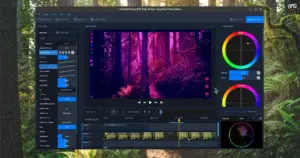
OpenShot Video Editor Arrives on the Canonical Snap Store, Bringing Version 4.0 to Ubuntu Users
In a major milestone for open-source desktop multimedia production, the popular Qt-based...
 Linux & Open Source Solutions
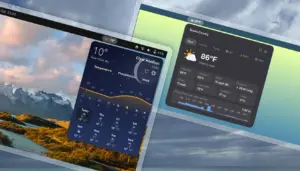
GNOME Shell Weather Extensions Bring Dynamic Visuals to the Desktop Panel
While dedicated desktop applications for checking the weather have long enjoyed a...
 Linux & Open Source Solutions
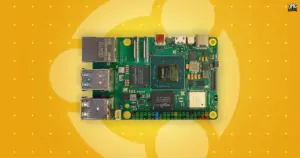
Canonical Releases Official Ubuntu Desktop Images for RISC-V Hardware Ahead of Ubuntu 26.10
Installing Ubuntu on RISC-V hardware is poised to become significantly more straightforward...







