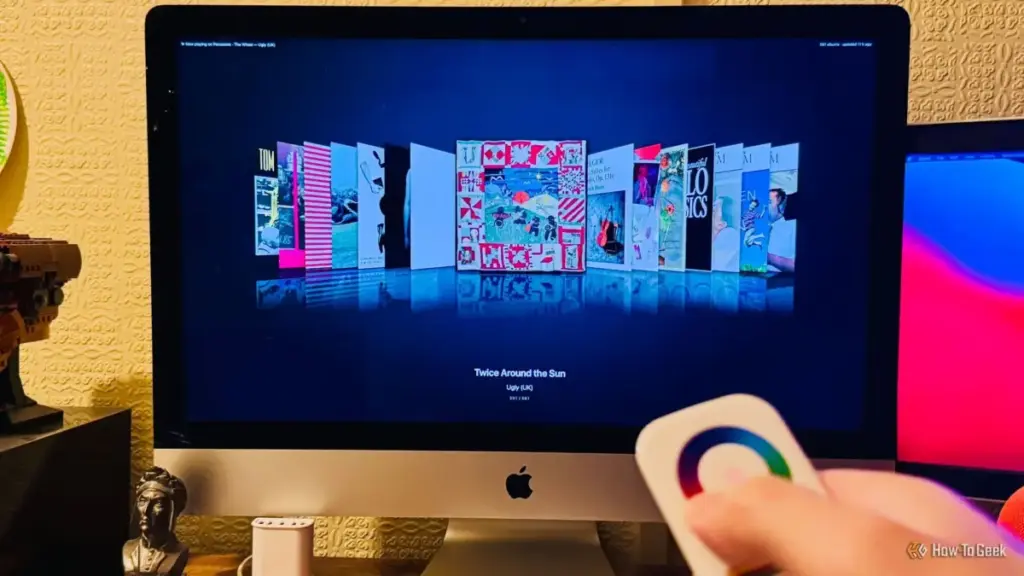
In the annals of personal technology, few interfaces have evoked as much tactile joy as the original Apple iPod click wheel. For a generation of music lovers, the act of navigating a library was as much a part of the experience as the music itself. While the world has largely moved on to the utilitarian efficiency of streaming lists and glass touchscreens, the nostalgia for that physical connection remains potent. For Adam Davidson, an engineer and long-time technology writer, that nostalgia recently served as the catalyst for a unique hardware hacking project that bridges the gap between mid-2000s aesthetics and modern smart home power.
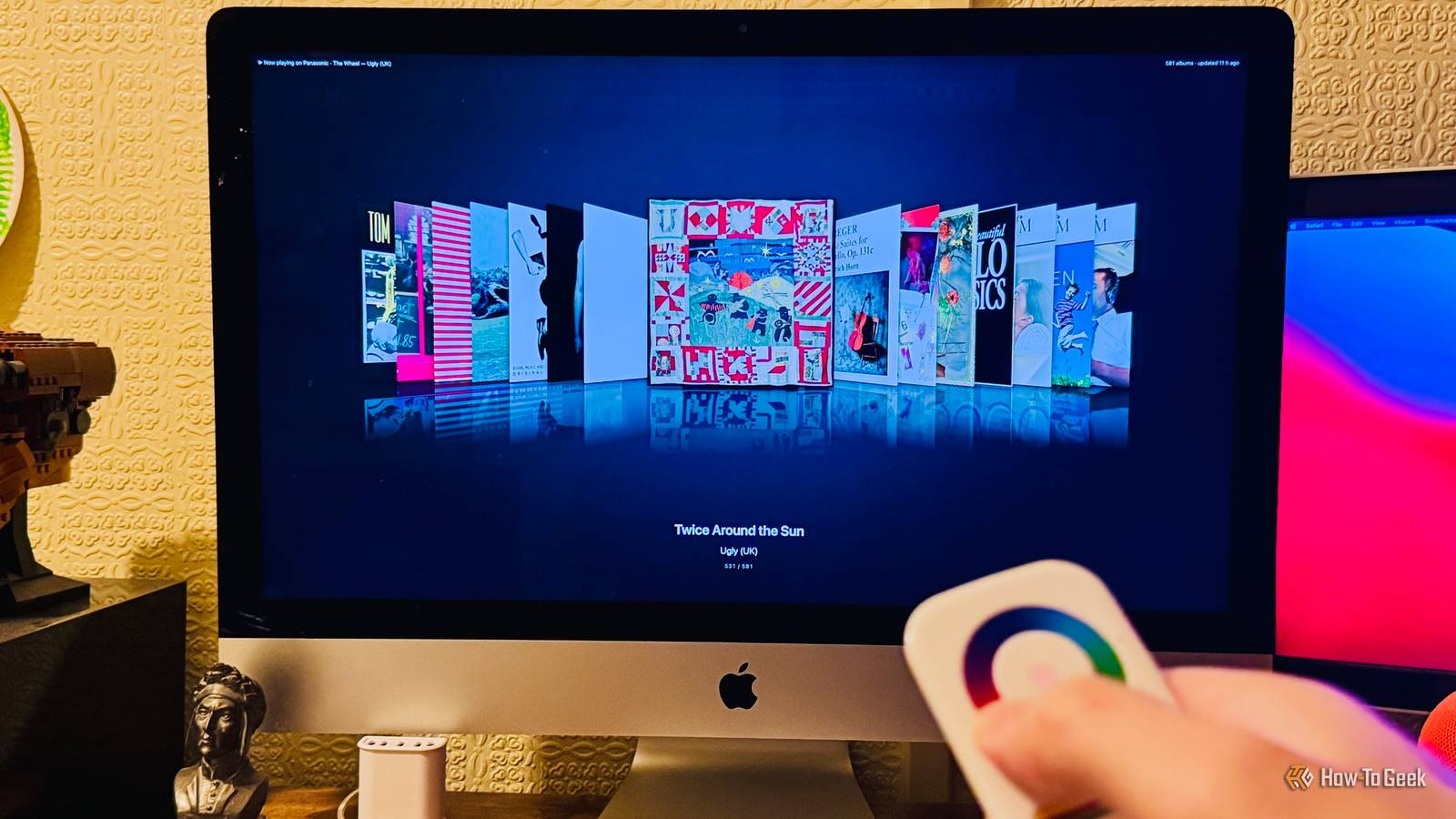
By repurposing a forgotten Zigbee remote and leveraging the capabilities of Home Assistant and generative AI, Davidson has managed to recreate the legendary "Cover Flow" experience on a grand scale. The result is what he describes as the "world’s biggest iPod"—a 27-inch 5K display that brings the physical sensation of the click wheel back to life.
The Lasting Legacy of Cover Flow
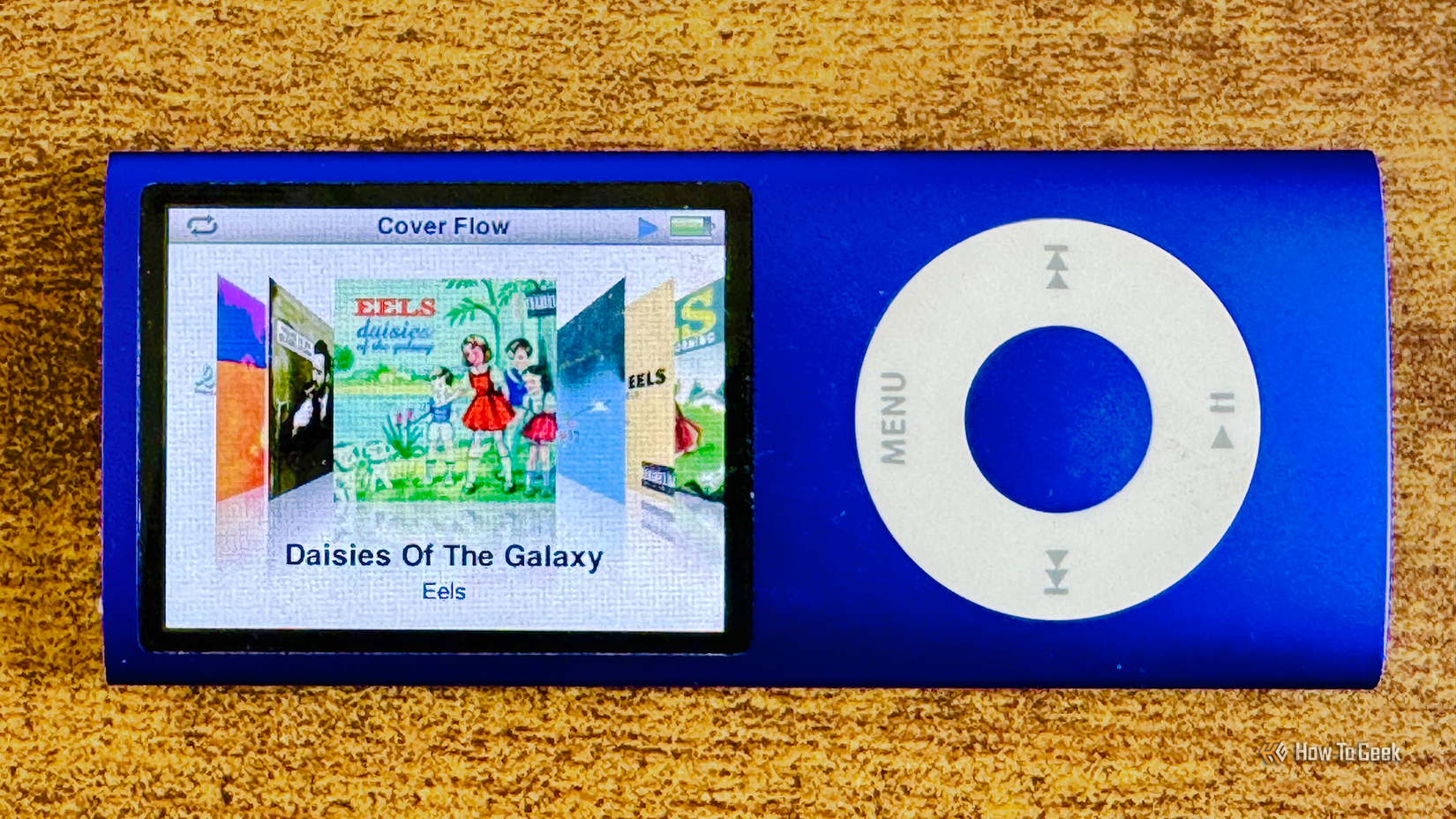
To understand the motivation behind the project, one must look back at what made the iPod era so distinctive. Before it was a standard feature in iTunes and macOS Finder, Cover Flow was a third-party innovation designed to browse digital files with the same visual flair as flipping through a physical crate of vinyl records. When Apple integrated it into the fifth-generation iPod and subsequent iPhones, it became a hallmark of the company’s "skeuomorphic" era—a time when digital interfaces mimicked the physical world.
Cover Flow presented a three-dimensional carousel of album art. A single cover stood front and center, while others were stacked at an angle to the left and right, complete with subtle reflections that made the screen look like a polished glass surface. For many, the highlight was the synergy between the software and the hardware. Spinning a thumb around the iPod’s click wheel allowed users to "flick" through their collection, watching the art fly past with a smoothness that felt almost magical at the time.
However, as Apple shifted toward the flatter, more minimalist design language of iOS 7 and beyond, Cover Flow was gradually phased out. Today, Apple Music users navigate through static grids and vertical lists. The click wheel is a relic of the past, replaced by the haptic but fundamentally different experience of the modern smartphone. For Davidson, this loss was more than just aesthetic; it was a loss of the "joy" of discovery.
An Unexpected Discovery in a Desk Drawer
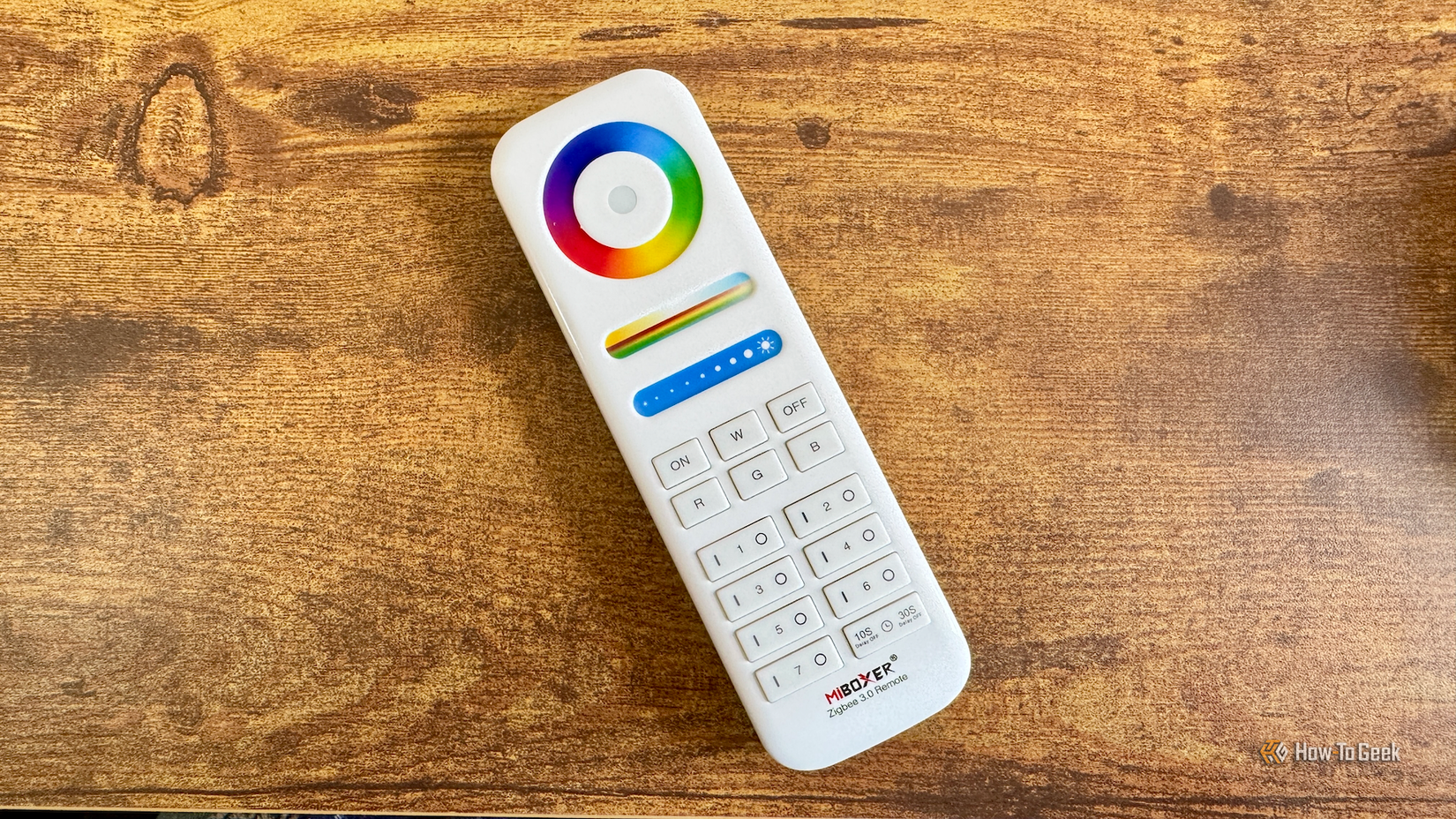
The path to resurrecting this interface began not with a dedicated plan, but with a piece of "junk" hardware. While cleaning out a drawer, Davidson rediscovered an old Zigbee smart home remote manufactured by MIBOXER. Originally purchased during an attempt to build a DIY universal remote to replace a Logitech Harmony setup, the device had been relegated to storage because it lacked the specific buttons needed for television control.
The remote was designed primarily for smart lighting. It featured standard buttons for power, brightness sliders, and color temperature toggles. However, its most prominent feature was a large, circular touch-sensitive ring at the top—a color wheel intended to let users dial in specific hues for RGB light bulbs.
"When I spotted the remote in my drawer, the color wheel immediately made me think of the click wheel on an old iPod," Davidson noted. The physical similarity sparked a question: Could a device meant for changing light colors be remapped to navigate a digital music library?
The Technical Foundation: Home Assistant and Zigbee2MQTT
The bridge between the physical remote and the digital interface was Home Assistant, the open-source platform that has become the gold standard for advanced smart home automation. Davidson connected the remote to his server using Zigbee2MQTT, a bridge that allows Zigbee devices to communicate with a home automation network with high levels of granularity.

The first step was determining exactly what kind of data the remote was sending. By monitoring the device’s output, Davidson discovered that the color wheel produced a numerical value ranging from 0 to 254, representing the specific position of a finger on the ring. As a thumb moved around the wheel, the remote sent updated readings approximately three times per second.
This data provided the "raw materials" for a click wheel. By calculating the difference between two consecutive readings, Davidson could determine the direction and speed of the user’s scroll. There were technical hurdles, of course—such as handling the "wrap-around" point where the value jumps from 254 back to 0 at the top of the wheel—and the remote’s tendency to go silent after 29 readings to preserve battery life. However, for a stationary desk setup, these were manageable constraints.
Engineering the Interface with AI Collaboration
While the hardware side was functioning, the software side required a custom dashboard that could replicate the specific look and feel of Cover Flow. Rather than spending weeks coding a custom solution from scratch, Davidson turned to Claude Code, an AI development tool.
The collaboration highlights a growing trend in the "maker" community: using generative AI to handle the heavy lifting of complex coding tasks. Davidson provided the vision and the parameters, while the AI generated the logic. The system was designed to pull album data from Music Assistant, a popular Home Assistant integration that aggregates music from various streaming services and local libraries. To ensure a premium look, the code was instructed to filter out any albums lacking high-resolution cover art or those containing fewer than five tracks.
The development process was iterative. The initial version, which relied on Home Assistant to process the math for each scroll movement, resulted in a "jumpy" experience. To solve this, the logic was moved directly into the dashboard card itself. This allowed the interface to read the remote’s data and move the album covers by tiny fractions, creating the illusion of fluid motion.
Perhaps the most impressive addition was the implementation of "momentum." Much like the original iPod, if a user spins the wheel quickly and lets go, the albums on the screen continue to glide past, gradually slowing to a stop. This level of polish transformed the project from a simple remote-control hack into a professional-grade interface.
The Giant iPod: A 27-Inch 5K Experience
The final setup is a striking example of tech-repurposing. Davidson runs the Cover Flow dashboard full-screen on an "ancient" 27-inch iMac. Despite its age, the iMac’s 5K Retina display provides the perfect canvas for the high-resolution album art and the reflective animations of the interface.
The user experience is a direct homage to the classic iPod. Sliding a thumb around the Zigbee color wheel scrolls through the library; pressing the "ON" button on the remote selects and plays the highlighted album. Once music begins, the system transitions to a "Now Playing" screen.
This secondary screen is equally feature-rich, displaying track listings and synchronized lyrics. As the music plays, the current line of the lyrics is highlighted in real-time. The color wheel remains active in this mode, allowing the user to scroll through individual tracks within the album. A separate button on the remote allows the user to back out of the player and return to the main Cover Flow view to browse other albums or playlists.
"It’s honestly a joy to use and works even better than I’d expected," Davidson said. "It really is like having an iPod with a giant 27-inch screen on my desk."
The Value of Serendipity in Innovation
This project serves as a reminder that the most rewarding technological solutions often come from a combination of nostalgia and accidental discovery. What began as a piece of discarded e-waste in a drawer became the centerpiece of a sophisticated home media system.
For Davidson, the project is far from over. With the success of the desktop version, he plans to port the interface to his living room television, scaling the experience up even further. Beyond the technical achievement, the project has had a more personal impact: "It’s also helped me discover just how many lyrics I’ve been singing completely wrong this whole time," he joked.
As the smart home industry continues to mature, projects like this demonstrate that the real power of platforms like Home Assistant lies not just in turning lights on and off, but in giving users the tools to reclaim the digital experiences they miss most. In an era of increasingly locked-down ecosystems, the "Giant iPod" is a testament to the enduring appeal of the click wheel and the ingenuity of the modern tinkerer.
 Tech Tutorials & How-To Guides
Amazon Slashes Price of Flagship Fire TV Cube to Record Low in Early Black Friday Deal
The landscape of home entertainment has shifted dramatically over the last decade,...
 Tech Tutorials & How-To Guides
Protecting Your Power: The Critical Importance of Proper Winter Storage for Ryobi Tool Batteries
As the autumn leaves finish falling and the first signs of frost...
 Tech Tutorials & How-To Guides
The Evolution of Minimalism: Why Compact Keychain Multi-Tools are Reshaping Modern Everyday Carry
For over a decade, the philosophy of "Everyday Carry," or EDC, was...