
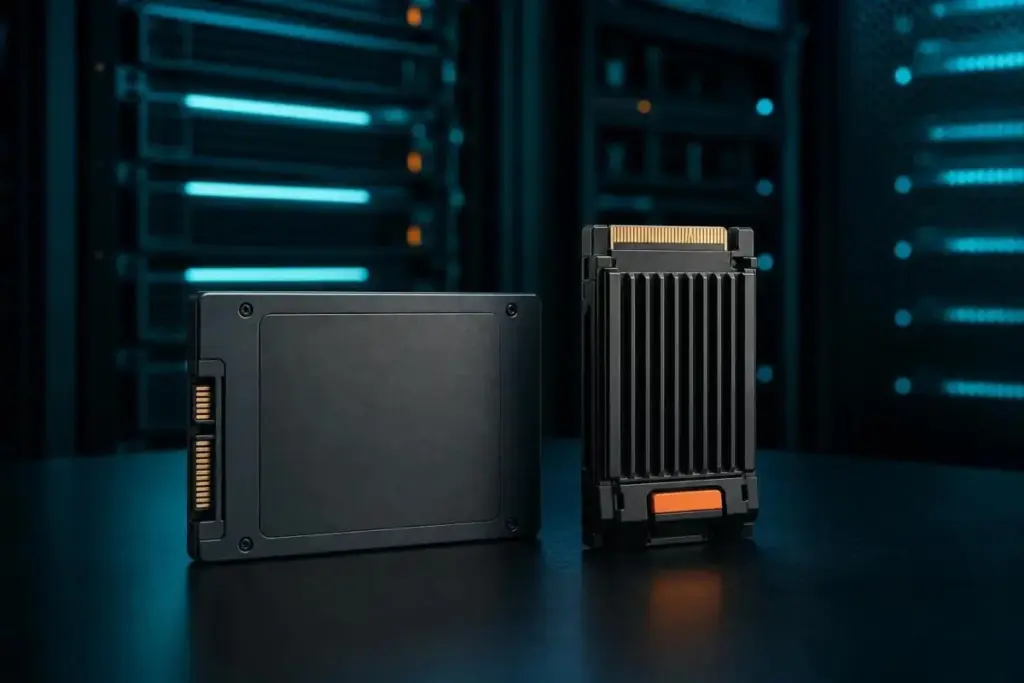
In the rapidly evolving landscape of data storage, terms like "Flash" and "SSD" are frequently used interchangeably by consumers and enterprise procurement teams alike. However, as data demands reach unprecedented levels and the underlying silicon technology becomes increasingly complex, the distinction between these two concepts has become a critical focal point for understanding hardware performance. Industry experts and major technology providers, including IBM, Pure Storage, and SK Hynix, are emphasizing that the real conversation is no longer about choosing between Flash and SSDs, but rather understanding how Flash technology is harnessed within the architecture of a Solid-State Drive to meet specific workload requirements.
At its most fundamental level, Flash storage refers to the memory technology itself. These are the electronic, non-volatile memory chips that store data without the need for moving parts. An SSD, by contrast, is a complete, sophisticated storage device built around those Flash chips. To use an analogy common in hardware circles, Flash is the engine, while the SSD is the entire vehicle, complete with a transmission, fuel management system, and a driver’s interface. Understanding this distinction is the first step in decoding the technical specifications that determine whether a drive will thrive in a high-transaction database environment or serve as a budget-friendly backup solution.
Flash Is the Chip, SSD Is the Product Built Around It
The core of the distinction lies in the physical and logical structure of the hardware. According to technical insights from IBM, Flash storage is defined by its non-volatile nature, meaning it retains data through electrical charges trapped in memory cells on silicon even when the power is disconnected. This property is why Flash technology is found in a vast array of devices beyond computer storage drives, including smartphones, digital cameras, and SD cards.
However, a raw Flash chip is not inherently capable of functioning as a primary storage drive for a modern computer. As Pure Storage notes, the transition from a simple chip to a Solid-State Drive requires an integrated "extra layer" consisting of a controller, specialized firmware, and a standardized interface. While a USB thumb drive or an SD card utilizes Flash memory, they lack the complex controller logic and high-speed interfaces required to be classified as an SSD. It is within this architectural layer—the controller and firmware—where the most meaningful differences between enterprise-grade and consumer-grade drives are found. The controller acts as the "brain" of the device, managing how data is written, moved, and protected, which ultimately dictates the drive’s reliability and speed.
The Evolution of NAND and the Trade-Offs of Cell Density
The Flash memory used in modern storage is generally divided into two families: NAND and NOR. These names refer to the type of logic gate used in the storage cells. IBM explains that NOR Flash is characterized by its ability to provide fast read speeds and random-access capabilities, making it ideal for storing firmware and embedded code that must be accessed quickly. However, NOR is expensive and lacks the storage density required for high-capacity drives.
This is why virtually every modern SSD is built on NAND Flash. NAND offers significantly higher storage density, smaller physical cell sizes, and faster write and erase speeds, all at a lower cost per bit. Within the world of NAND, the most critical variable for a buyer is the cell type, which refers to how many bits of data are stored in a single transistor cell. This is a game of precision and physics: the more bits stored per cell, the more voltage levels the controller must be able to distinguish, which directly impacts performance and longevity.
Computer Compatibility identifies three primary tiers of NAND used today. Single-Level Cell (SLC) stores only one bit per cell. It is the fastest, most durable, and most expensive option, but because of its low density, it has largely disappeared from the consumer market, finding its home in military-grade and high-end enterprise systems where failure is not an option. Triple-Level Cell (TLC), storing three bits per cell, has become the mainstream standard, offering a balanced middle ground of speed, capacity, and durability. Finally, Quad-Level Cell (QLC) stores four bits per cell. While QLC allows for massive capacities at a lower price point—often seen in budget drives and high-capacity 4TB or 8TB models—it trades away write speed and endurance to achieve those gains.
The Intelligence of the Controller: What an SSD Adds to the Silicon
The raw NAND chips in an SSD are inherently "dumb" components that would quickly wear out or become disorganized without the intervention of the controller and firmware. The controller organizes the NAND into blocks and cells and performs critical background tasks that keep the drive functional. One of the most vital processes is wear-leveling. Because NAND cells have a finite lifespan and can only be written to a certain number of times before they degrade, the controller ensures that write operations are spread evenly across all available cells, preventing any single block from wearing out prematurely.
Another essential function is garbage collection. In Flash storage, data cannot be overwritten directly; a block must be erased before new data can be written to it. The controller manages this by reclaiming "stale" blocks of data that are no longer in use, reorganizing valid data into new blocks to keep the drive’s performance from tanking during heavy write operations.
To support these background tasks, manufacturers utilize "over-provisioning." This involves reserving a portion of the drive’s total Flash capacity—typically between 7% and 28%, according to SK Hynix—that is invisible to the user. This hidden capacity provides a "workspace" for the controller to perform wear-leveling and garbage collection, ensuring steadier write performance over the life of the drive. The amount of over-provisioning often distinguishes enterprise drives from consumer ones; enterprise models typically feature higher over-provisioning to handle the relentless, 24/7 write loads of data centers.
Furthermore, many modern TLC and QLC drives use a "pseudo-SLC" write cache to mask the slower native speeds of high-density NAND. By running a portion of the drive in a temporary single-bit mode, the drive can accept incoming data at much higher speeds. However, as Computer Compatibility notes, once this cache is filled during a large file transfer, the drive’s write speed will drop significantly to its native NAND speed, creating a performance bottleneck that users should be aware of when moving large datasets.
Performance Thresholds and the Impact of Drive Fullness
The performance of an SSD is not a static figure; it is dynamic and influenced by how much data is already stored on the device. SK Hynix observations suggest that sustained write performance can drop noticeably once a drive reaches approximately 80% of its total capacity. This threshold exists because as the drive fills up, the controller has fewer "clean" blocks available to work with, forcing it to perform more intensive garbage collection and data reorganization in real-time. To maintain optimal speed, many experts recommend keeping at least 10% to 20% of the drive’s capacity free.
The severity of this performance drop depends heavily on the quality of the controller firmware and the size of the cache. While some high-end drives can manage high-fill scenarios with minimal lag, budget-oriented drives may see drastic slowdowns, illustrating why the "product" (the SSD) matters just as much as the "chip" (the Flash).
Interfaces, Form Factors, and the Importance of Endurance Ratings
When selecting an SSD, the physical shape and the communication protocol are just as important as the memory type. SATA SSDs, which use the older interface designed for spinning hard drives, are capped at roughly 550 MB/s due to the limitations of the 6 Gb/s SATA bus. In contrast, NVMe (Non-Volatile Memory express) drives communicate directly with the CPU over PCIe lanes, bypassing the legacy bottlenecks of SATA. Modern NVMe Gen 4 drives can reach speeds between 4,500 and 7,000 MB/s, representing a massive leap in sequential throughput.
It is a common misconception that the M.2 form factor—the small, stick-like shape—automatically means a drive is NVMe. As IBM points out, M.2 is merely a physical form factor. An M.2 drive can be either SATA or NVMe, though the 2.5-inch rectangular casing remains the standard for older SATA-compatible systems.
Finally, buyers must look closely at endurance, usually measured in Total Bytes Written (TBW). This figure represents the amount of data that can be written to the drive before the warranty expires or the NAND cells are expected to fail. Crucially, endurance is not a fixed number; it varies based on the "block size" of the data being written. For example, Micron’s datasheet for its 6550 ION series illustrates this variance: the drive is rated for 112,000TB of endurance under a 128KB random-write pattern, but that figure plummets to 28,000TB when dealing with a 4KB random-write pattern. This highlights why SK Hynix recommends that enterprise buyers verify the workload assumptions in a datasheet rather than taking a single TBW figure at face value.
The Strategic Role of HDDs in an SSD-Dominant World
While SSDs have become the standard for boot drives and performance-critical applications, the traditional Hard Disk Drive (HDD) has not yet been rendered obsolete. The comparison between SSDs and HDDs remains relevant because of the persistent gap in cost-per-gigabyte. SSDs are circuit-based devices with no moving parts, making them significantly faster and more durable than the spinning magnetic platters of an HDD. Pure Storage suggests that SSDs can be up to 14 times faster than HDDs in certain comparisons.
However, HDDs still offer superior raw capacity at a much lower price point. This has led to the continued use of hybrid storage environments, where SSDs handle latency-sensitive tasks and frequently accessed "hot" data, while HDDs are reserved for bulk, "cold" storage—such as long-term backups and massive media archives—where cost efficiency is more important than millisecond response times.
A Critical Approach to Procurement
The takeaway for any technology buyer is that the question "Flash vs. SSD" is fundamentally flawed. Instead, the focus must shift to the specific components of the SSD: the NAND type, the interface generation, the form factor, and the endurance rating.
Before committing to a purchase, it is essential to look past the headline speeds advertised on the box. Those figures often represent best-case scenarios under specific burst conditions. Real-world performance, especially in enterprise environments, depends on how the drive handles sustained workloads once the cache is exhausted or the drive begins to fill. The most reliable way to gauge a drive’s suitability is to examine the manufacturer’s technical datasheet for the TBW figure and the specific testing conditions—such as block size and queue depth—used to generate those numbers. In the world of modern storage, the intelligence of the controller and the quality of the firmware are what truly transform a simple collection of Flash chips into a reliable, high-performance tool.
 Enterprise Tech & Infrastructure
Optimizing the Modern Data Center: Strategic Best Practices for Navigating the Shift to Software-Defined Storage
In the rapidly evolving landscape of enterprise technology, Software-Defined Storage (SDS) has...
 Enterprise Tech & Infrastructure
Securing the Data Perimeter: A Comprehensive Analysis of DAS and NAS Vulnerabilities and Protections
In the modern enterprise landscape, data has become the most valuable asset,...
 Enterprise Tech & Infrastructure
Bridging the Gap: The Role of Fibre Channel over Ethernet (FCoE) in Modern Data Center Storage
In the complex landscape of enterprise data management, the quest for a...







