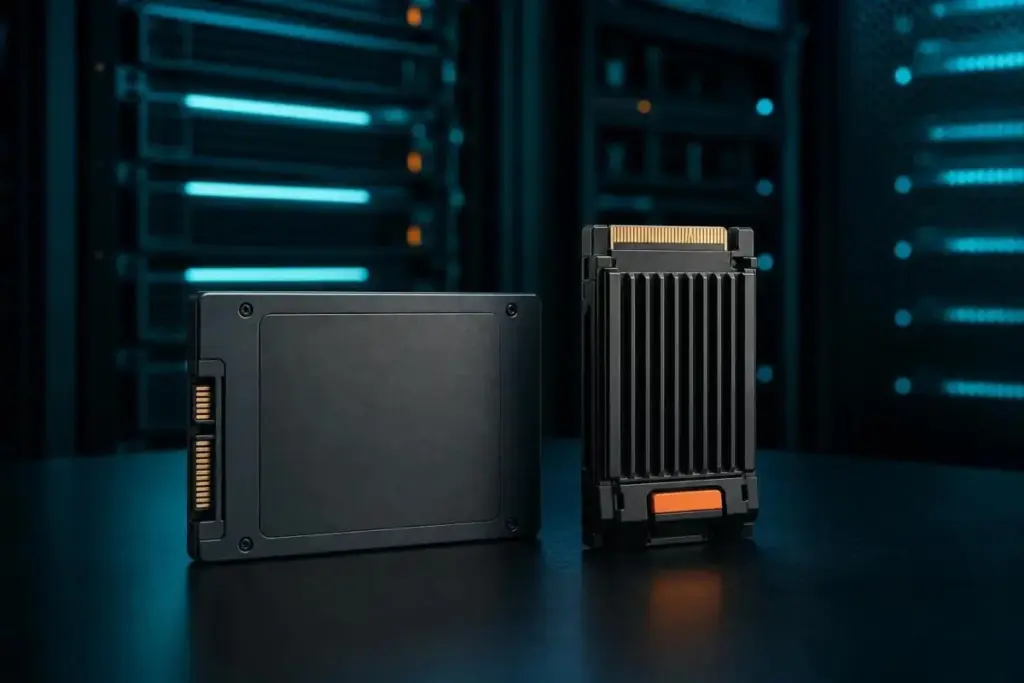
When selecting an SSD, the physical shape and the communication protocol are just as important as the memory type. SATA SSDs, which use the older interface designed for spinning hard drives, are capped at roughly 550 MB/s due to the limitations of the 6 Gb/s SATA bus. In contrast, NVMe (Non-Volatile Memory express) drives communicate directly with the CPU over PCIe lanes, bypassing the legacy bottlenecks of SATA. Modern NVMe Gen 4 drives can reach speeds between 4,500 and 7,000 MB/s, representing a massive leap in sequential throughput.
It is a common misconception that the M.2 form factor—the small, stick-like shape—automatically means a drive is NVMe. As IBM points out, M.2 is merely a physical form factor. An M.2 drive can be either SATA or NVMe, though the 2.5-inch rectangular casing remains the standard for older SATA-compatible systems.
Finally, buyers must look closely at endurance, usually measured in Total Bytes Written (TBW). This figure represents the amount of data that can be written to the drive before the warranty expires or the NAND cells are expected to fail. Crucially, endurance is not a fixed number; it varies based on the "block size" of the data being written. For example, Micron’s datasheet for its 6550 ION series illustrates this variance: the drive is rated for 112,000TB of endurance under a 128KB random-write pattern, but that figure plummets to 28,000TB when dealing with a 4KB random-write pattern. This highlights why SK Hynix recommends that enterprise buyers verify the workload assumptions in a datasheet rather than taking a single TBW figure at face value.
The Strategic Role of HDDs in an SSD-Dominant World
While SSDs have become the standard for boot drives and performance-critical applications, the traditional Hard Disk Drive (HDD) has not yet been rendered obsolete. The comparison between SSDs and HDDs remains relevant because of the persistent gap in cost-per-gigabyte. SSDs are circuit-based devices with no moving parts, making them significantly faster and more durable than the spinning magnetic platters of an HDD. Pure Storage suggests that SSDs can be up to 14 times faster than HDDs in certain comparisons.
However, HDDs still offer superior raw capacity at a much lower price point. This has led to the continued use of hybrid storage environments, where SSDs handle latency-sensitive tasks and frequently accessed "hot" data, while HDDs are reserved for bulk, "cold" storage—such as long-term backups and massive media archives—where cost efficiency is more important than millisecond response times.
A Critical Approach to Procurement
The takeaway for any technology buyer is that the question "Flash vs. SSD" is fundamentally flawed. Instead, the focus must shift to the specific components of the SSD: the NAND type, the interface generation, the form factor, and the endurance rating.
Before committing to a purchase, it is essential to look past the headline speeds advertised on the box. Those figures often represent best-case scenarios under specific burst conditions. Real-world performance, especially in enterprise environments, depends on how the drive handles sustained workloads once the cache is exhausted or the drive begins to fill. The most reliable way to gauge a drive’s suitability is to examine the manufacturer’s technical datasheet for the TBW figure and the specific testing conditions—such as block size and queue depth—used to generate those numbers. In the world of modern storage, the intelligence of the controller and the quality of the firmware are what truly transform a simple collection of Flash chips into a reliable, high-performance tool.
 Enterprise Tech & Infrastructure
Navigating the Hidden Complexities of Amazon S3: Strategies for Mitigating Enterprise Storage Overspend
The financial architecture of cloud storage is often more complex than it...
 Enterprise Tech & Infrastructure
Cerebras Systems Forges Cloud Path as OpenAI Mega-Deal Anchors Massive Revenue Backlog
Throughout 2026, Cerebras Systems, the innovator behind the world’s largest AI processors,...
 Enterprise Tech & Infrastructure
The Essential Architecture of Digital Storage: Understanding the Critical Role of Computer Memory Systems
In the modern computing landscape, the term "memory" serves as a broad...