
In the modern digital landscape, the concept of a "sensitive account" has undergone a dramatic evolution. While many users prioritize the security of their banking portals or corporate logins, few single points of failure carry as much weight as a Google account. It serves as the central nervous system for a vast array of personal and professional data, ranging from private correspondence in Gmail and sensitive files in Drive to an exhaustive history of search queries, location data, and photographic memories. Given the sheer volume of information consolidated under this single sign-on, the necessity for robust, multi-layered security reinforcements has never been more critical.
The reality of modern cybersecurity is that a password, regardless of how complex it may have seemed when it was created years ago, is no longer a sufficient defense. In an era of sophisticated phishing schemes and large-scale data breaches, relying on a single alphanumeric string is akin to locking a vault with a plastic tie. To truly safeguard one’s digital footprint, users must adopt a proactive stance, auditing their security posture and implementing the advanced tools Google has developed to stay ahead of emerging threats.
Strengthening the Primary Access Points
The first line of defense remains the account password, yet it is often the weakest link. Many users fall into the trap of password fatigue, utilizing common words, predictable patterns, or, most dangerously, reusing credentials across multiple platforms. This habit creates a domino effect; if a minor service experiences a breach, an attacker can use those same credentials to attempt a "credential stuffing" attack on more significant targets like Google.

Security experts emphasize that a truly secure password must be unique and complex, ideally managed through a dedicated password manager. Whether utilizing Google’s integrated solution or a more feature-rich third-party alternative, these tools allow for the generation of high-entropy passwords that are nearly impossible to guess or brute-force. Periodically reviewing these credentials and updating them ensures that even if a password was compromised in the past, the window of opportunity for an intruder is firmly shut.
Beyond the password, the implementation of two-factor authentication (2FA), or 2-Step Verification, has become a non-negotiable standard for high-level security. This adds a second layer of verification that requires a physical object or biometric confirmation in addition to the password. While SMS-based codes were once the standard, they are increasingly viewed as vulnerable to "SIM swapping" and interception. Consequently, the industry has shifted toward more secure alternatives, such as Google Prompts, authenticator apps, or physical hardware keys.
The most modern iteration of this security layer is the "passkey," a cryptographic credential that replaces traditional passwords with biometric signatures or local device locks. By anchoring the authentication process to a physical device—such as a smartphone or a dedicated USB dongle—passkeys effectively neutralize the threat of remote phishing, as there is no password for a user to inadvertently reveal to a malicious site.
Modern Identity Verification and Recovery Failsafes
A robust security setup is not only about keeping unauthorized users out but also about ensuring the rightful owner can regain access in the event of an emergency. Google has significantly expanded its identity verification infrastructure to prevent permanent lockouts, which can be catastrophic for users who rely on the ecosystem for their livelihoods.

One of the most critical maintenance tasks is ensuring that recovery phone numbers and email addresses are current. It is common for users to forget these settings for years, only to find they no longer have access to the secondary email or phone number listed when they actually need it. Regularly auditing these settings in the Google Account security dashboard is a foundational step in digital hygiene.
In a significant update to its security protocols as of late 2026, Google introduced more sophisticated methods for identity confirmation, including selfie-centric verification. This system allows users to record a short video clip—capturing their face from multiple angles—to create a biometric template. In a worst-case scenario where traditional recovery methods fail, this video can be compared against a fresh recording to confirm the user’s identity with a high degree of certainty. This adds a biological layer to a digital problem, making it significantly harder for attackers to spoof their way into an account.
Furthermore, the introduction of "Recovery Contacts" has added a social dimension to account security. This feature allows users to designate a trusted friend or family member who can assist in the authentication process. If a user is locked out, the designated contact receives a unique code that they must relay to the user. This "out-of-band" verification ensures that the person attempting to access the account is physically or verbally communicating with someone who knows them, providing a human barrier against automated attacks.
Auditing the Ecosystem of Connections
A Google account does not exist in a vacuum; it is often the foundation for dozens of third-party applications and services. Every time a user signs into a new app using their Google credentials or grants a productivity tool access to their Drive or Calendar, a digital "token" is created. Over time, these permissions can accumulate, creating a silent and often overlooked security risk.
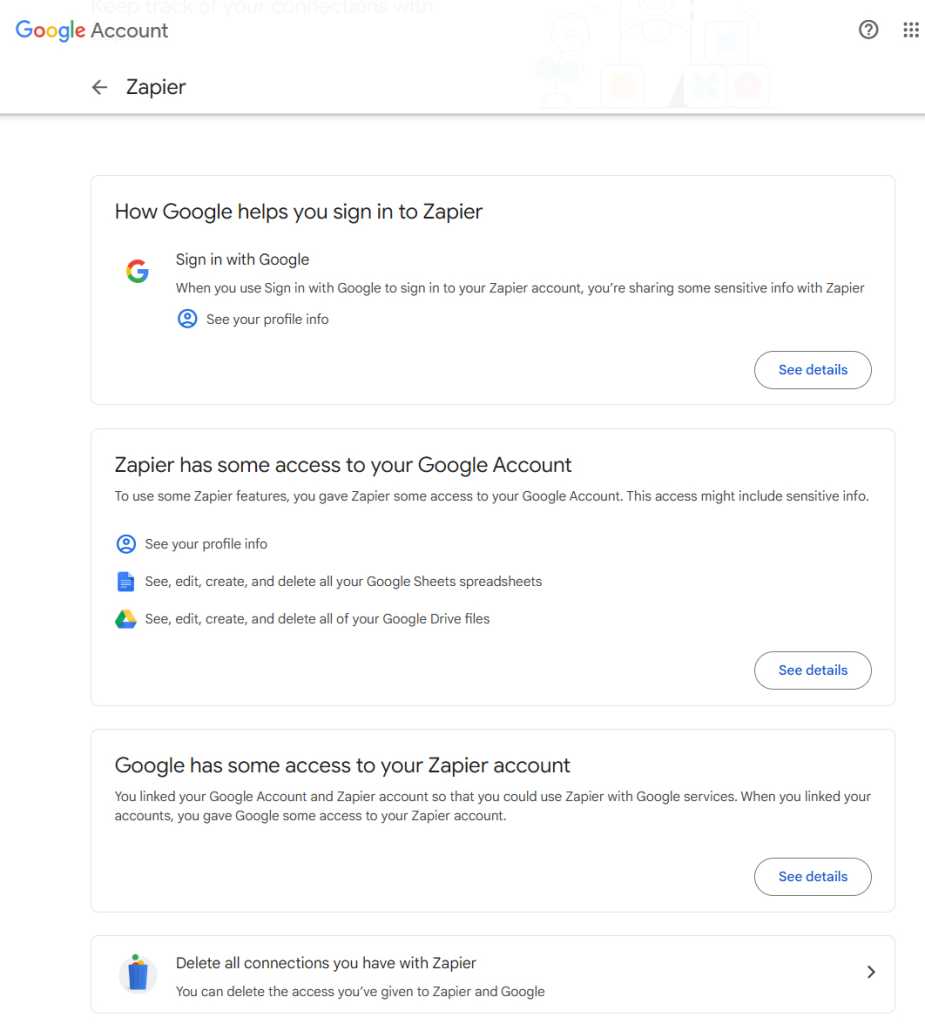
The danger lies in the scope of access granted. Some apps may only require basic profile information, while others might have the authority to read, delete, or modify emails and files. If a third-party developer’s security is compromised, the access tokens they hold could potentially be used to reach into the user’s Google account. A regular audit of the "third-party apps with account access" list is essential. Revoking access for services that are no longer in use or that seem to demand excessive permissions is a vital step in minimizing one’s attack surface.
This scrutiny should extend to the physical devices associated with an account. Google’s device activity dashboard provides a transparent look at every smartphone, tablet, and computer currently signed in. In an age of frequent device upgrades, it is easy to leave an account active on an old phone that has been sold or a public computer that was used once. Removing these stale connections ensures that the account remains accessible only from hardware currently under the user’s direct control.
Operating System and Browser-Level Integrity
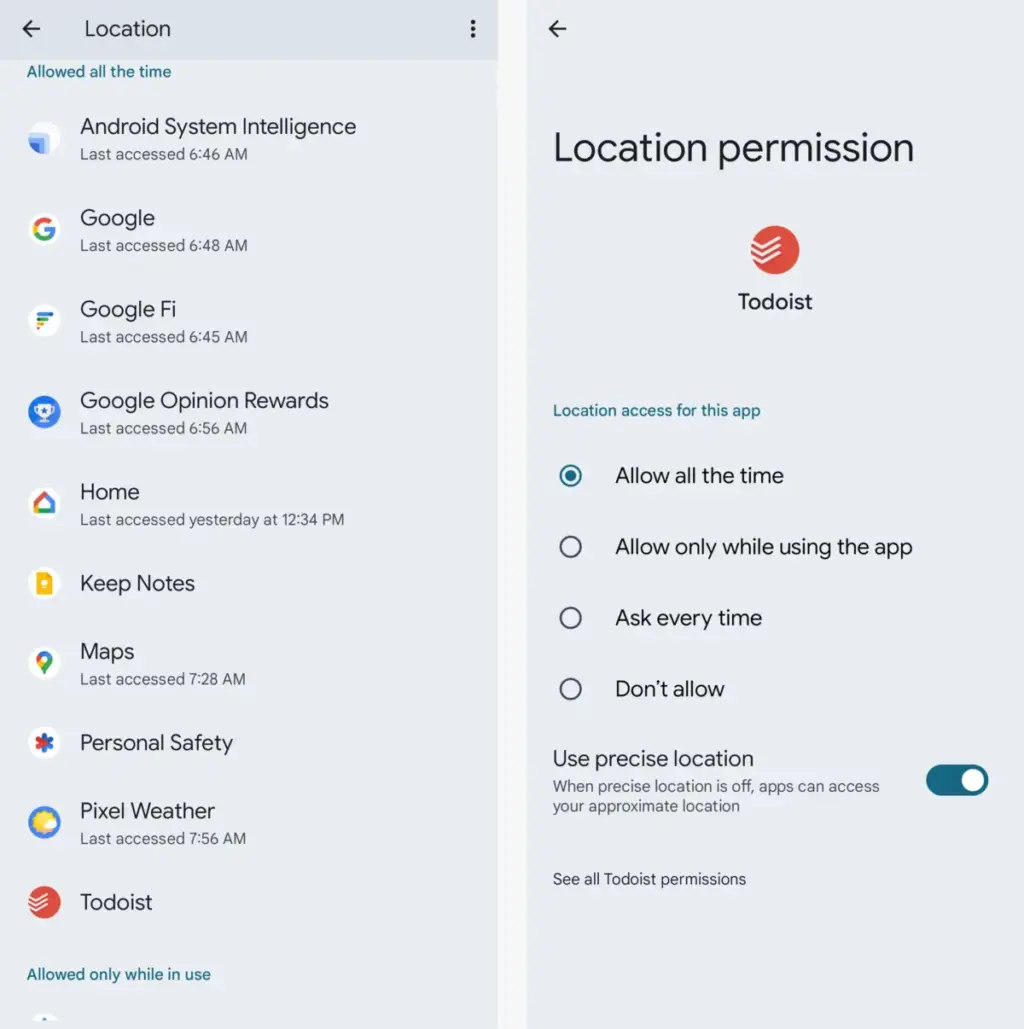
For those within the Android and Chrome ecosystems, account security is deeply intertwined with device-level permissions. On Android, system-level access to contacts, location, and calendars can effectively bridge the gap between local data and cloud-stored Google info. The Permission Manager within Android’s settings allows for a granular review of which apps can see what. Periodically tightening these permissions ensures that a simple utility app isn’t overreaching into sensitive account data.
Similarly, browser extensions on platforms like Chrome, Microsoft Edge, and Vivaldi represent a unique vector of risk. While extensions can enhance functionality, they often require broad permissions to read and change data on the websites a user visits. This can include sensitive portals like Gmail or Google Docs. Users are encouraged to limit extension access to specific sites rather than allowing them to run on "all sites" by default. By restricting an extension’s visibility, users can enjoy the benefits of the software without granting it a "god-mode" view of their entire web browsing experience.
Planning for the Long Term: Digital Legacy and Advanced Protection
Security also involves planning for scenarios that are difficult to contemplate, such as the management of one’s digital estate. Google’s Inactive Account Manager acts as a virtual will, allowing users to decide what happens to their data if the account remains unused for a set period. This tool allows for the automated notification of trusted contacts and the potential sharing of specific data subsets, such as photos or documents, with heirs. Without this setup, loved ones may find it nearly impossible to retrieve meaningful digital assets after a user’s passing, as Google’s privacy policies are strictly enforced even for the deceased.
Finally, for users who face an elevated risk of targeted cyberattacks—such as journalists, activists, or high-level executives—Google provides the Advanced Protection Program. This is the most stringent level of security offered by the company, requiring the use of physical security keys for every new sign-in and strictly limiting third-party app access. While it introduces a higher degree of friction into the user experience, it provides a level of defense that is virtually impenetrable to standard remote hacking techniques.
Maintaining a secure Google account is not a "one-and-done" task but an ongoing process of refinement. As threats evolve and new features are introduced, taking the time to audit permissions, update recovery methods, and embrace new authentication technologies like passkeys ensures that one’s most important digital assets remain under their exclusive control. By following these comprehensive steps, users can transition from a state of vulnerability to one of informed, proactive security.
 Small Business IT & Cloud Computing
AI-Driven Cyberattacks Target Online Retailers at a Cost of Just $25 Per Breach
The landscape of cybersecurity is undergoing a fundamental shift as the barrier...
 Small Business IT & Cloud Computing
Trump’s Rebranding of Artificial Intelligence to ‘Super Intelligence’ Sparks Unprecedented Domain Rush for Slovenia’s .si Registry
The global landscape of digital real estate is undergoing a seismic shift...
 Small Business IT & Cloud Computing
Maximizing Mobile Productivity: The Hidden Architecture of Google Messages on Android
In the modern mobile landscape, the smartphone has transitioned from a simple...







